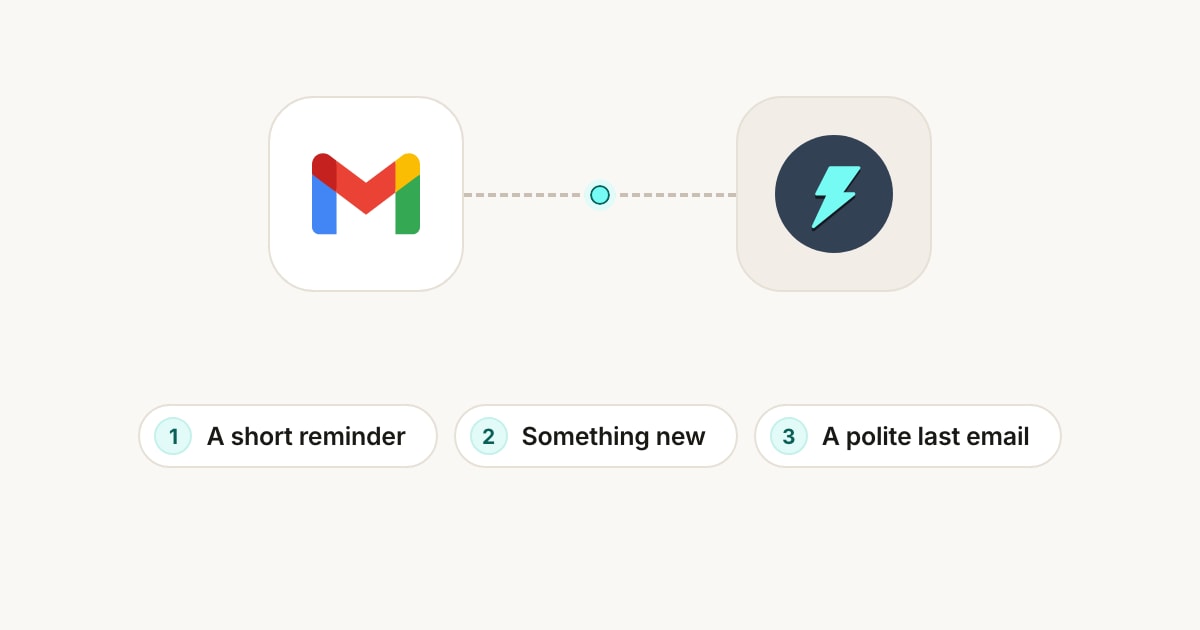
To follow up on an email after no response, reply in the same thread two or three business days later with a short reminder of what you asked and an easy next step. If there's still no answer, send a second follow-up about a week later that adds something new, such as a quick call, and a last, polite one a week after that. Then stop.
You don't have to write any of them yourself. With Jetwriter AI in Gmail, open the email you sent, click AI Reply under it, and type in a few words what the follow-up should do, such as "Follow up politely. Keep it short." Jetwriter AI reads your email and writes a follow-up that repeats your request and your dates. You read it and send it yourself.
Example: A Proposal with No Reply
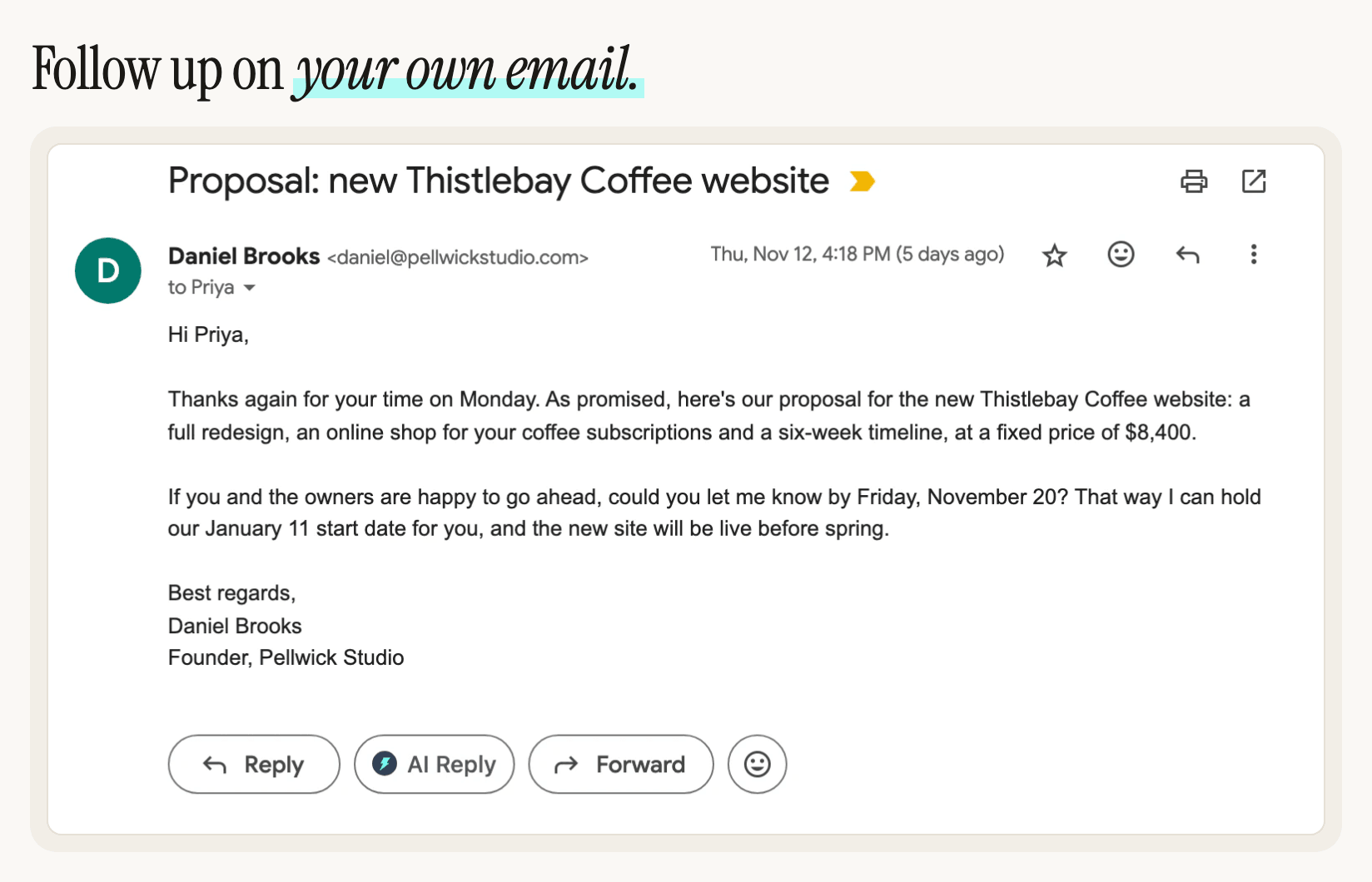
Daniel runs a small web design studio. On Thursday he sends Priya, the marketing manager at a coffee roaster, the proposal she asked for, with a date to answer by:
Hi Priya,
Thanks again for your time on Monday. As promised, here's our proposal for the new Thistlebay Coffee website: a full redesign, an online shop for your coffee subscriptions and a six-week timeline, at a fixed price of $8,400.
If you and the owners are happy to go ahead, could you let me know by Friday, November 20? That way I can hold our January 11 start date for you, and the new site will be live before spring.
Best regards,
Daniel Brooks
Founder, Pellwick Studio
By Tuesday, nothing. Priya may be busy, the owners may still be deciding, or the email may be buried under newer ones. A follow-up brings it back to the top of her inbox.
Follow-Up 1: A Short Reminder After 2–3 Business Days
The first follow-up only has to put the question back in front of the reader: what you sent, what you need and by when. Keep it short and friendly, and ask for something easy to answer.
- In Gmail, open the email you sent. A thread waiting for an answer is in Sent.
- Click AI Reply, under the email next to Gmail's Reply and Forward buttons. Gmail's reply box opens, addressed to the people you emailed, and the Jetwriter AI window opens over it.
- In the box that says "Tell AI what to write (e.g., 'Politely decline')", type what the follow-up should do, and press Enter.
What Daniel typed
Follow up politely. Keep it short.
What Jetwriter AI wrote
Hi Priya,
I wanted to follow up on the proposal I sent last week for the new Thistlebay Coffee website. Have you and the owners had a chance to review it?
If you'd like to go ahead, please let me know by this Friday, November 20, so I can hold our January 11 start date for you. I'm also happy to answer any questions or talk through any part of the proposal.
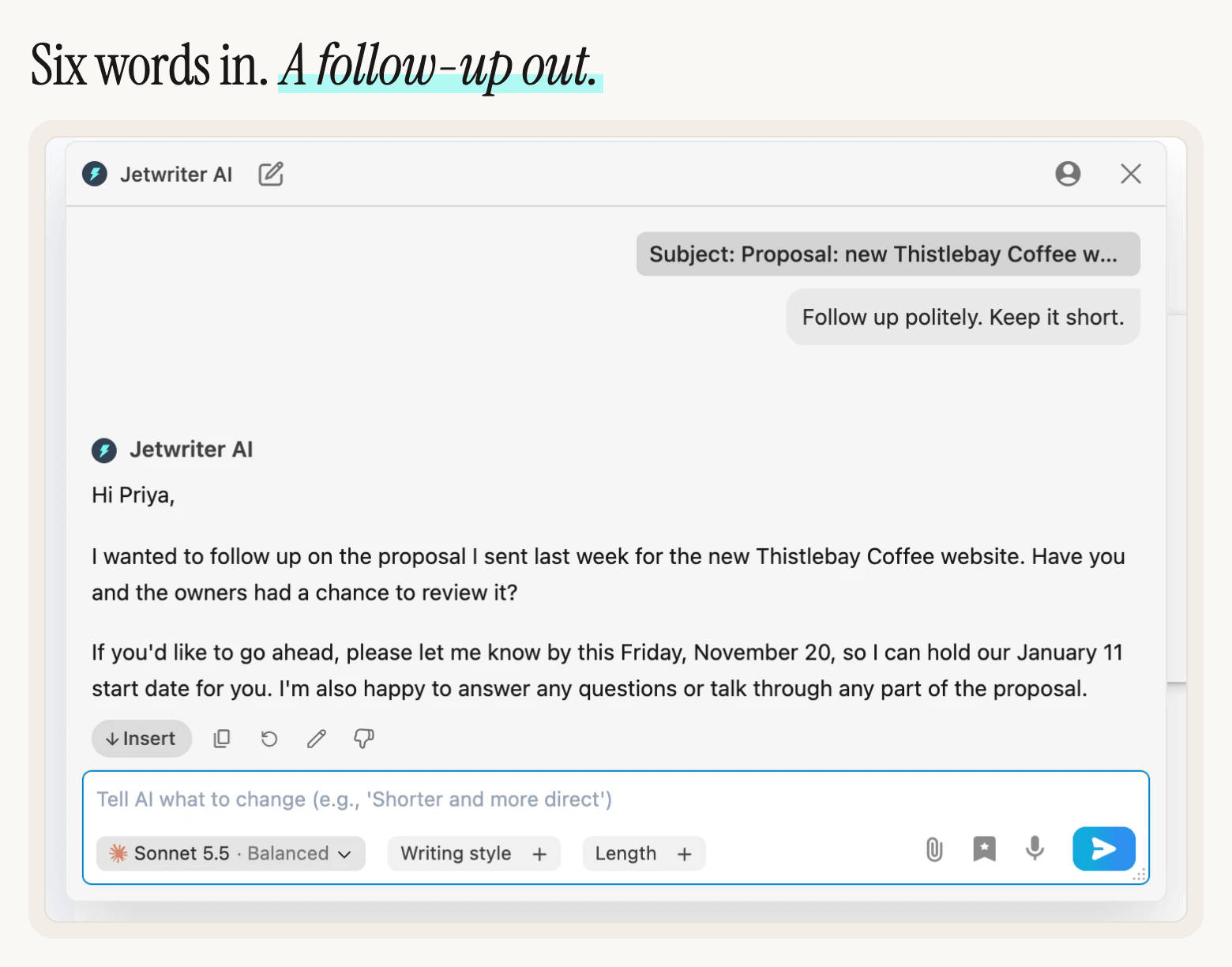
Daniel typed six words, and the follow-up has the proposal, the deadline and the start date in it, because AI Reply read his email first. It also knew the email was his own, so it follows up instead of answering it. Click Insert to put it in Gmail's reply box, sign it the way you usually do and click Send. To change it first, type what to change in the box under it, such as "Make it shorter", and press Enter.
Follow-Up 2: Add Something New a Week Later
A second "just checking in" is easy to skip. Give the reader a new reason to answer: a quick call, a smaller first step, or an answer to a question they might have.
Open the thread again and click AI Reply under the newest email, Daniel's first follow-up. AI Reply reads the whole thread, so it knows about the proposal and the first follow-up. A week after the first one, Daniel offers a call:
What Daniel typed
Follow up again. Offer a 15-minute call this week to answer any questions.
What Jetwriter AI wrote
Hi Priya,
I wanted to follow up once more on the proposal for the new Thistlebay Coffee website. I know this is a busy time of year, so I understand if it hasn't been at the top of your list.
If it would help, I'd be glad to set up a 15-minute call this week to answer any questions you or the owners may have and talk through any part of the proposal. Just let me know a day and time that suit you, and I'll make it work.
The November 20 date I mentioned has now passed, so please let me know where things stand when you have a chance, and we can sort out timing from there.
Daniel didn't mention the deadline, but AI Reply knew the November 20 date had passed and said so, without blame. If your Google Calendar is connected, you can ask it to suggest times when you're free: see Calendar-Aware Replies: AI That Checks Your Google Calendar Before It Replies.
Follow-Up 3: Close the Loop Politely
A last email gives the reader an easy way to answer, even if the answer is no, and it lets you stop waiting. Say what happens next, such as releasing a date you were holding, and leave the door open. After it, stop following up.
A week after the second follow-up, Daniel clicks AI Reply once more, under his newest email:
What Daniel typed
Last follow-up, keep it short. Say I'll release the January start date after Friday, and leave the door open.
What Jetwriter AI wrote
Hi Priya,
I wanted to send one last note about the Thistlebay Coffee website proposal. Since I haven't heard back, I'll release the January 11 start date after this Friday, December 4, so I can offer it to other projects.
If the timing or priorities have changed, no problem at all. Should you want to revisit the project down the line, I'd be glad to pick the conversation back up and find a new start date that works for you.
It turned "after Friday" into "after this Friday, December 4", the Friday after the day Daniel wrote it, and kept the January 11 date from the proposal. Check dates like these before you send.
These follow-ups were written by Jetwriter AI with Sonnet 5.5, the default model on paid plans. On the Free plan's default model, Haiku 5.5, the same requests gave the same kind of follow-ups. The people and companies are made up.
Make Every Follow-Up Sound Like You
Follow-ups go to people who know how you write, so they should sound like you. Three settings help, and you set each one once:
- Writing style, under the box in the Jetwriter AI window. Pick Professional, Casual, Straightforward, Persuasive or Friendly, or click Add Style and describe your own. Without one, AI Reply writes in a neutral, professional tone.
- Personalize AI, in the profile menu at the top of the window. Tell it who you are and how you like to write, such as your role, your company and your tone. See Tell Jetwriter about you, and how to reply.
- Gmail Personalization, in the extension's Settings. Connect Gmail and Jetwriter AI learns how you write from your past emails. The connection is read-only. See Connect Gmail so replies use your past emails, or disconnect it.
For everything else Jetwriter AI does in Gmail, see How to Use AI in Gmail.
Tips for Follow-Ups That Get Answers
- Stay in the same thread. The reader sees your first email right under the follow-up, and Gmail keeps the subject, with "Re:" in front.
- Repeat the request in one sentence. Name what you sent and what you need, so nobody has to scroll down to find it.
- Ask for something easy. A yes or no, a date, or a 15-minute call is easier to answer than "Any thoughts?"
- Don't add people. Copying someone new on a follow-up, such as the reader's manager, can feel like pressure.
- Note when to follow up. When you send an important email, put a reminder in your calendar for two or three business days later.
- Stop after the last one. Two or three follow-ups are enough for most emails.
Try It on an Email Waiting for an Answer
Open Sent in Gmail, find an email nobody has answered, and click AI Reply under it.
New to Jetwriter AI? Add the free extension, open Gmail, and sign in, or create a free account. It works in Gmail on a computer, in Chrome, Edge, Brave, Opera or Vivaldi. For every setting in the window, see Reply to an email in Gmail with AI Reply.
Frequently Asked Questions (FAQ)
How long should I wait before following up on an email?
Wait two or three business days before the first follow-up, then about a week between the next ones. If your email has a deadline, follow up a day or two before it, so the reader still has time to answer.
How many follow-up emails should I send?
Two or three is enough for most emails: a short reminder, one that adds something new, and a polite last one that closes the loop. If there's no answer after the last one, stop and move on.
Should I follow up in the same thread or send a new email?
Reply in the same thread. The reader sees your original email under the follow-up, and the subject stays the same, with "Re:" in front. With Jetwriter AI, open the email you sent and click AI Reply under it.
What should a follow-up email say?
One sentence that names what you sent, the request and its date, then an easy next step, such as a yes or no or a short call. Keep it shorter than your first email, and don't blame the reader for not answering.
Does Jetwriter AI send follow-ups automatically?
No. Jetwriter AI writes the follow-up when you click AI Reply, and Insert puts it in Gmail's reply box. You read it and send it yourself. It doesn't send emails or schedule follow-ups.
Is it free?
Yes. AI Reply works on every Jetwriter AI plan, including the Free plan, which includes 15 AI responses a month. Each follow-up uses one. The paid plans are on the pricing page.