November 2026
Replies that check your calendar
When someone asks to meet, Jetwriter checks your Google Calendar first and suggests times you’re actually free. If their message shows they’re in another time zone, it writes the times in theirs.
It only reads your calendar, never changes it, and works in the extension, the web app and Auto-Drafts. Connect Google Calendar
Ask about any part of a reply
In the extension’s chat box, select any part of an AI reply and click Ask. Your next question is about exactly that text, with no copying and pasting.
Newer models on every plan
- Free: Claude Haiku 5.5, the new default, and GPT 6 Luna
- Paid plans: Claude Sonnet 5.5, the new default, and GPT 6 Sol
- Ultra: Claude Opus 5.5
Your current model stays selected. Switch any time from the model menu.
Fixes
- Jetwriter works in the new Outlook, including work and school accounts
- Improved Gmail and LinkedIn support
- Auto-Drafts look clean, with no stray symbols around bold text and lists
- Your paragraphs stay in place in web app chats
- Improved file uploads and web search
August 2026
Choose how deeply Jetwriter thinks
The model menu has a Thinking row. On Advanced models, pick:
- Fast, for quick replies and everyday writing
- Balanced, the default and the best choice for most work
- Deep, for harder tasks where extra thinking can make a difference
Deeper thinking takes longer and uses more of your plan’s limits. It replaces the separate Thinking models in the model list.
Auto-Drafts reply from the right address
If one Gmail inbox gets mail for several addresses, such as support@ and sales@, Auto-Drafts writes each reply from the address the email was sent to, signed with that address’s signature.
New models
Paid plans get GPT 5.6 Terra, the new default, and Sonnet 5, alongside Gemini 3.1 Pro. Opus 4.8 stays on Ultra for the heaviest work.
Fixes
- A request no longer hangs on a spinner until it fails
- Gmail stays up to date: on some accounts, Jetwriter had stopped picking up new emails
July 2026
Gmail Auto-Drafts
Jetwriter drafts replies to your incoming Gmail, in your voice, and leaves them in the thread for you to review, edit and send. It drafts only for the emails that need a reply, and you can tell it which ones in Settings. Nothing is ever sent automatically.
On paid plans, with Gmail connected. Turn on Auto-Drafts
Improvements and fixes
- More accurate voice-to-text on paid plans
- Smoother typing in Japanese, Chinese, Korean and other languages: Enter no longer sends a message you’re still writing
- Jetwriter works more smoothly on WhatsApp Web and reads conversations more accurately
- Replies no longer get cut off before they finish
- Memory recalls details from your past chats more completely
June 2026
Memory
Jetwriter remembers details from your past conversations, such as facts, preferences and writing style, and brings the relevant ones into each new chat. You can turn Memory on or off any time.
The latest models
Jetwriter runs on the latest models, including Claude Opus 4.8 and GPT-5.5.
More room to personalize
Personalize AI takes up to 10,000 characters, up from 3,000. If you’ve already filled it in, it switches on by itself.
The Ultra plan
A plan above Elite, with roughly double the advanced-model usage, for anyone who keeps reaching Elite’s limits. See plans
Your usage in the dashboard
On paid plans, the dashboard shows how much of your advanced-model quota you’ve used this month, and when it resets.
Improvements and fixes
- Sharper reading of screenshots, charts and photos you upload
- More accurate answers from documents, long ones especially
- More reliable reading of web pages
- X (Twitter): an inserted reply no longer appears twice
March 2026
Answers from your website and docs
Add links to your website or help center in your instructions or in Personalize AI, and Jetwriter pulls the latest details from them, such as pricing, return policies or troubleshooting steps. Read how it works
Web search and links
Ask Jetwriter to search the web or read specific links, for up-to-date context.
Gmail replies that sound like you
With Gmail connected, Jetwriter can read your emails from the past year to pull relevant details and learn how you write, so one-click replies sound like you.
Slack
Jetwriter writes replies inside Slack too, from the conversation and in your voice.
Claude Sonnet 4.6
Upgraded from Claude Sonnet 4.5.
Fixes
- A faster web app on computers and phones
- WhatsApp: line breaks stay when a reply is inserted
- Zoho Mail: the Jetwriter button shows again
v7.0
August 2024
A sleeker extension
The new design is slimmer and easier to use, with some great new features.
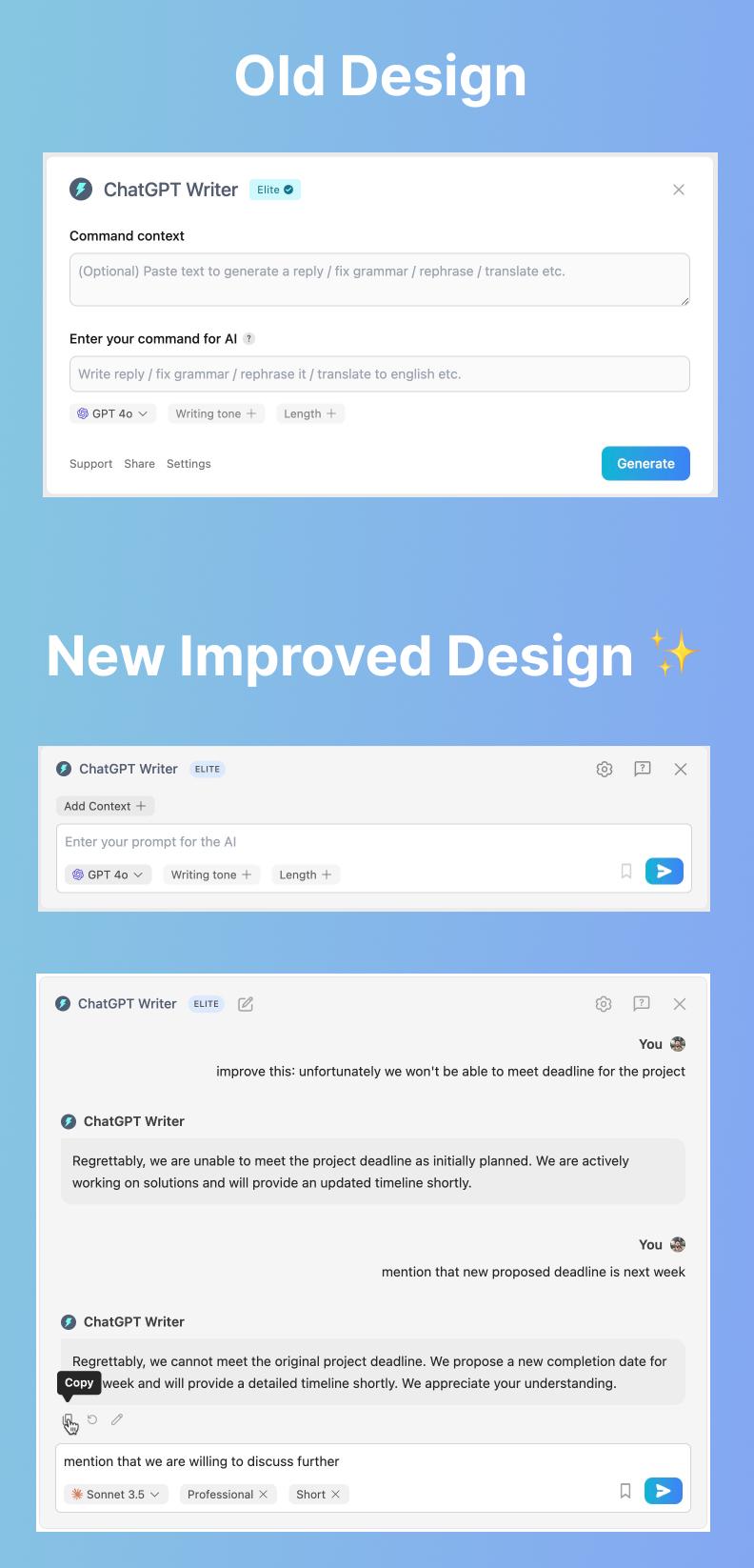
Conversations
Have an ongoing conversation with the AI. Click the new chat icon to start fresh.
Add context
Click “Add Context” to give more details with your prompt, for more accurate results.
Formatted responses and toolbar buttons
Responses support markdown formatting, so they look cleaner. Copy, edit or regenerate one with its toolbar buttons.
Better Gmail replies
Open the extension from Gmail and it loads the email for context, for more accurate replies. Once you’re happy with a response, click the down arrow to insert it into your email.
GPT-4o Mini
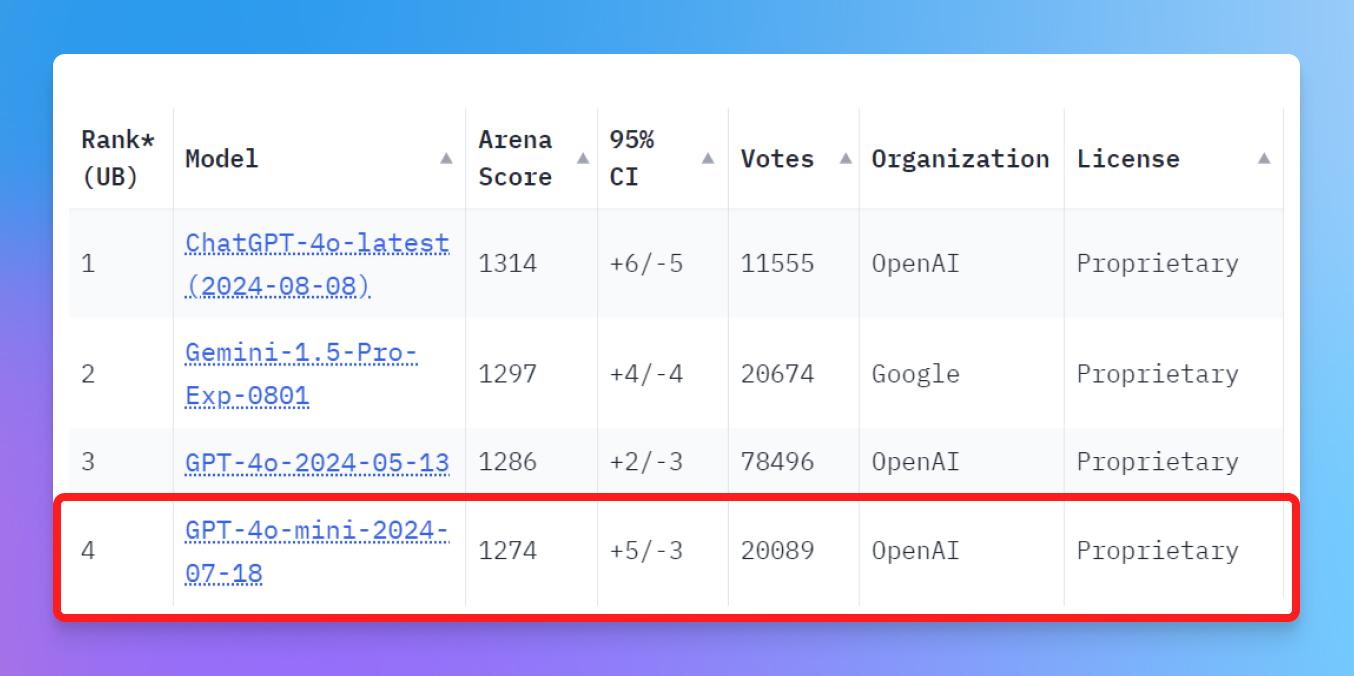
Upgraded from GPT-3.5 Turbo to GPT-4o Mini, then one of the top AI models (see rankings). It’s smarter and handles more languages. More in our announcement post.
A keyboard shortcut
Open the extension with Cmd+Shift+K on macOS or Ctrl+Shift+K on Windows, or set your own shortcut in the extension’s settings.
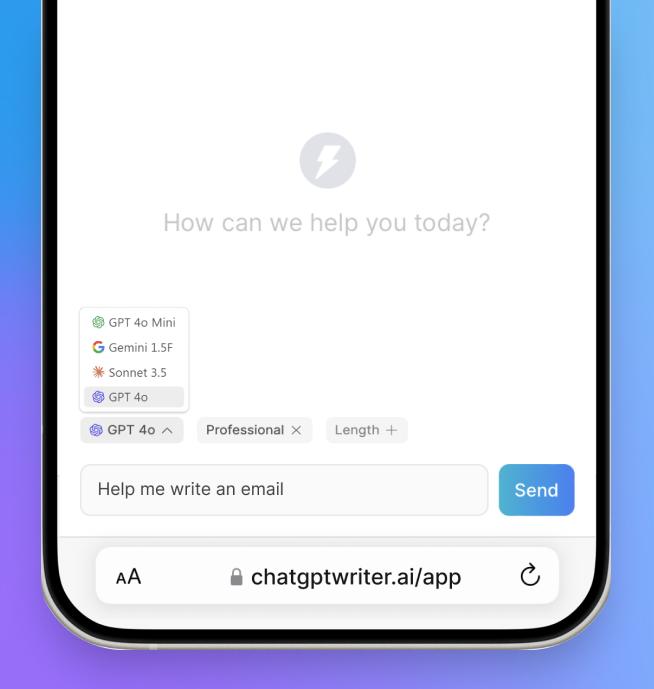
A better web app
Choose your AI model, the writing tone and the response length in the web app, for writing anywhere the extension can’t run.
v6.0
July 2024
Claude Sonnet 3.5
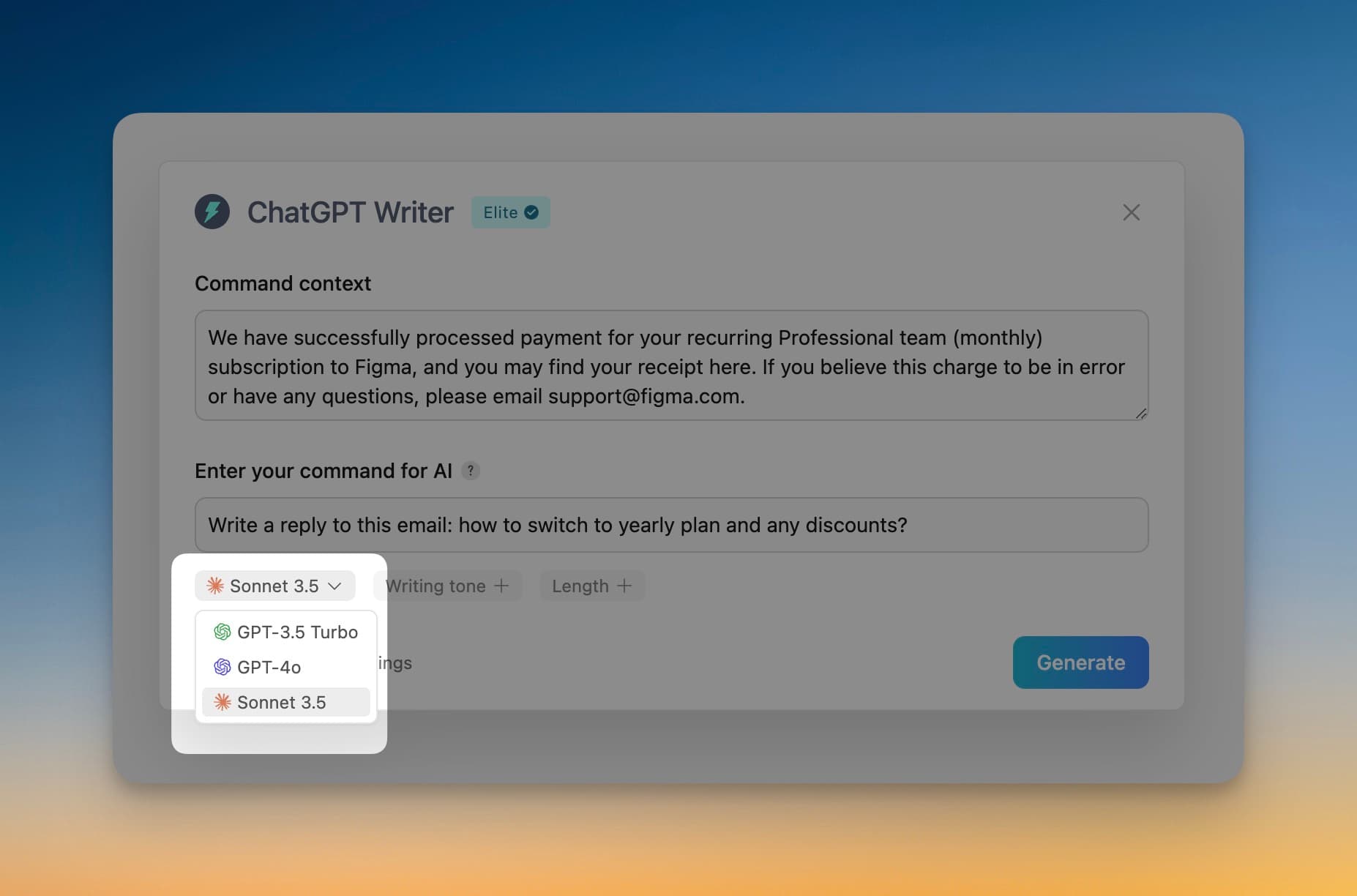
Anthropic’s Claude Sonnet 3.5 joined GPT-4o, the two top models in the rankings at the time. If you have a model in mind, let us know.
Change models on the fly
Choose the model to use, even in the middle of a conversation: if a response isn’t what you wanted, switch models and carry on.
Conversation memory
The AI remembers your earlier questions within a session, for more coherent follow-ups. Closing the extension or changing the context starts a new conversation.
Response length
Set how long a response should be: short, medium or long.
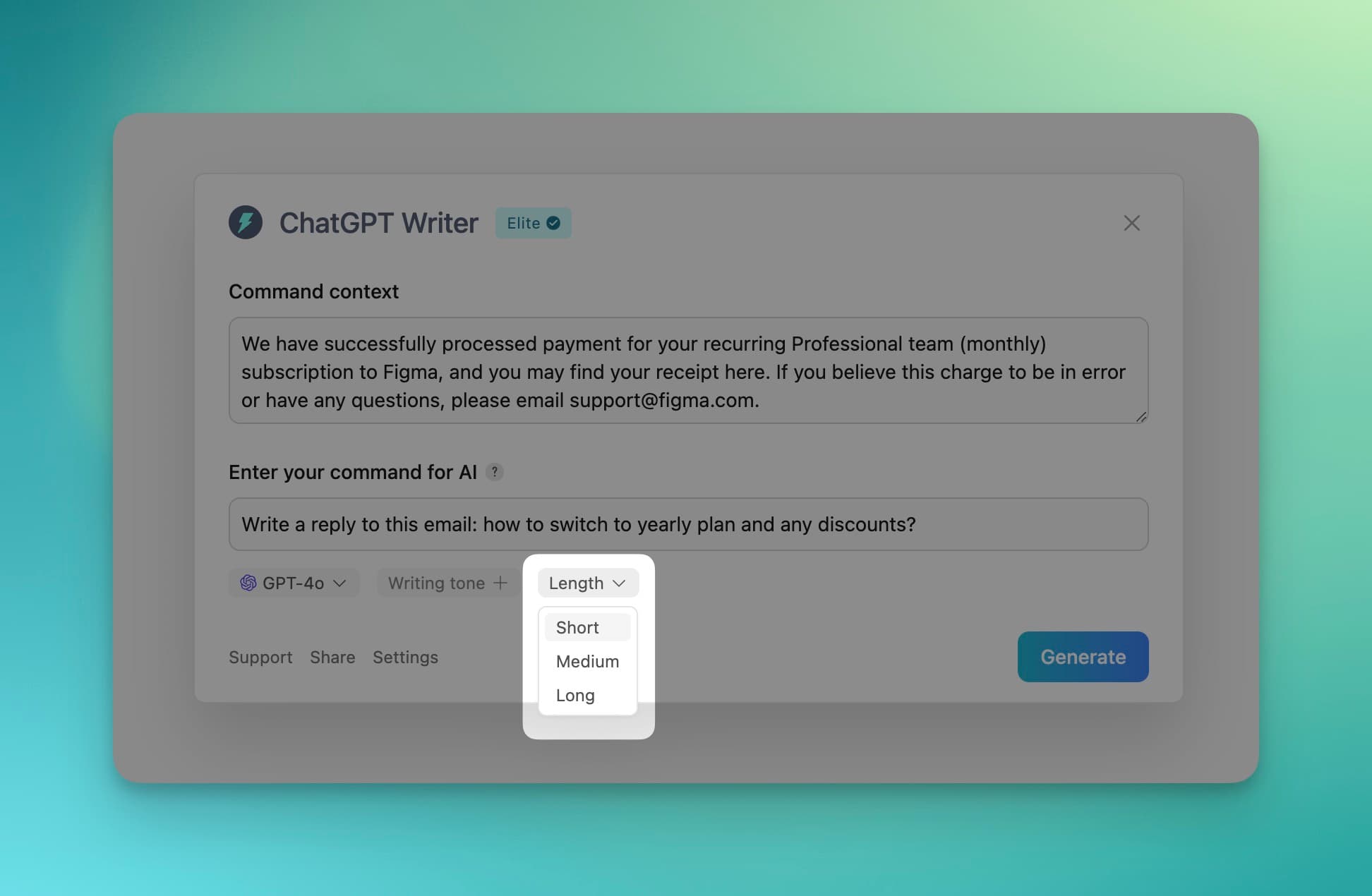
Better responses and fixes
More accurate, more relevant responses with every model. Fixed: the extension could take a few seconds to recognize a plan when it first loaded, and issues on Notion and Google Docs.
v5.0
April 2024
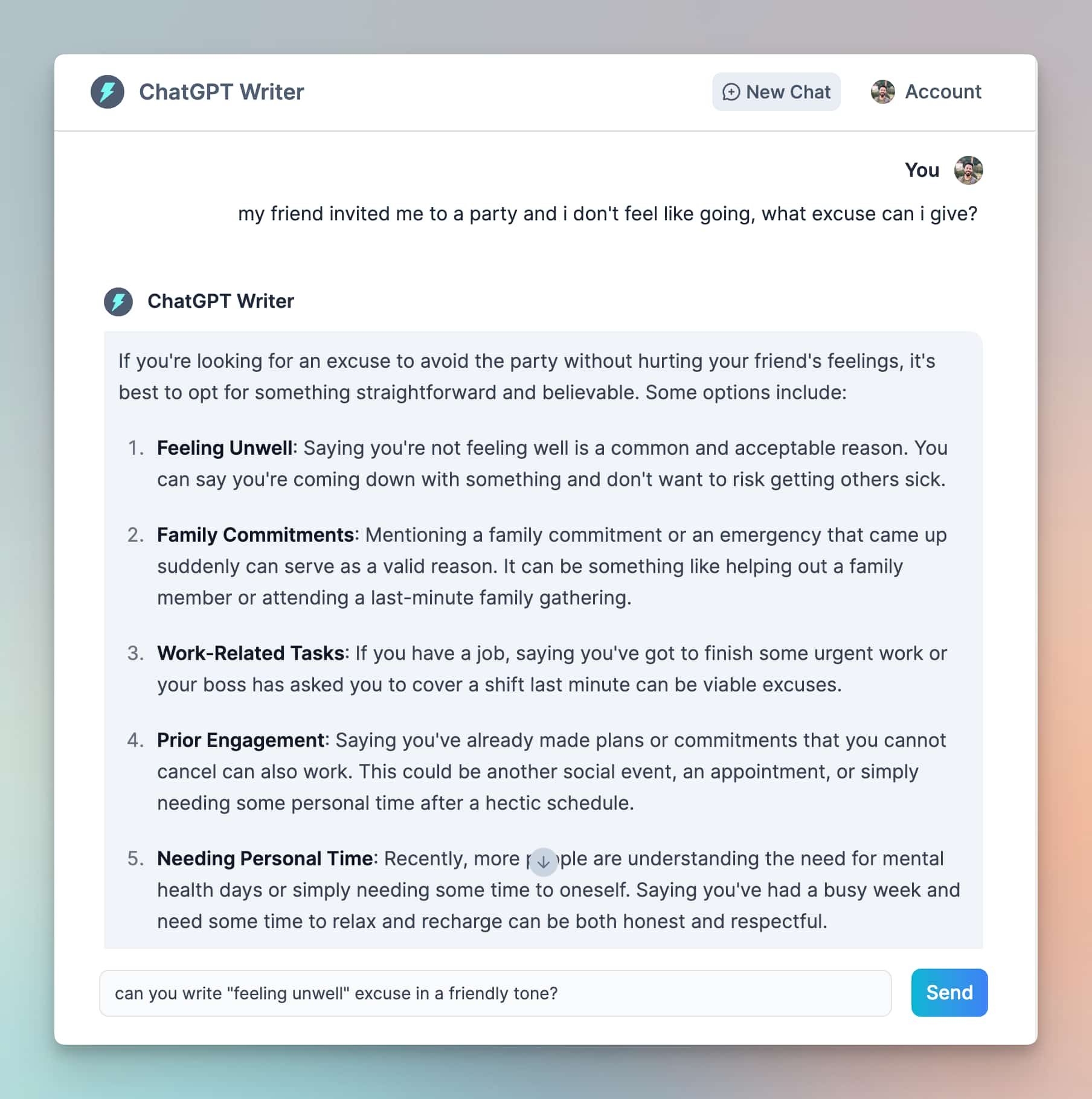
The web app
The web app brings Jetwriter to browsers the extension doesn’t support, phones included. It launched for paid plans.
Better Gmail replies
The AI no longer confuses the sender’s name with the recipient’s.
Better writing tones
Improvements to the writing tones from the last update.
Fewer problems on the Free plan
The Free plan then used the ChatGPT website, whose frequent changes broke the extension. It now copes with them better. Paid plans use our own servers and weren’t affected.
v4.0
January 2024
Writing tones
The Auto tone matches the person you’re writing to. For a specific tone, choose Professional, Casual, Straightforward, Confident or Friendly.
Fixes for the Free plan
Responses work again on the Free plan, and ChatGPT Plus subscribers can choose between GPT-3.5 and GPT-4.
New plans
The Elite plan, then on GPT-4 Turbo, and yearly billing, which monthly subscribers can switch to. See plans
v3.0
October 2023
A window you can move
Drag the Jetwriter window anywhere on your screen, like a desktop window.
Better Gmail replies
The AI understands your email conversations better, for more relevant replies.
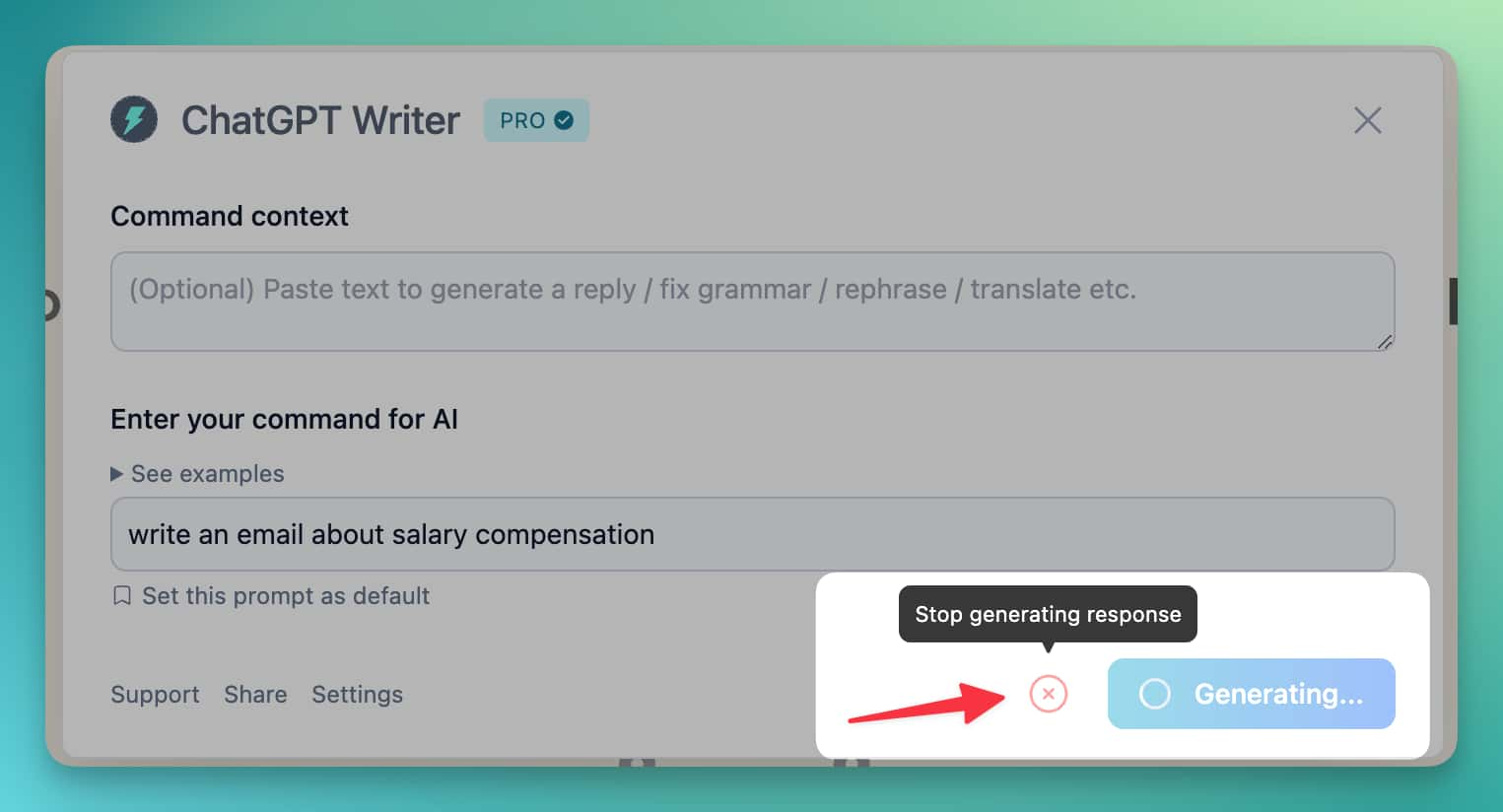
Stop a response mid-way
Stop the AI at any point while it writes.
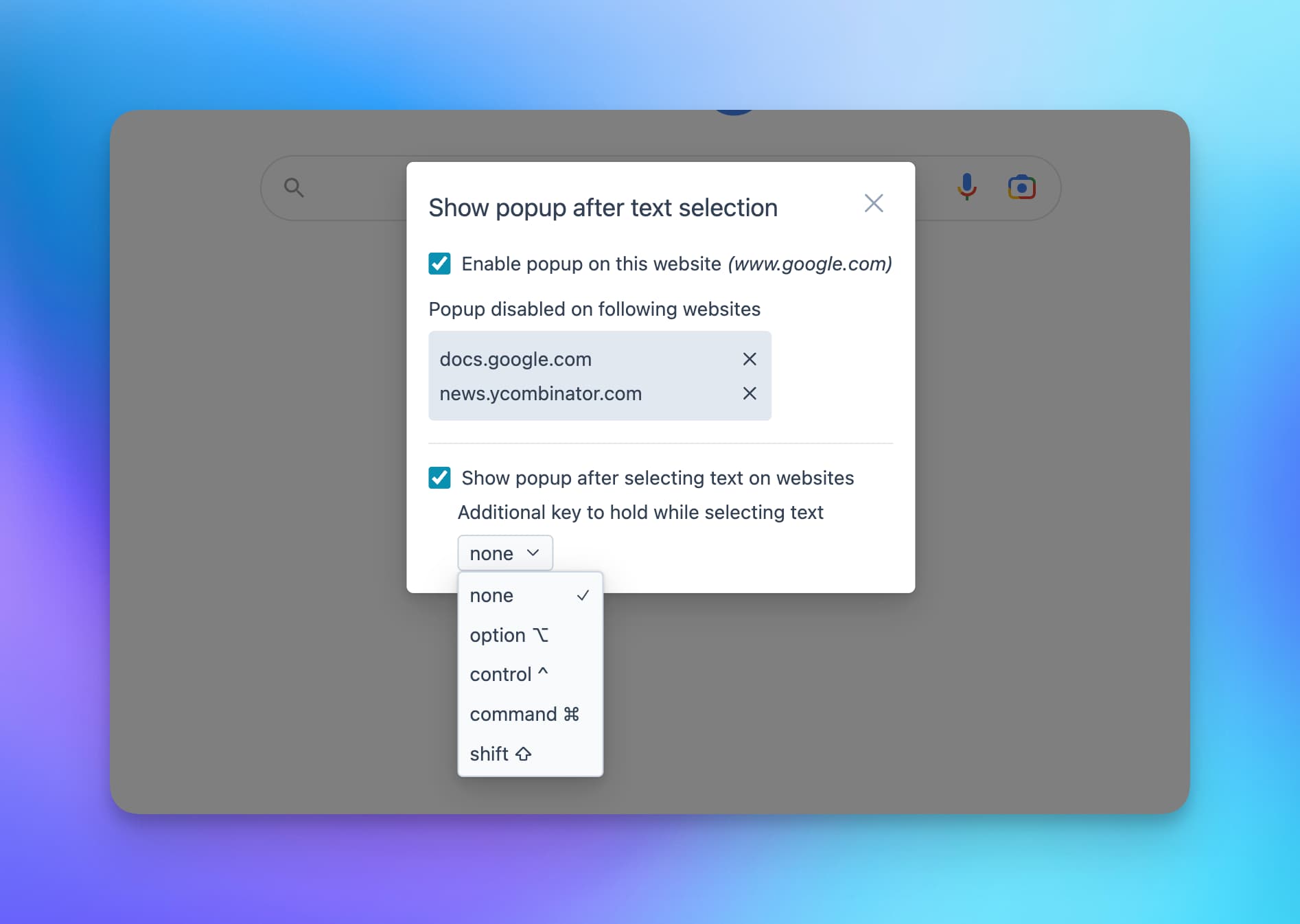
A better selection popup
Hold Control and select text on any website to open Jetwriter. The popup shows up less often, and you can change its key or turn it off on specific websites.
Notion
Fixed several bugs on Notion.
v2.3.0
April 2023
Select text to open Jetwriter
Select text on any website to open Jetwriter with it as the message’s context. Turn the popup off on some websites, or set a key, such as Ctrl or Alt, to hold while selecting.
v2.2.0
April 2023
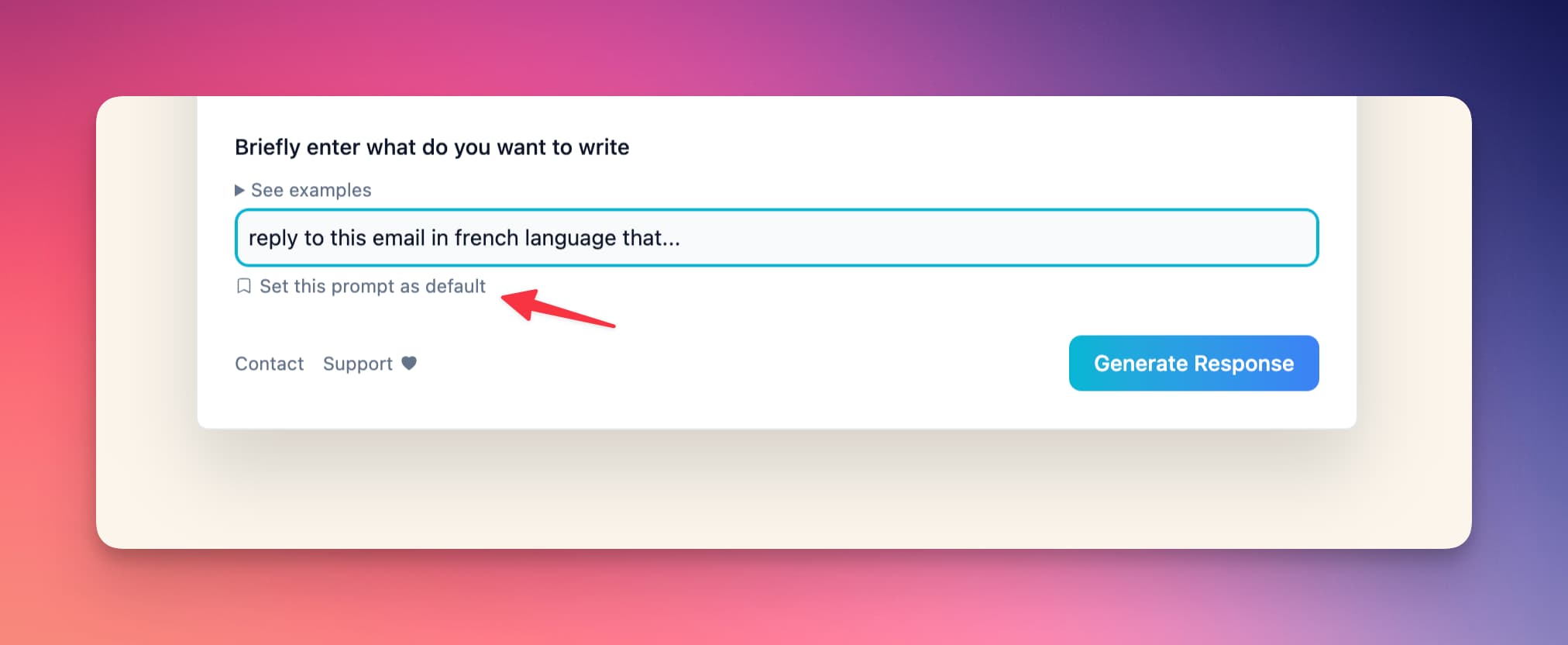
Your own default prompt
Choose the prompt that appears when you open Jetwriter.
The Pro version
Where ChatGPT wasn’t available, or for anyone it often failed, the Pro version used our own servers instead. See plans
v2.1.0
January 2023
Every website
Jetwriter works on every website.
Fixes
- A response no longer gets stuck half-way
- Inserting a response in Gmail works for left-to-right languages
v1.0
January 2023
Emails and replies in Gmail
Write new emails and replies in Gmail.
Missing something?
Tell us what you’d like Jetwriter to do next at support@jetwriter.ai, or with the feedback option in the extension.