Let's be honest - replying to customers and leads is rarely as simple as just typing out a message.
Usually, it involves a lot of digging. A customer asks a specific question, and you have to search through your sent folder to see how you answered it last time, open a new tab to check your help center for a policy, or quickly Google a fact. It breaks your focus and eats up your day.
Standard AI tools are great at writing polite emails, but they fall flat because they don't know the actual facts about your specific business. If an AI doesn't know your pricing or your past conversations, it can't really help you close a ticket or win a deal.
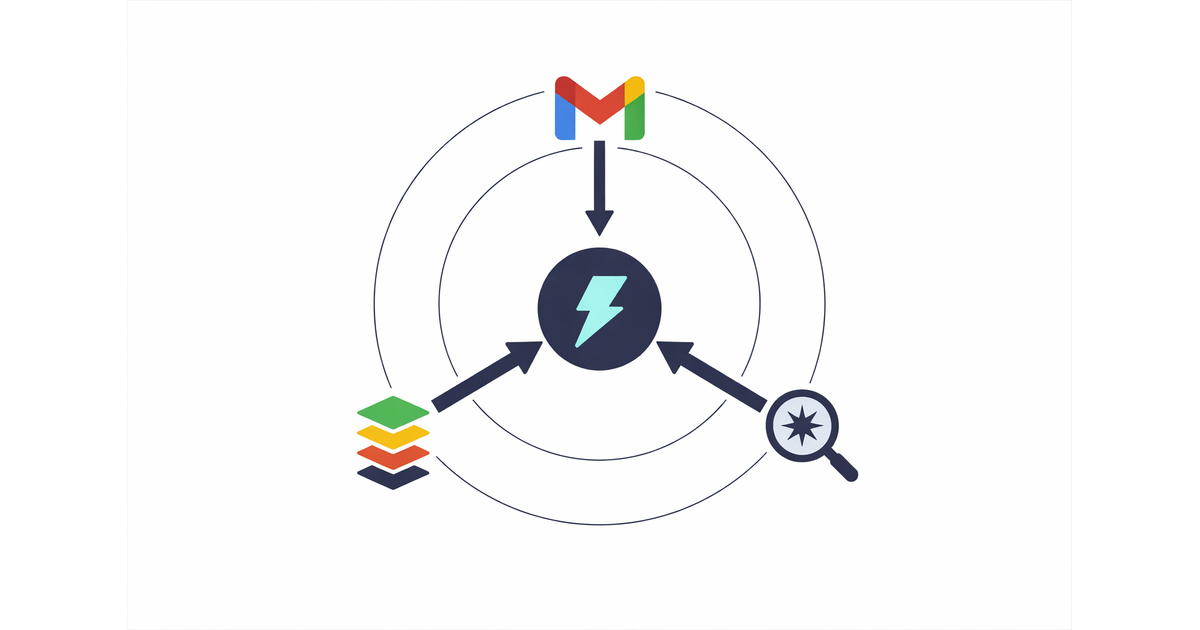
Jetwriter AI is changing that. We have introduced three new features that allow our AI to actually learn about your business, so it can draft highly accurate, context-aware replies without you having to feed it every single detail.
Here is how Jetwriter AI turns into a true expert on your company.
1. Mining Your Gmail History for Business Facts
If you use Gmail, your sent folder is a goldmine of business knowledge. It holds the answers to almost every question a customer or lead has ever asked you.
Jetwriter AI can now securely analyze your past emails from up to the last year. But it isn't just learning your vocabulary or tone of voice - it is actively pulling information about your business from your past conversations.
Think of it like an assistant with a perfect memory. If a customer asks about a custom enterprise plan, Jetwriter AI can look back at how you explained that exact plan to someone else three months ago. It pulls those specific facts, numbers, and explanations to draft a completely accurate reply for the new customer today. You get a perfect draft instantly, without having to hunt down your old emails.
2. Reading Your Knowledge Base URLs
Sometimes, the best answers live on your company's website or help center. With our new Knowledge Base URL feature, Jetwriter AI can read your public web pages to answer customer questions perfectly.
Instead of you copy-pasting policies into an email, the AI does the heavy lifting.
How to use it:
-
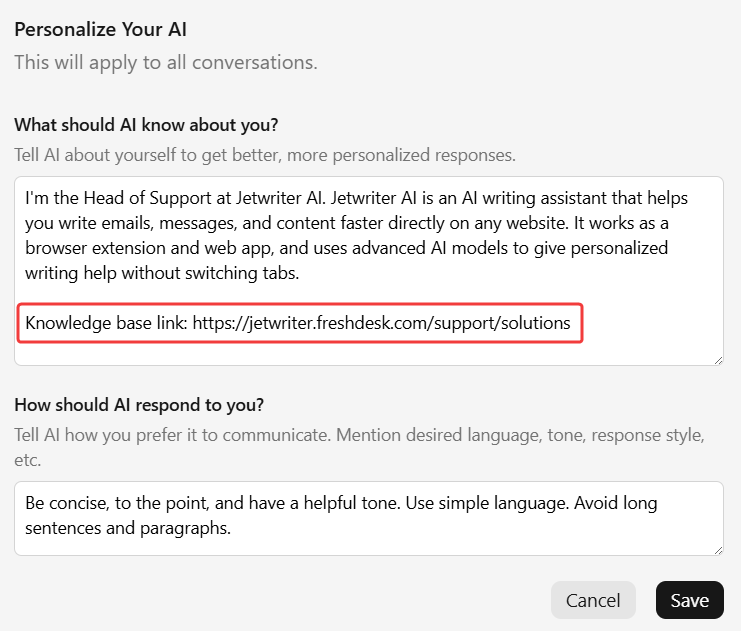
The Pro Way (Personalize AI): Add your main knowledge base or website URL directly into your Personalize AI profile settings. Jetwriter will remember this link for all future conversations. When a customer asks a tricky question, the AI automatically knows to reference your official docs to quote exact shipping times, troubleshooting steps, or return policies.
-
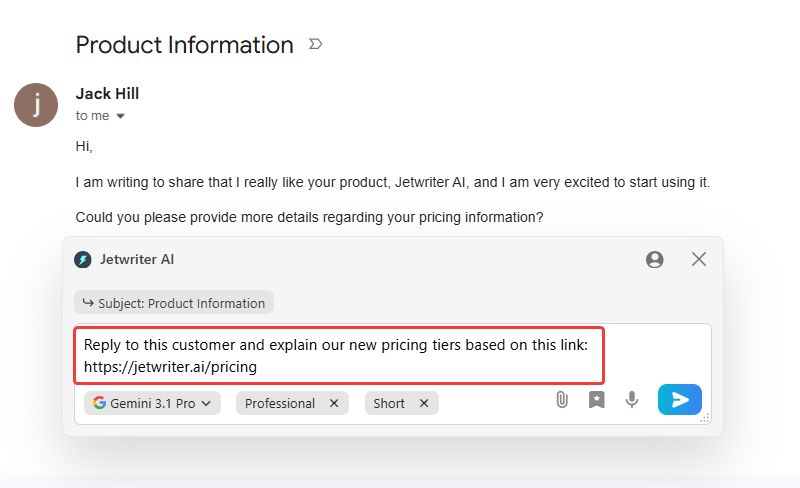
The Quick Way (In the prompt): For one-off situations, you can just paste a public link right into your command. For example: "Reply to this customer and explain our new pricing tiers based on this link: [Your URL]".
This is a massive time-saver for customer support agents working in Gmail, Freshdesk, or Zendesk, as well as founders who need to fire off accurate replies between tasks.
3. Real-Time Answers with Live Web Search
What happens when you need information that isn't in your Gmail or your knowledge base? Jetwriter AI can now access the live web to pull the latest facts and context for your drafts.
The best part is that it works automatically. Jetwriter AI is smart enough to decide when it needs to search the web based on your prompt. If it needs real-time context, it will go find it.
You can also explicitly tell it to search. Here are a few ways to use it:
- "Search the web for the latest news about [Lead's Company] and write a personalized outreach email mentioning their recent milestone."
- "Read this URL [Link to a competitor's product] and draft a polite email to my customer explaining why our features are better."
- "Search the web for today's exchange rate and update the pricing in this draft."
Stop Searching, Start Replying
Your time is too valuable to spend hunting for facts, opening new tabs, and rewriting generic AI drafts. By learning from your Gmail history, reading your knowledge base, and utilizing live web search, Jetwriter AI ensures your messages are perfectly written and perfectly accurate.
Ready to make your inbox a breeze?
Install the free Jetwriter AI Extension today and experience what a truly knowledgeable writing assistant can do for your workflow.
Frequently Asked Questions (FAQ)
How secure is my data? Will my past emails be used to train AI models?
Your data is strictly encrypted and never shared with third parties. Most importantly, your past emails, knowledge base URLs, and private conversations are never used to train AI models. Your business data stays securely yours.
Are all of these business-learning features (Gmail scan, URLs, Live Search) included in the free trial version?
Yes, all these features are included in the free trial version of the Jetwriter AI extension! The free trial plan provides a set number of generations per month, which is perfect for trying out the workflow.
Can Jetwriter AI read my knowledge base and past emails if they are in a language other than English?
Absolutely! Jetwriter AI natively supports all major languages, so it can easily understand your resources whether they are in Spanish, French, or Japanese. No matter the original language of your past threads or help center, it will seamlessly draft a perfectly localized response.
Is there a limit to how many Knowledge Base URLs I can save in my Personalize AI profile at once?
No, there is absolutely no limit! You can add as many Knowledge Base URLs to your Personalize AI profile as you need to give the AI complete context of your business.