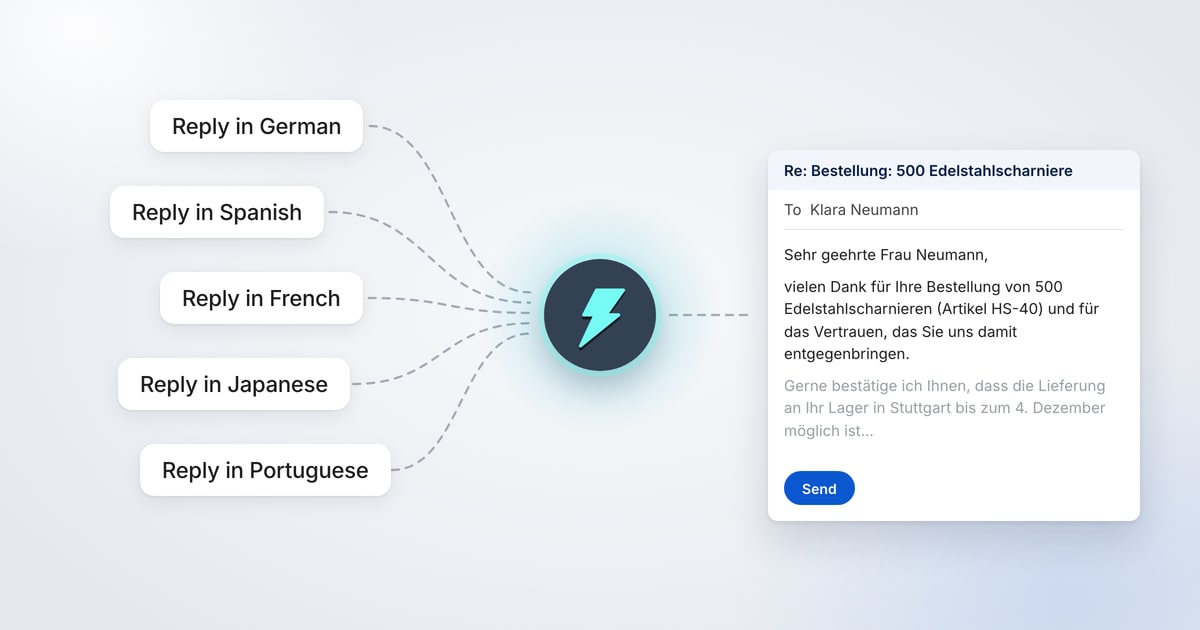
To reply to an email in another language, open it in Gmail, click AI Reply and type what you want to say in your own words, ending with the language, such as "Reply in German". Jetwriter AI writes the reply in that language. You check it, put it in your email and send it yourself.
You don't need to speak the language. Jetwriter AI's Translate action shows you the email in your language first, and your reply too before you send it. It works on every Jetwriter AI plan, in Gmail, Outlook on the web, WhatsApp Web, LinkedIn and the other sites where AI Reply appears.
How to Reply to an Email in Another Language
- Read the email in your language. Select the email's text, point at the small blue dot that appears, and click Translate. Jetwriter AI shows the email in your language in its window. Nothing changes in Gmail.
- Say what to answer, in English. Click AI Reply under the email. Type the facts in your own words, then the language and how formal it should be, such as "Reply in German, formal." Press Enter.
- Put the reply in Gmail. Jetwriter AI writes the reply in the sender's language. Click Insert to put it in Gmail's reply box.
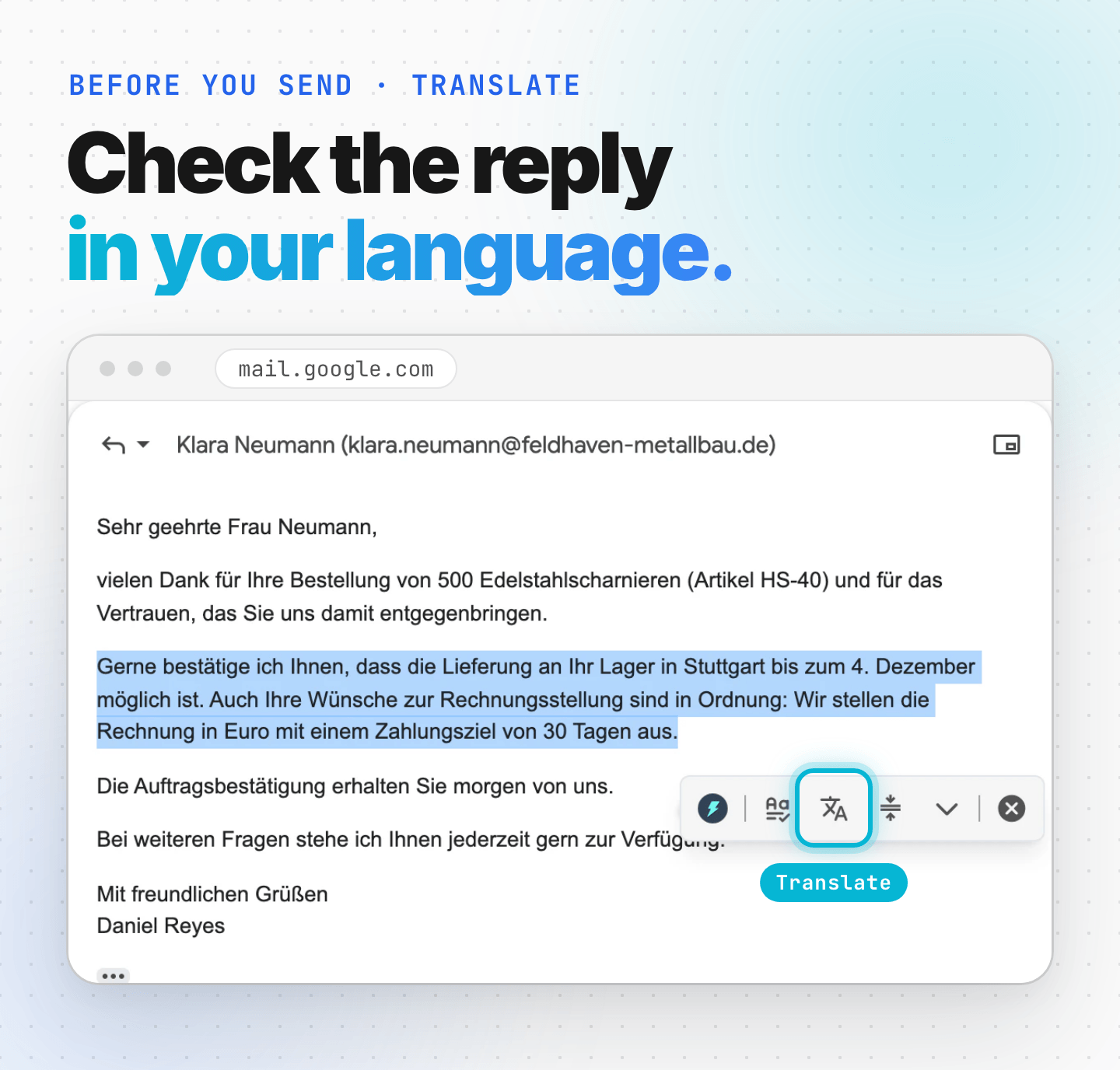
- Check it before you send. Select the reply in Gmail's reply box and click Translate to read it in your language. When it says what you meant, click Send.
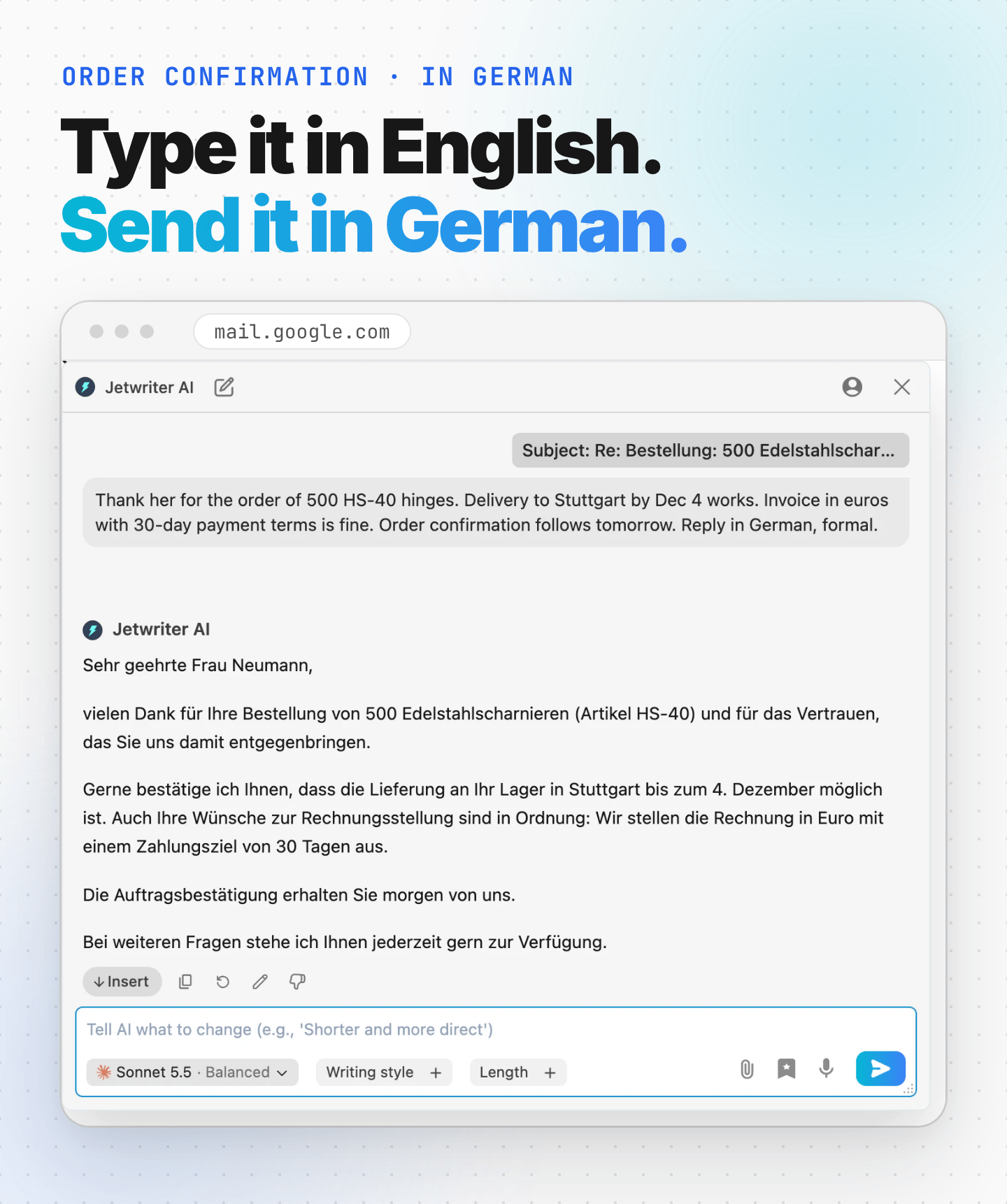
The window reads the whole email thread, so a few words are enough: you don't have to repeat what the sender wrote. For every setting in the window, see Reply to an email in Gmail with AI Reply.
Example: Confirming an Order in German
The situation: You sell door and cabinet hardware. Klara Neumann, who buys for a metalworking company in Stuttgart, orders 500 hinges in German and asks two questions: can they arrive by December 4, and can you invoice in euros with 30 days to pay?
The email you received
Sehr geehrter Herr Reyes,
vielen Dank für Ihr Angebot vom 3. November. Wir möchten gern 500 Edelstahlscharniere (Artikel HS-40) bestellen.
Können Sie bestätigen, dass eine Lieferung an unser Lager in Stuttgart bis zum 4. Dezember möglich ist? Außerdem bitten wir um eine Rechnung in Euro mit einem Zahlungsziel von 30 Tagen.
Mit freundlichen Grüßen
Klara Neumann
Einkauf | Feldhaven Metallbau GmbH
What Translate shows you
Dear Mr. Reyes,
Thank you for your quote of November 3. We would like to order 500 stainless steel hinges (item HS-40).
Can you confirm that delivery to our warehouse in Stuttgart by December 4 is possible? We also request an invoice in euros with a payment term of 30 days.
Kind regards,
Klara Neumann
Purchasing | Feldhaven Metallbau GmbH
What you type into Jetwriter AI
“Thank her for the order of 500 HS-40 hinges. Delivery to Stuttgart by Dec 4 works. Invoice in euros with 30-day payment terms is fine. Order confirmation follows tomorrow. Reply in German, formal.”
Jetwriter AI's reply
Sehr geehrte Frau Neumann,
vielen Dank für Ihre Bestellung von 500 Edelstahlscharnieren (Artikel HS-40) und für das Vertrauen, das Sie uns damit entgegenbringen.
Gerne bestätige ich Ihnen, dass die Lieferung an Ihr Lager in Stuttgart bis zum 4. Dezember möglich ist. Auch Ihre Wünsche zur Rechnungsstellung sind in Ordnung: Wir stellen die Rechnung in Euro mit einem Zahlungsziel von 30 Tagen aus.
Die Auftragsbestätigung erhalten Sie morgen von uns.
Bei weiteren Fragen stehe ich Ihnen jederzeit gern zur Verfügung.
What Translate shows you before you send
Dear Ms. Neumann,
Thank you very much for your order of 500 stainless steel hinges (item HS-40) and for the trust you have placed in us.
I am pleased to confirm that delivery to your warehouse in Stuttgart by December 4 is possible. Your requests regarding invoicing are also fine: we will issue the invoice in euros with a payment term of 30 days.
You will receive the order confirmation from us tomorrow.
Should you have any further questions, please do not hesitate to contact me at any time.
Every fact from the request is there: the 500 hinges, the date as Germans write it, euros, 30 days and tomorrow's confirmation. "Formal" gave the reply the polite "Sie" and a formal greeting. Jetwriter AI stops before the sign-off, so your Gmail signature, or your own "Mit freundlichen Grüßen", ends the email.
These texts were written by Jetwriter AI with Sonnet 5.5, the default model on paid plans: the reply from exactly the words under "What you type into Jetwriter AI", and both translations by the Translate action. The people and companies are made up.
Make Every Reply Match the Sender's Language
If you often answer emails in other languages, tell Jetwriter AI once instead of typing the language every time. Add a rule to Personalize AI, and every reply follows it while Personalize AI is on.
- In the Jetwriter AI window, click your profile icon at the top right, then Personalize AI.
- In How should AI respond to you?, write: "Reply in the language of the message I'm answering."
- Click Save.
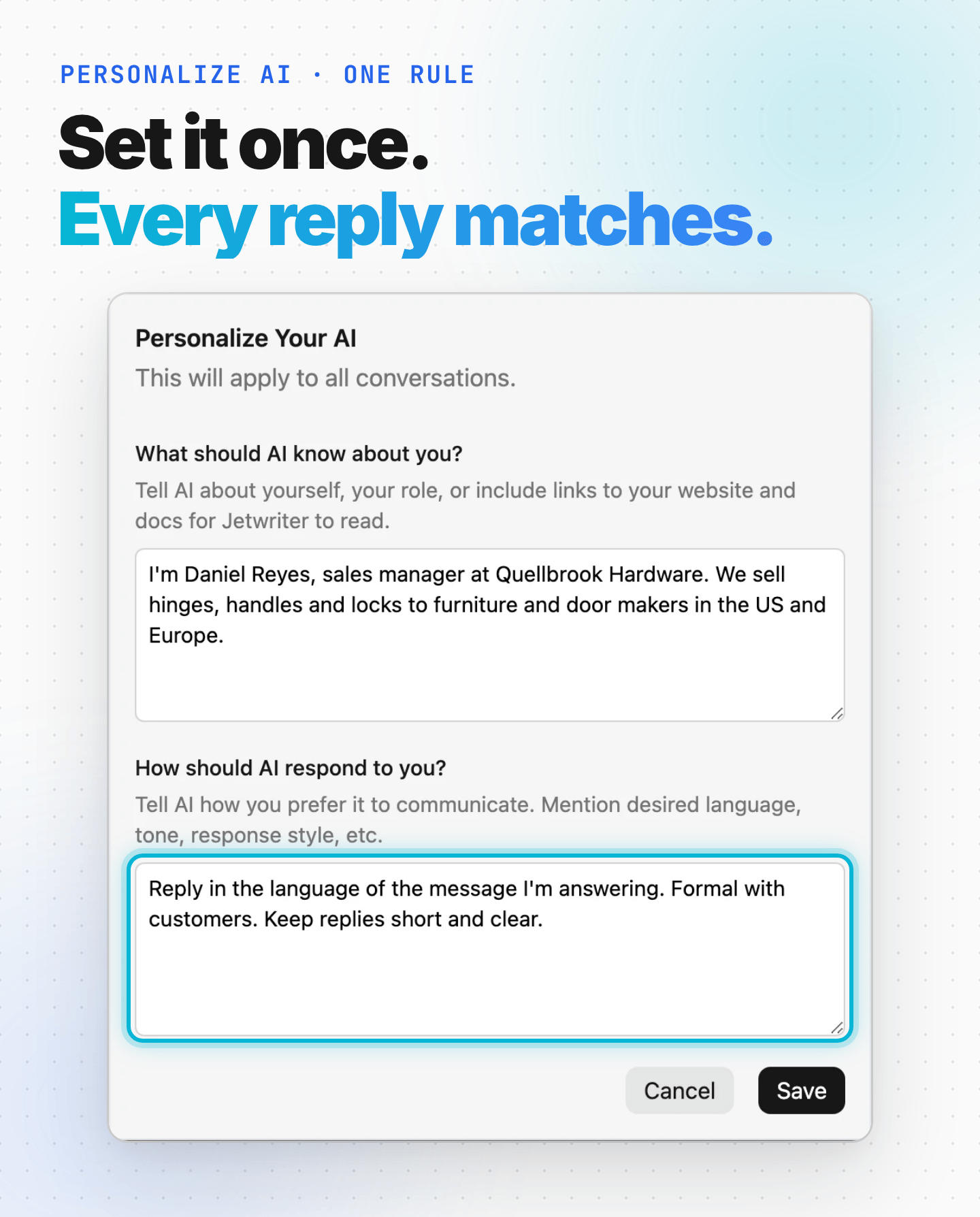
A request you type can still ask for something else for one reply, such as "this one in English". For more on language rules, see Write in another language, or stop unwanted translation.
Tips for Replies in Another Language
- Say how formal it should be. Many languages have a polite and a casual "you": Sie and du in German, vous and tu in French, usted and tú in Spanish. Add "formal" or "informal" to your request.
- Write numbers, dates and names exactly. Jetwriter AI keeps them and writes them the way the language does, like "4. Dezember" for December 4.
- Name the language when the email mixes languages. When the email and your request are in different languages, the reply can come back in either one. Naming the language, or setting the rule in Personalize AI, removes the guesswork.
- Fix a wrong language in one step. If a reply comes back in the wrong language, type "Write this in German" in the box at the bottom of the window and press Enter. Each new version uses one AI response from your plan.
Which Languages Can Jetwriter AI Write In?
Jetwriter AI writes replies in many languages: name the one you need in your request, and it writes in it. Its own buttons and menus are in English.
The Translate action translates into Arabic, Chinese (Simplified or Traditional), Dutch, English, French, German, Hebrew, Hindi, Indonesian, Italian, Japanese, Korean, Malay, Polish, Portuguese, Russian, Spanish, Thai, Turkish, Urdu and Vietnamese. It starts with your browser's language. To pick another, see Fix, rewrite or translate selected text.
Try It on the Email You've Been Avoiding
Think of the email that's waiting because it isn't in your language: a supplier's question, a customer's complaint, a partner's proposal. Translate it, say what you want to answer in a few words, and send a reply in their language.
New to Jetwriter AI? Add the free extension, open Gmail, click AI Reply under the email, and end your request with the language.
Frequently Asked Questions (FAQ)
Can AI reply to an email in a language I don't speak?
Yes. In Gmail, click AI Reply under the email and type what you want to say in your own language, ending with the language of the reply, such as "Reply in Spanish". Jetwriter AI writes the reply in that language. Use Translate on your reply to read it in your language before you send it.
Does Jetwriter AI translate emails?
Yes. Select the text of an email, point at the blue dot that appears and click Translate. Jetwriter AI shows the translation in its window and changes nothing on the page, unless you click Replace. It translates into your browser's language unless you pick another under More actions.
How do I make every reply match the sender's language?
Write "Reply in the language of the message I'm answering." in Personalize AI, under How should AI respond to you?, and click Save. Every reply follows the rule while Personalize AI is on. See Write in another language, or stop unwanted translation.
Will the reply be formal?
It will be if you ask. Add "formal" or "informal" to your request: in German, "formal" gives the reply "Sie" and a formal greeting such as "Sehr geehrte Frau Neumann". Without it, Jetwriter AI writes in a neutral, professional tone unless the email clearly calls for another.
Does it work in Outlook?
Yes, in Outlook on the web. Click AI Reply and name the language in your request. Translate works there too, and on any other web page. See Use Jetwriter in Outlook on the web.
Is it free?
Every plan can reply in other languages, including the Free plan, which includes 15 AI responses a month. Each reply, each new version and each translation uses one. The paid plans are on the pricing page.