To reply to a customer on WhatsApp with AI, open the chat in WhatsApp Web, click AI Reply and type the facts in a few words, such as the price or the new delivery date. Jetwriter AI reads the chat and writes the whole reply. You check it, put it in WhatsApp's message box and send it yourself.
It works with WhatsApp and WhatsApp Business, in Chrome, Edge, Brave, Opera or Vivaldi on a computer, on every Jetwriter AI plan.
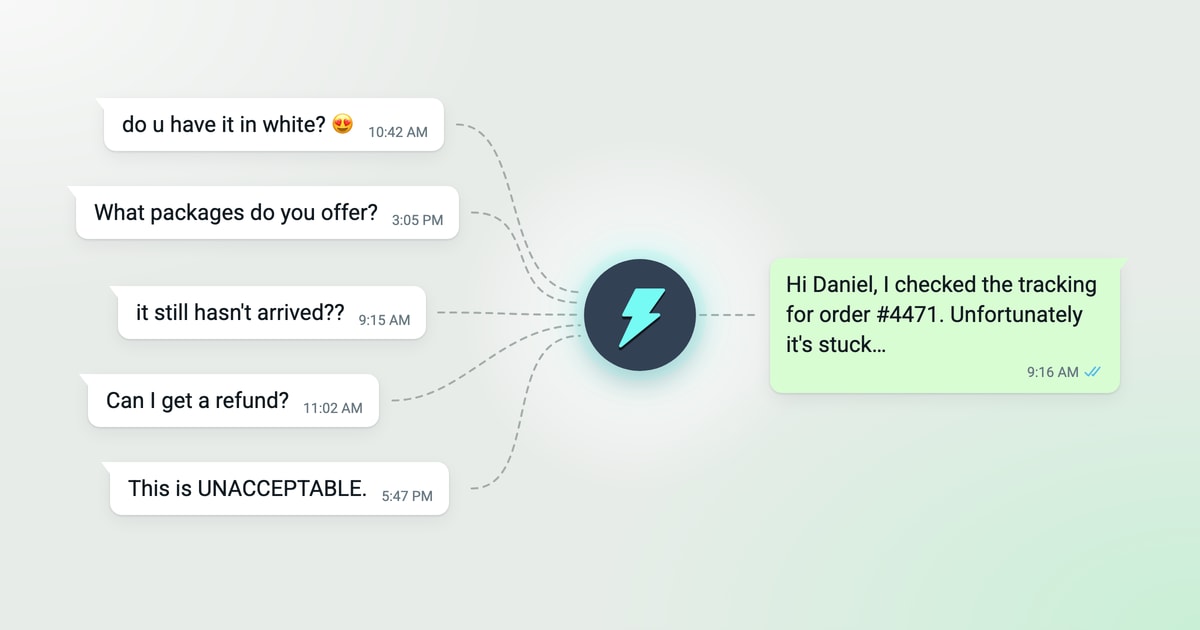
Some customer messages are easy. "What time do you open?" takes two seconds. Others take more thought: a shopper asks three questions at once, a parcel is late, someone is angry and typing in capital letters. Below are five of those chats, with the customer's message, the few words you type, and the reply Jetwriter AI wrote.
How AI Reply works in WhatsApp
AI Reply sits at the right end of WhatsApp Web's message bar, next to the microphone. When you click it, Jetwriter AI reads the open chat: the messages WhatsApp Web shows and who wrote each one. Then it writes the reply from the few words you type.
- Open the customer's chat in WhatsApp Web and click AI Reply.
- Type what the reply should say, in a few words, and press Enter.
- Click Insert. The reply goes into WhatsApp's message box. Check it, then send it.
Jetwriter AI isn't connected to your shop, your orders or your courier. You check those, then tell it what you found. Nothing is sent until you send it. For every step and setting, see Reply in WhatsApp Web with Jetwriter AI.
The replies below were written by Jetwriter AI with Sonnet 5.5, the default model on paid plans, from exactly the words shown under "What you type into Jetwriter AI".
5 Examples of Replies to Customers on WhatsApp
Product, price and stock questions
When a customer asks several things at once, answer every question in the order they asked. Then give one clear next step.
The situation: You run a small home décor shop. Maya saw one of your lamps on Instagram and sent you a WhatsApp message with three questions in it.
The customer's message
“hi! saw the luna lamp on ur insta 😍 is the base real wood or plastic? do u have it in white? and how much with shipping to denver”
What you type into Jetwriter AI
“Base is solid oak, shade is linen. White is sold out right now. Natural and black are in stock. $89 + $12 shipping to Denver, 4–6 business days. Ask if they want to order.”
Jetwriter AI's reply
Hi Maya! Thanks so much for reaching out 😊 The Luna lamp has a solid oak base with a linen shade, so it's real wood, not plastic.
Unfortunately white is sold out right now, but we have natural and black in stock.
It's $89 plus $12 shipping to Denver, so $101 total. Delivery takes 4-6 business days.
Would you like to place an order? If so, let me know which color you'd like and I'll get it set up for you!
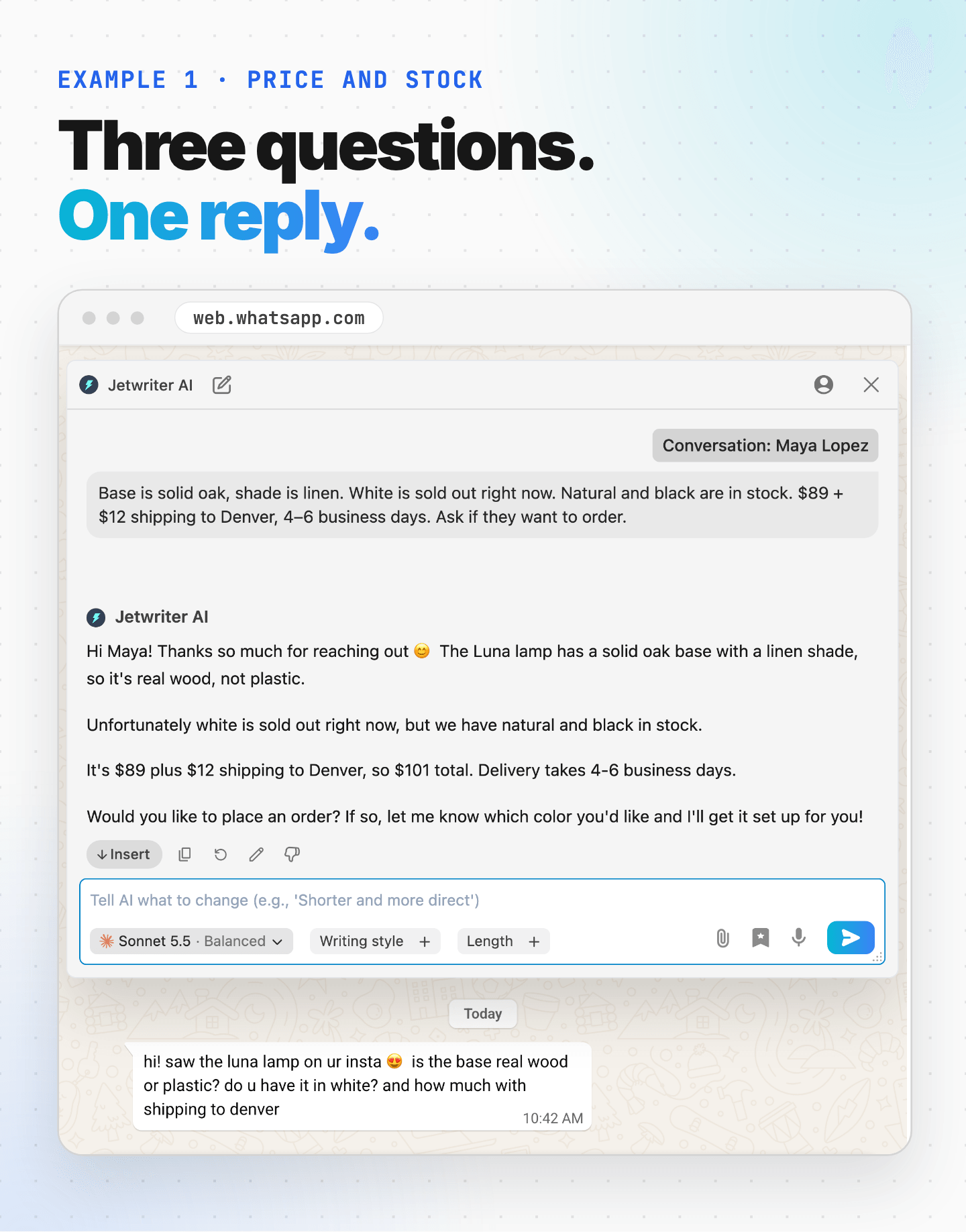
Why it works: Maya asked three things at once. On a busy day, it's easy to answer one and miss the other two. Jetwriter AI answered all three, in the order she asked, worked out the total and ended with an easy next step.
Tip: In Personalize AI, add links to your website or help pages under What should AI know about you?. Jetwriter AI can open those pages while it writes, for details like materials, prices and shipping times, except when you use your own API key. See Tell Jetwriter about you, and how to reply.
Following up with a buyer who went quiet
A good follow-up mentions what the buyer asked about, gives them an easy reason to reply, and doesn't push.
The situation: You're a wedding photographer. Priya asked about packages for her June 14 wedding, and you sent her two: Classic and Full Day. She said thanks and promised to get back to you. That was five days ago.
The customer's last message
“Thank you so much!! These look amazing. We'll talk it over and get back to you 🙂”
What you type into Jetwriter AI
“Friendly follow-up. June 14 is still open. Offer a quick 15-minute call to answer questions. No pressure.”
Jetwriter AI's reply
Hi Priya! Hope you're doing well. Just a friendly follow-up to let you know June 14 is still open on my calendar. If it would help, I'm happy to hop on a quick 15-minute call to answer any questions about the packages or anything else. No pressure at all, just let me know whenever works for you. 🙂
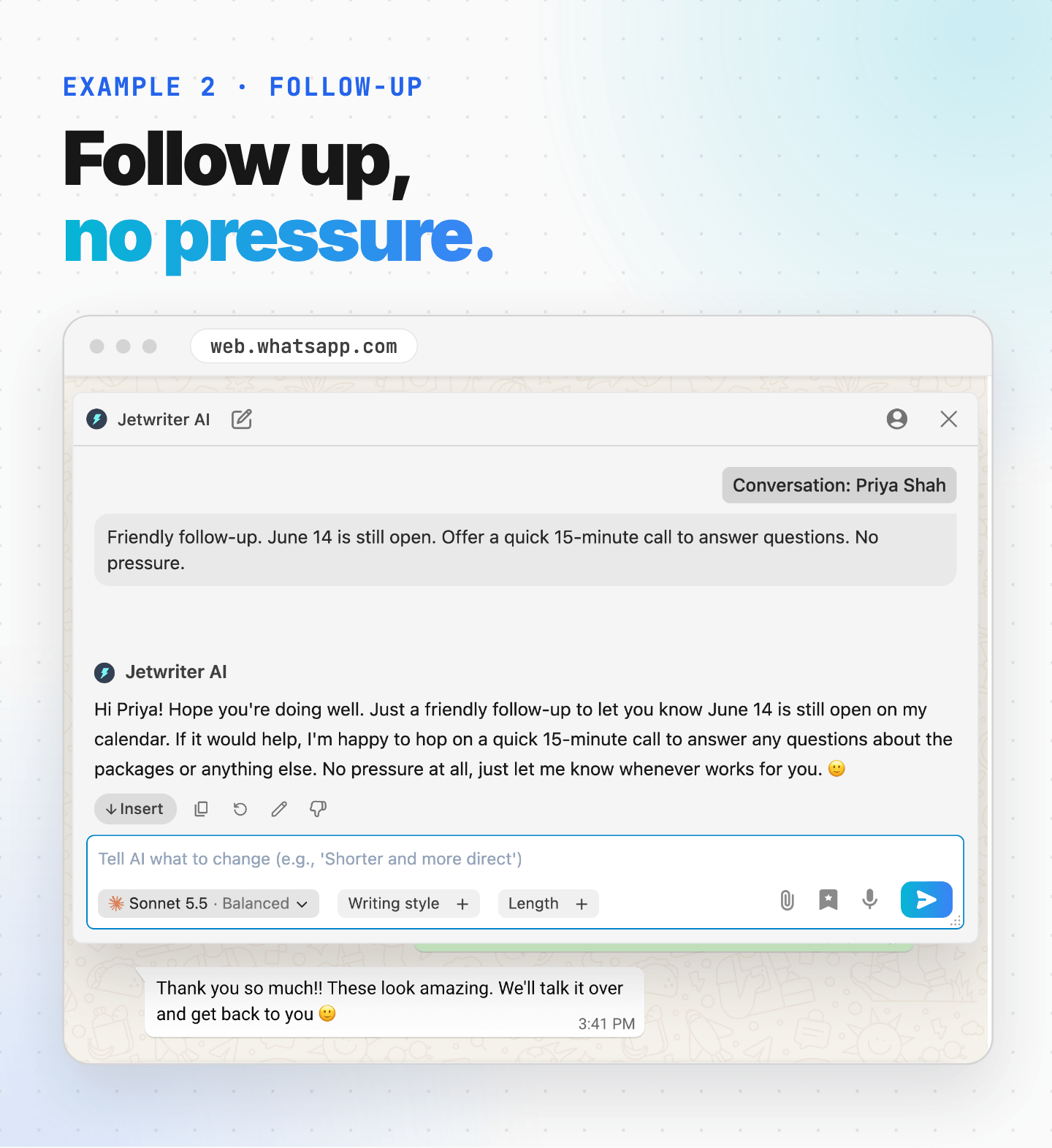
Why it works: Most follow-ups just say "checking in." This one is about Priya's wedding: it brings up the packages you sent her earlier in the chat, and adds the news you typed, that June 14 is still open and a short call is on offer. It stays light, with no pressure to decide.
Tip: Only follow up with people who messaged you first. If there's no reply after one or two follow-ups, let it go.
"Where is my order?" and late deliveries
When an order is late, say sorry, share the real update and the tracking link, and answer the customer's actual worry.
The situation: You sell skincare online. Daniel's order should have arrived by now. It hasn't, and it's a gift.
The customer's message
“Hi, I ordered on the 2nd (order #4471) and it still hasn't arrived?? It's a birthday present for my wife and her birthday is Saturday. Can you check please”
What you type into Jetwriter AI
“Checked tracking. Stuck at the courier's Dallas hub because of the storms. Courier now says Thursday. Link: [tracking link]. Say sorry, and that I'll keep an eye on it.”
Jetwriter AI's reply
Hi Daniel, I checked the tracking for order #4471. Unfortunately it's stuck at the courier's Dallas hub because of the storms, and the courier now says it should arrive Thursday. Here's the tracking link: [tracking link]
I'm really sorry for the delay, especially with your wife's birthday on Saturday. I'll keep an eye on it and let you know if anything changes.
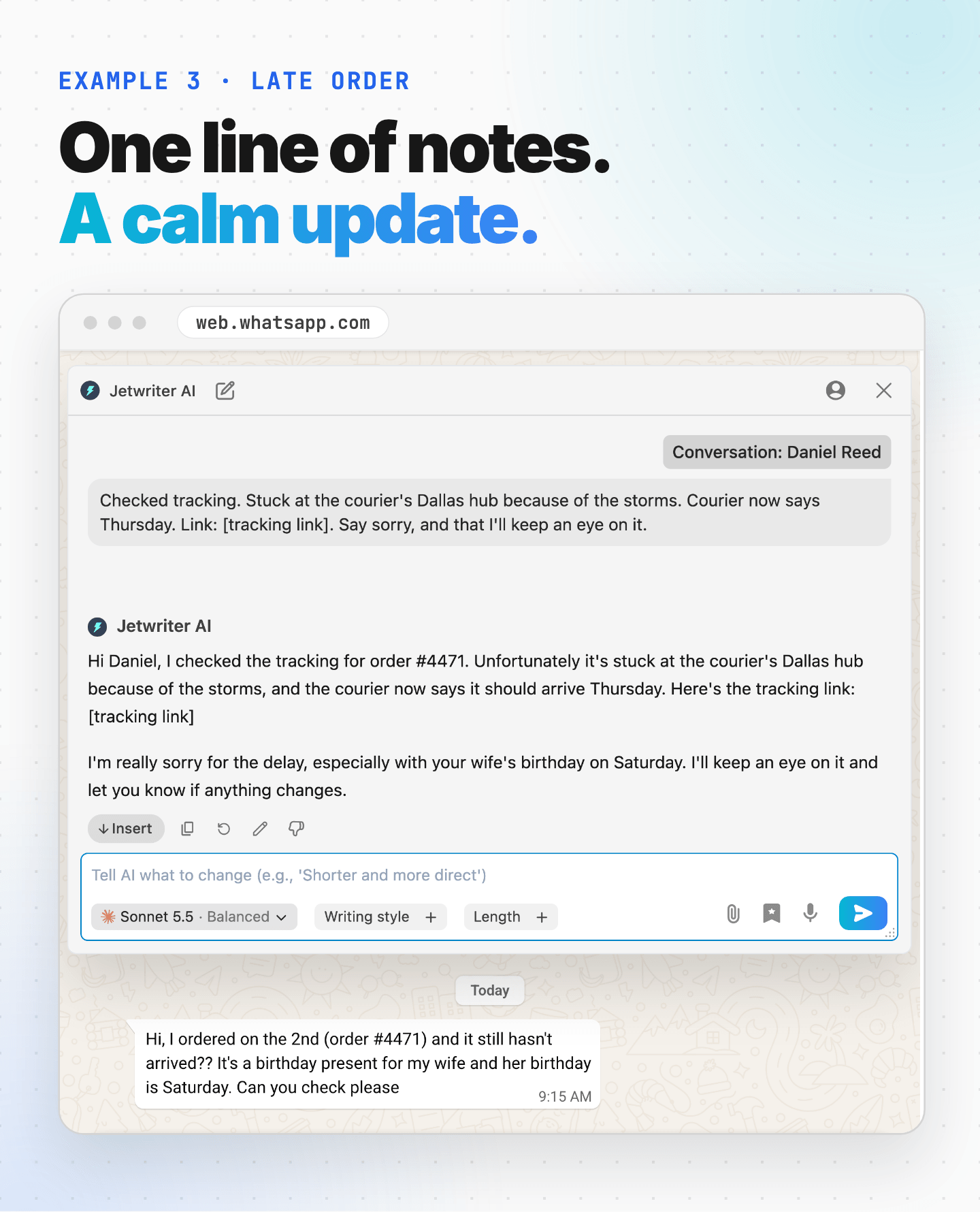
Why it works: You checked the tracking and typed what you found in one line. Jetwriter AI turned it into a calm, clear update, with the order number from Daniel's message and the new delivery day. It also mentions his wife's birthday on Saturday, so the apology speaks to what he's actually worried about.
Tip: Late orders come up again and again. Save your instruction as a prompt template: click the bookmark icon under the box, then Add Prompt Template. Next time, it's one click. See Get the reply you want.
Refund and return requests
If you can't give a refund, say so kindly, explain why, and offer another option.
The situation: You run a shoe shop. Carla bought sneakers three weeks ago and wants a refund. Your policy is refunds within 14 days, for unworn shoes only. So a refund is out, but you can still help.
The customer's message
“Hi, I bought the Trail Runner sneakers about 3 weeks ago but they hurt my feet. I've only worn them twice. Can I get a refund?”
What you type into Jetwriter AI
“Can't refund. Policy is refunds within 14 days, unworn only. Offer an exchange for another size, or $120 store credit. Be kind.”
Jetwriter AI's reply
Hi Carla, thanks so much for reaching out, and I'm really sorry the Trail Runners have been hurting your feet. That's no fun at all.
Unfortunately, I'm not able to offer a refund, since our policy covers refunds within 14 days of purchase for unworn items only. I really wish I could make an exception.
I'd still love to help you get something that works, though. Here are two options:
1. An exchange for a different size, so you can find a more comfortable fit
2. $120 in store credit to use on anything you likeJust let me know which you'd prefer and I'll get it set up for you right away. Thanks for understanding, Carla!
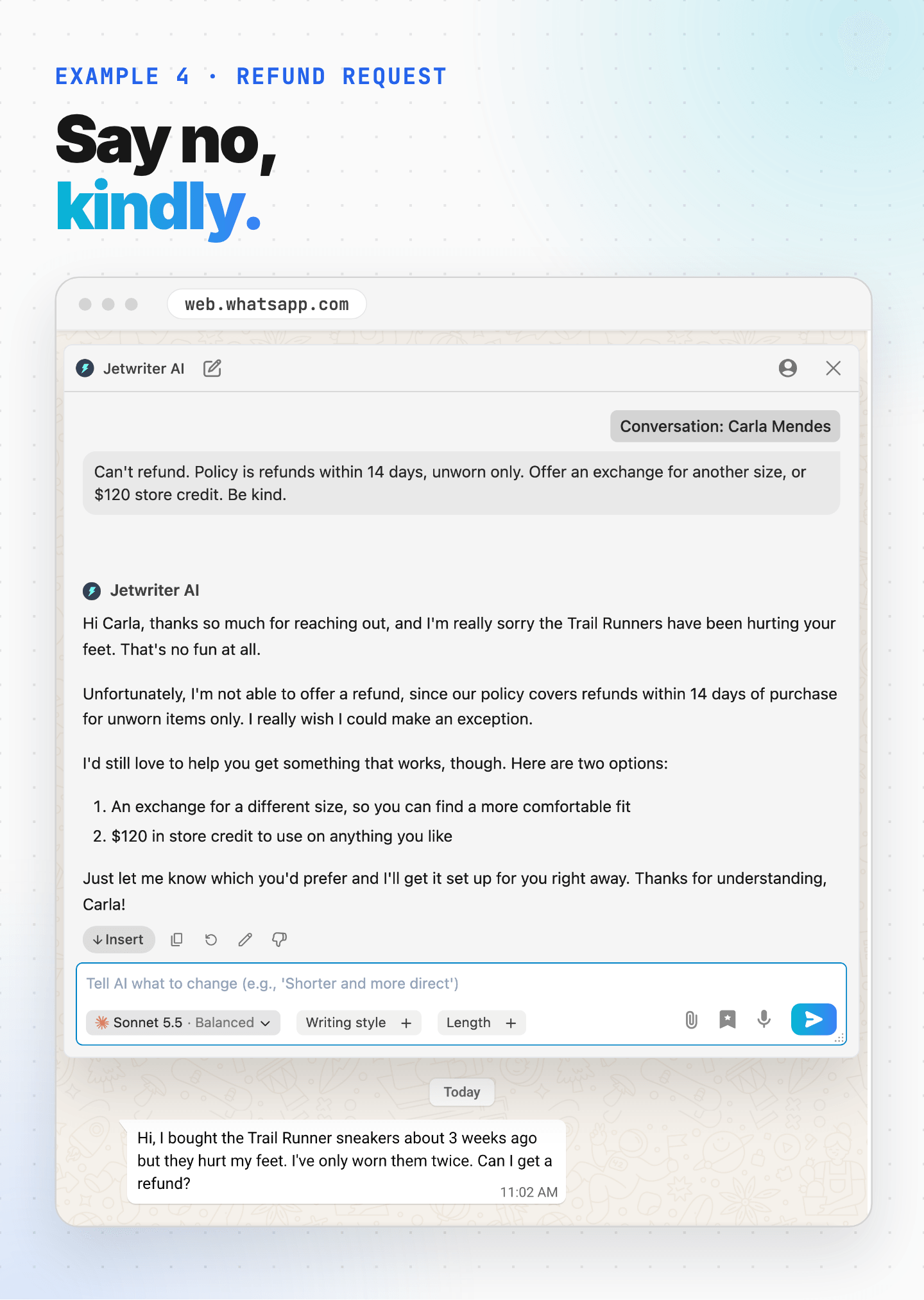
Why it works: Saying no is hard. It's easy to sound cold, or to explain too much. You made the decision, and Jetwriter AI found kind words for it. The reply says no clearly, explains the policy and offers two real options, so Carla knows exactly what to do next. Jetwriter AI never approves or refuses a refund on its own: it writes what you tell it.
Tip: If a reply is longer than you'd like, type "Shorter" in the box under it and press Enter. Jetwriter AI writes a new version.
Angry or unhappy customers
When a customer is angry, apologize, name exactly what went wrong, skip the excuses and offer a fix.
The situation: You run a bakery. A birthday cake for Lauren's son arrived an hour late, with his name spelled wrong. Lauren is furious.
The customer's message
“This is UNACCEPTABLE. The cake came an HOUR late and you spelled my son's name wrong. It's Jackson not Jaxon!! Everyone saw it. The whole party was a mess.”
What you type into Jetwriter AI
“Say sorry properly. No excuses, both mistakes were ours. Offer a full refund of $65. Offer to call today if that's okay.” Then set Length to Short.
Jetwriter AI's reply
Hi Lauren, I'm so sorry. The cake arriving an hour late and misspelling Jackson's name were both our mistakes, and I understand how upsetting that was on his special day, especially with everyone there to see it. There's no excuse for either one.
I'd like to refund you the full $65. If it's okay with you, I'd also be glad to call today to apologize personally. Just let me know what time works for you.
Again, I'm truly sorry we let you and Jackson down.
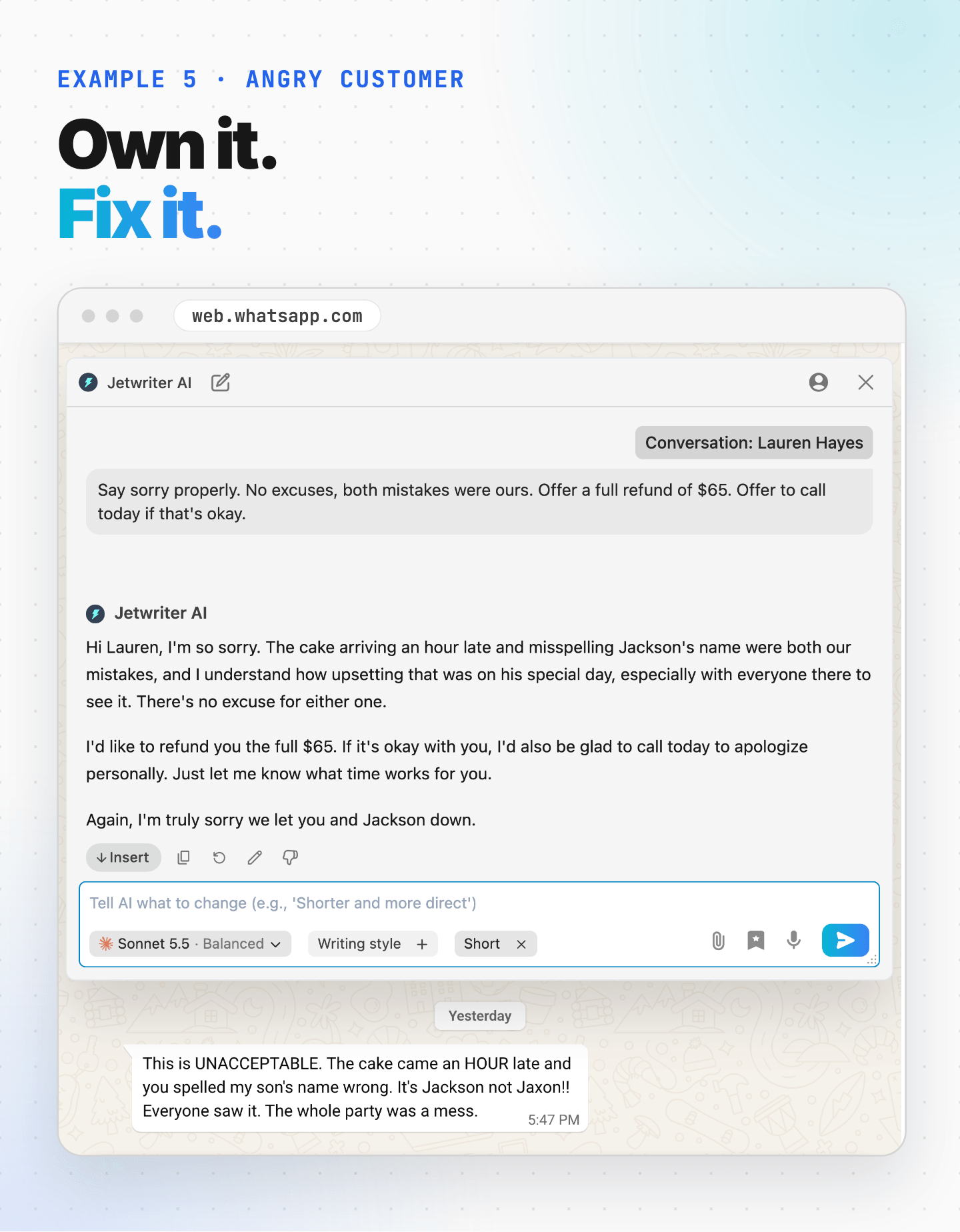
Why it works: When someone is this upset, a copy-paste apology makes it worse. People can tell. Jetwriter AI named both mistakes, the late cake and the misspelled name, and made no excuses, because you asked it not to. You decided the refund, and Jetwriter AI found the words.
Tip: Keep Length on Short for complaints. An upset customer doesn't want to read a long message.
Try It on Your Hardest Chat
Think of the WhatsApp message you least like answering. The angry customer. The late order. The refund you have to turn down.
Try Jetwriter AI on that one first. Type the facts, read the reply, and send it when it sounds like you. New to Jetwriter AI? Add the free extension, open WhatsApp Web and click AI Reply in any chat.
Frequently Asked Questions (FAQ)
Does Jetwriter AI send WhatsApp messages for me?
No. It writes the reply in its own window. You click Insert to put it in WhatsApp's message box, check it, and press send yourself.
Can Jetwriter AI check my orders, stock or tracking?
No. It isn't connected to your shop, your orders or your courier. You check those and tell Jetwriter AI what you found in a few words, and it turns your notes into a clear reply. It can also open links to your website or help pages that you add in Personalize AI, except when you use your own API key.
What does Jetwriter AI read in WhatsApp?
Only the chat you have open, when you click AI Reply: the messages WhatsApp Web shows, who wrote each one, and the chat's name. It can't see photos or hear voice messages, and it doesn't read your other chats. What Jetwriter keeps, and for how long, is explained in Is Jetwriter AI safe? What it reads and keeps.
Does it work with WhatsApp Business?
Yes. AI Reply works the same with WhatsApp Business accounts, as long as you open them in WhatsApp Web, in your browser on a computer.
Can I use it on my phone?
Not inside the WhatsApp app: the extension runs only in a browser on a computer. On a phone, you can write the reply in the Jetwriter web app and paste it into WhatsApp. See Use Jetwriter on your phone.
Is it free?
Every plan can use AI Reply in WhatsApp, including the Free plan, which includes 15 AI responses a month. Each reply, and each new version of it, uses one. The paid plans are on the pricing page.