
Ever stare at a blinking line on Slack, not sure what to say?
Your team is waiting for an answer. But typing out a long message takes time! We have all been there. You want to reply fast to keep the work moving, but you also want to sound good.
What if you had a smart helper to write those quick replies for you? That is Jetwriter AI. It is a simple tool built to make talking to your team a breeze.
And the best part? Jetwriter AI is now fully connected with Slack! It lives right inside your chat box, ready to help you type.
Introducing Jetwriter AI - Your New AI Teammate for Slack
Jetwriter AI is a handy tool you add to your web browser. Think of it as a smart writing buddy that lives right inside your screen.
If you use Slack to talk to your team every day, this tool is a lifesaver. It helps you send quick replies without overthinking.
The best part? You never even have to leave Slack! There is no need to open a new app or switch tabs. It adds a tiny, helpful button exactly where you already type your messages.
So, what can this little button do for you?
- Makes Your Words Clear: Ever type something in a rush and it makes no sense? We all do it! Jetwriter AI fixes your sentences so your team knows exactly what you mean.
- Changes Your Vibe: Need to sound serious for the boss? Or super casual for your work bestie? With one click, you can change your tone to be Formal, Friendly, or Kind.
- Learns Your Voice: You do not want to sound like a cold machine. You can actually teach Jetwriter AI how you naturally speak. That way, every message sounds 100% like you wrote it.
No more wasting time trying to find the right words!
How to Set Up Jetwriter AI in Slack?
Ready to give it a try? Getting set up is super easy. It honestly takes less than a minute.
Just follow these two quick steps:
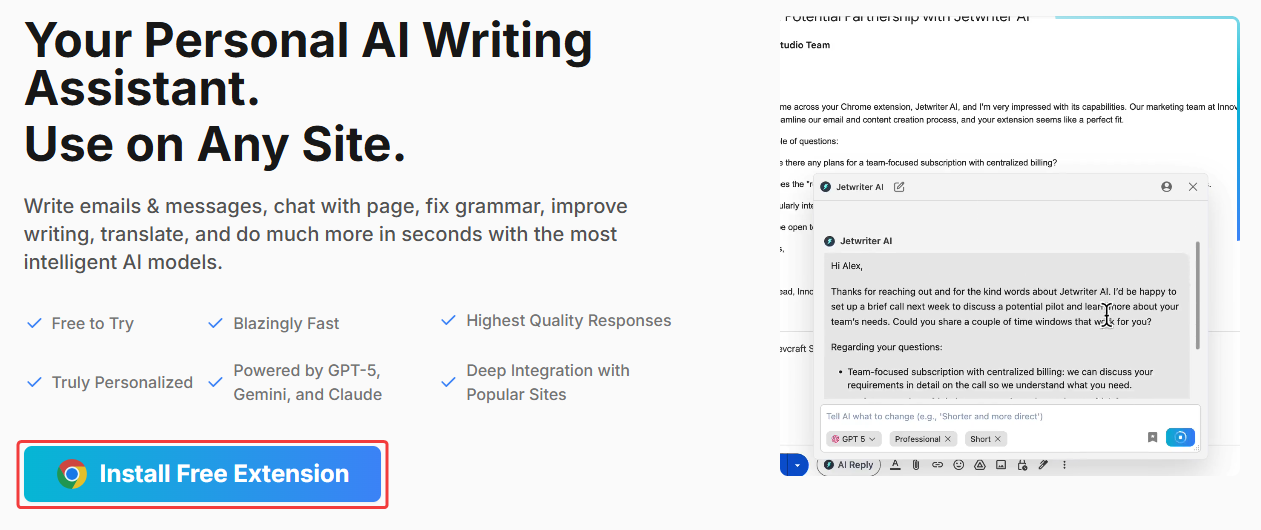
Step 1: Install the Free Jetwriter AI Extension
Go to Jetwriter AI website and install our free tool. It works on Chrome, Edge, Brave, and most other browsers. Next, create a free account. No credit card needed!
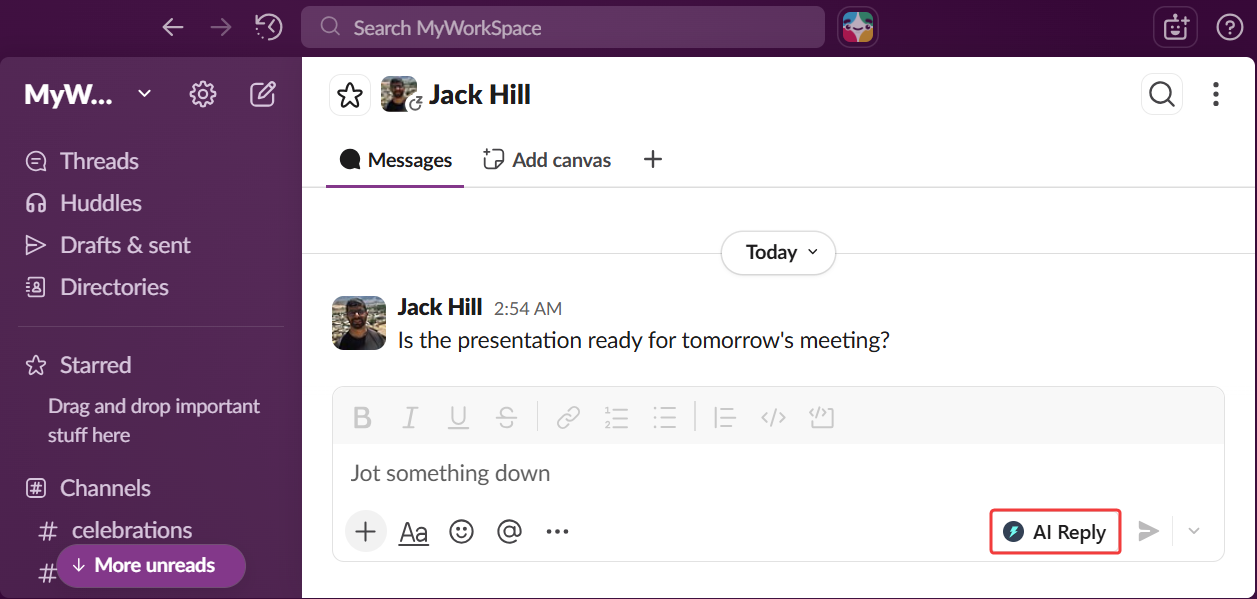
Step 2: Find the Icon in Slack
Open Slack in your browser. Look at the box where you normally type a message. Boom! You will see the little Jetwriter AI icon sitting right there, waiting to help you.
How to Generate Your First AI-Powered Reply
Okay, now for the real magic.
The best part of Jetwriter AI is that it reads the Slack chat you are looking at. Because it sees what your team just asked, it knows exactly what is going on. It uses that clue to write the perfect reply for you.
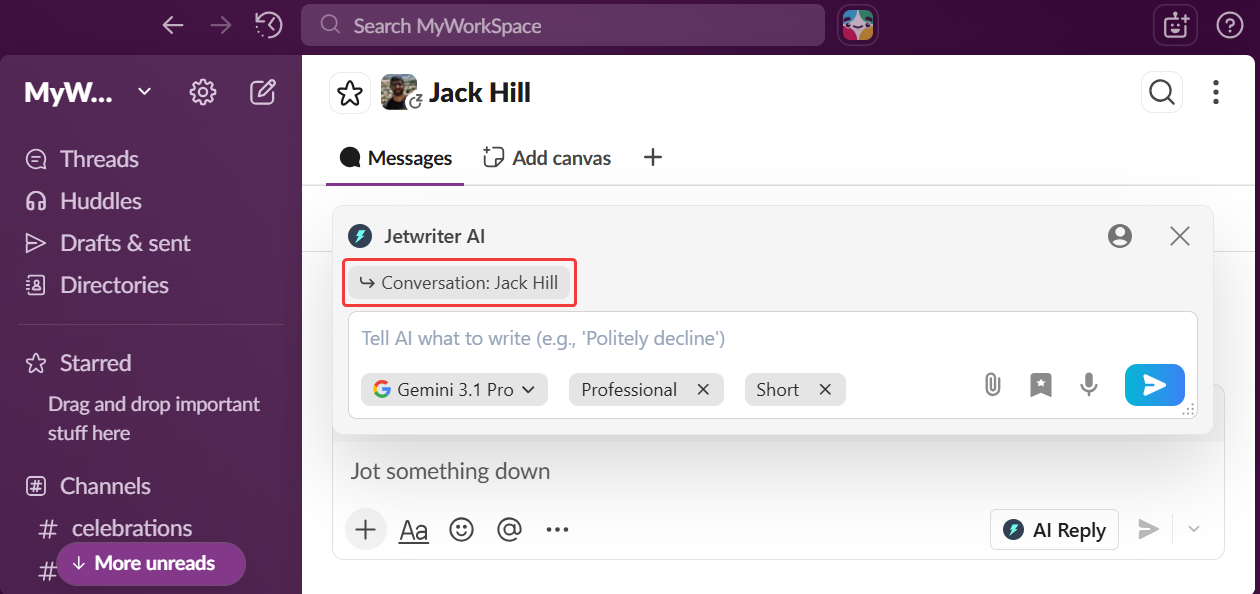
Now imagine a message pops up on Slack. Maybe your boss asks, "Are we ready for the big meeting?"
Usually, you would stop what you are doing to type out a long update. But not anymore! Let your new AI teammate do the heavy lifting.
Here is how you generate a fast reply:
- Click the Icon: Click the little Jetwriter AI icon right there in your Slack chat. This will launch the extension.
- Tell it what to say: Type the instruction in the box. Keep it short and simple. For example: "tell them yes, the slides are ready."
- Generate the Reply: Hit the blue "Generate" button.
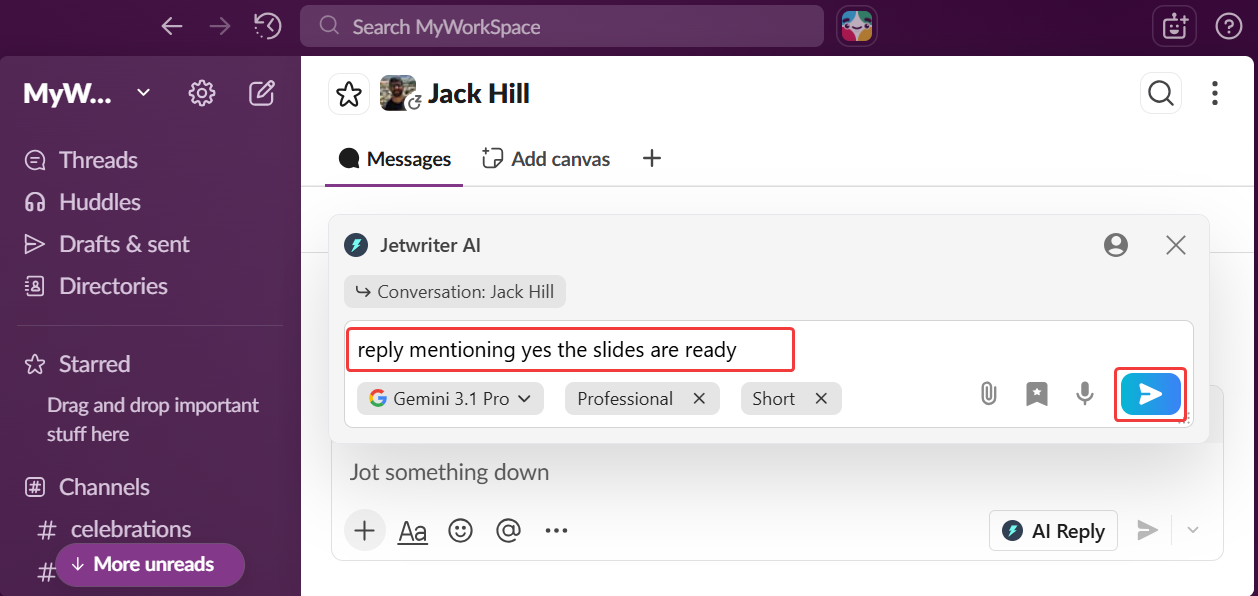
Boom! A perfect, full message appears in seconds. It looks like you spent five minutes typing it. (Don't worry, your secret is safe with us!)
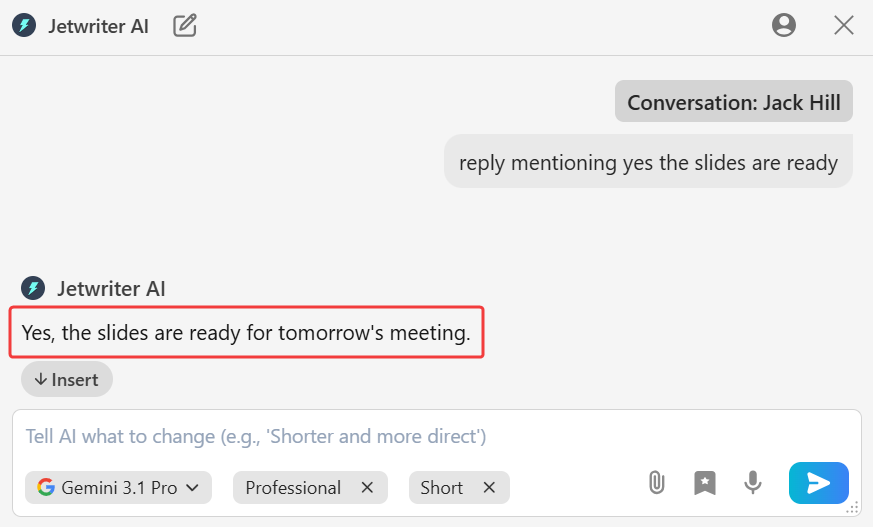
How to Make the Draft Better
Sometimes the AI gets it almost right, but you want to tweak it. That is super easy to do. You are always in control.
- Adjust Writing Tone: Does the message sound too serious for your work friends? With one click, you can change the vibe. Make it sound casual, friendly, or professional.
- Control Response Length: Is the reply too long? Make it shorter with a single click. Perfect for when you just need a quick "got it!" Or, make it longer if you need to explain more.
- Regenerate: What if you just do not like the first answer at all? No problem! Click "Regenerate." The AI will think again and write a completely brand new reply for you. You can click this as many times as you want until you find the perfect reply.
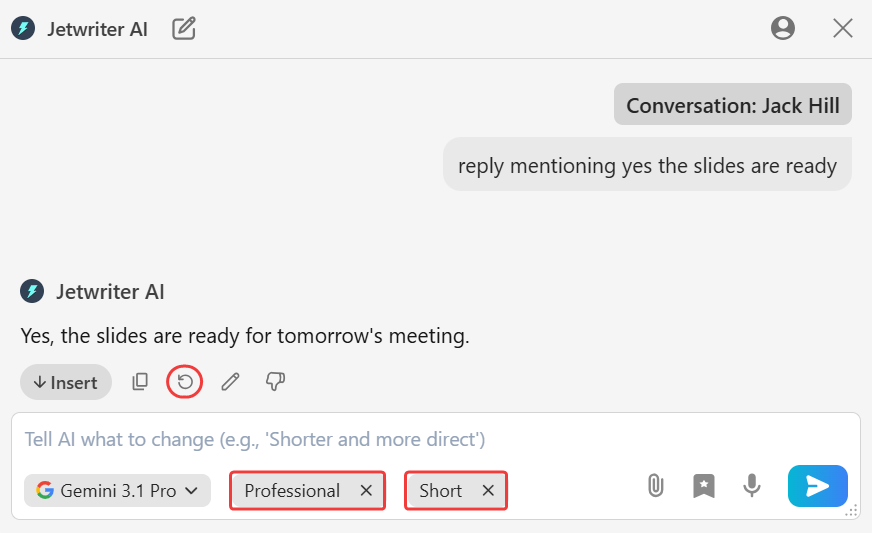
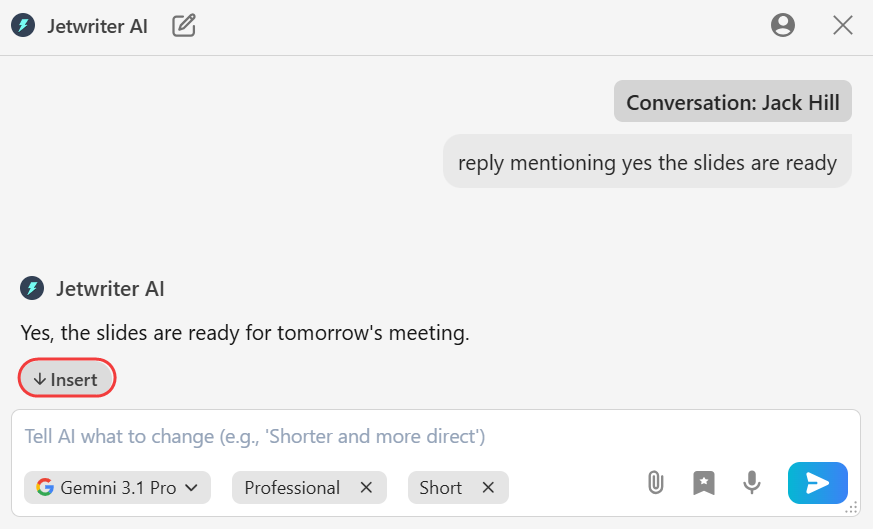
Once you are satisfied with the message, click "Insert" and hit send on Slack. You just saved yourself so much typing!
Personalize Your AI for Better Slack Replies
Jetwriter AI is already very smart. But you can make it a true genius by teaching it a few tricks.
Here are three ways to make every Slack message sound perfectly like you.
Create Your Personal AI Profile
You have your own unique way of writing. Jetwriter AI can learn it!
Just open the settings page. Tell the AI a little bit about yourself. Where you work? What is your job role? How do you usually write?
The more it knows, the better it gets. Soon, its writing will sound exactly like you. It is almost like having a twin who types for you!
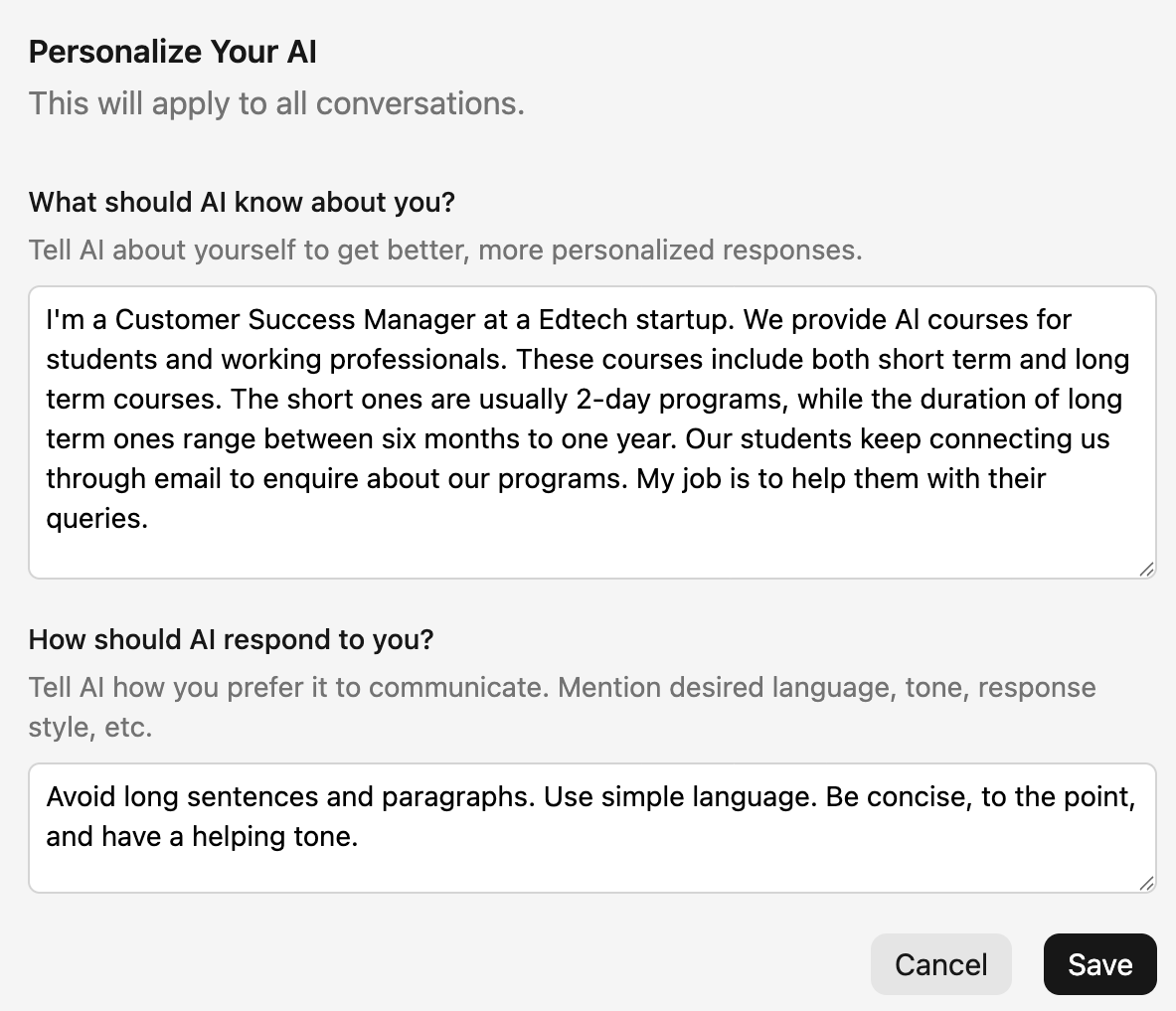
Develop Your Voice with Custom Writing Styles
You do not talk to the big boss the same way you talk to your work best friend, right?
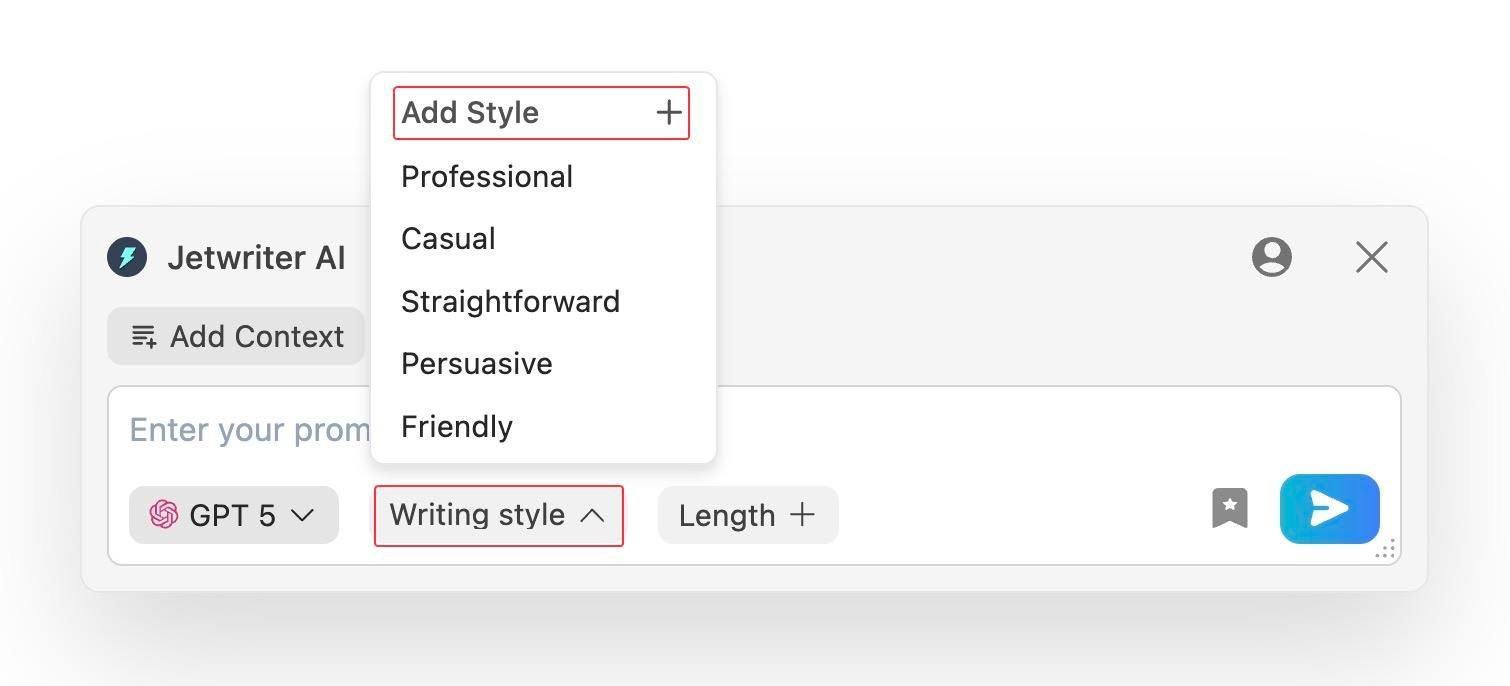
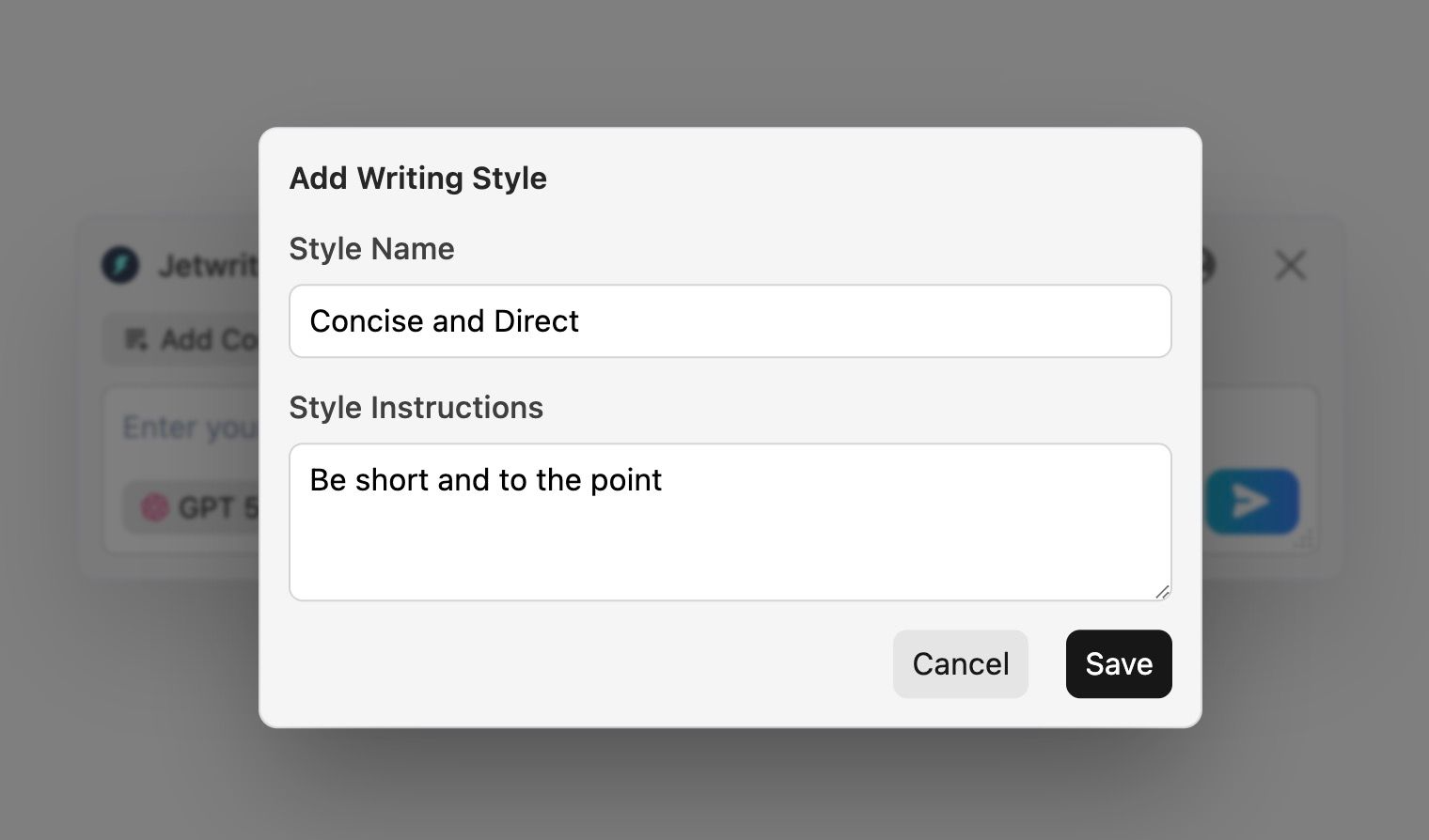
You can create and save your own writing styles for any chat.
- "Super Pro" vibe: Use this when you are talking to the boss or an important client.
- "Chill & Fun" vibe: Perfect for your daily team channel.
- "Concise & Direct" vibe: For when you just need to say yes or no, with no fluff.
You can make as many styles as you want! Just pick the right vibe with one easy click.
Save Time with Prompt Templates
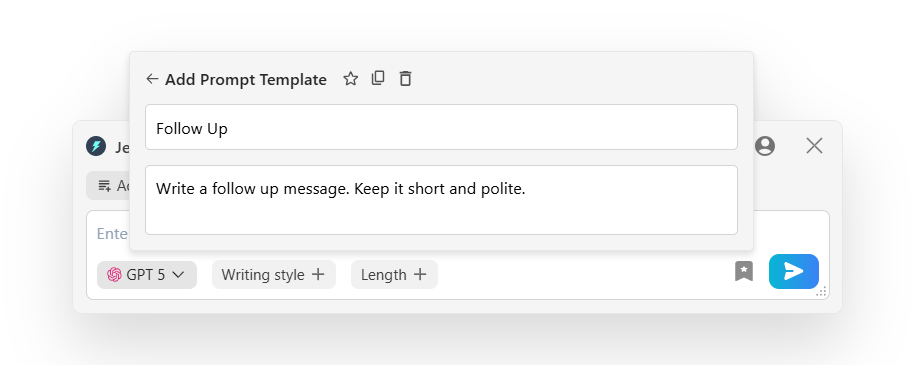
Do you send the exact same Slack messages every single week? Maybe a "Follow Up" or a simple "Checking in" message?
Stop typing the same things over and over!
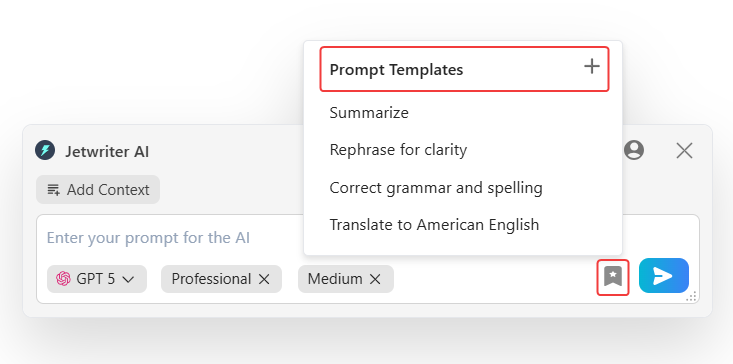
You can save your favorite instructions. We call these Prompt Templates. Just tell the AI what to do one time. Then, save it.
Next time? You can write that whole update with a single click. Talk about a huge time-saver!
The Jetwriter AI Advantage
Why is Jetwriter AI the perfect tool for your team? Here is why so many people love using it every day:
It Learns Your Unique Style
Most AI helpers sound like boring robots. They give everyone the exact same answers. We really do not like that! We made Jetwriter AI to be your very own helper. It remembers who you are and what your job is. It uses the writing styles you pick out. When it writes a reply, it sounds just like you wrote it yourself.
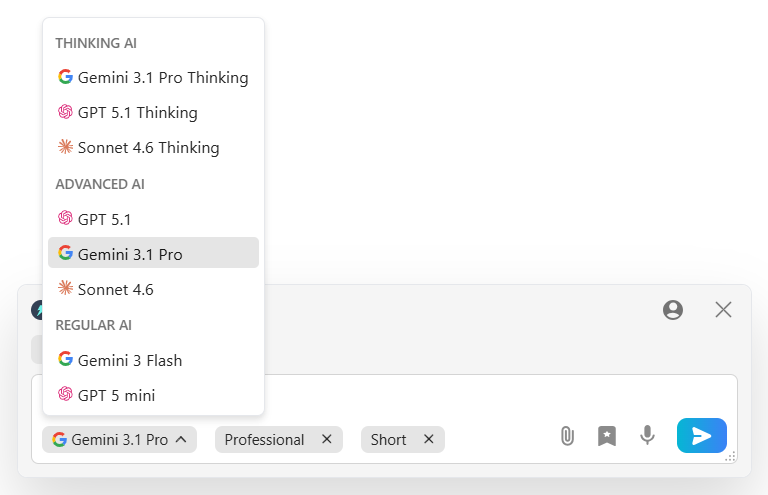
Powered by the Best AI Models
It uses the smartest tools in the world, like GPT-5.1, Claude Sonnet, and Gemini 3.1 Pro. It is like having the smartest kids in class writing messages for you. We ensure you always get top-quality responses.
Fast and Lightweight Performance
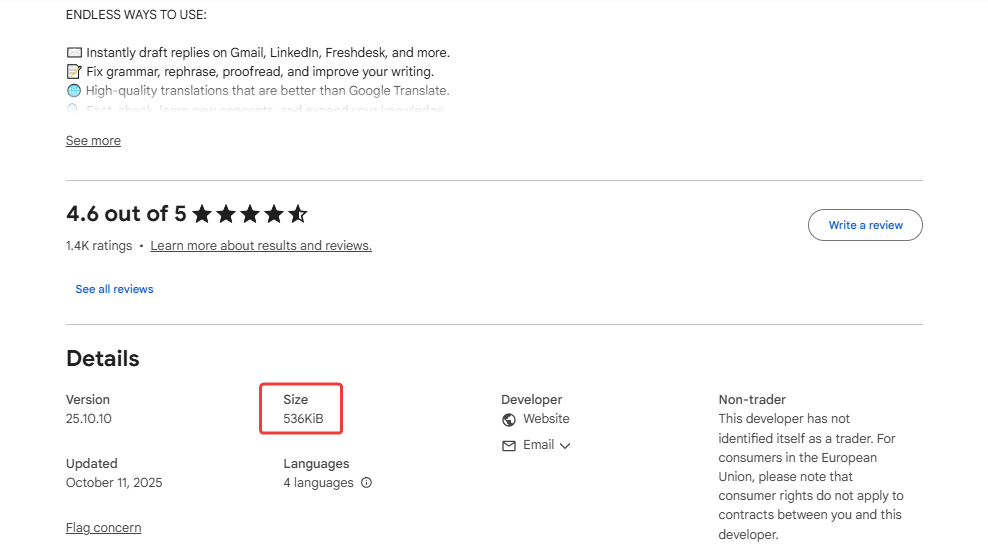
It will not slow down your browser. The tool is super light (less than 1MB). You can keep all your work tabs open and your computer will still run fast.
Private and Secure by Design
Your chats stay safe and are never used to train the AI. We never sell your info to anyone. We know work chats are a secret. We keep it that way. What happens in Slack, stays in Slack!

Conclusion: Make Slack Easy Today
So, let's wrap this up! Jetwriter AI is your new best friend for Slack.
It reads your chat and helps you send the perfect reply in seconds. You do not have to stare at a blank screen ever again.
You also do not have to worry about typos or saying the wrong thing to your boss! You save tons of time.
The best way to see the magic is to try it yourself. It is completely free to install. It takes less than a minute to set up.
Go ahead and grab the extension. You have nothing to lose except a bunch of unread messages!
Frequently Asked Questions (FAQ)
Can Jetwriter AI read my private chats?
No way! We care about your privacy. Jetwriter AI only reads the message to write the reply. It doesn’t keep it, save it, or store it. What you say to your work friends or boss stays with you.
Can the AI write replies in different languages, like Spanish or French?
Yes, it sure can! It speaks almost every language. You can type your instructions in English and ask it to write a reply in Spanish. Or French. Or even Japanese! For example, just tell it: "Say thank you to the team in Spanish." It will give you the perfect words in seconds.
Is the Jetwriter AI extension really free to use?
Yes, it is free to try! We give you 15 credits per month. If you need to write a lot more, you can upgrade to a paid plan. But the free version is great to start with. You can also use your own API keys to generate responses.
What if I need help or have feedback?
We’d love to hear from you! The easiest way to reach us is by clicking the support button right inside the product. You can also send us an email anytime at support@jetwriter.ai.