Do you have lots of unread messages on WhatsApp?
Customers keep asking questions. "Where is my order?" "What is the price?" "Is this in stock?"
You type answers all day. It takes a long time. You want to reply fast, but it is hard to keep up.
What if you had a smart helper to type those answers for you? A helper that knows exactly what to say?
That is Jetwriter AI. It reads the message you just got. It understands what the customer is asking. Then, it writes the perfect answer for you. It writes exactly how you want it to. You just review it and send it.
And here is the best part: It works right inside WhatsApp on your computer. You don't need to switch tabs or copy-paste. In this guide, we will show you how to use it.
Introducing Jetwriter AI - Your New WhatsApp Assistant
Jetwriter AI is a smart tool that helps you write. Think of it as a helpful writing buddy that sits in your web browser. It makes sure your words come out perfectly every time.
Here is what it does for you:
- Fixes Mistakes: It fixes tricky grammar and spelling mistakes.
- Makes it Clear: It makes your sentences clearer so people understand you.
- Changes Tone: It changes your writing tone. You can choose to be Friendly, Formal, or Kind.
Now for the exciting part.
We have built Jetwriter AI to work perfectly inside WhatsApp. It reads your chat so it knows what you are talking about. Then, it writes the perfect reply for you.
What does it do?
- It Saves Time: No more typing long paragraphs.
- It Sounds Like You: You can teach it to speak your style.
You do not need to leave WhatsApp. You do not need to open any separate app. It is a small button right where you type, always ready to help you.
How to Set Up Jetwriter AI on WhatsApp?
Ready to try it? Getting set up is super easy. It honestly takes less than a minute.
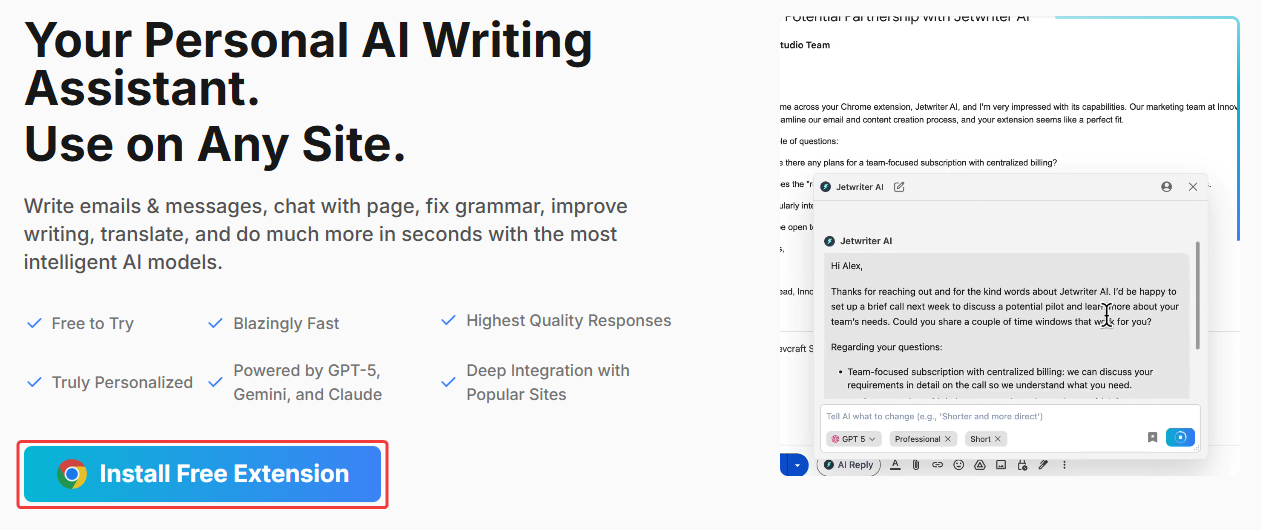
Step 1: Install the Jetwriter AI Extension
Go to Jetwriter AI website and install the browser extension. It works on Chrome, Edge, Brave, and other popular browsers.
Once it's added, you will be asked to make a free account. Don't worry, you don't need a credit card.
Step 2: Open WhatsApp and Find the Icon
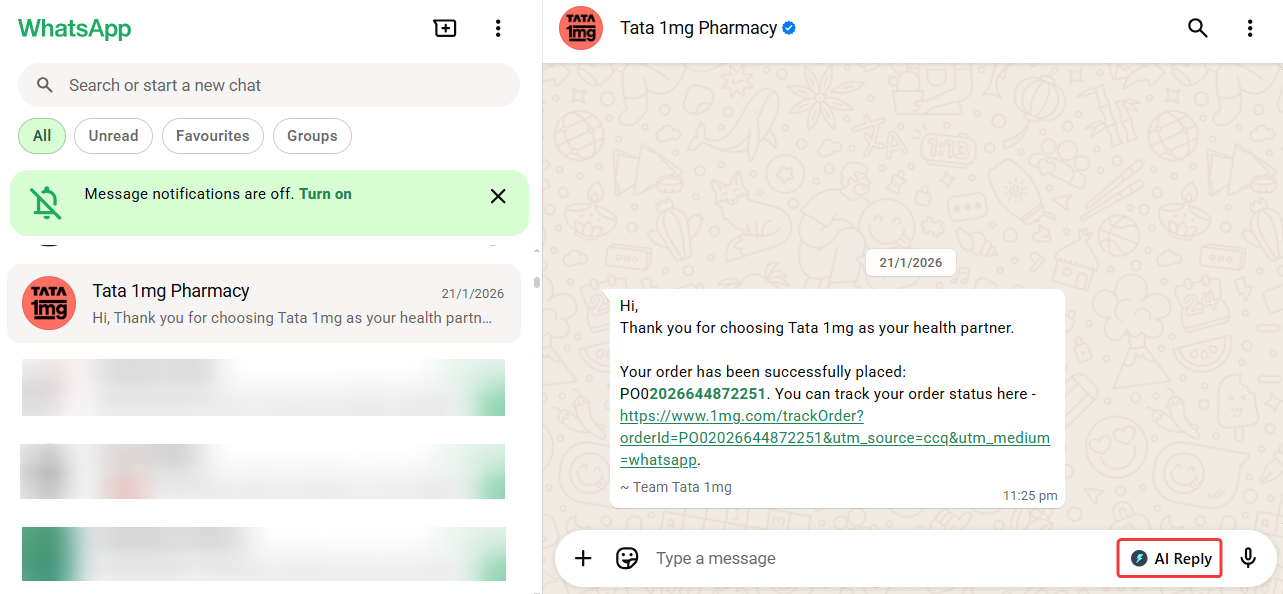
Launch WhatsApp on your computer. Open any chat. You will see a small Jetwriter AI icon right near where you type your message. That is your new magic button.
How to Generate Your First AI Reply?
Okay, this is where the magic happens.
Here’s the best part: Jetwriter AI is smart. It automatically reads the entire WhatsApp chat for you.
It already knows what the customer asked and what you said before. You don't need to copy or paste anything. You just need to tell your new helper what to do.
Follow these easy steps:
-
Open any WhatsApp chat Go to your WhatsApp and click on any customer chat you need to answer.
-
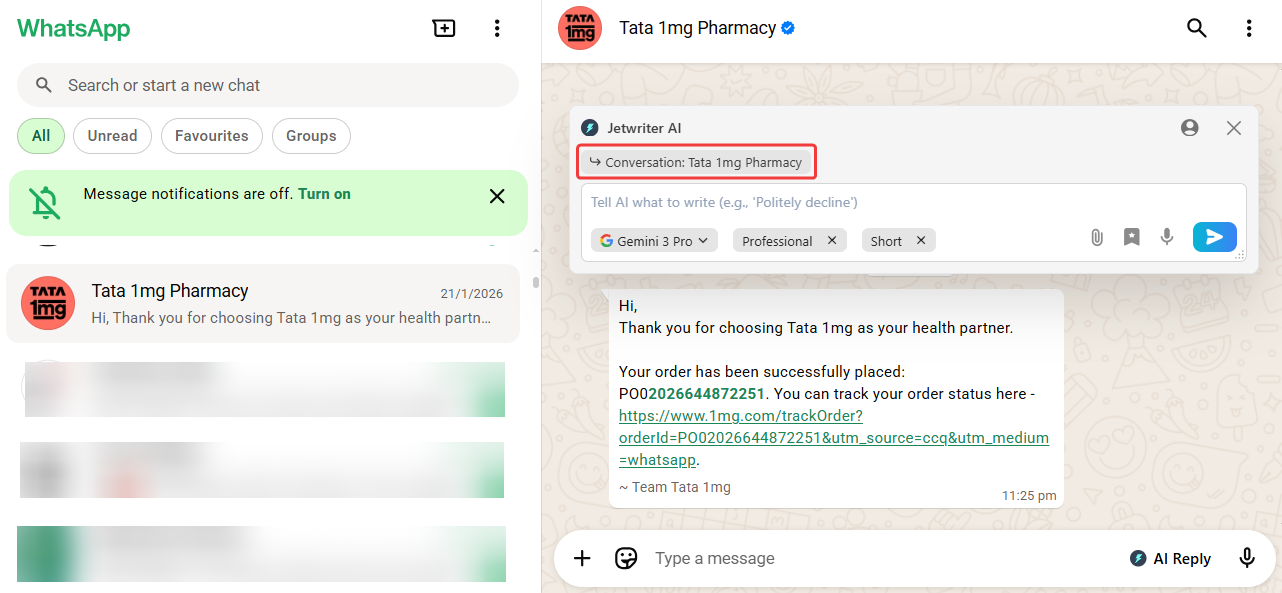
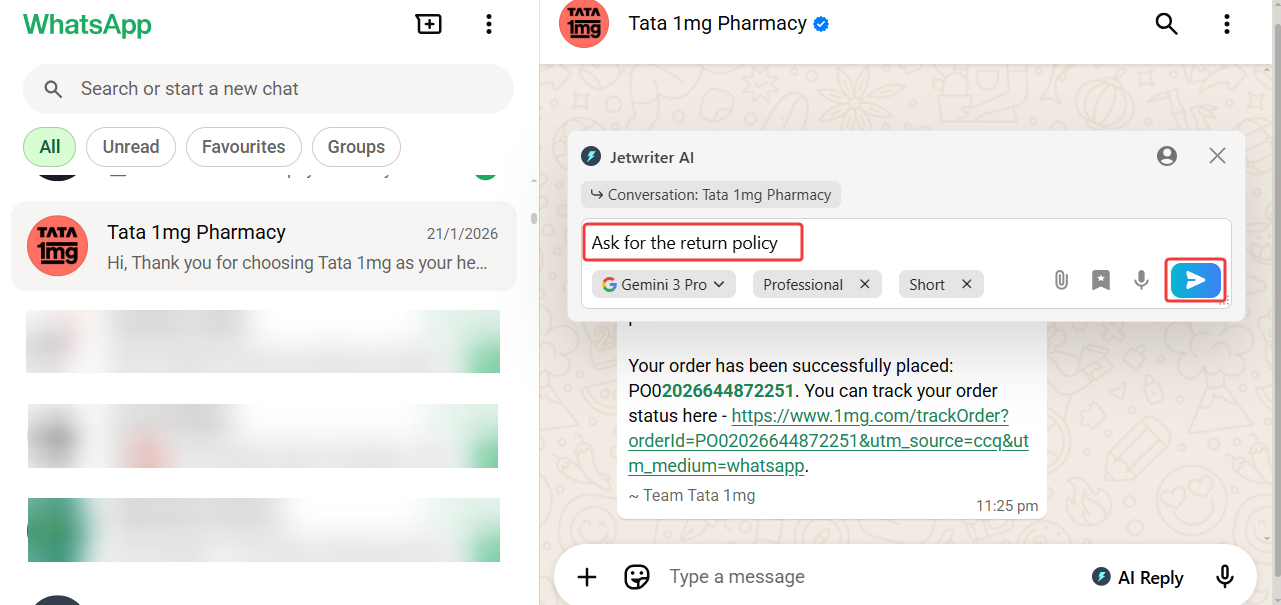
Click the Jetwriter AI icon In the typing box where you usually write, click on the new Jetwriter AI icon. This will open the helper.
-
Type a simple instruction In the little text box, just tell the AI what you want to say. Keep it simple. You can type things like:
- "tell that the order is shipped today"
- "ask for order number"
- "say we are out of stock for red color"
-
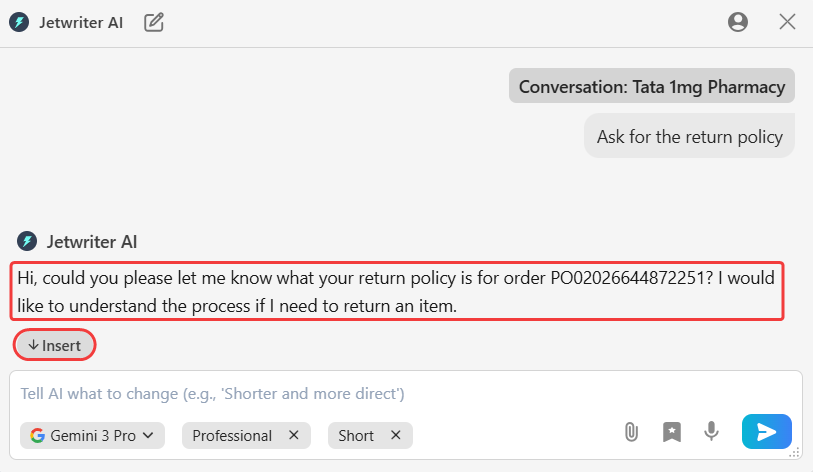
Click "Generate" Hit the generate button. In just a second, Jetwriter AI will write a perfect, polite reply for you.
-
Click "Insert" Like the reply? Great! Just click the "Insert" button. The new reply will appear right in your WhatsApp typing box, and the helper will close. That's it! You're ready to send.
Refining Your Draft: How to Get the Perfect Reply
What if the first reply is not quite right? No problem!
You can easily ask your AI helper to try again. You have full control.
-
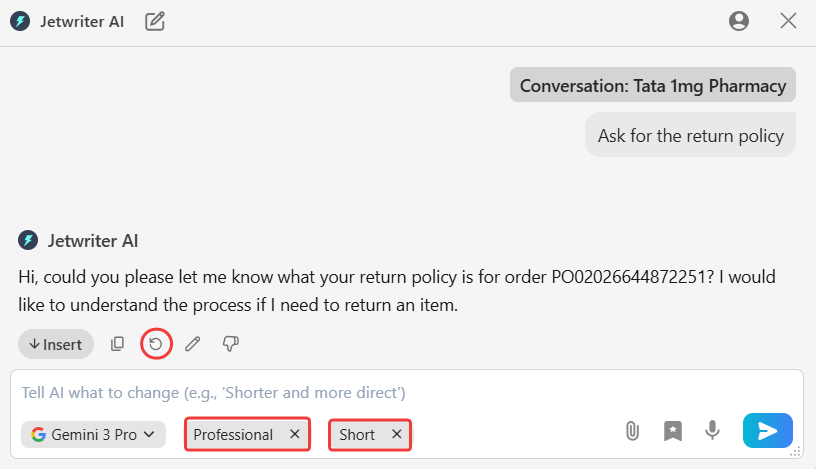
Change the Writing Tone Is the customer upset? You can sound more caring. Need to be very professional? You can sound more formal. Just use the Writing Tone menu to pick a new style. You can choose Casual, Professional, and more. Jetwriter AI will rewrite the reply in that new tone.
-
Change the Response Length Is the reply too long for a chat message? You can make it shorter. Need to explain more details? You can make it longer. Use the Response Length options to get the perfect size for your message.
-
Click "Regenerate" Want to see a totally different idea? Just click the Regenerate button. Jetwriter AI will think again and write a completely new draft for you. You can click this as many times as you want until you find the perfect reply.
Personalize Your AI for Better Chats
You want your customers to feel special, right? You don't want to sound like a robot. Jetwriter AI helps you sound like a real person, even when you answer fast.
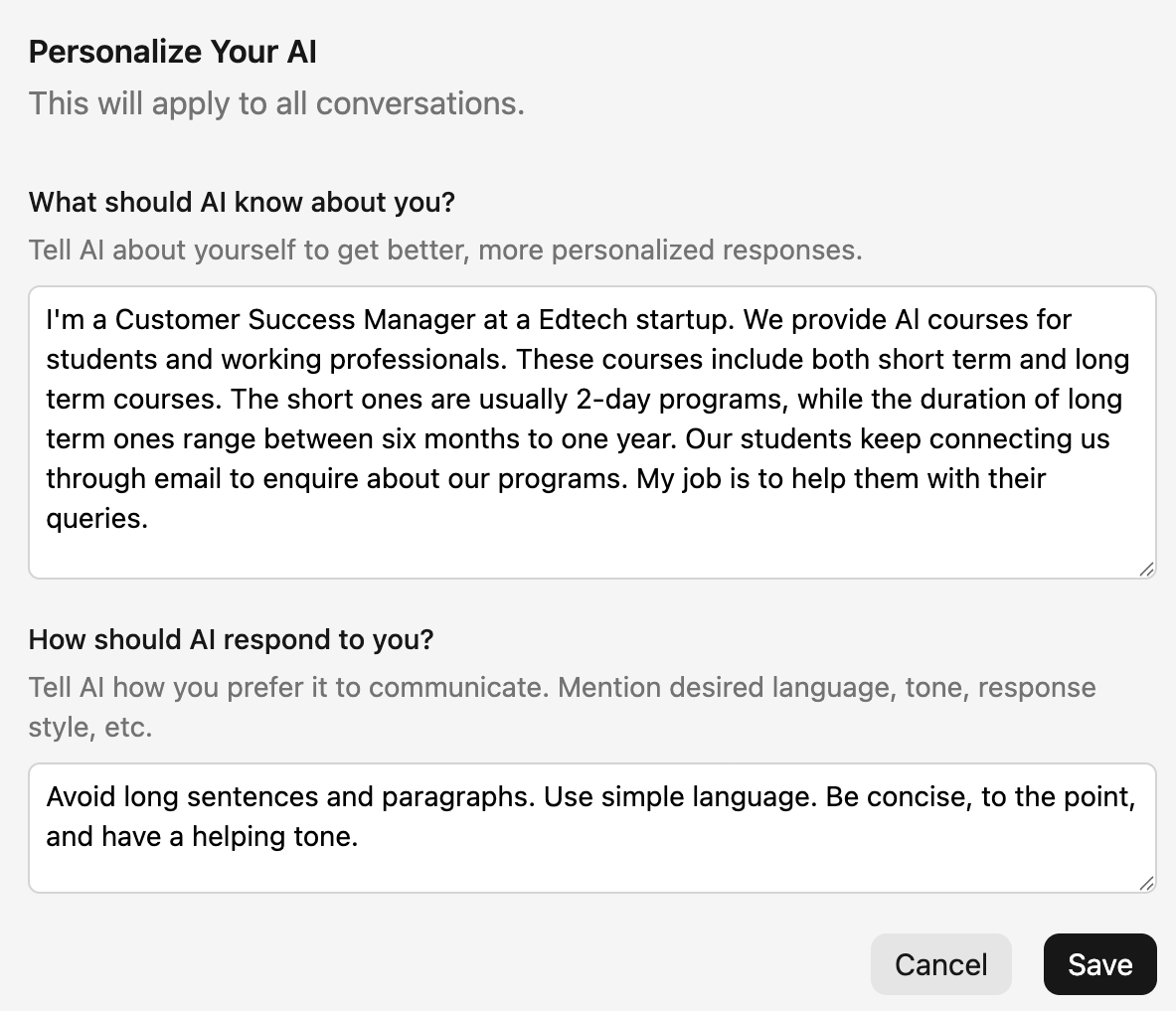
Teach It About Your Business (Personalized Profile)
You have a special way of running your shop. Jetwriter AI needs to know that. You can go to the settings and create a Personal Profile. Tell the AI your business name. Tell it what you sell. You can even tell it how you like to talk to people. The more it knows, the better it works. It is like hiring a smart assistant who learns everything about your company on the first day. It will write answers that fit your business perfectly.
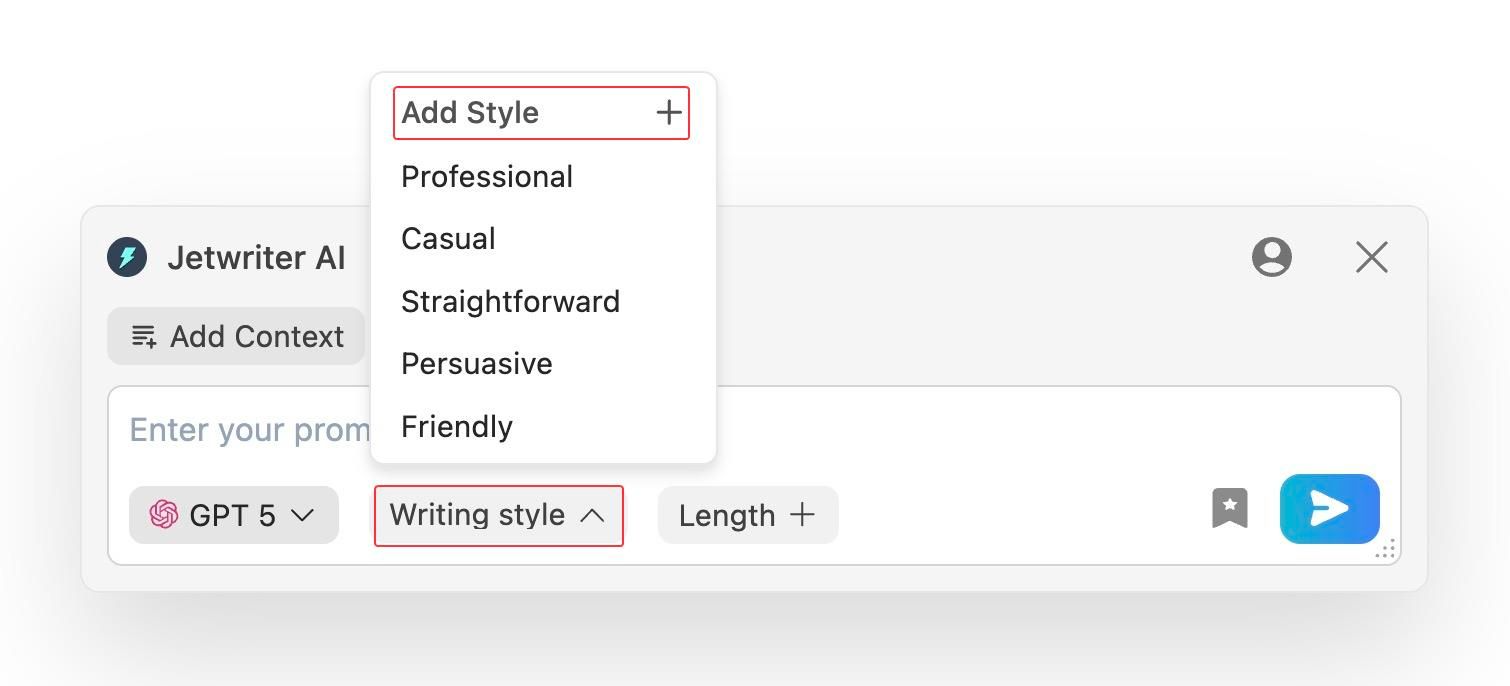
Create Your Own Custom Writing Styles
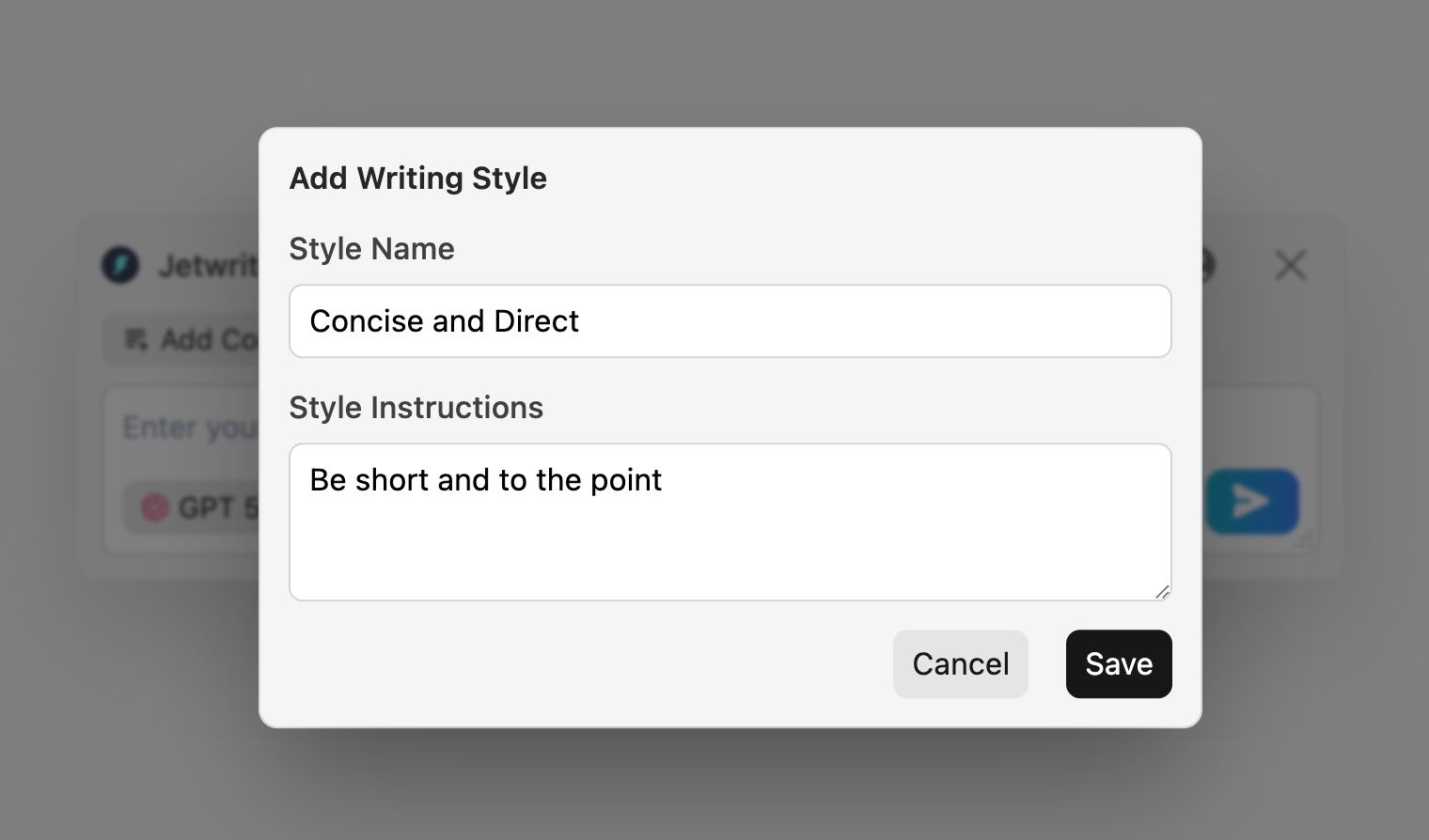
Every business sounds different. Maybe you run a law firm and need to be very serious. Or maybe you sell toys and want to be fun and happy. You can create and save your own styles in Jetwriter AI.
- "Polite Support": Use this for angry customers to calm them down.
- "Happy Sales": Use this when someone wants to buy something new.
- "Concise & Direct": Use this for quick updates on shipping.
You can save these styles. Then, you can switch between them with one click. Your customers will always get the right feeling from your messages.
Save Prompt Templates
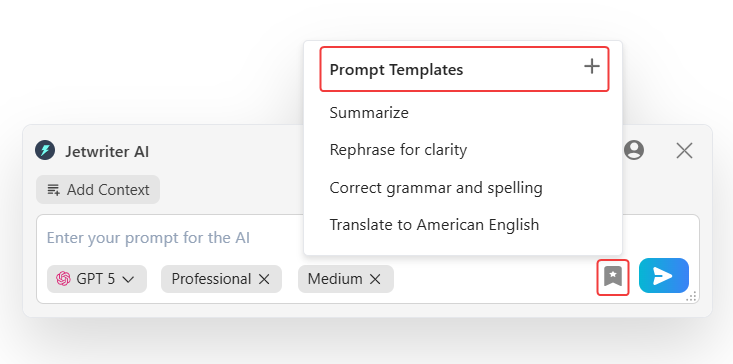
Do you type the same things 50 times a day?
- "Thank you for your feedback", or
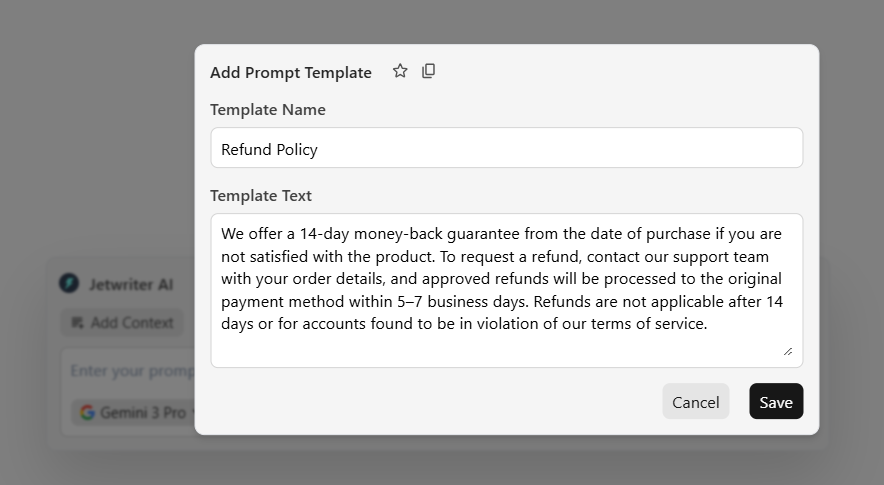
- "What is your refund policy?"
You do not need to type the answer every time. You can use Prompt Templates. Write your instruction one time. Save it with a name like "Feedback" or "Refund Policy". Next time a customer asks, you just click that name. Jetwriter AI will write the full answer for you instantly. You do not have to type it out ever again. This saves you hours of work every week.
The Jetwriter AI Advantage
There are many tools out there. You might wonder, "Why should I use this one?"
It comes down to four simple things we care about making it smart, fast, and safe for you.
An AI with Your Personality
Most AI helpers sound the same. They give the same robotic answers to everyone. We do not like that. We built Jetwriter AI to be your personal helper. It remembers who you are. It knows your job. It uses the special writing styles you picked. When it writes a reply, it sounds like something you would actually say. It is not just smart. It is smart for you.
Multi Model Support
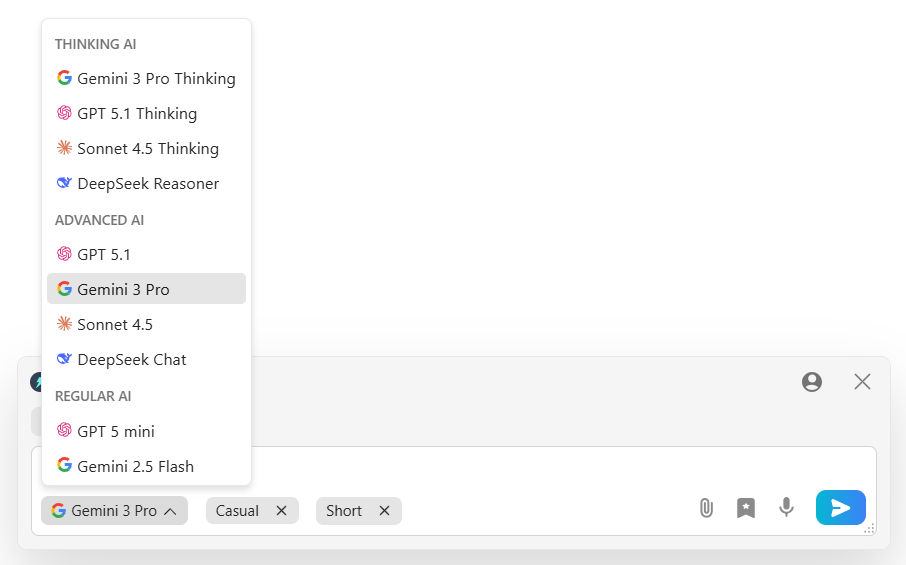
We want you to have the best answers. So we use the smartest models in the world. We use super smart brains like GPT-5.1, Claude, and Gemini 3 Pro. This means you always get top-quality responses.
Fast and Super-Light
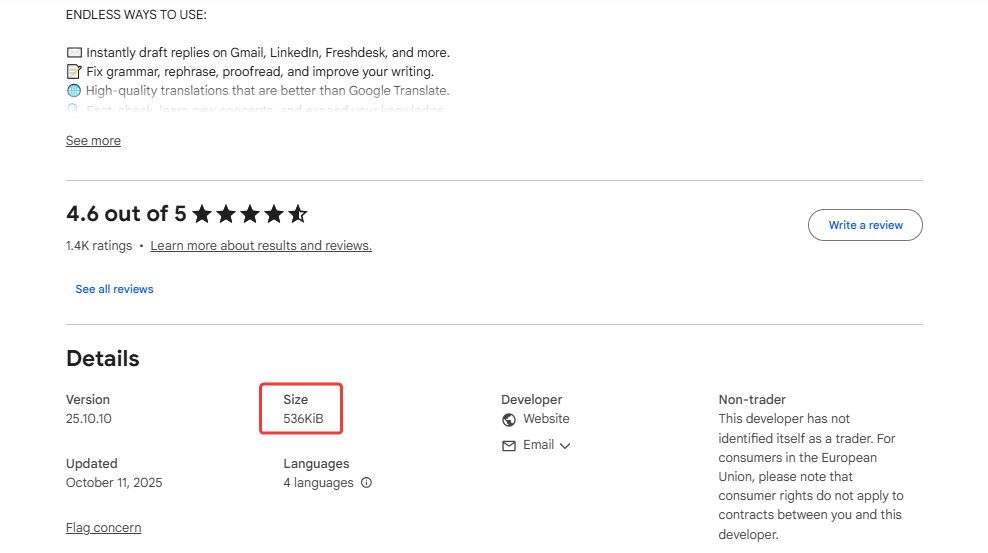
Nobody likes a slow computer. It is annoying, right? We made our tool very small and light. It is tiny (less than 1MB). This means it will never slow down your web browser. It works fast every single time. Even if you have a hundred other tabs open.
Private and Secure
This is the most important part. We want to be very clear. Your data is yours. We never use your messages to teach the AI. We never sell your info to anyone. Ever. We keep your secrets locked up tight. You can use Jetwriter AI and feel safe.

Conclusion: Upgrade Your WhatsApp Today
So, let's recap.
Jetwriter AI helps you clear your customer messages on WhatsApp fast.
You do not have to type the same answers all day long. You get fast, polite replies that make your customers happy.
Your customers get answers quickly. You save hours of time. Everybody wins.
The best way to see it is to try it yourself. It is free to try. It takes less than a minute to install.
Go ahead and give it a try. Let Jetwriter AI do the typing for you!
Frequently Asked Questions (FAQ)
Is Jetwriter AI free to use forever?
Yes, it is free to try! We give you 15 credits per month. If you need to write a lot more, you can upgrade to a paid plan. But the free version is great to start with. You can also use your own API keys to generate responses.
Can it write in other languages like Spanish or French?
Yes, absolutely! Jetwriter AI speaks many languages. You can simply tell it: "Reply in Spanish" or "Write this in French". It will switch languages instantly. This is great if you have customers from different countries.
Does Jetwriter AI save my customer's messages?
No, never. We care about your privacy. We only read the message to write the reply. We do not keep it, save it, or store it. Your customer chats stay safe with you.
What if I need help or have feedback?
We’d love to hear from you! The easiest way to reach us is by clicking the support button right inside the product. You can also send us an email anytime at support@jetwriter.ai.