When a renewal payment for your Jetwriter AI plan fails, the plan is past due and AI replies stop until it's paid. To fix it, go to jetwriter.ai/dashboard, click Update Payment Details in the red banner at the top, and add a card that works. Stripe, the company that handles our payments, tries the payment again up to 4 times, about every 42 hours; if it still isn't paid on day 7, the subscription is cancelled and your account moves to the Free plan.
What you see while a payment is past due
- In Jetwriter, in the extension and the web app, asking for a reply shows "Your subscription payment is past due. Please update your payment details to continue using our services.", with an Update Payment Details link to your account page.
- On your account page, jetwriter.ai/dashboard, a red banner shows the same message and an Update Payment Details link (1).
- Auto-Drafts stop making drafts in Gmail until the payment goes through.
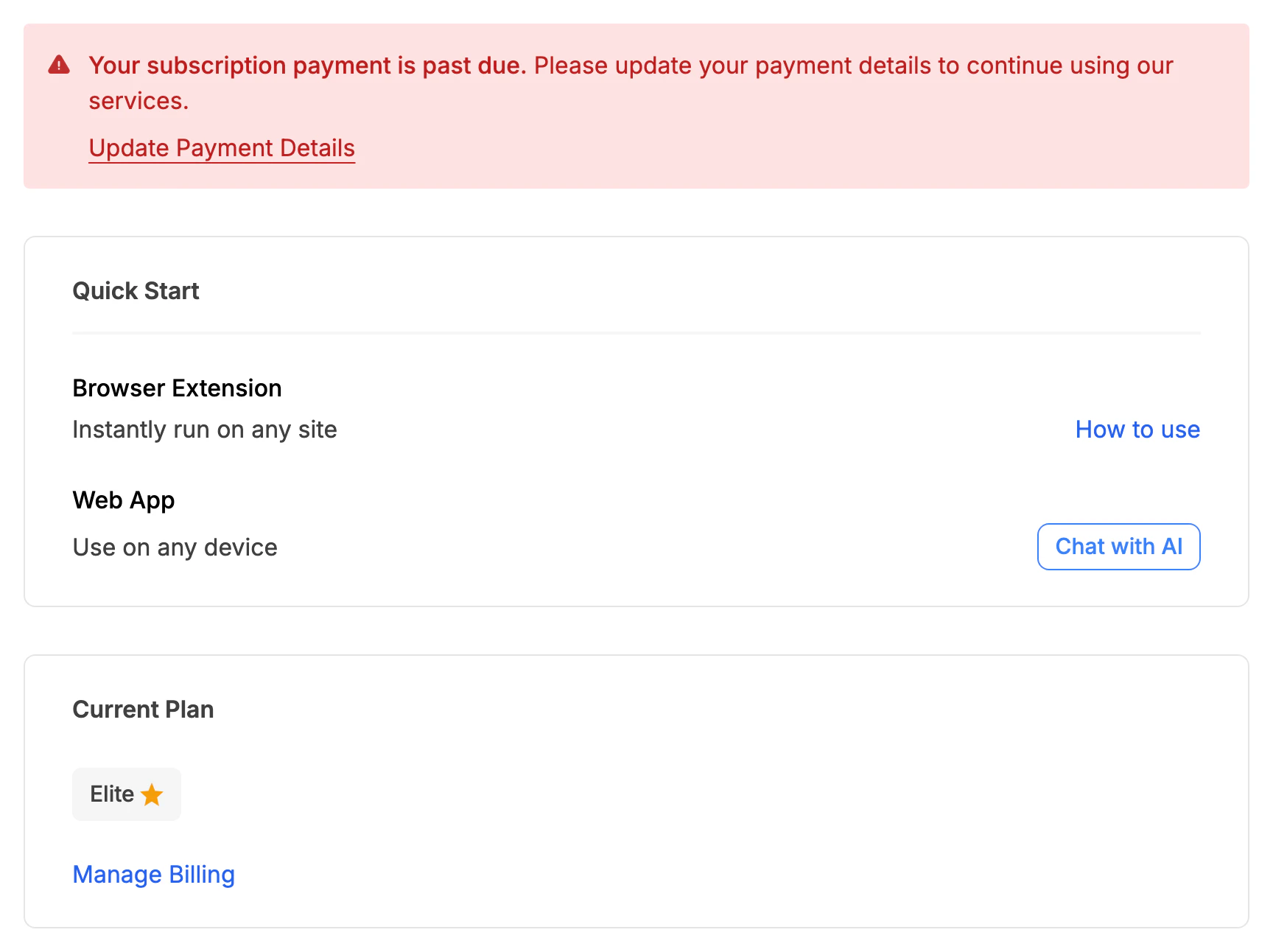
While a payment is past due, the account page shows this banner; its link opens the billing page.
- Update Payment Details
Update your card
- Go to jetwriter.ai/dashboard, signed in with the email address you pay with.
- Click Update Payment Details in the red banner, or Manage Billing under Current Plan. A billing page from Stripe opens.
- Click Add payment method, enter your new card, and save it.
- To pay right away, open the unpaid invoice under Invoice history and pay it. Otherwise Stripe charges your new card at its next try.
- Once the payment goes through, Jetwriter works again. Reload the tabs you use it in.
When Stripe tries again, and what happens on day 7
- Retries: after a renewal fails, Stripe tries again up to 4 times, about every 42 hours.
- The same problem fails every try: an expired or blocked card is refused each time. Add another card, or sort out the problem with your bank, before the next try.
- Day 7: if the renewal still isn't paid, the subscription is cancelled and your account moves to the Free plan, with 15 AI responses a month. Your account stays: you can subscribe again at any time from jetwriter.ai/pricing.
If your bank asks you to confirm the payment
Some banks want you to confirm a payment, with 3-D Secure, a one-time password (OTP) or their app, even for a renewal. The renewal then waits for you: go to Manage Billing, open the unpaid invoice under Invoice history, and confirm the payment there. With a card issued in India, the first renewal after a change that raises the price needs this: see Pay in Indian rupees.
If you're on a team
Only the team's owner can update the team's card. Members see "Your team's subscription payment is past due. Please contact your team owner to update the payment details to continue using our services." If you're a member, ask your team's owner.
If the payment failed when you subscribed or changed plans
That isn't a past-due renewal: you weren't charged, and nothing changed.
- Subscribing: Stripe's checkout shows an error, and your account stays on Free. Try another card from jetwriter.ai/pricing. A card issued in India can only pay in rupees: see Pay in Indian rupees.
- Changing plans: "Payment Confirmation Required" means your bank wants you to confirm the payment. Click Visit Payment Page to do it. See Upgrade, downgrade or switch to yearly billing.
Still not working?
Email support@jetwriter.ai with the email address you pay with, the date and amount of the payment that failed, and any message your bank or Stripe showed.