If you paid for Jetwriter AI but it still shows the Free plan, go to jetwriter.ai/dashboard and look at Current Plan and at the Email under My Account. If your paid plan shows there, reload the tabs you use Jetwriter in and it shows there too. If the account page says Free as well, you're most likely signed in with a different email from the one you paid with: sign in with that one.
Check your plan on the account page
- Go to jetwriter.ai/dashboard.
- Under Current Plan, read your plan (1): Free, Elite, Ultra or Pro, or Team Elite and so on for a team.
- Under My Account, Email shows the account you're signed in to (2).
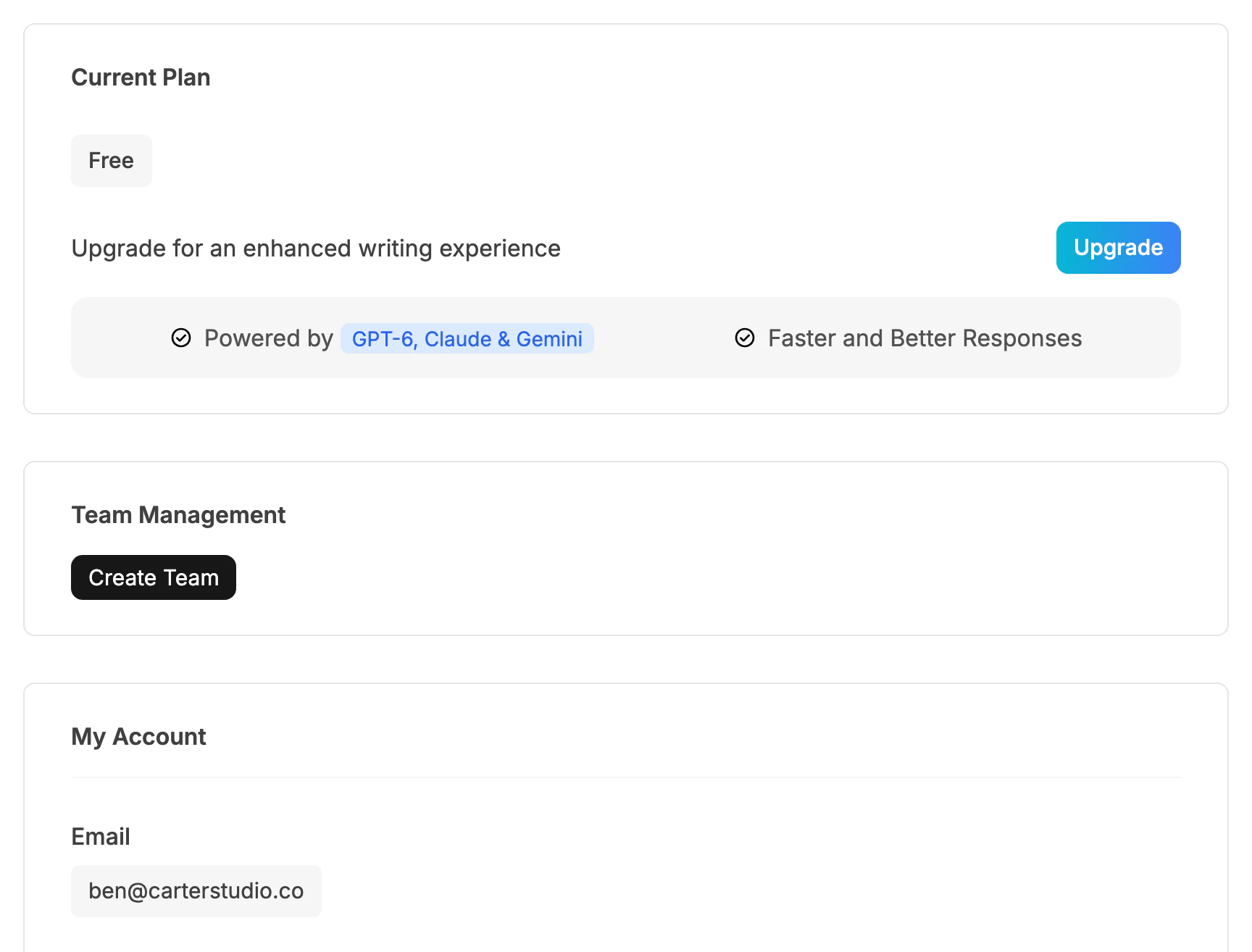
The account page shows which plan this account has, and which email it's signed in with.
- Your plan
- Signed-in email
If you saw "Activation Failed" after paying
After you pay, Jetwriter shows "Activating your account" while it waits for the payment to be confirmed. If that takes longer than about 20 seconds, it shows "Activation Failed" and "Please try again. If the problem persists, reach out to us at support@jetwriter.ai." The payment can still go through: some banks take longer to confirm it.
- Wait a few minutes, then reload jetwriter.ai/dashboard.
- If Current Plan shows your new plan, it's working. Reload the tabs you use Jetwriter in.
- If it still says Free, look for a charge from JETWRITER.AI on your card or bank statement before paying again. If you were charged, email support@jetwriter.ai with the date and amount of the charge and the email address you paid with.
You're signed in with a different email
Your plan belongs to the Jetwriter account you were signed in to when you paid. If you have two accounts, for example one made with Continue with Google and one with an email and password, the other one stays on Free.
- On the website: check the Email under My Account on jetwriter.ai/dashboard. If it isn't the account that paid, sign out and sign in with that one.
- In the extension: open Jetwriter and click your profile icon at the top of its window. The menu shows Account (Free Plan) or your plan; point at it to see the email it's signed in with.
To change accounts, see Sign out or switch to another account.
The extension still shows Free
The extension reads your plan when a page loads. Paying in the web app usually updates the tabs you have open, but not always, for example when you paid in another browser or on your phone.
- Reload the tab: press F5, or Cmd+R on a Mac.
- If it still shows Account (Free Plan), sign out of the extension and sign in again with the account that paid.
You joined a team, but its plan isn't there
A team's plan reaches you only after you accept the team's invitation, and only on the email address it was sent to.
- Find the email "[Invitation] Join Your Team on Jetwriter AI" and click Accept Invitation.
- Sign in to Jetwriter with the address the invitation was sent to.
If the page says "This invitation has expired", ask your team's admin to send a new one: invitations last 7 days. If it says "Cancel your own plan first" or "Leave your current team first", follow the steps that page gives.
The payment didn't go through
If your card was refused, or you didn't finish your bank's confirmation step, you weren't charged and your account stays on Free. Try again from jetwriter.ai/pricing. A card issued in India can only pay in rupees: see Pay in Indian rupees.
If your plan shows but Jetwriter says "Your subscription payment is past due", see Your payment failed or is past due.
Still on Free? Contact support
Email support@jetwriter.ai with:
- the email address you paid with, and the one you sign in with;
- the date and amount of the charge, as your bank shows them;
- a screenshot of your account page at jetwriter.ai/dashboard.
With these, we can find your payment and the account it went to.