If you created your Jetwriter AI account with an email and a password, we email you a link to confirm the address. Open the email "[Action Required] Verify Your Email Address for Jetwriter AI" and click Verify Email. On the Free plan, Jetwriter doesn't write anything until you do.
If you signed up with Continue with Google, your address is verified already and there's nothing to do. On a paid plan, Jetwriter works without it.
Verify your email
- Open the email from Jetwriter AI (verify@verify.jetwriter.ai) with the subject "[Action Required] Verify Your Email Address for Jetwriter AI". It's sent as soon as you sign up.
- Click Verify Email (1). A page opens on jetwriter.ai and says your email address is verified.
- Go back to Jetwriter. The extension and the web app notice on their own within a few seconds. If they still ask, click Confirm Verification.
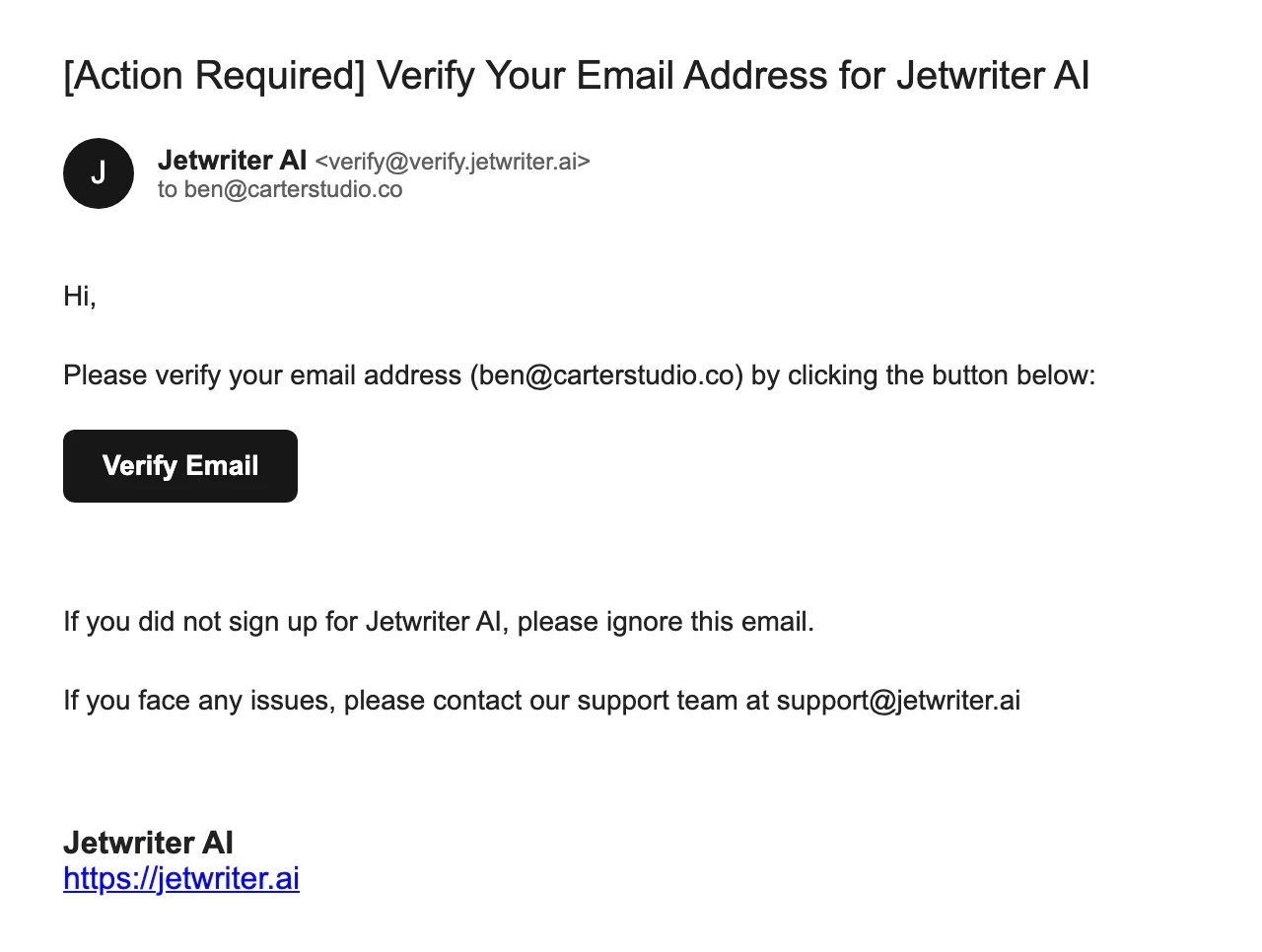
The verification email: one click on Verify Email confirms your address.
- Verify Email
Where Jetwriter asks you to verify
Until your email is verified, a Free account sees "Email Verification Required":
- In the extension: an orange banner at the top of the Jetwriter window, with Confirm Verification, Resend Email and Logout. The send arrow stays off, and its tip says "Please verify your email address to start using AI".
- In the web app at jetwriter.ai/app: a box with the same buttons.
- On your account page at jetwriter.ai/dashboard: Verify Email, next to your email address.
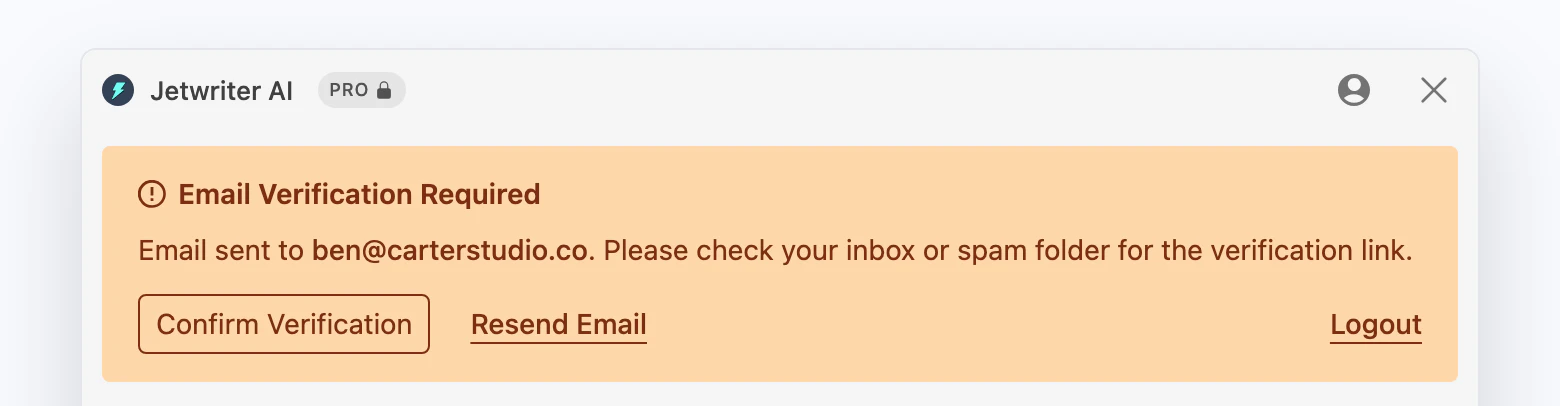
Until you click the link in the email, the Jetwriter window shows this banner and can't write.
- Confirm Verification
- Resend Email
If you click Confirm Verification (1) before clicking the link in the email, it says "Your email is still not verified."
Send a new verification email
Click Resend Email in the "Email Verification Required" banner in the extension or in the web app. On your account page at jetwriter.ai/dashboard, click Verify Email next to your email address instead.
After a resend, the button comes back after about 20 seconds, and a little later each time. Any link from the last 24 hours works, including one from an earlier email.
The link expired or doesn't work
Each link works for 24 hours. After that, the page says "The email verification link has expired". If it says "The email verification link is invalid", the link was cut or changed on its way, for example by a copy and paste. In both cases, send a new email and click the link in it.
If the email doesn't arrive
- Look in your spam or junk folder. In Gmail, also look in the Promotions and Updates tabs, or search for "Verify Your Email Address".
- Check the address. The banner says "Email sent to" and the address. If it has a typo, click Logout and sign up again with the right address.
- Wait a few minutes, then send a new one with Resend Email.
- On a work or school address, your organization's spam filter may hold it back. Ask your IT team to let mail from verify.jetwriter.ai through.
- Use Google instead. If your address is a Gmail or Google Workspace address, click Logout, then sign in with Continue with Google using that address. Google confirms the address, so there's nothing to verify.
"This email address has already been used for several accounts today"
One inbox gets verification emails for up to 3 new accounts in 24 hours. If it's used for more accounts than that within 24 hours, deleted accounts included, the later ones never get a verification email, and sending again doesn't help. Addresses that differ only by a "+" part (name+work@example.com and name@example.com), and Gmail addresses that differ only by dots, count as the same inbox.
jetwriter.ai then says "This email address has already been used for several accounts today. Please sign in to one of them, or contact support@jetwriter.ai." Sign in to one of your earlier accounts instead.
Still no email?
Email support@jetwriter.ai from the address you signed up with, if you can, and say where you looked for the verification email. We'll check whether it was sent and help you finish signing up.