If you signed up with Google, click Continue with Google on jetwriter.ai/login: your Jetwriter AI account (formerly ChatGPT Writer) has no password unless you set one. If you sign in with an email and password and forgot the password, go to jetwriter.ai/reset-password, enter your email, click Send Email and open the link in the email we send. The extension signs in through jetwriter.ai, so once you're signed in there, it is too.
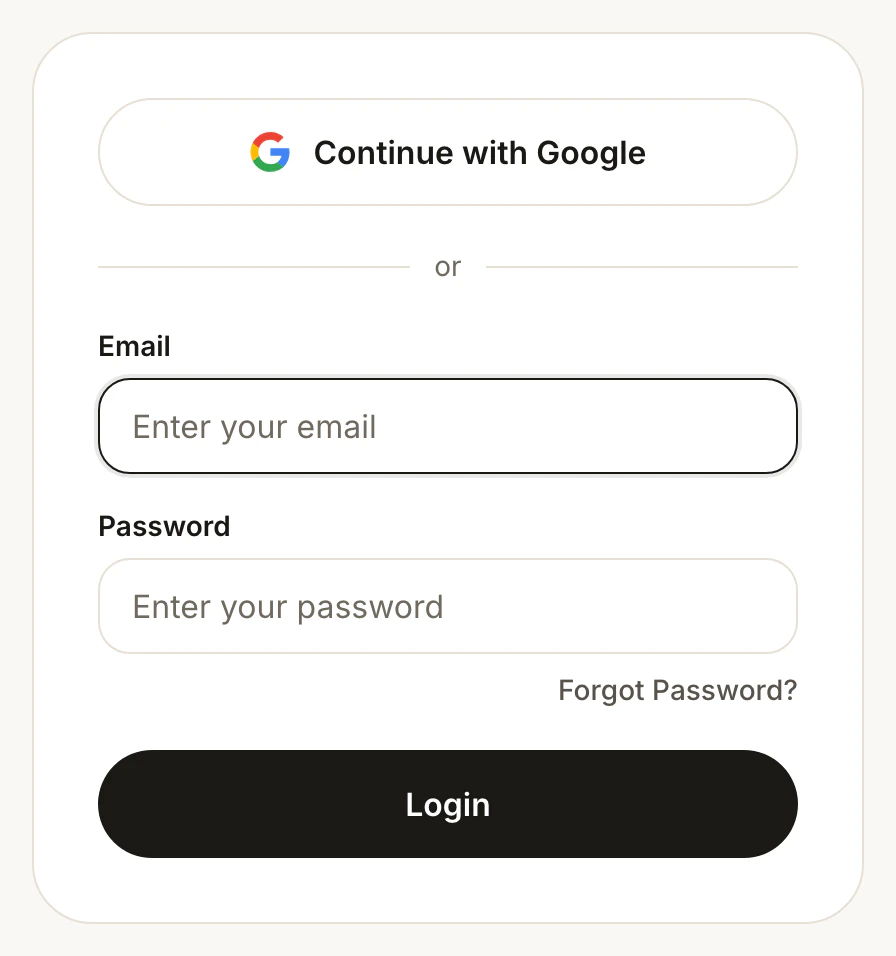
Sign in the way you signed up: with Google, or with your email and password.
- Continue with Google
- Forgot Password?
You signed up with Google
- Go to jetwriter.ai/login.
- Click Continue with Google (1).
- Choose the Google account you signed up with in the window that opens.
Typing your Google password into the Email and Password boxes doesn't work: it shows an error such as "Wrong email or password". If clicking Continue with Google does nothing, your browser may have blocked the Google window: allow pop-ups for jetwriter.ai, then click it again.
To also sign in with your email and a password, add one: sign in with Google, go to jetwriter.ai/dashboard, and under My Account click Set Password.
Reset a forgotten password
- Go to jetwriter.ai/reset-password, or click Forgot Password? (2) under the password box on the login page.
- Enter the email address you signed up with, and click Send Email.
- The page says "Password reset email sent. Please read instructions in the email to proceed further. If you don't see it, check your spam folder."
- Open the email and click the link in it. A page opens where you type a new password.
- Go to jetwriter.ai/login and sign in with your email and the new password.
If the extension then shows Login at the top of its window, click it and sign in again.
The reset email didn't arrive
- Check your spam and promotions folders, and give it a few minutes.
- Check the address you typed. The email goes only to the address of a Jetwriter account. If no email comes, try the other addresses you use.
- If you signed up with Google, you don't need a password: use Continue with Google.
- If the link has expired or was already used, go back to jetwriter.ai/reset-password and send a new email.
If the page says "Account with this email does not exist. Please recheck email or create a new account.", check the address for typos. If it's right, wait a few minutes and try again.
Messages when you sign in
| Message | What to do |
|---|---|
| "Wrong email or password" or "Wrong password" | Check the email address and the password, with Caps Lock off. If you signed up with Google, click Continue with Google. Otherwise, reset your password. |
| "Account with this email does not exist. Please enter correct email or create a new account." | Try the other email addresses you use, or Continue with Google. |
| "Too many failed login attempts. Please try again later or reset your password." | Wait a few minutes before you try again, or reset your password now. |
| "Couldn't log you in. Please try again or contact support@jetwriter.ai" | Try again. If it happens again, try another network or browser, then contact support. |
| "Account with this email already exists. Please login instead." | This shows when you create an account: you already have one with that email. Click Log in under the form and sign in, or reset your password. |
Use the email address your account is on
Each email address is its own Jetwriter account, and a paid plan belongs to the account you paid with. If you sign in and see the Free plan, or none of your past chats, you're likely signed in with another email.
- Go to jetwriter.ai/dashboard. Under My Account, Email shows the account you're signed in to.
- If it's the wrong one, click Logout there.
- Sign in again with the email you signed up or paid with.
See Sign out or switch to another account and You paid, but your account still shows Free.
The extension still shows Login
The extension has no sign-in form of its own: it uses your sign-in on jetwriter.ai in the same browser.
- Open Jetwriter on a website and click Login at the top right of its window.
- Sign in on the jetwriter.ai page that opens, in the same browser.
- Go back to the tab you were on and reload it.
More in Sign in to the extension.
Still can't sign in?
Email support@jetwriter.ai from any address, with:
- the email address of your Jetwriter account;
- how you signed up: with Google, or with an email and password;
- the exact message you see, or a screenshot of it;
- your browser, and whether it happens on jetwriter.ai, in the extension or both.
Never send your password: we don't need it.