To delete your Jetwriter AI account (formerly ChatGPT Writer), go to your account page at jetwriter.ai/dashboard, click Delete Account at the bottom, confirm it's you, then type your email address and click Delete Account again. You can't delete an account while it has an active paid plan or belongs to a team: cancel the plan and wait for it to end, and leave the team, first. Deleting is permanent.
Delete your account from the account page
- Go to jetwriter.ai/dashboard, on a computer or a phone, and sign in with the account you want to delete.
- At the bottom of the page, under the support email address, click Delete Account (1).
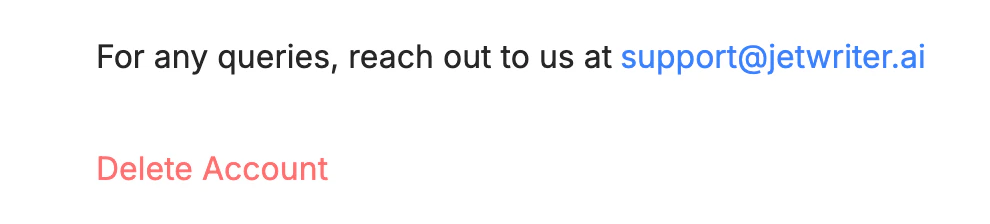
Delete Account is the last link on the account page.
- Delete Account
- Confirm it's you:
- If you sign in with Google: under "Re-authentication Required", click Re-authenticate, then choose your Google account in the window that opens.
- If you sign in with an email and a password: under "Enter your password to continue", type your password and click Confirm Password.
- Under "Permanently delete this account?", the dialog says "Type", then your email address, then "to proceed". Type that address in the box marked "Enter your email", then click Delete Account.
- "Account deleted successfully" appears, then the Login page opens.
To stop using Jetwriter on your computer too, remove the extension: open chrome://extensions (edge://extensions in Edge), find Jetwriter AI and click Remove.
If you have a paid plan
If you're on Elite, Ultra or Pro, clicking Delete Account shows "Account Deletion Unavailable" with this message: "You cannot delete your account while an active subscription exists. Please cancel your subscription and wait for it to expire before proceeding."
Jetwriter doesn't cancel the plan for you here. To delete your account:
- Cancel your subscription with Manage Billing on the same page: see Cancel your Jetwriter AI subscription. Your plan keeps working until the end of the period you've paid for.
- After that date, when your account shows the Free plan, go back to jetwriter.ai/dashboard and delete your account.
If you're on a team
If you belong to a team, clicking Delete Account shows "Account Deletion Unavailable" with this message: "You are currently a member of a team. Please leave the team before proceeding with account deletion."
If you're a member of the team:
- On jetwriter.ai/dashboard, under Team Management, click the three dots next to your team's name.
- Click Leave Team, then Leave Team again to confirm. Your account moves to your own plan.
- Delete your account as described above.
If you own the team:
- Under Team Management, remove every member: click the three dots on a member's row, then Remove Member, and Remove Member again to confirm.
- Click the three dots next to your team's name, then Delete Team, and Delete Team again to confirm. The team's plan moves to your own account.
- If that plan is a paid one, cancel it and wait for it to end, as described under "If you have a paid plan".
- Delete your account as described above.
If the confirmation shows an error
- "Your password does not match. Please try again": type your Jetwriter password again. If you've forgotten it, see Can't sign in, or forgot your password.
- "Your email address does not match. Please try again.": type the email address exactly as the dialog shows it. Capital letters don't matter.
- "Too many failed attempts. Please try again later.": wait a while, then start again from Delete Account.
- "Something went wrong. Please try again later.": reload the page and start again.
- The dialog closes after you click Re-authenticate: the Google window was closed or blocked. Allow pop-ups for jetwriter.ai in your browser, then start again from Delete Account.
If you can't sign in
Email support@jetwriter.ai from the email address of the account, and ask us to delete it. If you can't use that address, include the date and amount of your last payment, if you made one, so we can find the account.