We all know Quillbot. You paste your text. You click a button. You get new text. It is easy.
But let us be honest. Sometimes, the new text just sounds weird. It does not sound like you. It just swaps a few words, and people can tell you did not write it.
If you use it every day, you might be tired of it. Maybe you are a student fixing a paper late at night. Maybe you write emails all day for work. Or maybe you just want your writing to sound better.
You want a tool that actually sounds like a real person wrote it. You want to pick the exact tone. You also want a tool that stays on your screen, so you do not have to keep opening new tabs.
Good news. You have other choices.
In this blog, we will look at five tools that are great alternatives to Quillbot. They sound like you and help you write faster. They also let you finish your work with a lot less clicking.
The Top 5 Alternatives to Quillbot
Jetwriter AI
---1214193582.png)
Jetwriter AI is a very handy tool that lives right inside your web browser. You never have to open a new tab or visit a different website just to use it. It helps you write better and fix your text right where you are already working. It is built to save you time, stop the copy and paste routine, and make your daily tasks much easier.
Top Features
-
Works Everywhere You Write: Do you hate switching tabs just to fix your text? Jetwriter AI stays with you. It works right inside Gmail, LinkedIn, Freshdesk, or any other website. Imagine you are writing a post on LinkedIn. You do not need to copy and paste to another site. Jetwriter AI is right there to help you finish fast.
-
Uses the Smartest AI Brains: Most tools only give you one AI to use. Jetwriter AI is different. It lets you pick the best AI for your exact job. You can easily choose between smart models like ChatGPT, Claude, or Gemini. Want to check your writing with a totally different brain? Just click a button to switch. It is that simple.
---871546658.png)
-
Lightweight and Private: You might worry that a new tool will make your computer slow. Do not worry. Jetwriter AI is super light. It is under 1MB in size. It will not slow you down at all. It also keeps your data safe. Your private info stays right with you. It is never used to teach the AI. Your secrets are always safe.
---284630240.png)
-
Ease of Use: You do not need to be good with computers to use this. It is very easy. You just highlight the text you want to fix. Once you do that, a small toolbar pops up right next to your words. You just click the improve writing option. The tool fixes your text right there. It takes only few seconds to do.
Pricing
You can start using Jetwriter AI for free. If you use it often, there are affordable paid plans available. You can even plug in your own API key.
Get the Tool
Are you ready to write better? You can add the Jetwriter AI extension to your Chrome or Edge browsers.
Wordtune
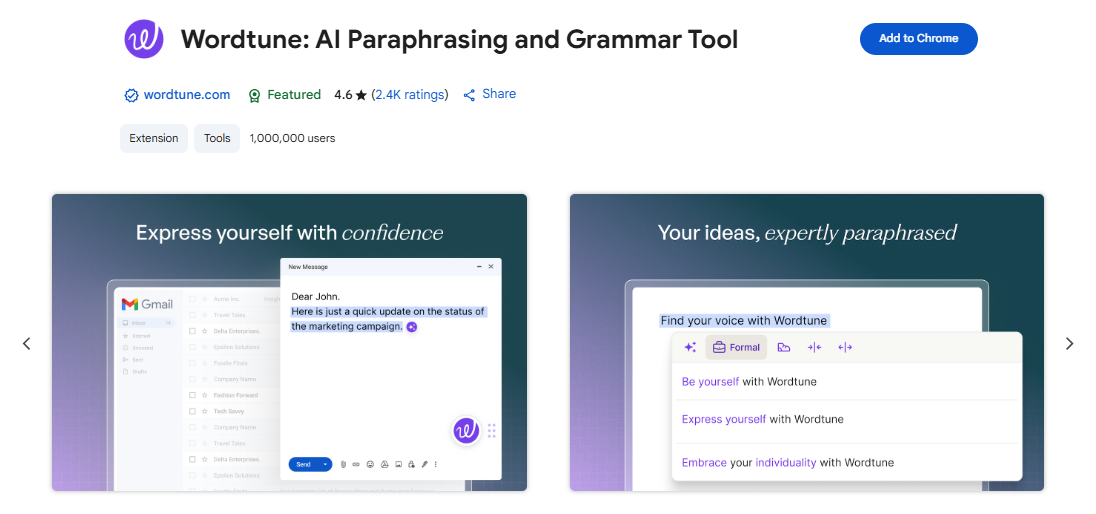
Wordtune is a smart writing partner that helps you say exactly what you mean. It does not just fix your spelling. It reads your sentences and gives you fresh ways to write them. It works right where you type, so you do not have to copy and paste. It helps you write clear and fast every single day.
Top Features
-
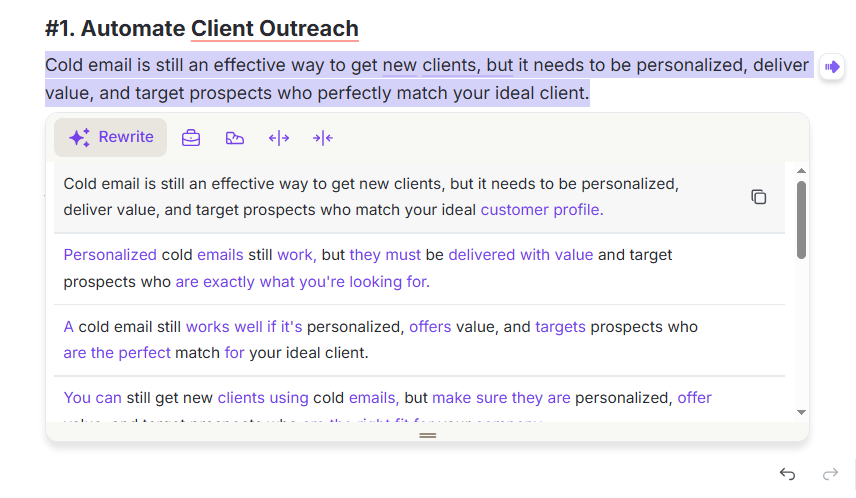
Multiple Distinct Variations: Most tools give you only one new way to write your sentence. Wordtune gives you a whole list. You get a nice menu to scroll through. Each option is a completely different way to say the same thing. You get to pick the exact one that sounds best to you.
-
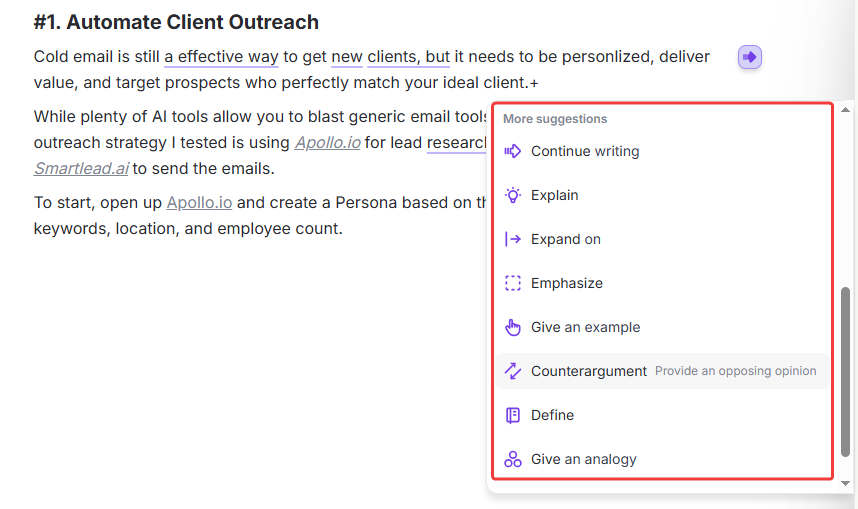
"Spices" Feature for Expansion: Sometimes your writing is just too short or boring. The Spices feature fixes that. It goes way past basic word adding. It can actually add real facts, helpful examples, or neat ideas to your text. It makes your writing rich and fun to read. Your readers will never get bored of your text.
-
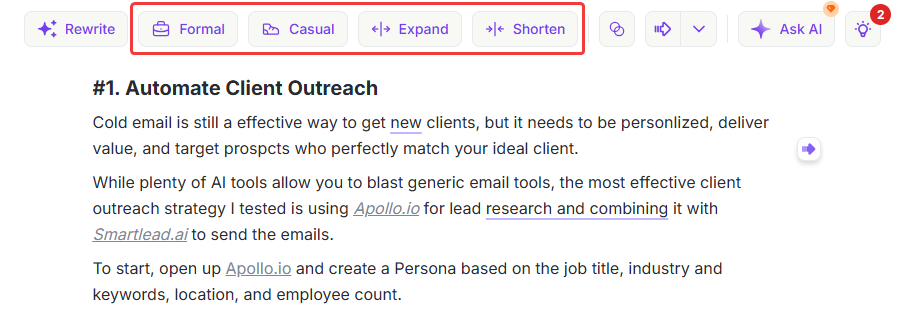
Change Tone and Sentence Length: Do you need to sound serious for your boss? Or maybe you want to sound casual for a quick chat? With just one click, you can change your tone. It also helps you fix long sentences. It breaks them down so they are easy to read. You get total control over how your text looks and feels.
Pricing
You can use Wordtune for free to get started. It gives you a few rewrites each day. If you write a lot and need more help, the paid plans start at $6.99 a month.
Get the Tool
Do you want to give it a try? You can add the Wordtune extension to your Chrome or Edge browser.
Linguix
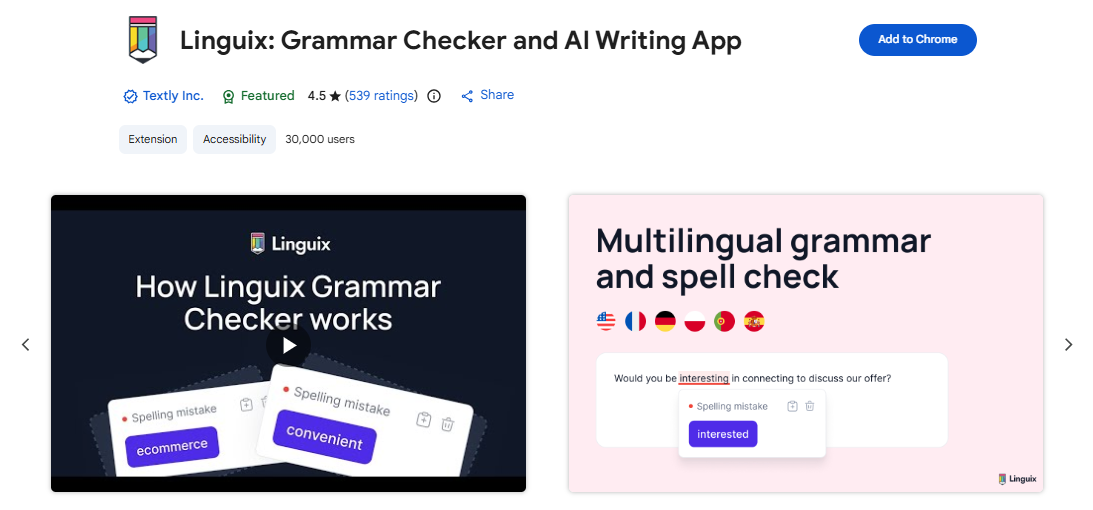
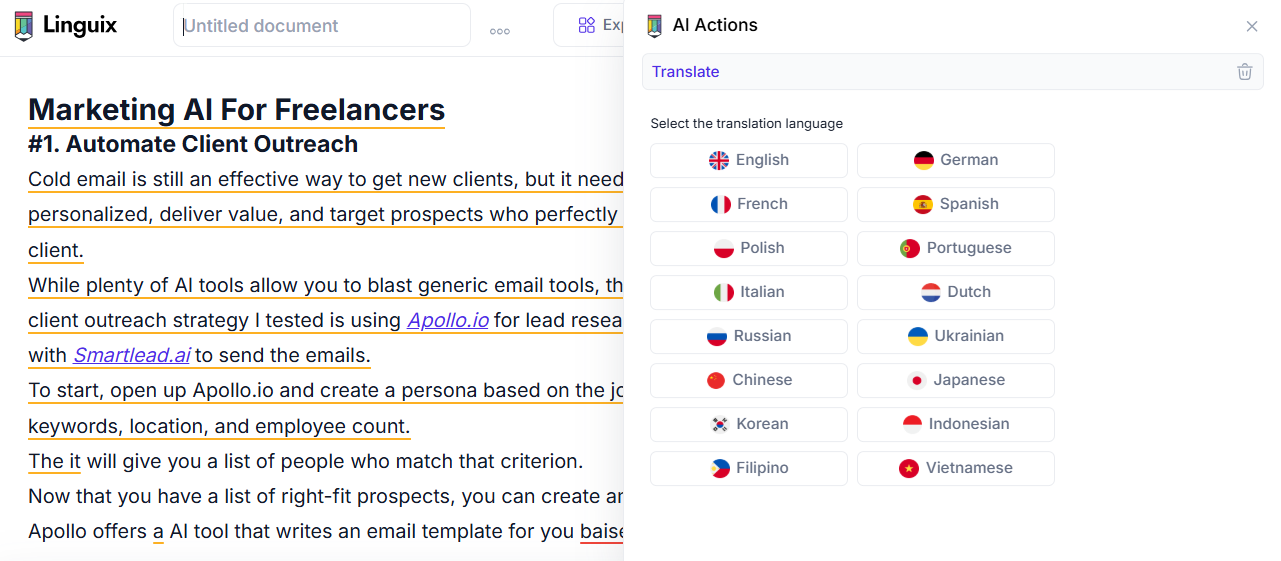
Linguix is a great tool for people who write a lot for work. It is a very smart helper for your words. It does more than just fix bad spelling. It tells you exactly how easy your text is to read. It works on many websites to help you write faster. It is perfect for teams who want to sound clear and professional every single time they type.
Top Features
-
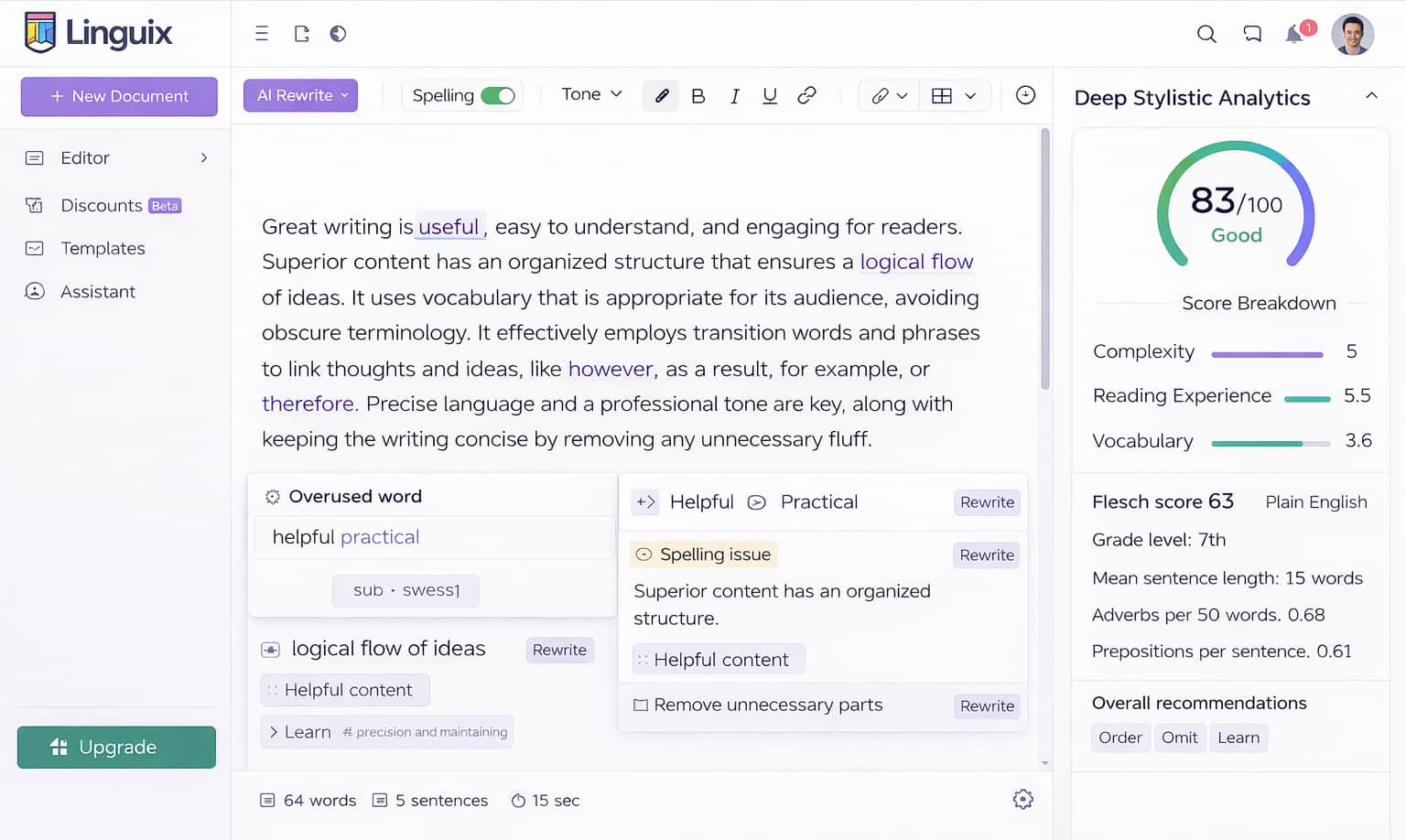
Deep Stylistic Analytics: This tool gives your writing a clear score. It tells you if your text is too hard to read. It shows you how to fix your style right next to where you rewrite. You do not have to guess if your writing is good. It tells you exactly what to change to make it better.
-
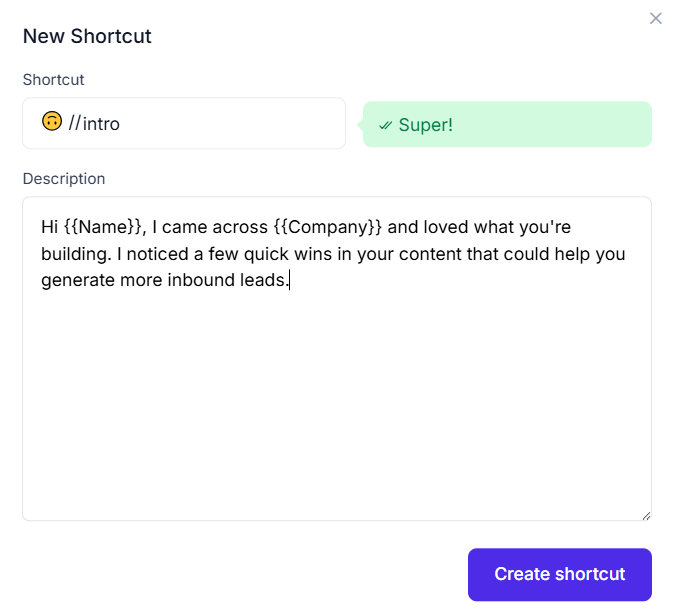
Reusable Text Snippets: Do you send the same emails over and over? This feature is a huge time saver. You can rewrite a sentence and save it as a quick shortcut. The next time you need it, you just type the shortcut. You never have to type the same boring pitch or message twice.
-
Advanced Multilingual Engine: You do not just write in English. Linguix helps you rewrite text in many different languages. It also checks your grammar like a true expert. This is great if you talk to people all over the world. Your text will be perfect no matter what language you use.
Pricing
You can start using Linguix for free. The free plan gives you basic writing help. If you want all the smart features, the paid plans start at $11.67 a month.
Get the Tool
Are you ready to write faster at work? You can add the Linguix extension to your Chrome or Edge browser.
Paperpal
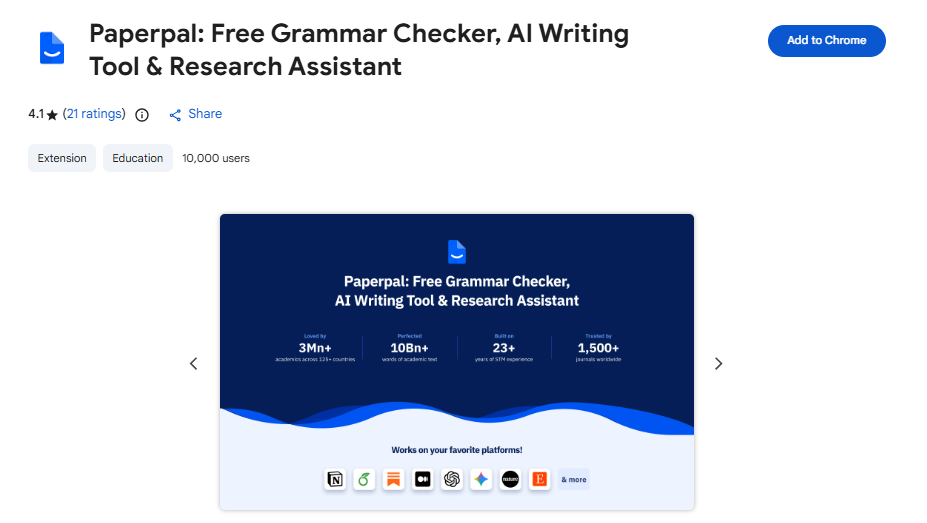
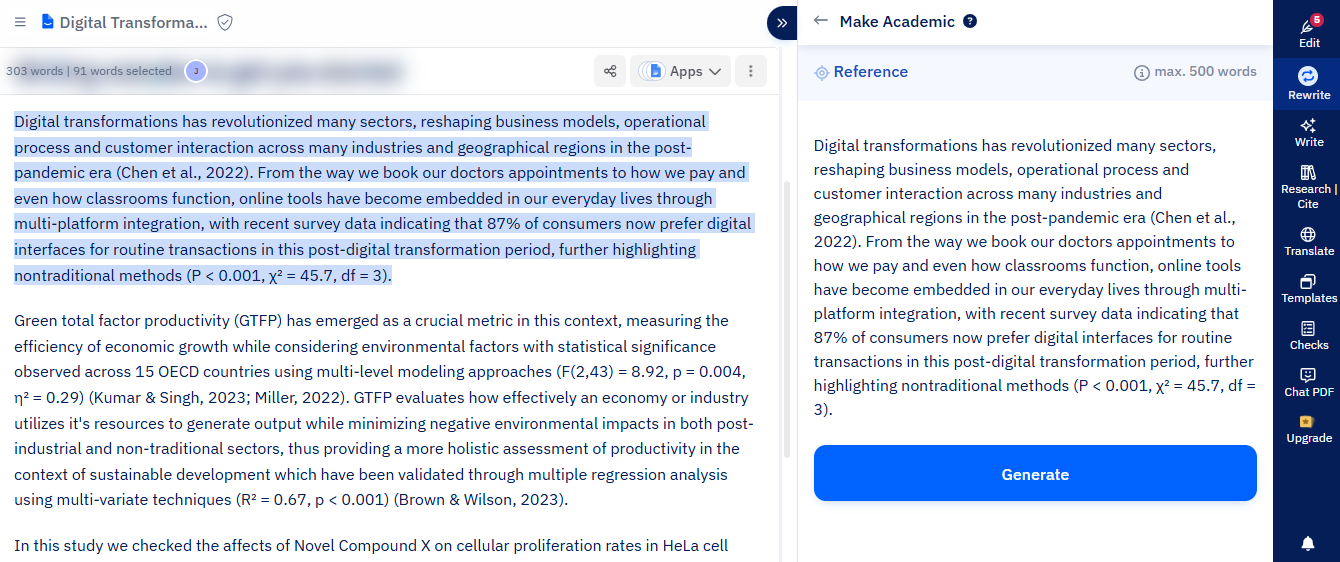
Paperpal is the best writing tool for students and scientists. It is made just for school papers and research. It does not write like a marketer. It writes like a smart teacher. It helps you share your hard work and clear facts without messing up your big ideas. It is exactly what you need for school.
Top Features
-
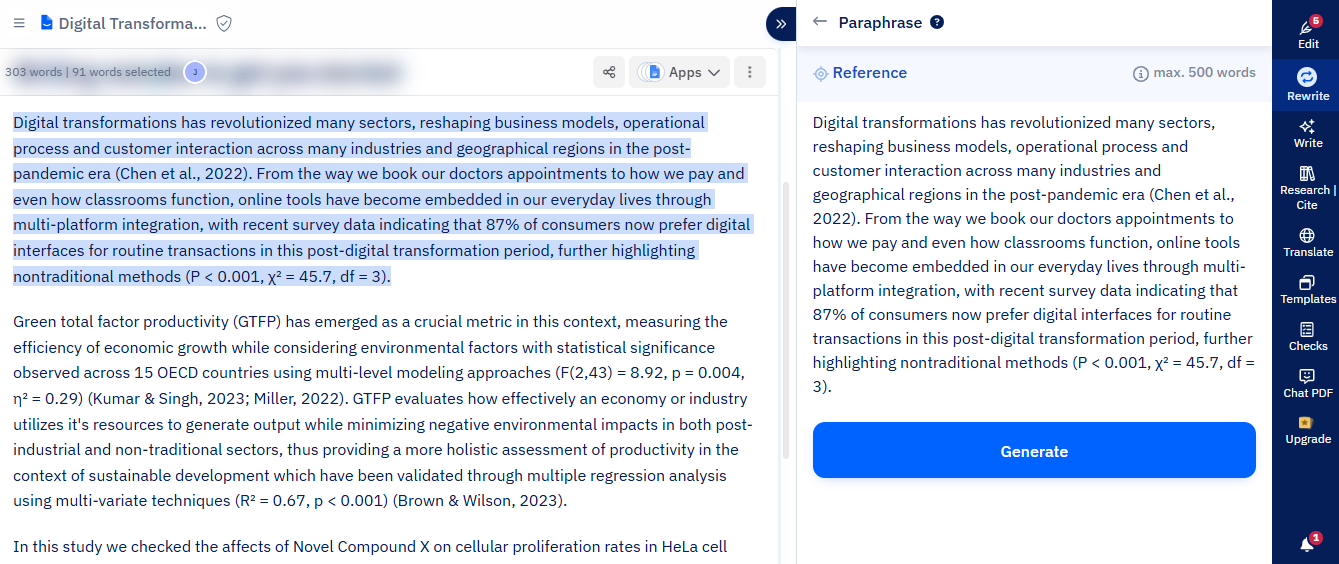
Safe for Science: You work hard on your research. Normal AI tools might change your science facts by mistake when they rewrite. Paperpal is very different. It is safe for science. It knows how to handle big words, numbers, and hard ideas. It fixes your grammar but keeps your true facts exactly the same. Your hard work is never lost.
-
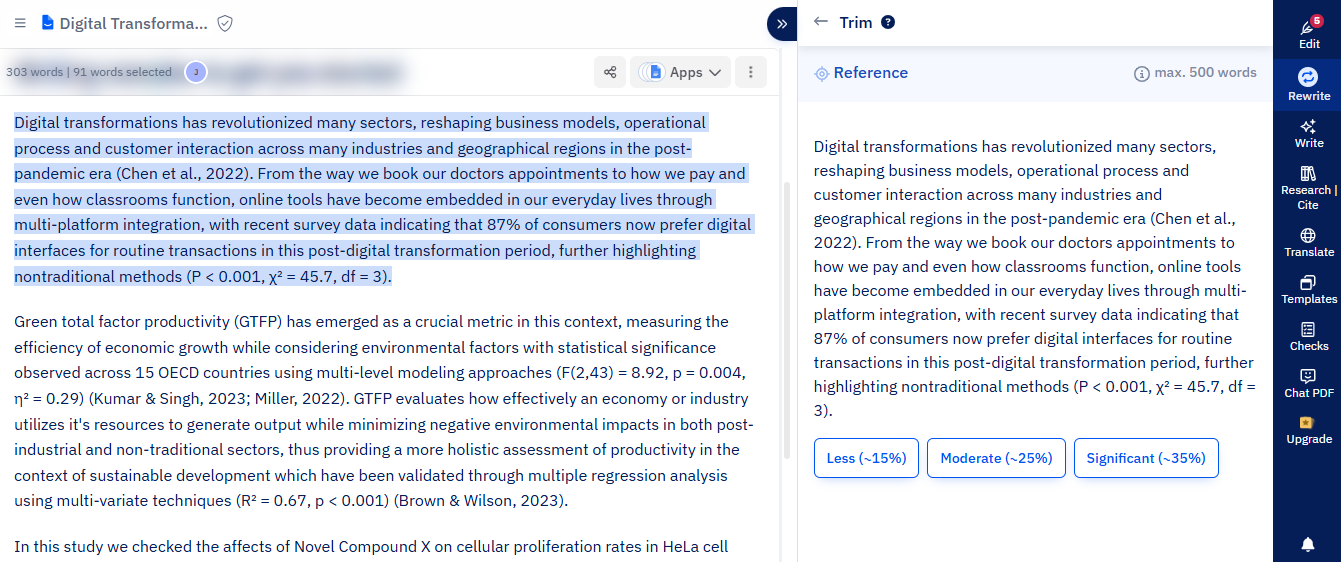
Smart Word Cutting: School papers often have word limits. It is hard to cut words without losing your main point. Paperpal has a smart tool for this. It finds words you do not need and cuts them out. It makes your paper shorter and much easier to read. You will hit your word limit without losing any of your smart ideas.
-
Academic Tone Check: You want your paper to sound smart and serious. You do not want it to sound like a quick text message. Paperpal checks your tone for you. It finds words that are too casual and changes them to sound professional. It helps you sound like a true expert in your field. Your teachers will love how it reads.
Pricing
You can start using Paperpal for free to see how it works. The free plan helps with basic checks. If you need it for big research papers and unlimited help, the paid plans start at $25 a month.
Get the Tool
Are you ready to write a better paper? You can use Paperpal on their website, add it to Word, or get their Chrome extension.
Rytr
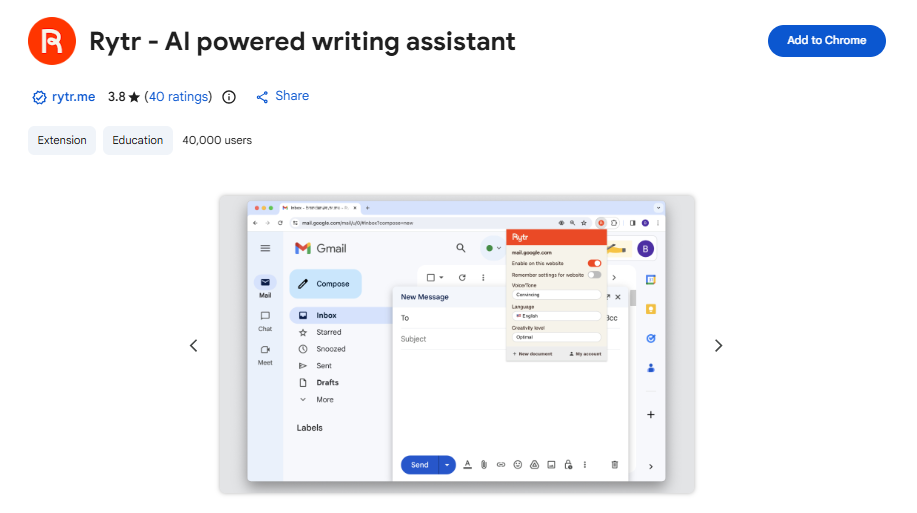
Rytr is a fast writing helper for people who write a lot of ad copies, emails, and social posts. It gives you a lot of neat options to make your writing fun and creative. It helps you write the right words for the right place, every single time. It is a great choice if you need many tools for a low price.
Top Features
-
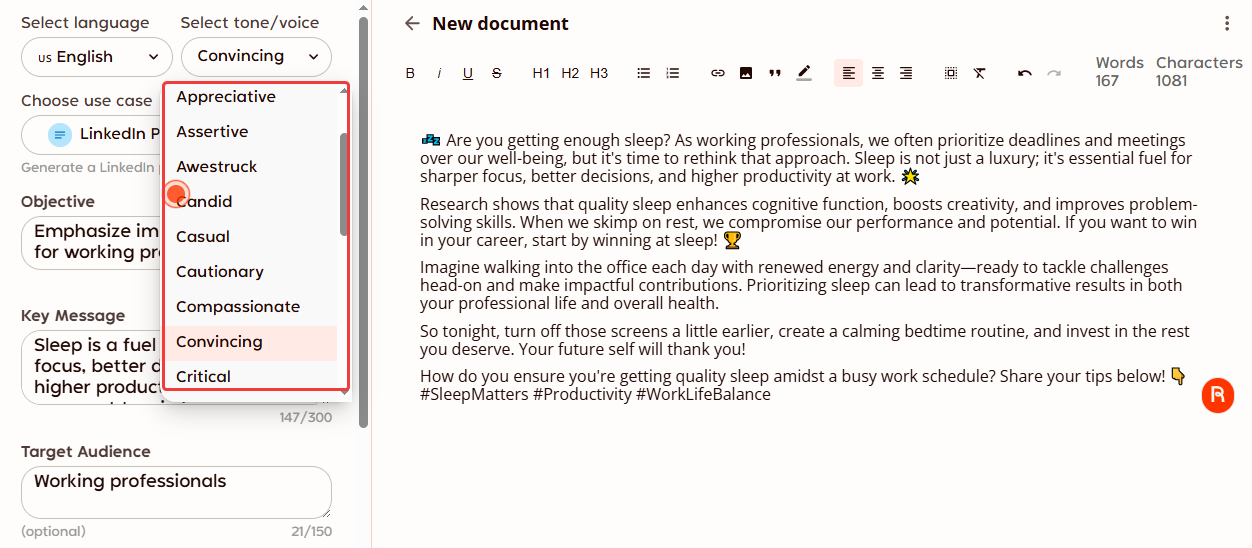
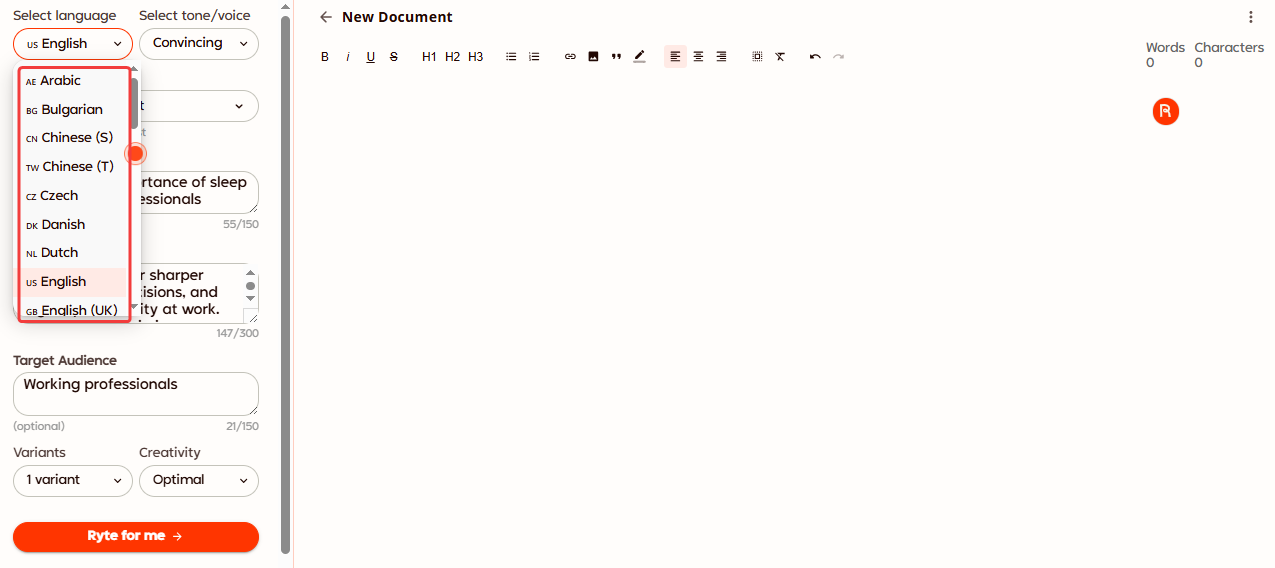
Extensive Tone Selection: Do you want to sound funny? Or maybe you need to sound urgent to sell a product? Rytr gives you over 20 different tones to pick from. You just click a button, and the AI changes your style completely. It gives you so much creative freedom to play with your words. You will never sound like a boring robot again.
-
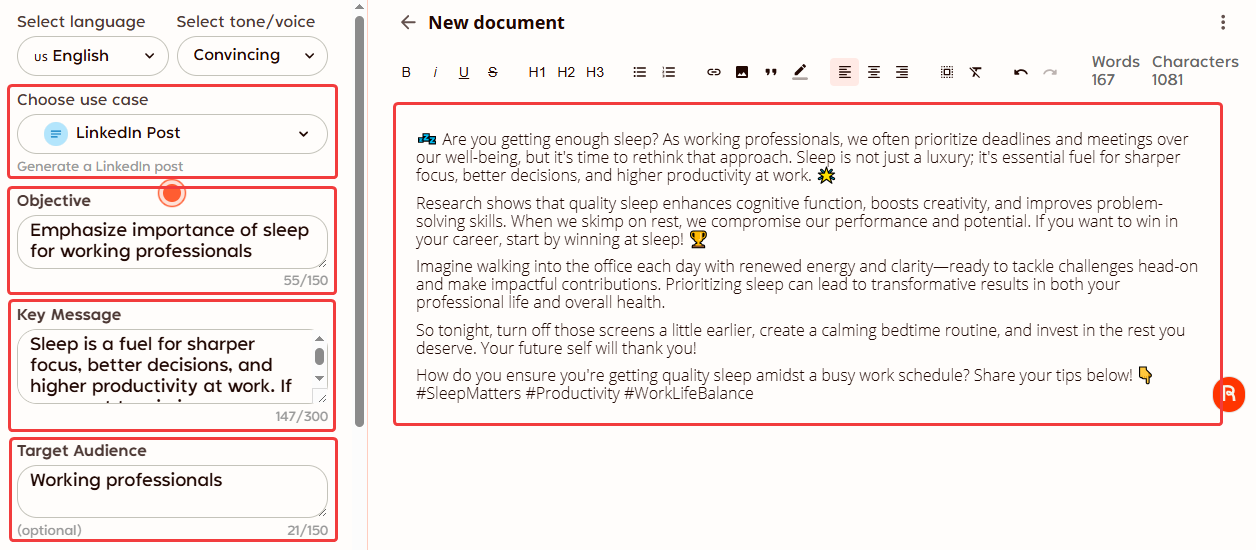
Use-Case Specific Rewriting: Writing a Facebook ad is not the same as writing a long email. Rytr knows this. It has special forms just for specific jobs. You tell it what you are writing, like a product description, and it tailors your new text to fit that exact format perfectly. It saves you a lot of time when you switch between different tasks.
-
Multi-Language Support: The world is a big place. You might need to write an ad for people in another country. Rytr lets you write and rewrite text in over 30 different languages. It makes it very easy to share your message with anyone, anywhere in the world. You do not need to hire a human translator to help you reach new people online.
Pricing
You can use Rytr for free to test it out. It gives you a few thousand words each month. If you write a lot, paid plans start at $7.5 a month.
Get the Tool
Are you ready to write better ads and emails? You can sign up on the Rytr website and start using it right away. You can also add their Chrome extension to work faster.
Conclusion
So, which tool is the best? There is no single best choice. It all depends on how you work every day.
If you write science papers, you need Paperpal. If you write creative ads, try Rytr. If you write quick emails and hate switching tabs, you need Jetwriter AI. You just need to pick the tool that fits your daily routine.
The good news? You do not have to guess or spend any money to find out. Every single tool on this list has a free trial.
Pick one that sounds good to you today. Sign up for a free trial. Test it out on your next big essay or boring work email. See how much time it saves you. Happy writing!
Frequently Asked Questions (FAQ)
Does rewriting text count as plagiarism (copying)?
Yes, it can be. If you take someone else's work and just change a few words, it is still copying. You must use your own ideas. Use AI to fix your own words, not to steal from others.
Do I really need to pay for a premium writing tool?
It depends on how much you write. If you write one email a week, a free plan is fine. If you write for work every day, a paid tool is worth it. It saves you hours of typing each week.
How can I make my AI text sound more human?
To make your text sound real, give the AI clear rules. Tell it exactly who will read your words. Pick a tool that lets you choose your own tone (such as Jetwriter AI). Most importantly, always read the final text out loud. If it sounds weird to you, just change it before you hit send.
Is it safe to type my private work into AI tools?
Not always. Some free tools save your text to teach their AI. Never put secrets, passwords, or private work data into them. Always check the rules of the tool first. Good tools keep your data safe and private (such as Jetwriter AI).