
We all write emails. Lots of them. Some days, it feels like that is all we do.
You sit at your desk. You stare at a blank screen. You type a word. You delete it. We have all been there! That is why tools like Compose AI became popular. They help you type fast. They finish your sentences.
But maybe you are looking for a change. Maybe you feel Compose AI sounds a bit too much like a robot. Maybe it just does not fit your workflow.
If you are a freelancer, a marketer, or a business owner, you send emails every single day. You need them to sound like you, not a machine. You want better suggestions. You want total control over your tone.
If you want to write fast and still sound human, you are in the right place. We are going to look at 5 tools that are great alternatives to Compose AI. Let's find one that fits you perfectly.
The Top 5 Alternatives to Compose AI
Jetwriter AI
_(1)---1902333530.png)
Jetwriter AI is a super smart writing partner that lives right inside your web browser. It does not feel like a bulky separate app. It sits quietly and helps you write amazing emails in seconds. If you want a fast tool that learns exactly how you work and saves you hours of typing every single week, this is a perfect choice.
Top Features
-
Smart Email Assistant: Jetwriter AI works as your little helper right inside Gmail, Microsoft Outlook, and Zoho Mail. It helps you draft fresh emails and quick replies. It is very smart. It reads your whole email thread to pick up the exact context. This means you get spot-on replies every time.
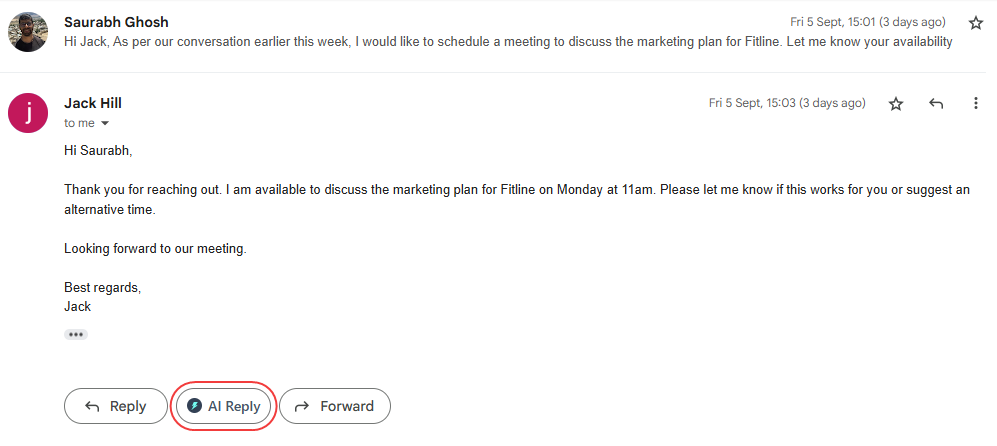
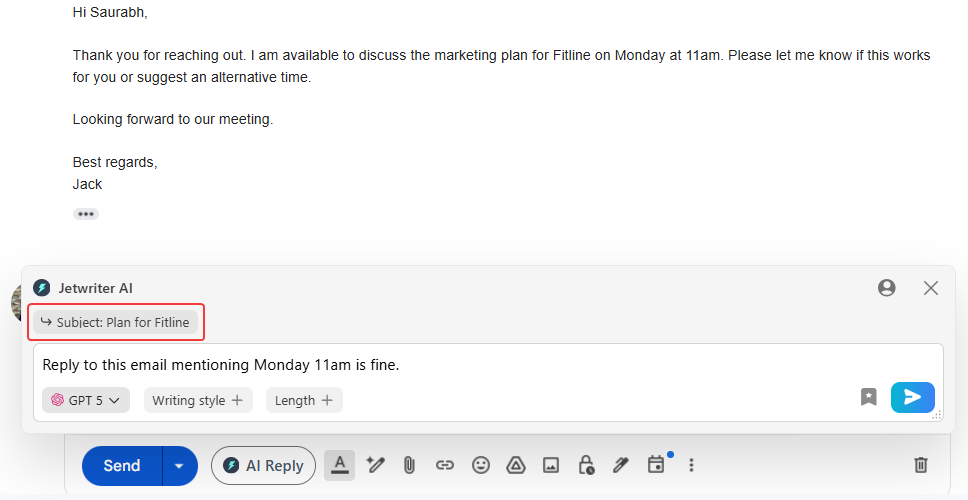
You just tell the AI what you want to say. For example, "Tell them I can meet on Friday." The AI handles the rest!
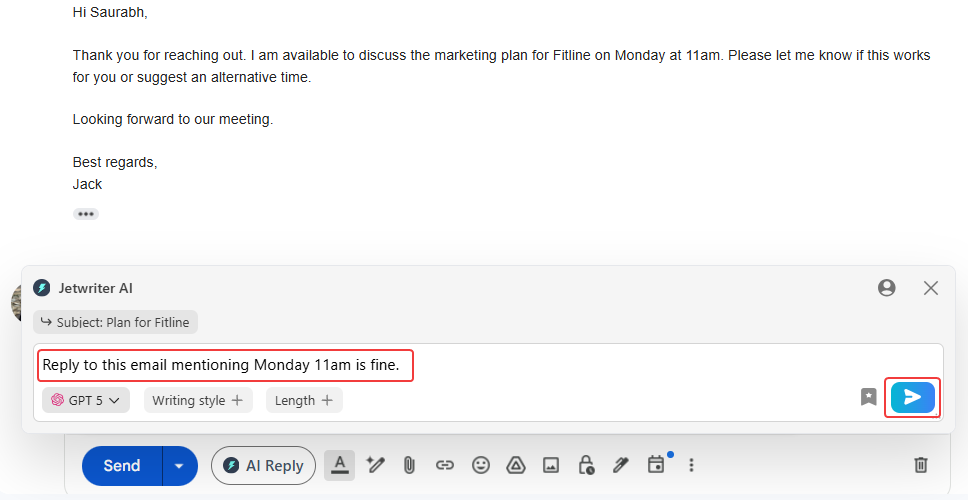
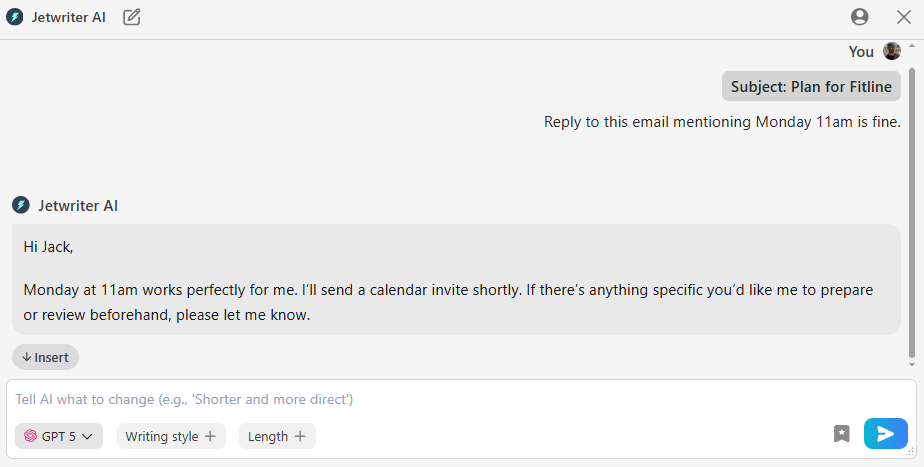
Once it gives you a draft, you have choices. You can click "Insert" to put the response right into your email text box. You can click "Copy" to save it to your clipboard. Do not like the first draft? Click "Regenerate" for a brand new version. You can even edit the response by using it as a new prompt to generate further responses.
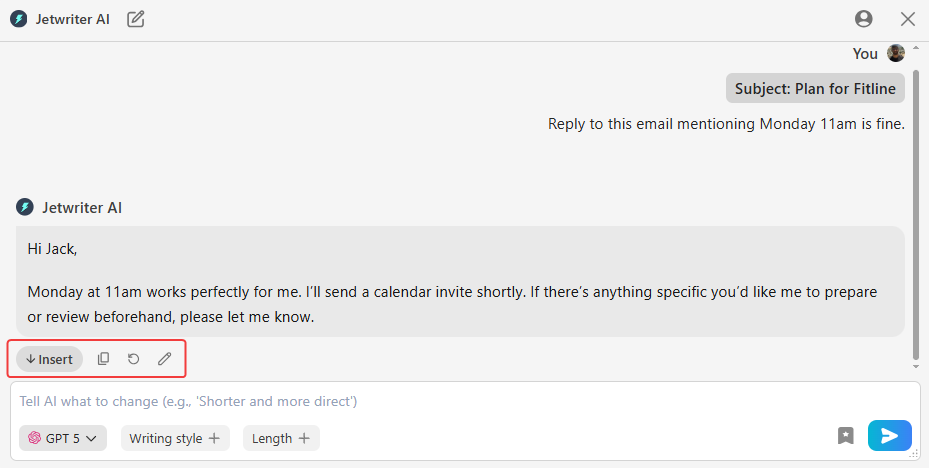
You also have total control over how you sound. You can pick a "Writing Style" or tone, like professional, casual, or friendly. You can also pick a reply length, choosing from short, medium, or long.
-
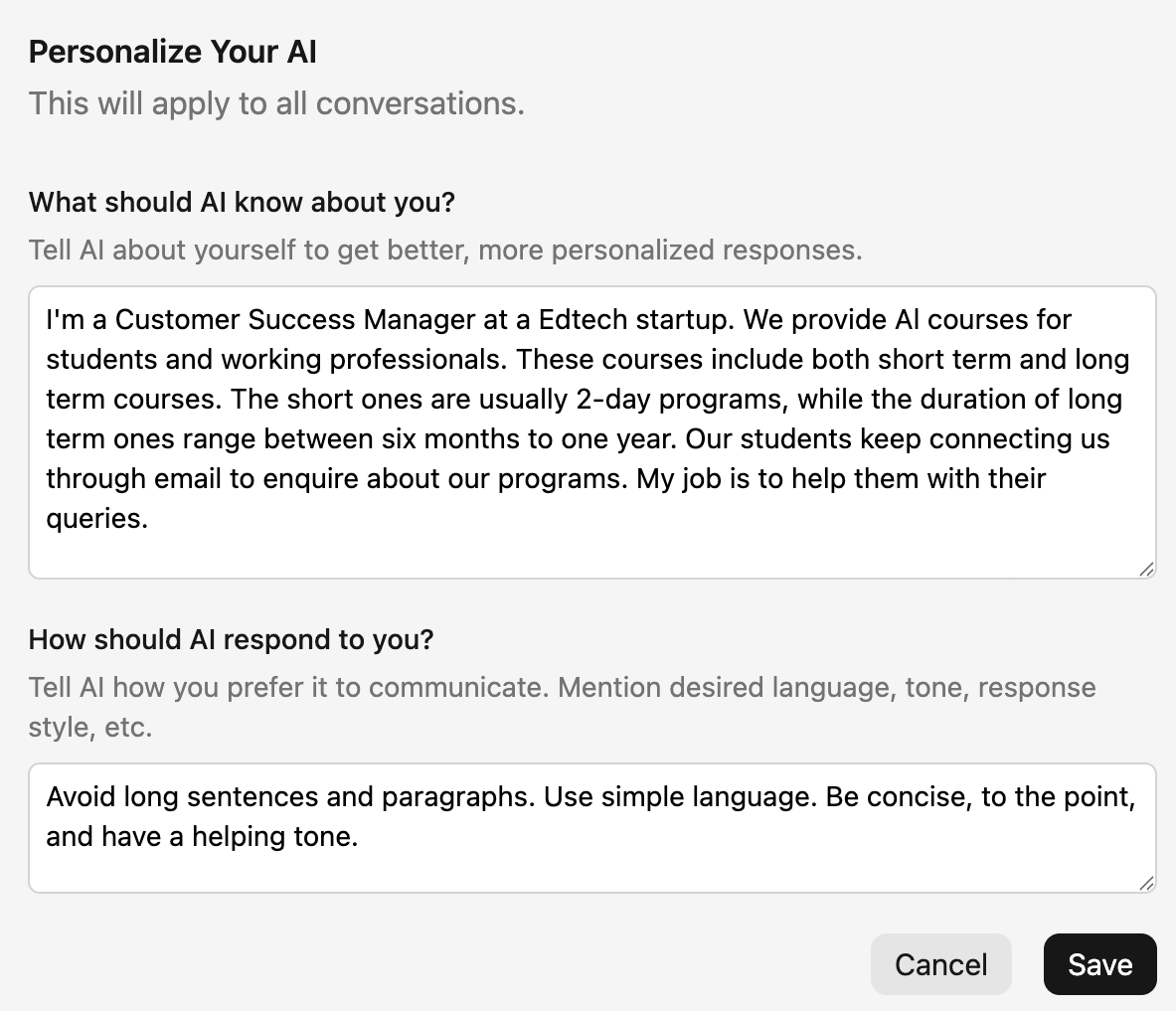
Personalize AI: You can create your own personal profile. You can tell the AI key things about yourself. Tell it who you are and what your actual job title is. Tell it what your company does. Share how you prefer to communicate, like formal or casual. When you provide these details, the AI stops being a stranger. It becomes a personal assistant who truly understands your work. This makes the responses much accurate and sound exactly like you.
-
Create Your Own Writing Styles: It is just like having different outfits for your writing. You have a formal outfit for serious meetings and a casual one for hanging out with friends. With this feature, you can easily create and save different writing tones. For example, you can create one like "Concise and Direct", when you need to send a quick update or ask a simple question. Then, you just apply them to any email with one single click.
---124499185.png)
-
Create Prompt Templates: You can easily save your favorite commands. Do you find yourself typing the same instructions over and over? Maybe you always type "Follow Up". Now, you can save that exact command as a quick template. This feature really shows how Jetwriter AI is a tool made for one main job. It is built to make you a much faster, more effective writer every single day.
---1630072408.png)
-
Any Language: The world is big, but language does not have to be a problem. This amazing tool drafts perfect emails in any language smoothly. You can easily talk to a client in Spain or a friend in Japan without any stress. You just type what you want to say in simple English. The AI does all the hard work to translate it instantly. It is so easy to use!
-
Multi-model Brains: This tool uses the smartest AI brains in the world. It does not lock you into just one system. It actually lets you choose from different models, like ChatGPT, Claude, or Gemini. Do you need to write a very logical report? Pick one brain. Do you need a highly creative email? Switch to another brain instantly. You always have the absolute best options.
---1609388486.png)
-
Lightweight and Private: This tool is super light and very fast. It is well under 1MB in size. It will not slow down your computer at all. It also keeps your data totally safe. Your private info always stays right with you. It is never ever used to teach or train the AI. You can write your private business emails with peace of mind. Your secrets are always safe here.
_(1)--718636090.png)
Pricing
You can start using Jetwriter AI completely for free. If you find yourself using it a lot, there are very affordable paid plans. You can even plug in your very own API key.
Get the Tool
Do you want to write your email replies faster and sound much better? You can easily add the Jetwriter AI extension right to your Chrome or Edge browsers today.
Grammarly
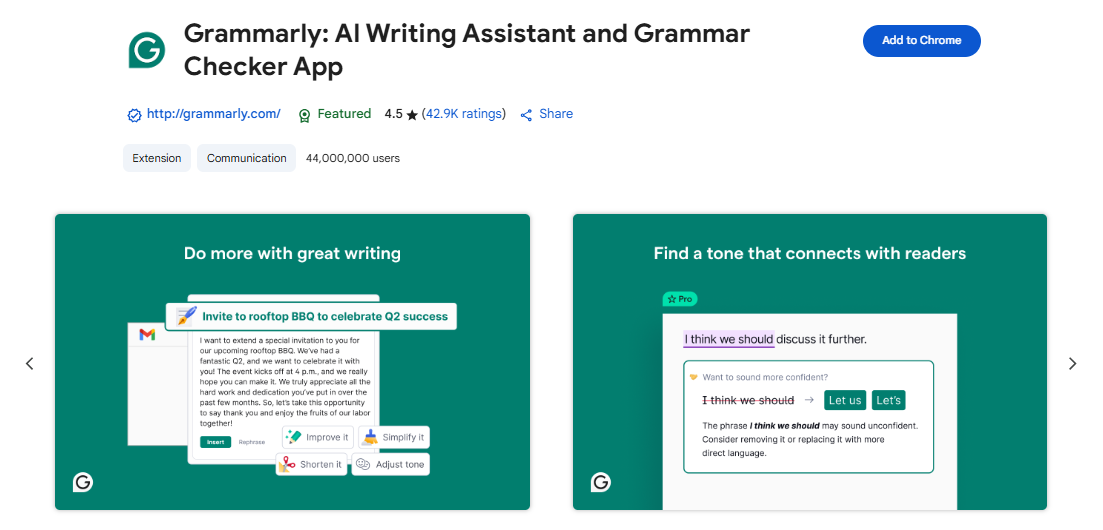
You probably know Grammarly for fixing simple spelling mistakes. But it is no longer just a basic spell checker. It is now a powerful AI writer. It helps you draft clear and polite emails fast. It works right inside your inbox to save you time. If you want a great tool that fixes your errors and drafts emails, this is for you.
Top Features
-
Smart Email Writer and Tone Checker: Grammarly does not just fix your commas anymore. It has amazing AI features to help you write full email replies. Its best trick is checking your "tone." It reads your words and tells you how you sound. Do you sound friendly? Confident? Maybe a little too angry? It lets you know before you hit send.
---194532404.png)
It also makes replying very fast. It gives you a few quick reply options based on the email. You can use them with just one click.
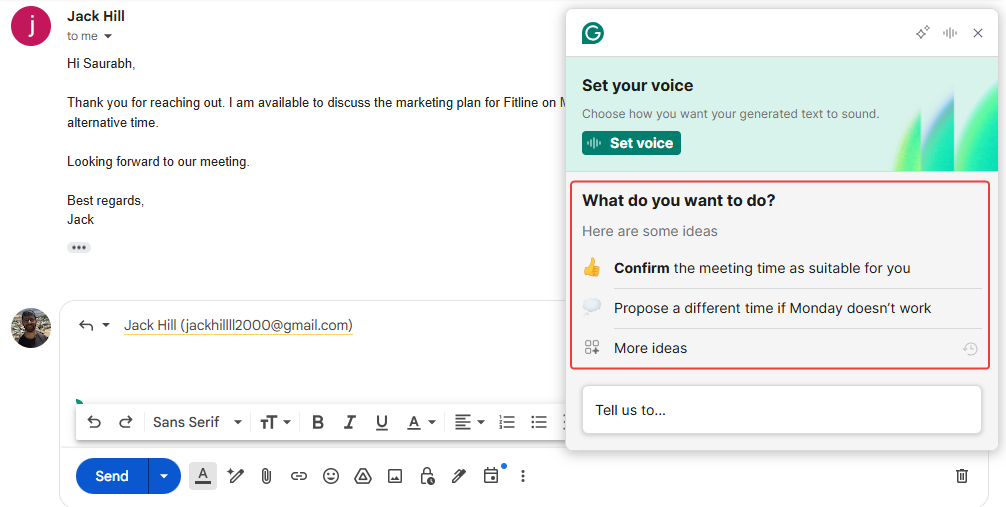
Or, you can give it a simple instruction. For example, you can tell it, "reply that Monday 11am is fine."
After it writes the email for you, just click "Insert" to drop it into your message.
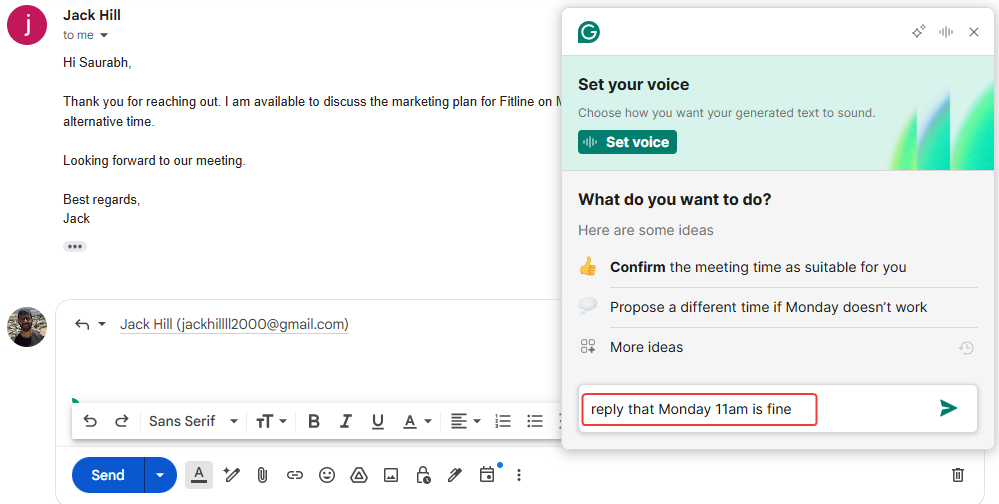
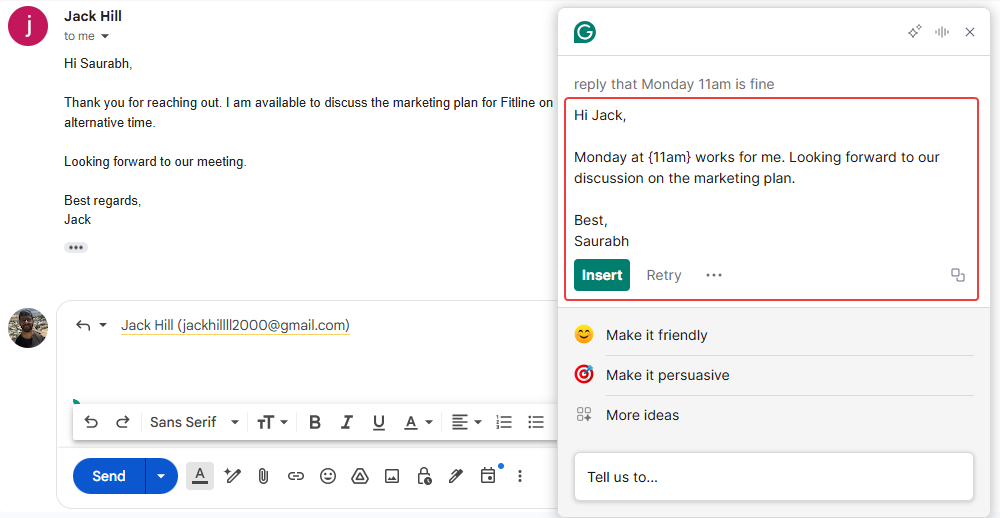
Not quite right? No problem. You can ask the AI to change the tone. You can make it more detailed. You can even ask it to make the writing simpler.
---665375641.png)
-
It Learns Your Voice: You are a real person, not a boring robot. Grammarly knows that! You can easily teach it exactly how you like to sound when you type your emails. You just set up your personal style preferences. Then, it will try its absolute best to match your unique voice in all of its smart suggestions and email responses.
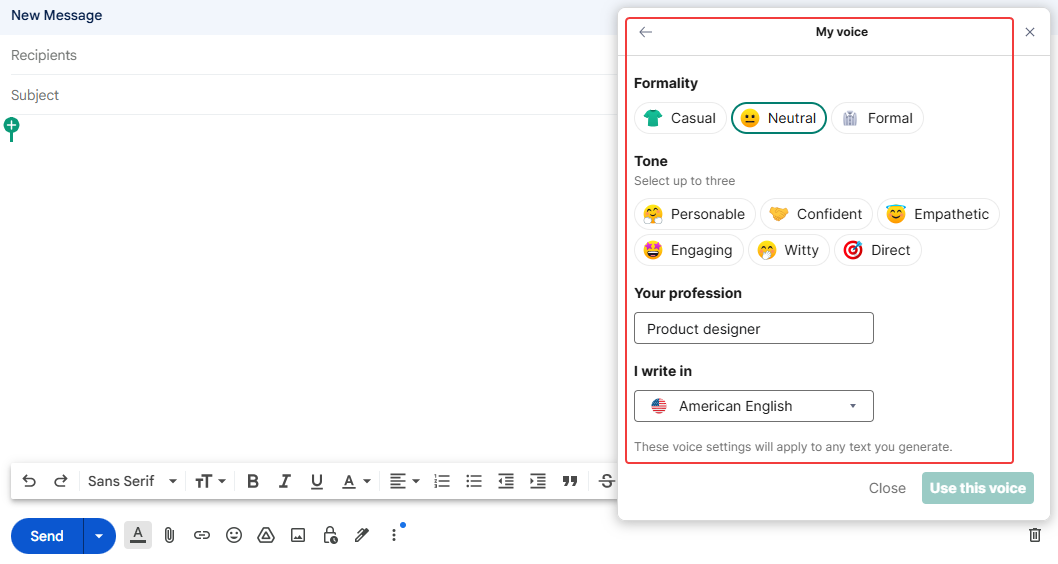
-
It Respects Your Privacy: You write a lot of private things in your emails. You do not want anyone else reading them! Just like the other really good tools on our list, Grammarly is very serious about keeping your writing totally private and safe. They use strong security to protect your data. You never have to worry about your secrets.
Pricing
You get to use the cool AI writing features a little bit for free every month. But, if you write a ton of emails, you can buy their premium plan to get more AI uses. These paid plans start at $30 every month.
Get the Tool
You can easily add it as an extension to most of the popular web browsers you already use. It works great on Chrome, Edge, and Firefox!
Mailmeteor
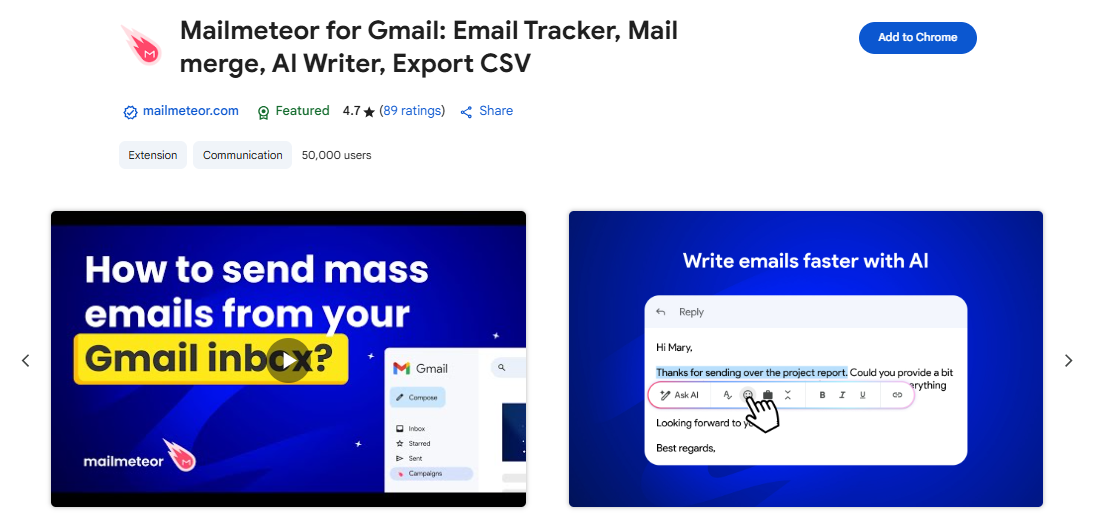
Mailmeteor is famous for sending emails to big groups. But they also have a smart AI tool just for Gmail. It sits right in your inbox and helps you write replies super fast. You do not have to leave your page or open a new tab. It is a perfect choice if you want a clean, simple tool to help you speed through your daily emails without any fuss.
Top Features
-
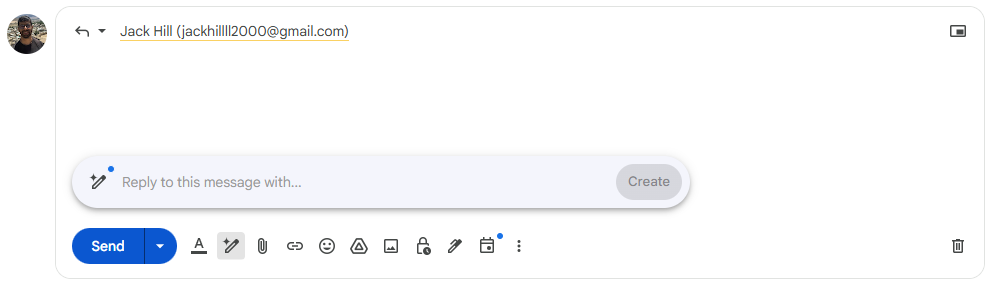
Smart AI Replies in Gmail: It reads your email to see what the whole chat is about. Then, it gives you some ready-to-go ideas to reply fast. Just click one, and you are done!
--291995152.png)
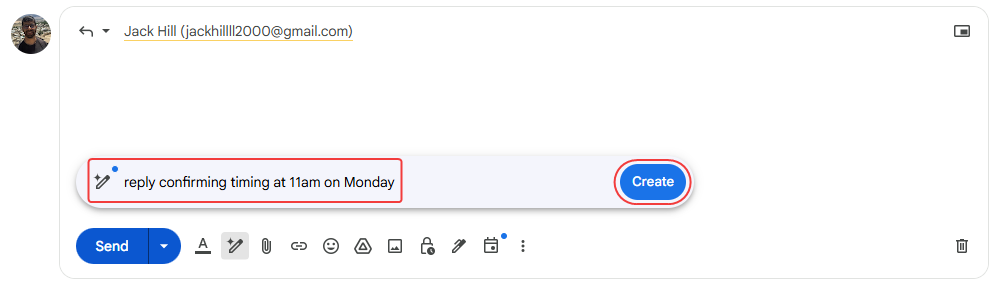
You can also tell the AI exactly what you want. Say something like, "confirm timing at 11am on Monday" Once you type that, it automatically types a nice, full reply right into your text box. It feels like magic.
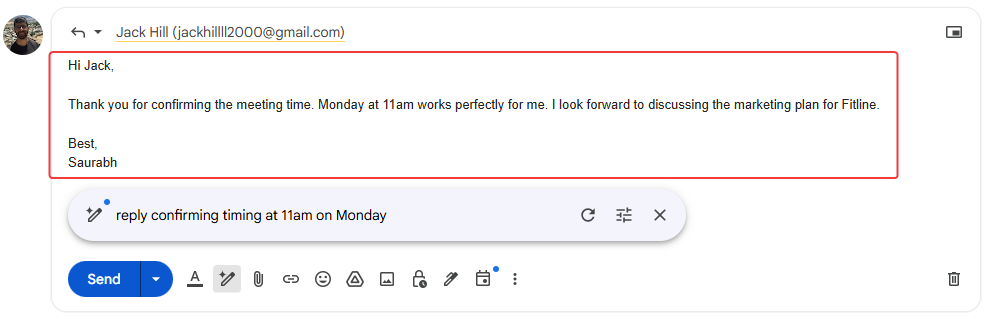
What if the first try is not perfect? No problem at all. You can easily tell the AI to try again. You can change the tone or just make it shorter.
---779764479.png)
It even has a handy button to quickly proofread your words or rewrite them for you. It fixes everything in a snap!
---861247809.png)
---1929885025.png)
-
Your Data Stays Safe: You do not want strangers reading your private emails. Mailmeteor completely understands this big concern. They have a very strong privacy policy to protect you. They are very clear that they never sell your data to anyone. You can safely chat with clients and never worry about your secrets leaking out.
-
Super Light and Simple: Some writing tools are way too heavy. They make your computer freeze up. But this tool is super light and will not slow your computer down at all. It is also very easy to use. There are no big, confusing menus to worry about. Imagine just opening Gmail and seeing a tiny, helpful button. You just click it, type a quick prompt, and start writing emails fast.
Pricing
It is free to try it out. If you want to use it a lot, their paid plans start at $4 every month.
Get the Tool
Are you ready to give it a try? You can easily find this little extension right on the Chrome Web Store.
AI Blaze
AI Blaze is a great tool when you need to reply to emails fast. Do you get long messages and wonder how to answer? This tool sits in a tiny sidebar right next to your email. It reads what the person sent and helps you write the perfect reply back. If you want to clear your inbox quickly and send great responses, AI Blaze is for you!
Top Features
-
Smart Email Chat: It reads your email to see what the whole chat is about. It has a list of ready-to-use prompts waiting for you. You just pick one!
---361020908.png)
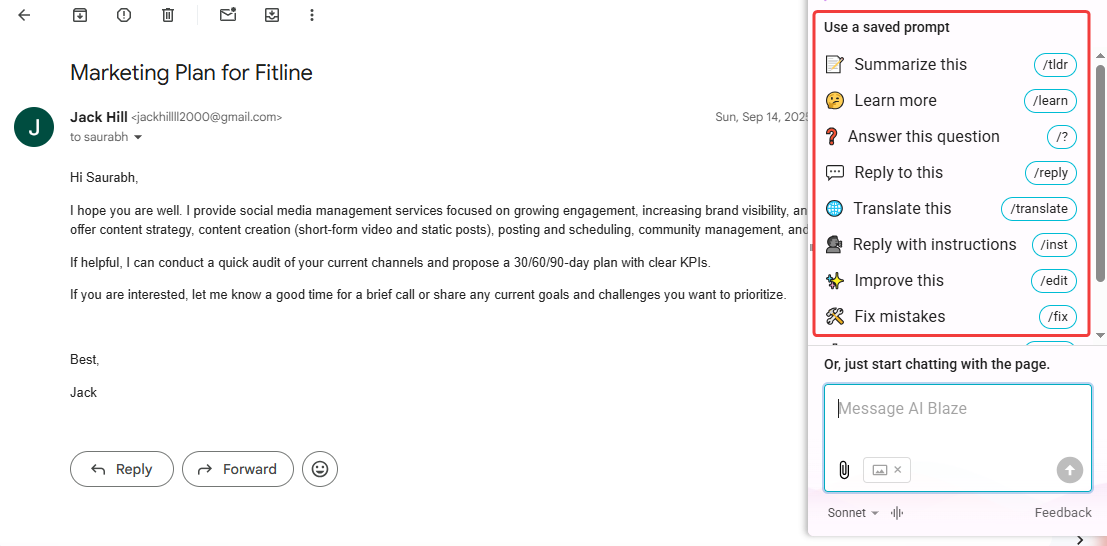
You can also add your own quick instructions. Tell it exactly what to write. For example, say, "tell we are not keen for your proposal at this point of time." The AI acts like a smart friend. It writes the perfect reply for you to just copy and use.
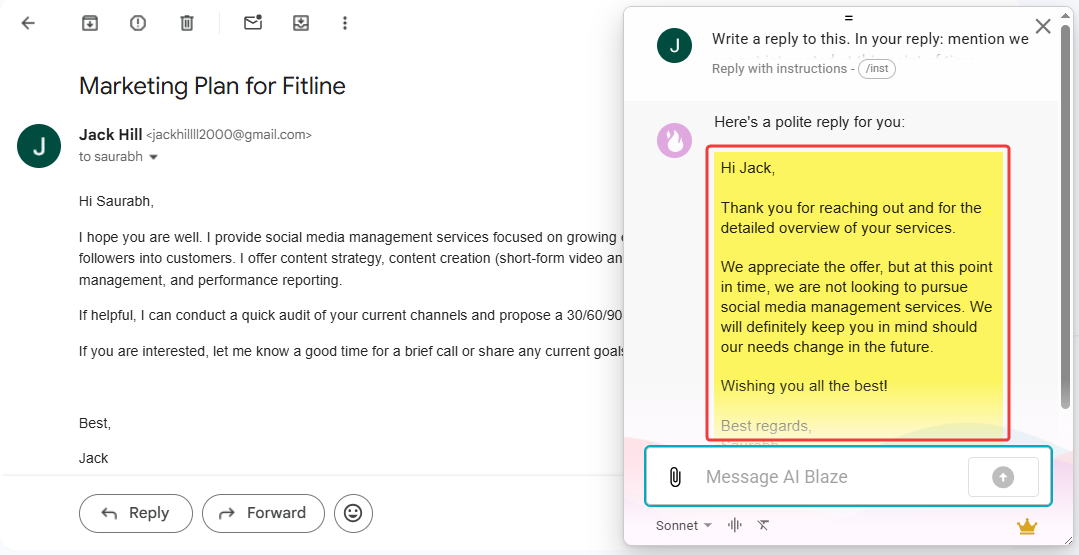
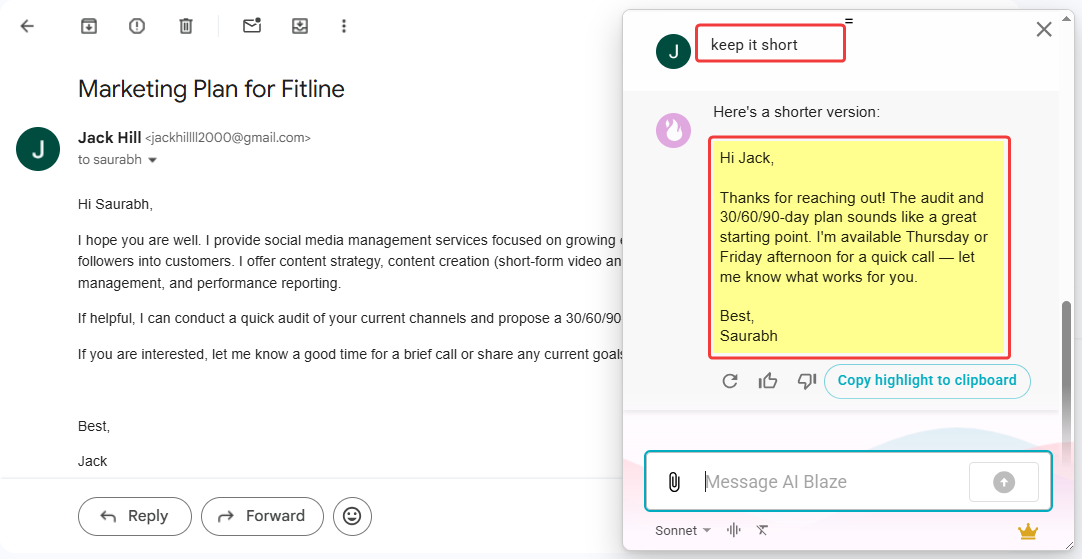
Is the first draft a little off? No worries at all! You can easily chat with the AI. You can ask it to change the tone. You can make it much shorter or a bit longer. You just keep chatting until the email is absolutely perfect. It is that simple!
-
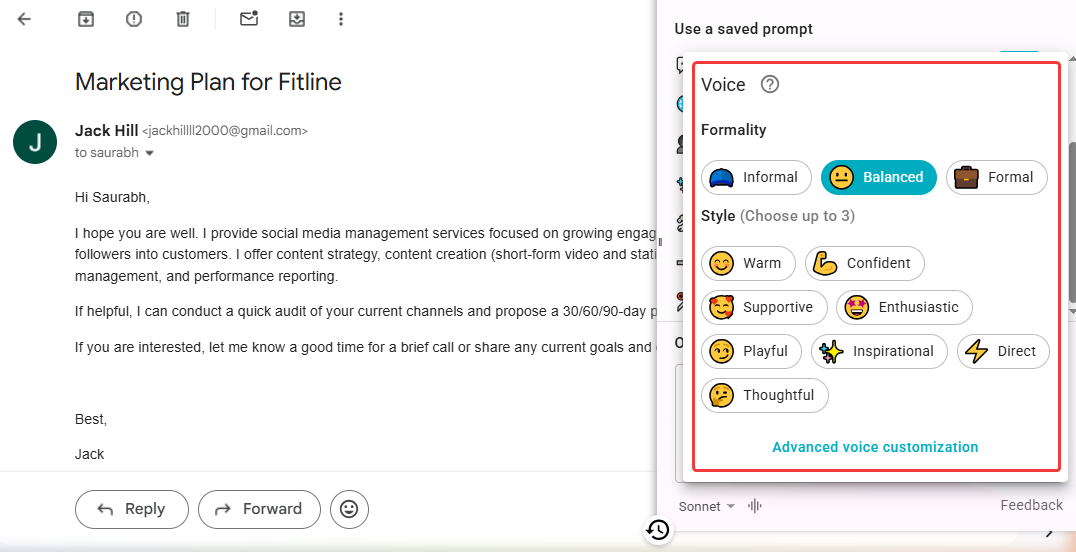
Pick Your Perfect Tone: You do not talk to your best friend the same way you talk to a new client. This smart tool completely gets that! It provides multiple tone options for you to pick from. You can easily sound very thoughtful, nice and warm, or super confident. You just click one simple button to match your exact mood.
-
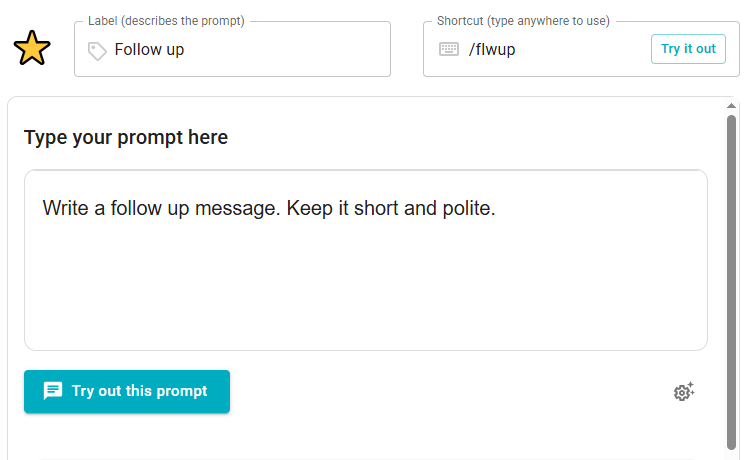
Handy Text Snippets: Do you hate typing the exact same simple email every single day? This feature will save your life! You can easily save your absolute favorite replies as text snippets. Then, you just drop them into your message instantly. It is like having a magic fast-forward button for all your boring, daily work!
Pricing
It is completely free to get started. If you want more features, their paid plans start at $2.99 every month.
Get the Tool
Do you want to try it right now? You can find this cool extension on the Chrome Web Store.
MailMaestro
MailMaestro is a smart writing partner for busy professionals. Do you get totally lost in giant email chains? This handy tool lives right inside your Gmail or Outlook. It acts like a magic assistant that reads your messy inbox and helps you reply super fast. If you want a quick way to clear your daily email pile, this is a great choice!
Top Features
-
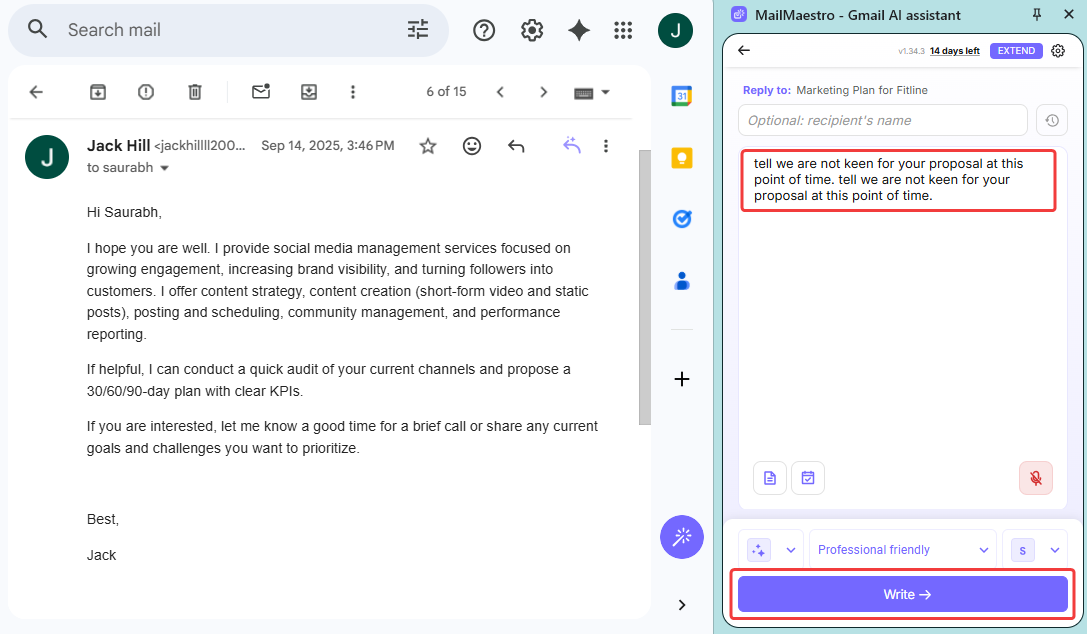
Smart Email Replies: It reads your incoming email to see exactly what the chat is about. Then, it helps you answer super fast. It gives you a few quick reply ideas that you can use with just one single click.
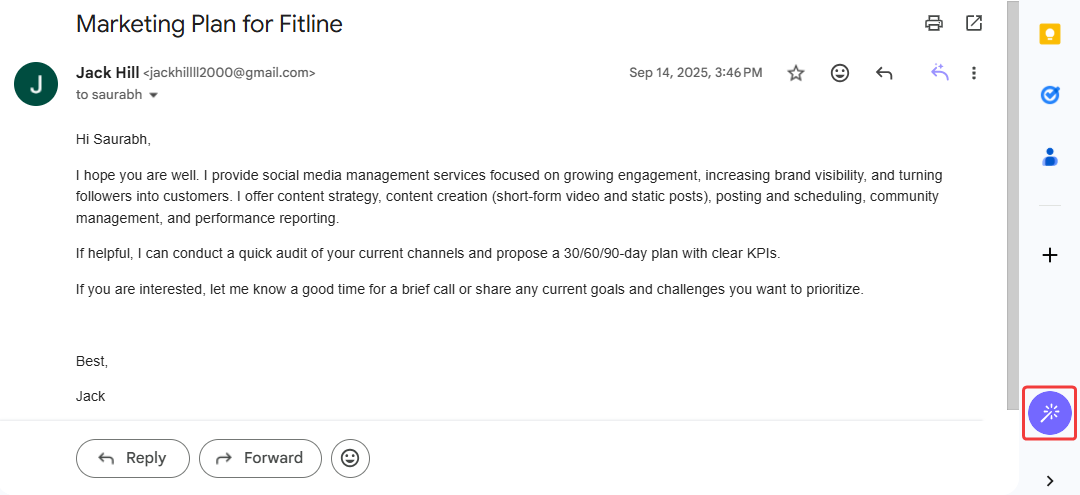
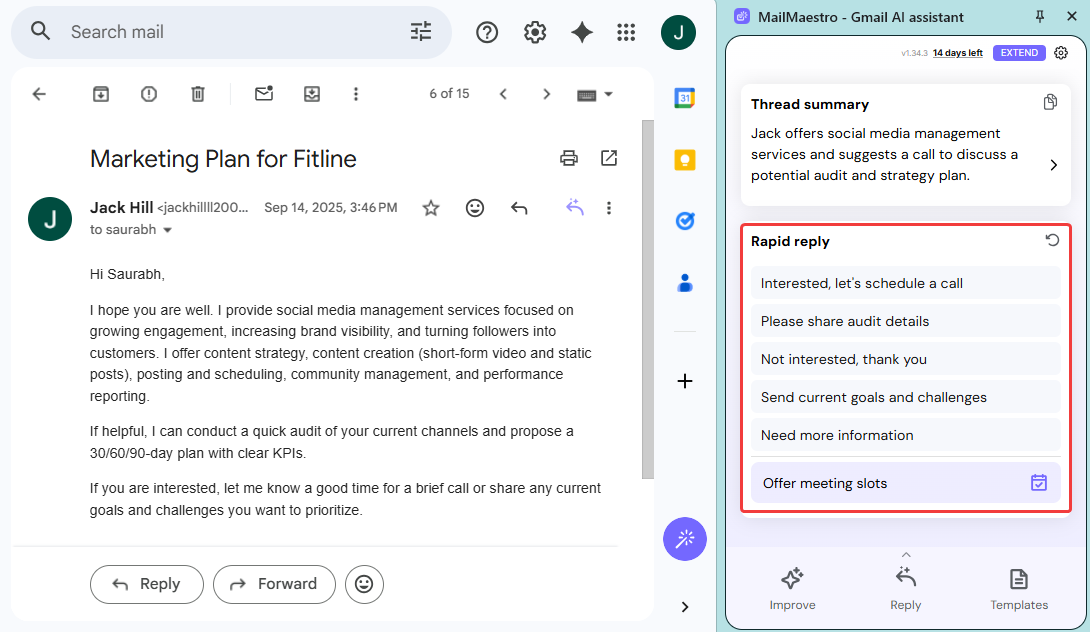
Do you want to say something very specific? Just tell the AI how you want the reply to sound. It will write a great response based on the whole email context. Once it is done, you can easily copy the text or insert it straight into Gmail.
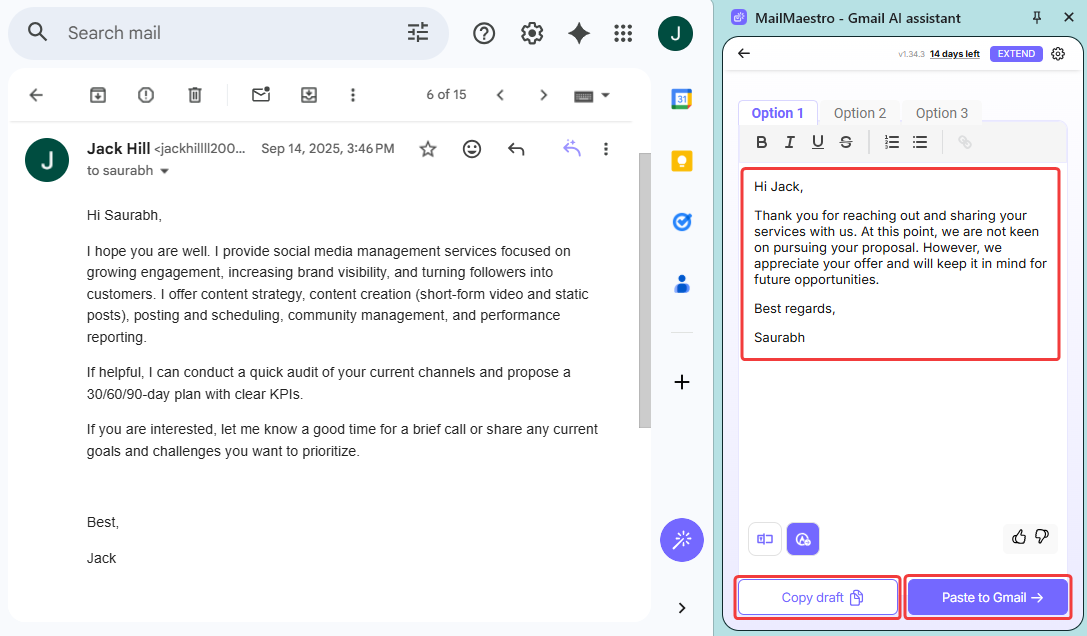
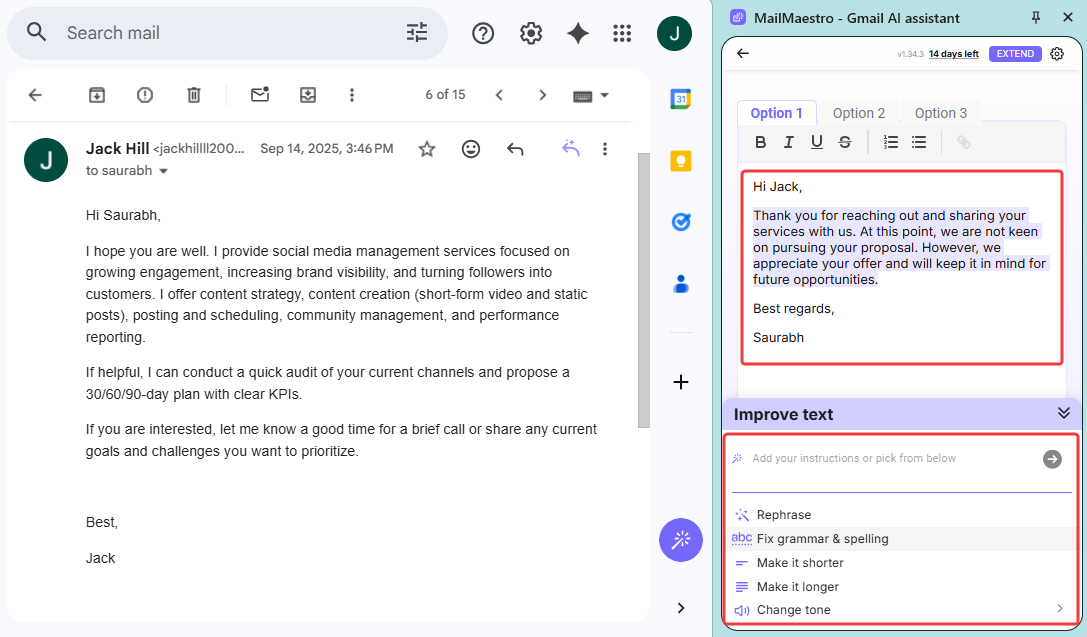
What if the reply is not quite right? You have total control! You can select any part of the text, or the whole thing. Then, you can ask the AI to rephrase it. You can change the tone. You can make it much shorter or a little longer. You can even type your own new instruction to fix it perfectly.
-
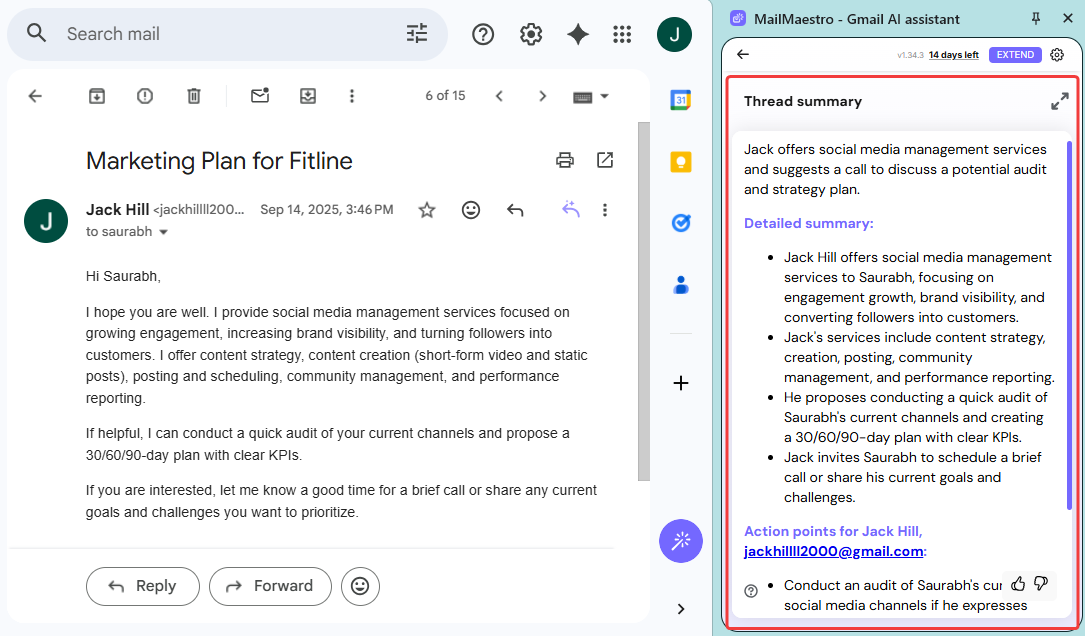
Thread Summaries: Do you hate reading a giant email chain that goes on forever? This tool will save your day! It quickly reads the whole messy thread for you. Then, it gives you a tiny, easy summary of the key points. You will never have to waste your time reading twenty long emails just to find one answer again!
-
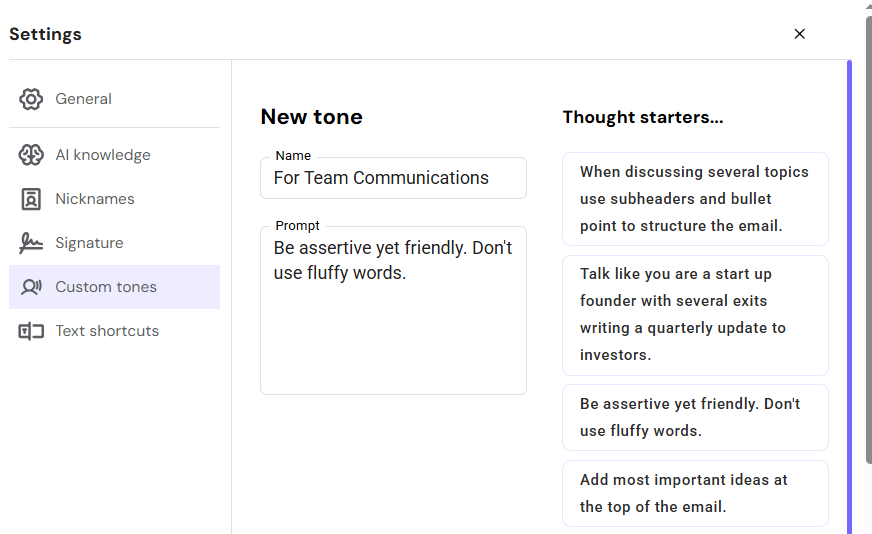
Create Custom Tone: You can easily teach this tool exactly how you like to talk. You do not have to sound like a boring robot! You can create and save your very own custom tone. Do you want to sound super polite for a new client? Or maybe quite casual for your team? Just save your style and use it for your replies.
Pricing
It is completely free to get started. If you need more power, their paid plans start at $12 every month.
Get the Tool
Are you ready to clear your inbox? You can find this helpful extension right on the Chrome Web Store.
Conclusion: Which Tool is Best for You?
So, it is time to choose! Saying goodbye to Compose AI does not have to be scary. You have 5 amazing options to pick from. But which one should you install right now?
Let's make it super easy. Here is a quick cheat sheet to help you decide:
- Want an AI that sounds exactly like you? Pick Jetwriter AI. It learns your job and lets you save your own custom styles.
- Just want perfect grammar? Grammarly is your friend. It also checks your mood so you do not sound mad by accident!
- Want fast ideas to answer your emails? Pick Mailmeteor. It reads your chat and gives you quick ideas to reply in a snap.
- Want to easily tweak your replies? Go with AI Blaze. You can chat with the AI to fix your tone until your reply is just right.
- Drowning in giant email chains? Pick MailMaestro. It reads the whole messy thread and gives you a tiny summary.
You spend a lot of time in your inbox. You deserve a tool that makes your life easier. Your time is far too precious to waste it staring at a blank screen! Why not pick one from the list and try it today?
Frequently Asked Questions (FAQ)
Is it safe to use AI email writers for confidential work emails?
Yes, it is safe if you choose a trusted tool. Good extensions keep your data private and never use your secrets to train the AI. Just make sure to check their privacy policy first to be safe!
Can people easily tell if an AI wrote my email?
They can if you just copy and paste the first boring draft. AI often uses stiff, fancy words that you would never actually say. But if you quickly edit the draft or use a custom tone, no one will ever know!
How to make my AI-generated emails sound personal and authentic?
The best trick is to teach the AI about yourself. Tell the tool your job title and how you like to chat with people. Use custom writing styles so you never sound like a stiff robot. Always give the email a quick read before you hit send. Just add a friendly, personal greeting and it will sound exactly like you!
Can AI email writing tools help me write in languages other than English?
Yes, most top tools (like Jetwriter AI) can translate for you instantly. You just type what you want to say in your own language. The AI does the hard work and writes a perfect reply in Spanish, French, or Japanese!