We all know Google Translate. It is fast and free.
But it is not perfect. It translates text exactly word-for-word. It makes you sound like a robot. Think about writing an email to a client. You want to be polite. But the translation comes out sounding like an angry boss. No one wants to send that email.
What if you are writing a legal contract? This is serious stuff. One tiny mistake is a big deal. One wrong word can change a whole rule. You definitely do not want a bad translation to break a deal.
The same goes for school work. If you are writing a serious paper, you need smart, exact words. Google Translate does not get that. It often uses casual, everyday words. This makes your hard work look sloppy.
You need translations that actually make sense. You need the perfect tone. Google Translate is great for speed. But it is not great for quality.
This blog is for anyone who has used Google Translate and is looking for a better option. You might be a student, professional, freelancer, or business owner. You work with different languages every day. Here are 5 strong alternatives to try.
The Top 5 Alternatives to Google Translate
Jetwriter AI
--1855024600.png)
Jetwriter AI is a smart little helper that lives right inside your web browser. It is not a big, messy website that makes you click around. You never have to open a new tab to translate an email or a message again. It does the hard work right where you are typing. It is the perfect tool if you just want to save time and get back to your day fast.
Top Features
-
Works Everywhere You Write: You do not have to leave your page to translate. Are you typing an email in Gmail? Are you sending a message on LinkedIn? Or maybe helping a customer in Freshdesk? Jetwriter AI is right there with you. It stays on your screen. You just type, and it translates on the spot. It saves you from that awful copy-and-paste tasks.
-
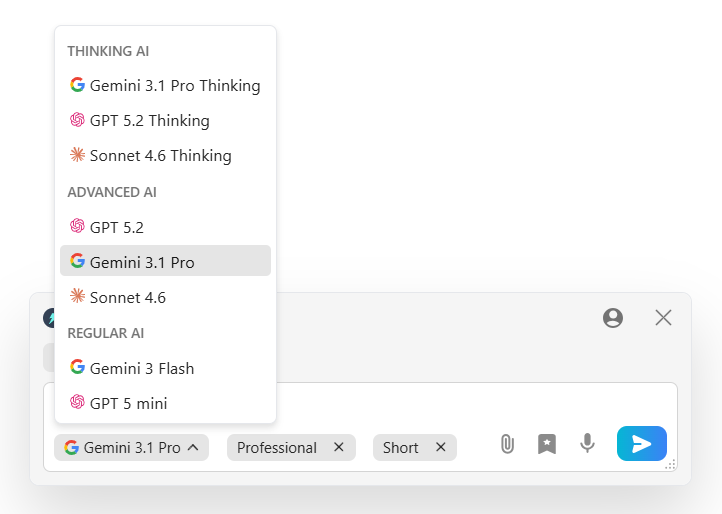
Uses the Smartest AI Brains: Jetwriter AI lets you pick the best brain for the job. You can choose from top AI models like ChatGPT, Claude, or Gemini to do your translations. This means you are never stuck with just one tool. You get the smartest responses every single time. It is like having a whole team of experts sitting right inside your computer!
-
Lightweight and Private: Do not worry about a slow computer. This tool is super light. It is under 1MB in size. It will not slow down the system. Best of all, it keeps your data totally safe. Your private emails and messages stay with you. Your words are never used to teach the AI. You get total peace of mind while you work. Your secrets are always safe with it.
---786127146.png)
-
Ease of Use: You will love how simple this is. When you highlight some text, a small toolbar pops up like magic. You do not have to search for buttons. Just click once, and the translation is done. You will feel like a total wizard while writing and translating your daily emails and messages.
Pricing
You can start using Jetwriter AI for free. It is a great way to test it out. If you use it often, there are very affordable paid plans. You can even plug in your own API key to save more money.
Get the Tool
Ready to give your browser a translation superpower? You can easily add the Jetwriter AI extension to your Chrome or Edge browsers.
DeepL
DeepL is a famous tool known for being very smart. It is great when you need a translation that sounds just like a real person wrote it. You can use it as an extension or download its app. It is perfect if you are writing a long document or a serious report and want to make sure every single word feels natural and easy to read.
Top Features
-
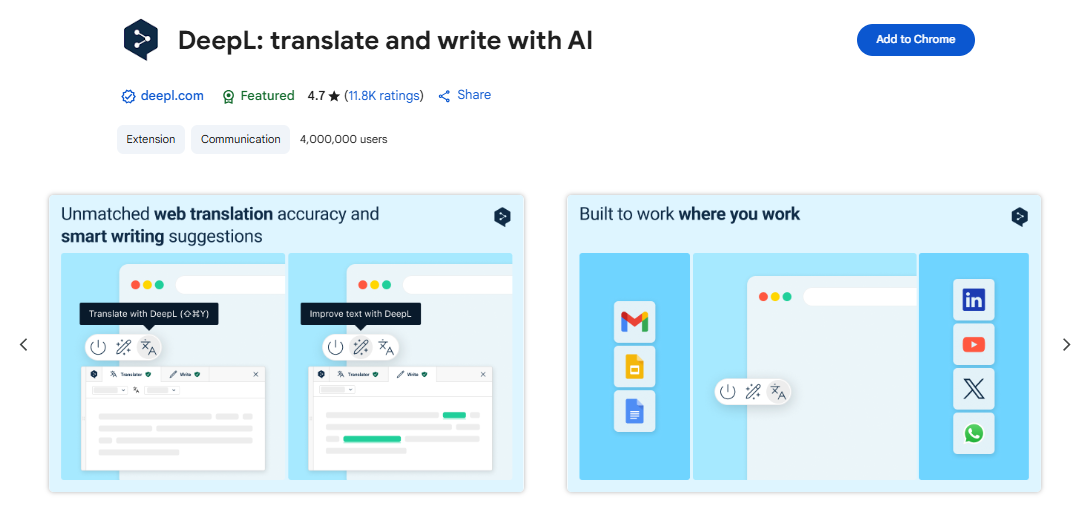
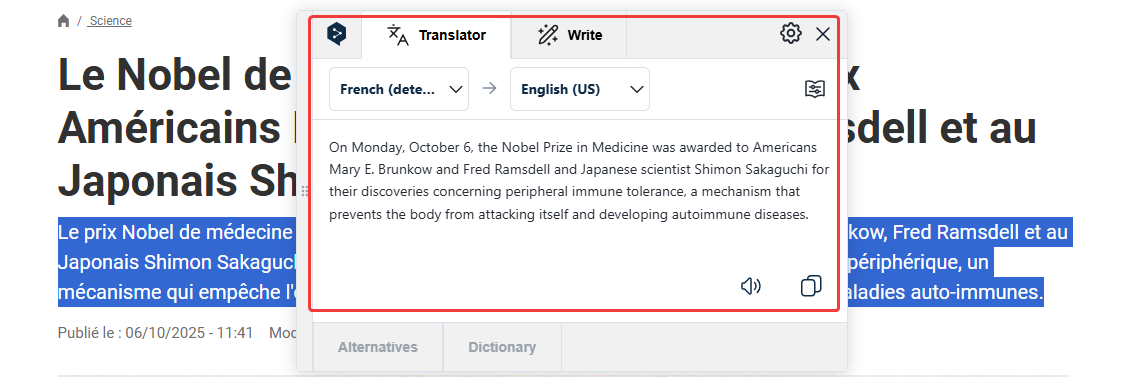
Quick and Easy to Use: It works just like you'd expect. Highlight text for a fast translation or use it to read a full webpage in your language. It is very simple to understand. The screen is clean and not confusing at all. You can switch languages with one click.
-
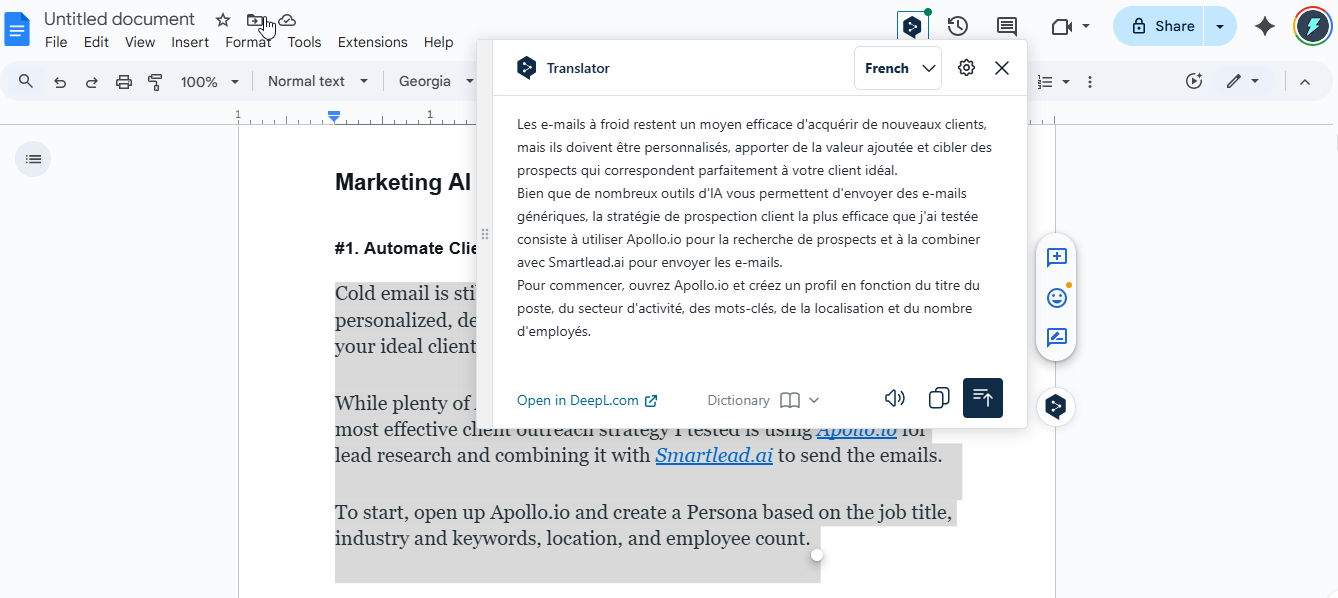
Works Inside Your Google Apps: You can get a handy add-on for your favorite Google tools. Do you write a lot in Google Docs or Google Slides? You can use DeepL right there. You do not need to open a new window to translate your big school project or work presentation. It translates your text while keeping your page looking nice and neat.
-
Human-Like Accuracy: DeepL is famous for sounding like a real human. It does not just swap words like a robot. It reads your whole sentence to understand the real meaning. It knows the small tricks and slang of different languages. When you send an email translated by DeepL, the person reading it will think you speak their language perfectly!
Pricing
You can use DeepL for free for most everyday tasks. It is great for quick jobs. If you want to translate huge documents or need better security, you can upgrade. Pro plans start at $8.74 per month.
Get the Tool
Ready to sound like a local? You can use DeepL on their website, download the computer app, or use it as an extension.
Reverso
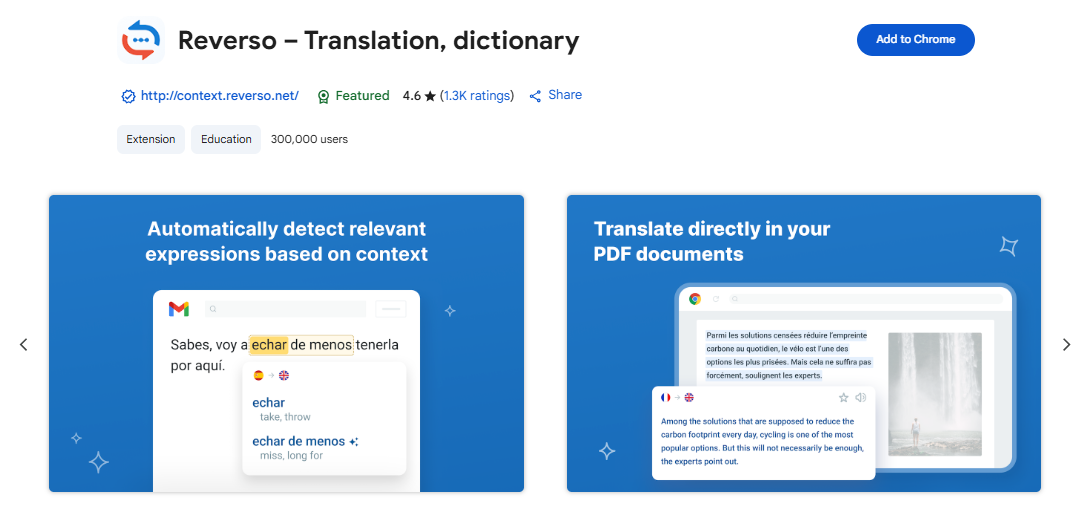
Reverso is a bit different from other tools. It does not just translate words. It teaches you how to use them in real life. It is like having a nice language teacher in your pocket. Are you trying to learn a new language? This tool helps you see how words fit together. You will sound super smart!
Top Features
-
Real-World Examples: It shows you how real people use words. Do you want to say "cool" in Spanish? Reverso does not just give you one word. It shows you ten different sentences where people actually use it. You get to read real examples. This helps you pick the exact phrase so you do not sound like a lost tourist.
-
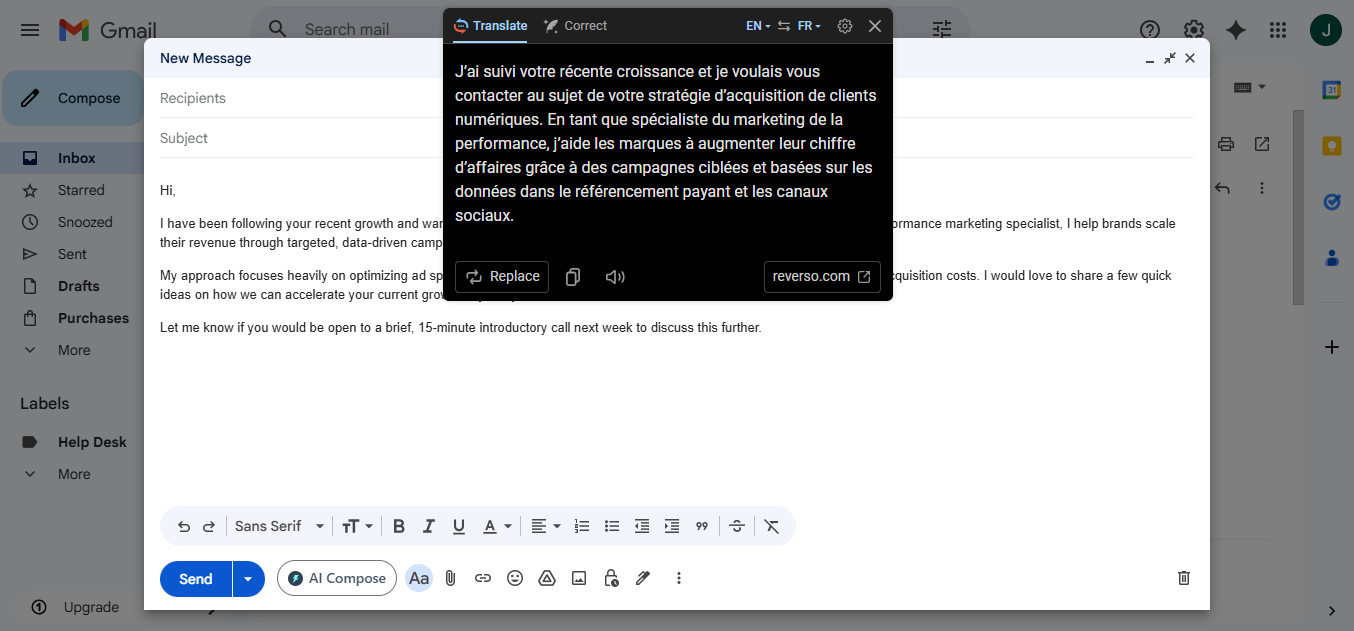
Checks Your Grammar: Nobody is perfect. We all type fast and make silly mistakes. Reverso has your back. It checks your spelling and grammar while it translates your text. Did you forget a comma? Did you misspell a word? It fixes those errors for you. You can send your messages without feeling embarrassed.
-
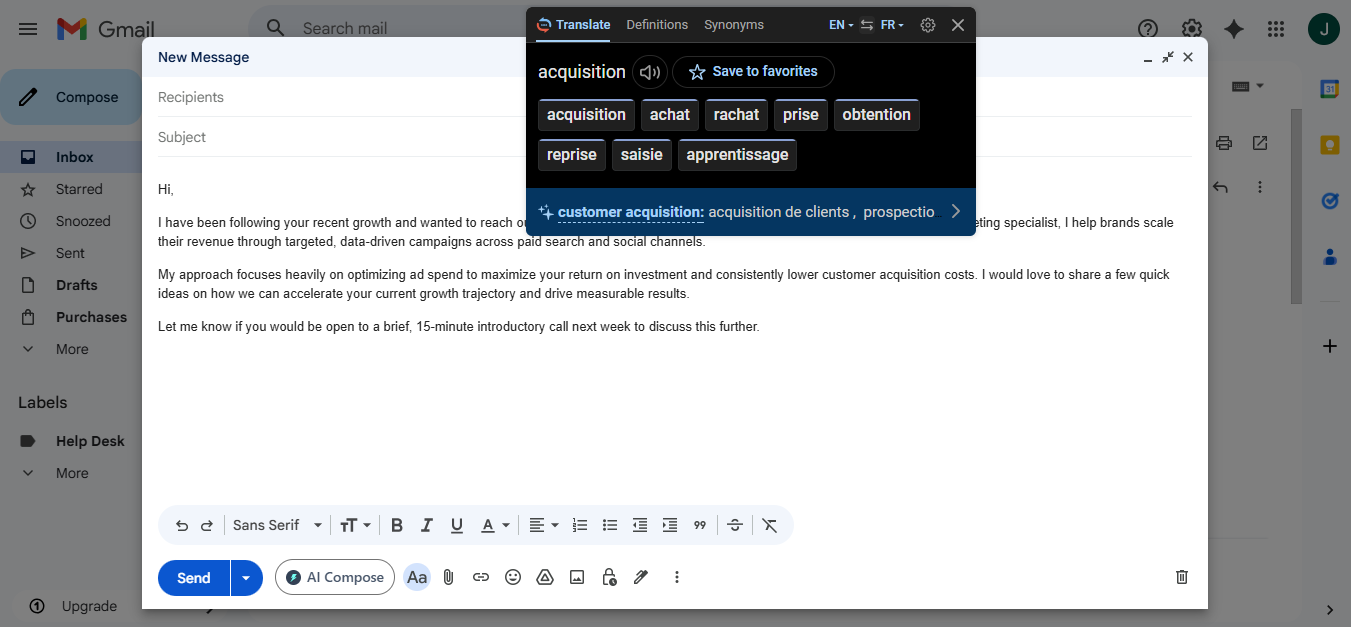
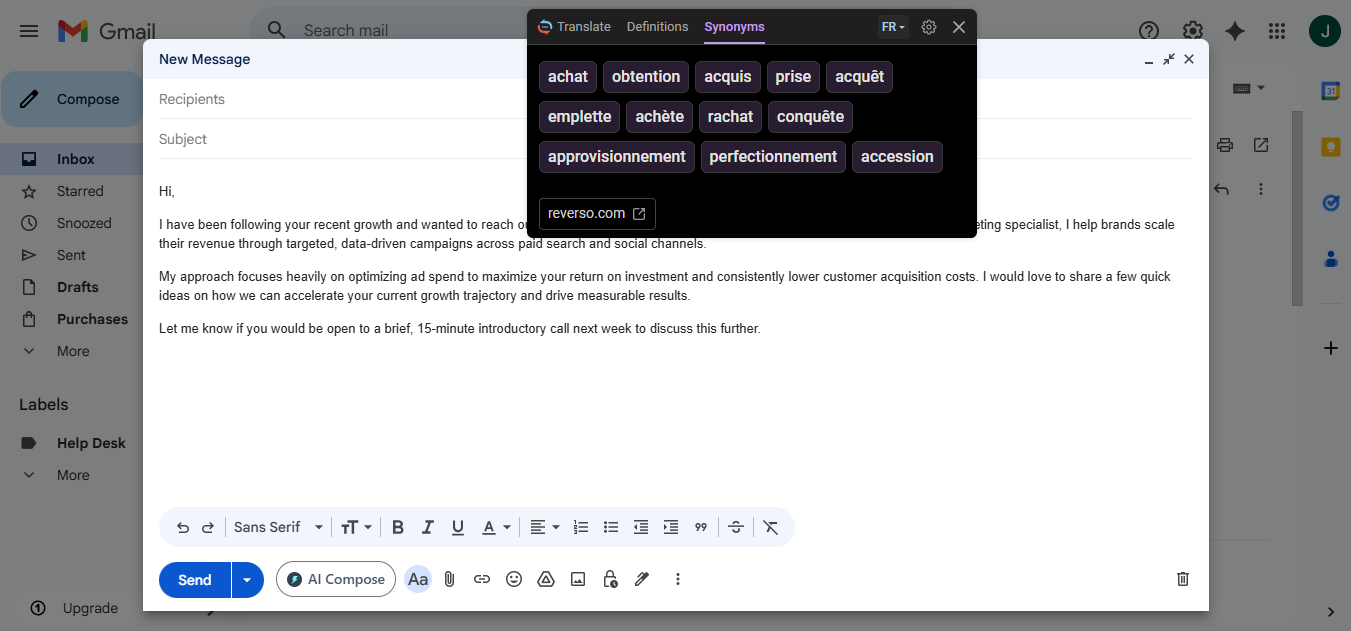
Great Synonyms: Sometimes the first translation is just okay. The word feels a bit boring. Reverso gives you a huge list of other words to use instead. You can find the exact word that matches your mood. It turns a dull email into a great one. You will never be stuck looking for the right thing to say again!
Pricing
Reverso has a free plan you can use right away. If you want more features and no ads, paid plans start at $4.99 per month.
Get the Tool
Ready to learn how words really work? You can use Reverso on their website, download its app, or use it as an extension.
Immersive Translate
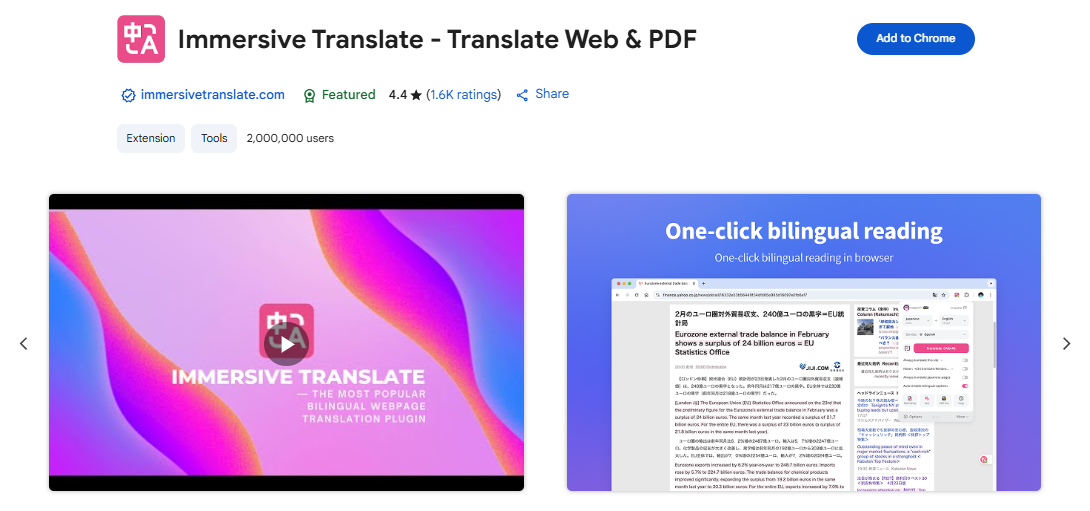
Immersive Translate is a handy tool that lives right in your web browser. It makes reading the internet in other languages super easy. You do not have to copy and paste text anymore. It translates the whole page for you. It is the perfect tool if you love reading foreign blogs or news and want to understand everything without the headache.
Top Features
-
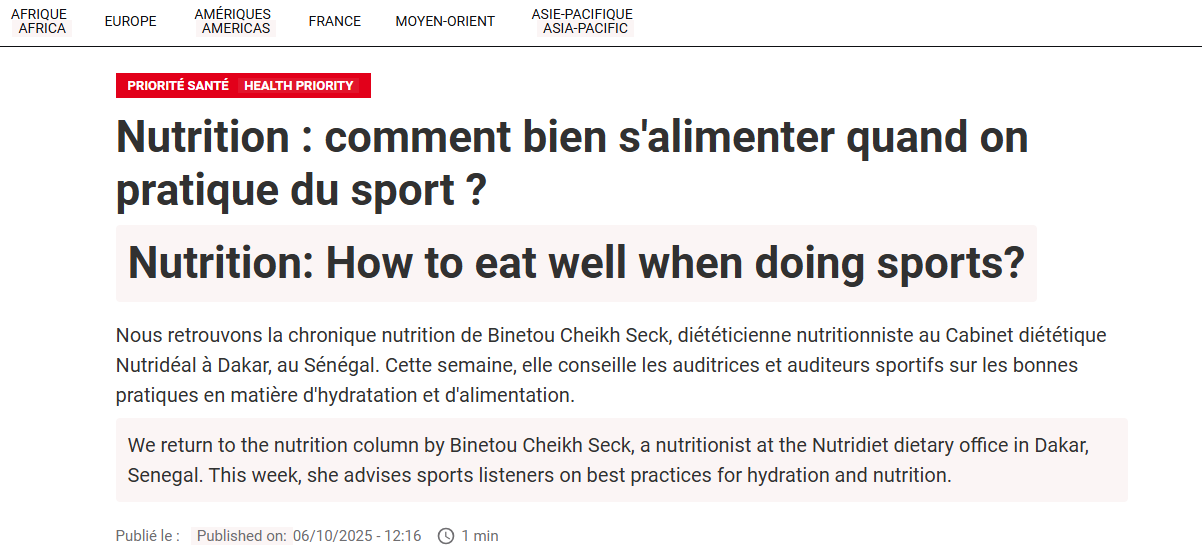
Bilingual Web Browsing: This tool shows you the original text and the translation right next to each other. You do not have to flip between pages. Are you reading a French news site? You will see the French words and the English words side-by-side. It is like having magic reading glasses. You can learn the new language while you read!
-
Dual-Language Subtitles: Do you love watching foreign videos on YouTube? This feature is a game-changer. It shows you subtitles in two languages at the same time. You can see what they are saying in their language and yours. It is amazing for movie lovers. You will never have to guess what that funny joke in a foreign video actually means.

-
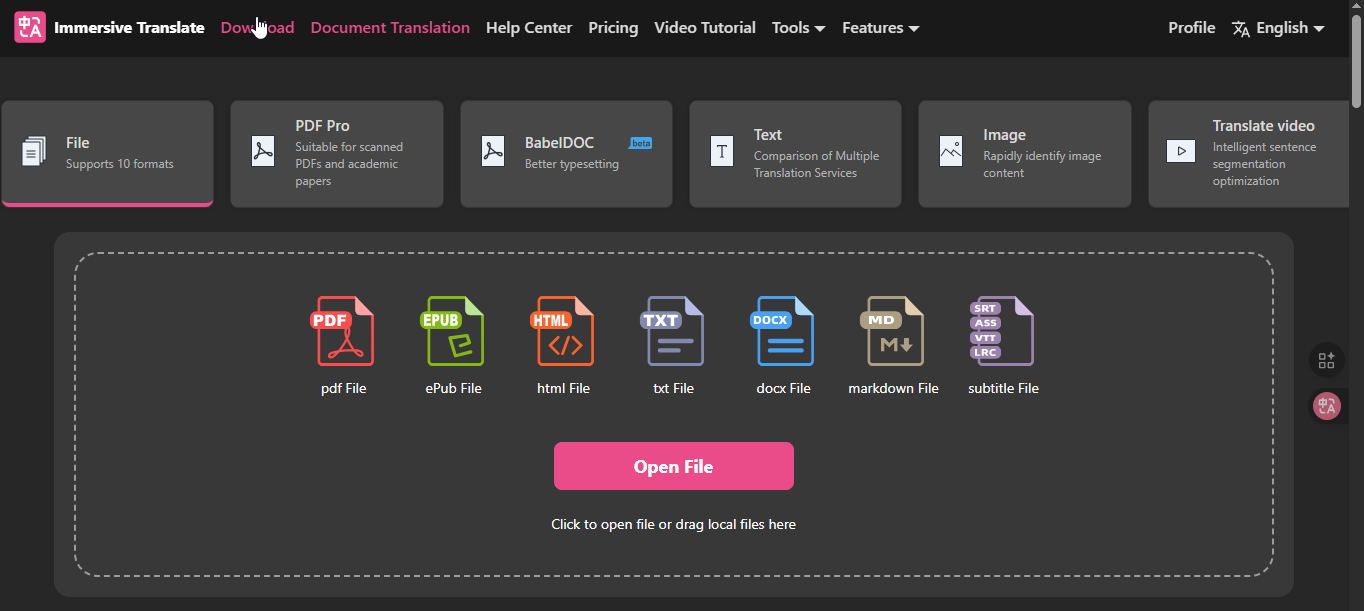
Translate PDFs and eBooks: We all get big files in other languages. Reading a long PDF is hard enough! This tool translates full PDFs and eBooks for you. Best of all? It keeps all the pictures and charts exactly where they belong. The layout stays beautiful and neat. You can read that big science report or fun storybook with zero stress.
Pricing
You can use Immersive Translate for free for basic web reading. Paid plans start at $9.99 per month.
Get the Tool
Ready to read the whole web without borders? Get the Immersive Translate extension from the Chrome Web Store.
Paperpal
Paperpal is the absolute best friend for students, writers, and researchers. Are you working on a big school paper? This tool is built just for that. It is not for casual chats or funny texts. It is made for serious writing. It helps you translate and polish your work so you get the best grades possible. You will look like a total genius!
Top Features
-
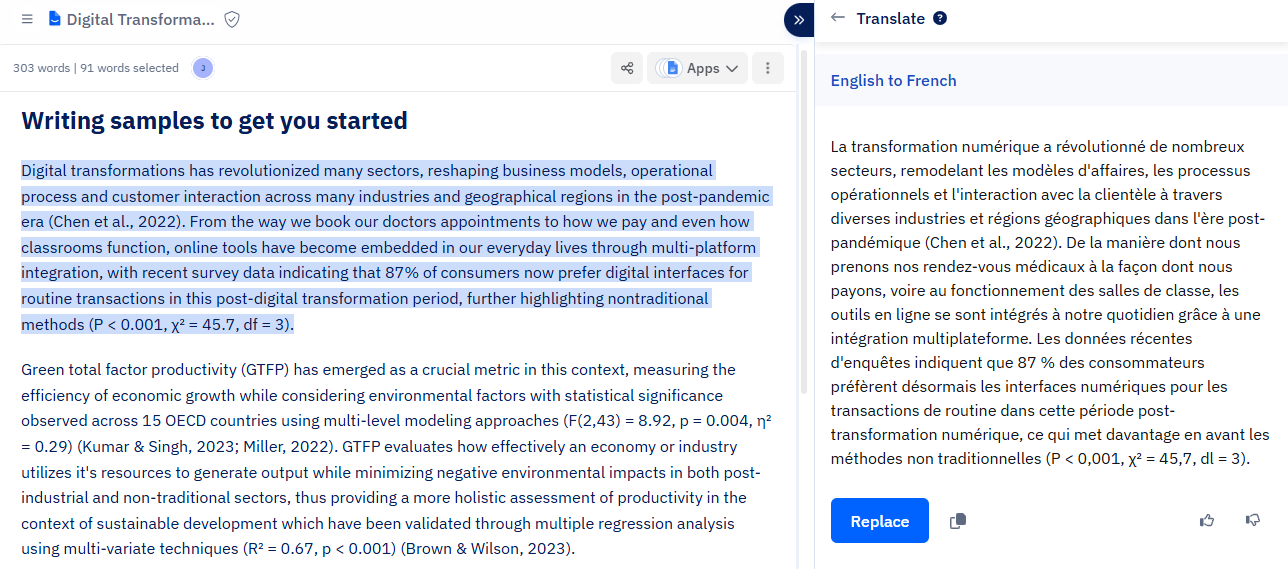
Made for Hard Words: Are you writing a huge science report? Google Translate gets confused by big medical or tech words. It makes silly mistakes. Paperpal is different. It knows all those hard school words perfectly. It translates big academic terms with zero errors. Your smart research will sound just as smart in any language!
-
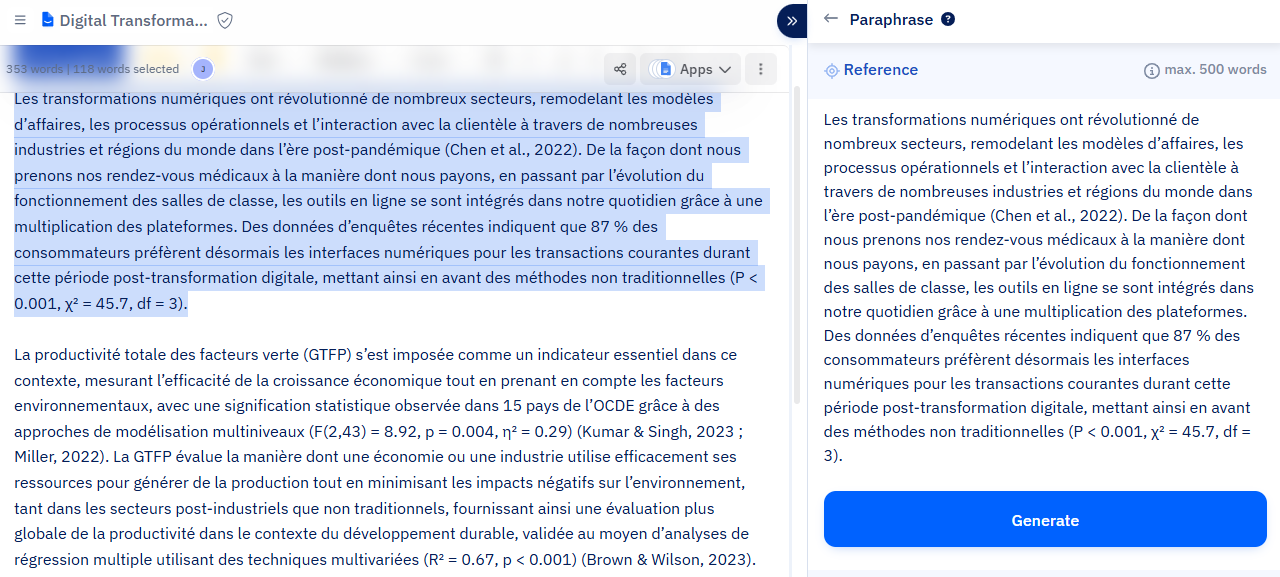
Fixes Your Writing: This tool does a lot more than just translate. It acts like a strict but helpful English teacher! It reads your translated sentences and rewrites them to make you sound even smarter. It fixes messy grammar and clunky phrases instantly. Your sentences will flow beautifully. Your teacher will be so impressed!
-
Catches Bad Phrasing: You cannot use slang in a serious school paper. Saying your science project is "super cool" will not get you an A! Paperpal catches those casual words. It stops you from using bad phrasing. It suggests formal, polite words instead. It keeps your important documents looking professional and very serious.
Pricing
You can start using Paperpal for free to check your work. If you need it for big research papers and unlimited help, the paid plans start at $25 a month.
Get the Tool
Ready to write the perfect paper? You can use Paperpal on their website, add it to Word, or get their Chrome extension.
Conclusion
Google Translate is an okay tool. It is fine when you are on vacation and need to read a menu.
But for your real work? You have much better choices now. You do not have to settle for "just okay."
It is time to stop sounding like a confused robot. You deserve a tool that actually understands you. You need something that makes your daily work fast and easy.
So, what are you waiting for? Pick one tool from this list and try it out today!
Do you write a lot of quick emails? Give Jetwriter AI a spin. Are you writing a huge school paper? Try Paperpal. Just pick one and see how much time you save.
Frequently Asked Questions (FAQ)
Do I really need to pay for a premium translation tool?
You only need to pay if you do heavy work every day. For quick emails or casual chats, the free versions are plenty. But if you translate huge documents, a premium plan will save you massive headaches.
Is it safe to type my private work into AI tools?
Not always! Some free tools read your text to train their own AI brains. That is why a tool like Jetwriter AI is great, because it keeps your private secrets totally safe.
How do I know if a translation is truly accurate, especially for important text?
A smart trick is to translate the text back into your own language to see if it still makes sense. You can also check tools like Reverso to see real-life examples. If it is a huge legal deal, let a real human double-check it just in case!
Is it okay to have multiple translation extensions installed at once?
You can, but it is not a great idea. Having too many tools running will make your web browser very slow and confused. It is much better to pick one smart helper, like Jetwriter AI, and stick with it.