If you are a student, you write essays, take notes, and chase deadlines every single week. It is a lot of work.
You probably use a few basic apps to get by. But you still waste hours fixing bad sentences, looking for real facts, and trying to plan your day.
You might look online for better options. But there are just too many of them. It is confusing. You do not want to spend hours learning a hard new system when your paper is due at midnight.
In this blog, we discuss 8 AI tools used by students to make life easier. They will help you improve your writing and help you write faster and clearer without staring at a blank page. You can also simplify your research by finding exact facts from real science papers without going through tons of useless websites. Finally, these tools help you stay productive, plan your study time, and actually finish your work before the deadline (and maybe even get some sleep).
Let's dive in!
The 8 Best AI Tools for Students
Jetwriter AI
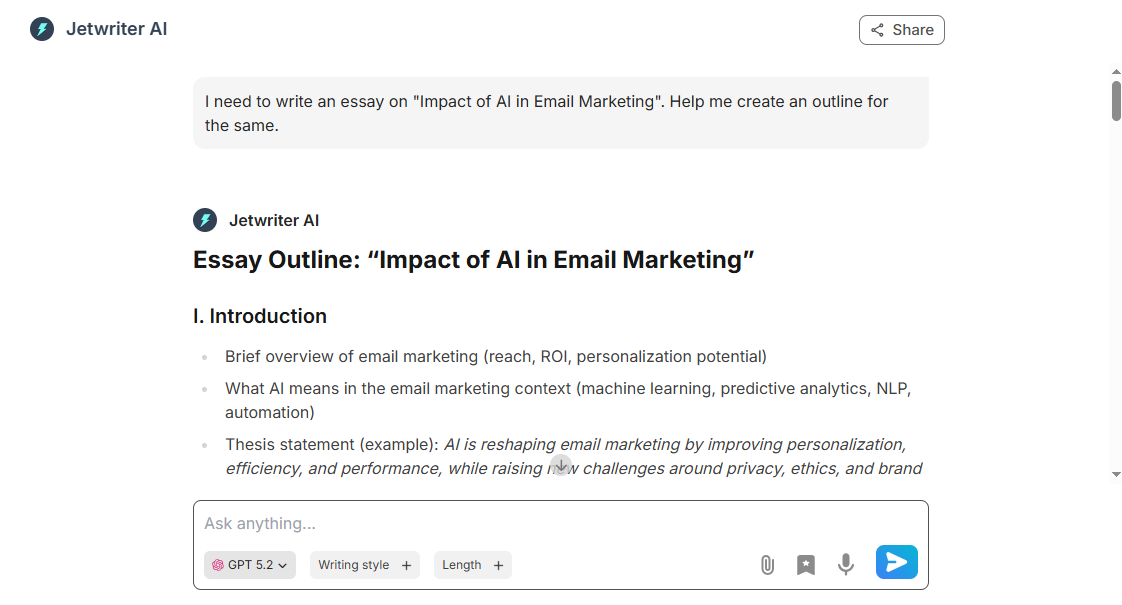
Jetwriter AI is a smart writing helper that lives right inside your browser. It helps you write essays, send quick emails to professors, and research fast without opening new tabs. It acts as a real study partner. It saves you hours of hard work every week, so you can focus on learning and stop stressing about daily deadlines.
Key Features
-
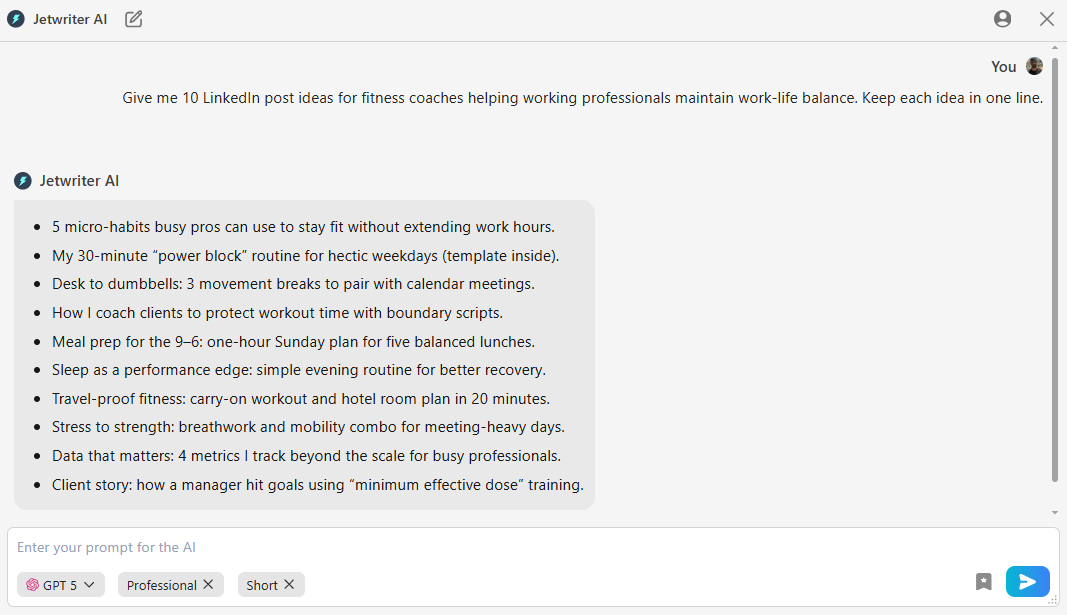
Write Any Content Instantly: As a student, you write a lot. This tool writes almost anything for you. You can write polite emails to your teachers or fast replies to your study group. It also writes messages for LinkedIn when you look for internships. Need help with school work? It writes strong essays, long reports, and clear cover letters. Just tell it what you need. It types out the whole thing in seconds. This saves you so much time when you have tons of homework.
-
Refine and Fix Your Writing: You want to look smart in your papers. This tool helps you do that. Use "Fix Grammar and Spelling" to catch silly mistakes before you turn in your work. Use "Summarize" to understand long reports or documents. If your sentence sounds bad, use "Improve Writing" to make it shine. You can also write in any language with the "Translate" button. It turns your rough drafts into perfect, clear work. You will never worry about a bad grade for typos again.
-
Brainstorm Ideas and Research: It is hard to start a blank page. Jetwriter AI gives you creative ideas for your next big project or essay topic. It helps you think better. It also does the heavy research for you. It searches the live web right now to find exact, up-to-date facts for your essays. You do not have to guess if the information is old or wrong. This makes writing research papers much easier and way faster for any student.
-
Chat with Page: Sometimes you do not have the time or energy to read a boring 20-page article or a massive report. With Jetwriter AI, you can just "chat" with the webpage. Ask Jetwriter AI to give you a quick summary. Ask it to list the key points. Or, ask it to find a specific fact hidden in the text. It reads the whole page for you and gives you the exact answer you need.
-
Chat with Documents: Reading long PDF chapters for homework takes lots of time. Jetwriter AI lets you attach your files right in the chat. You can upload a lengthy case study or a heavy reading assignment. Then, you can just ask it questions like, explain a hard concept from a particular page, or summarize the document. It reads the whole file and gives you answers accordingly. It saves you tons of reading time.
-
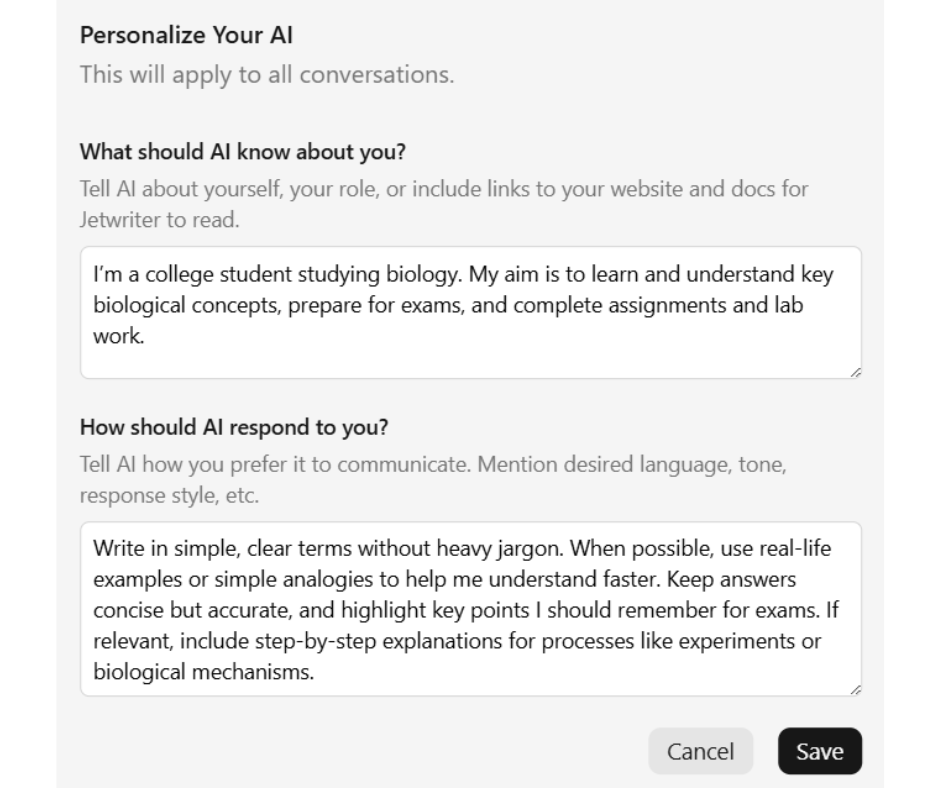
Personalize AI: You can teach Jetwriter AI exactly who you are. Tell it that you are a college student studying biology. Tell it how you like to work. It remembers all of this. It uses this info to give you better answers. It knows you are a real person with a real major. It does not treat you like a random user. Your emails will finally sound like they belong to you.
-
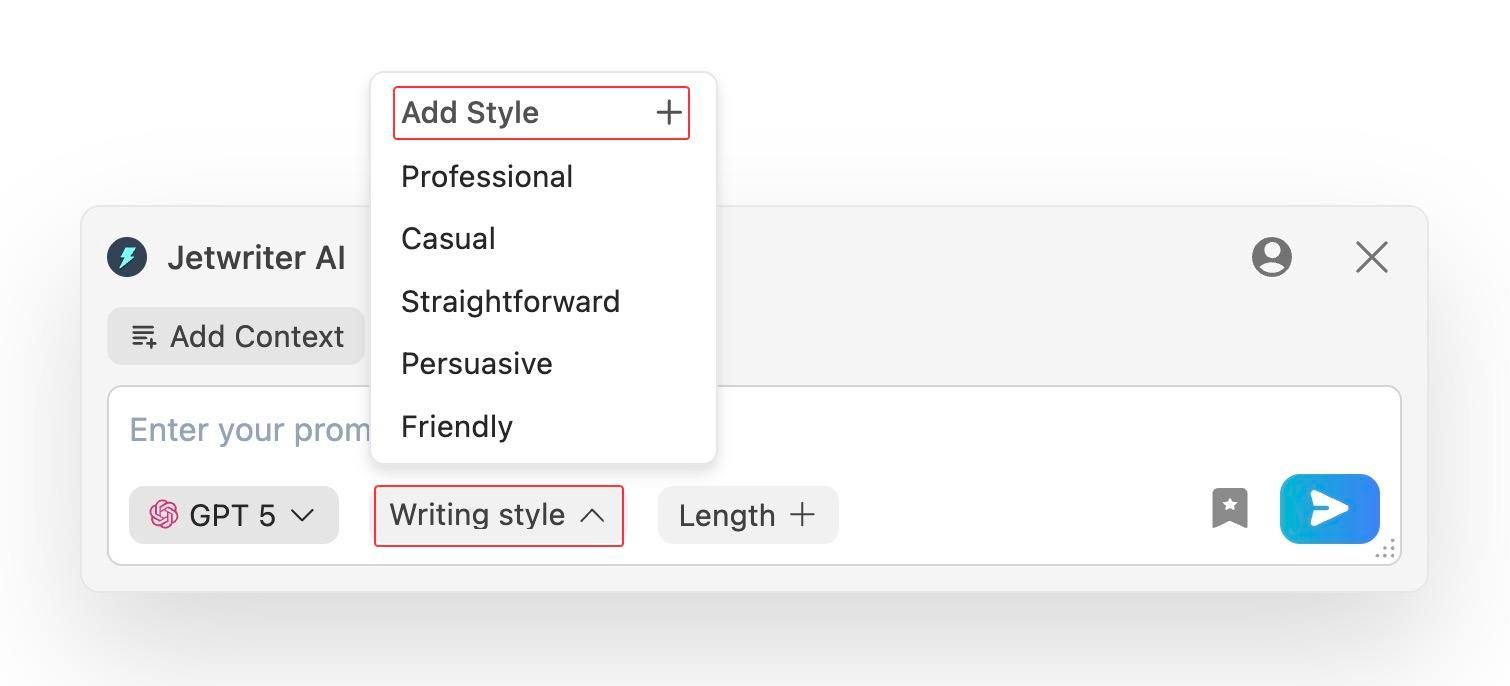
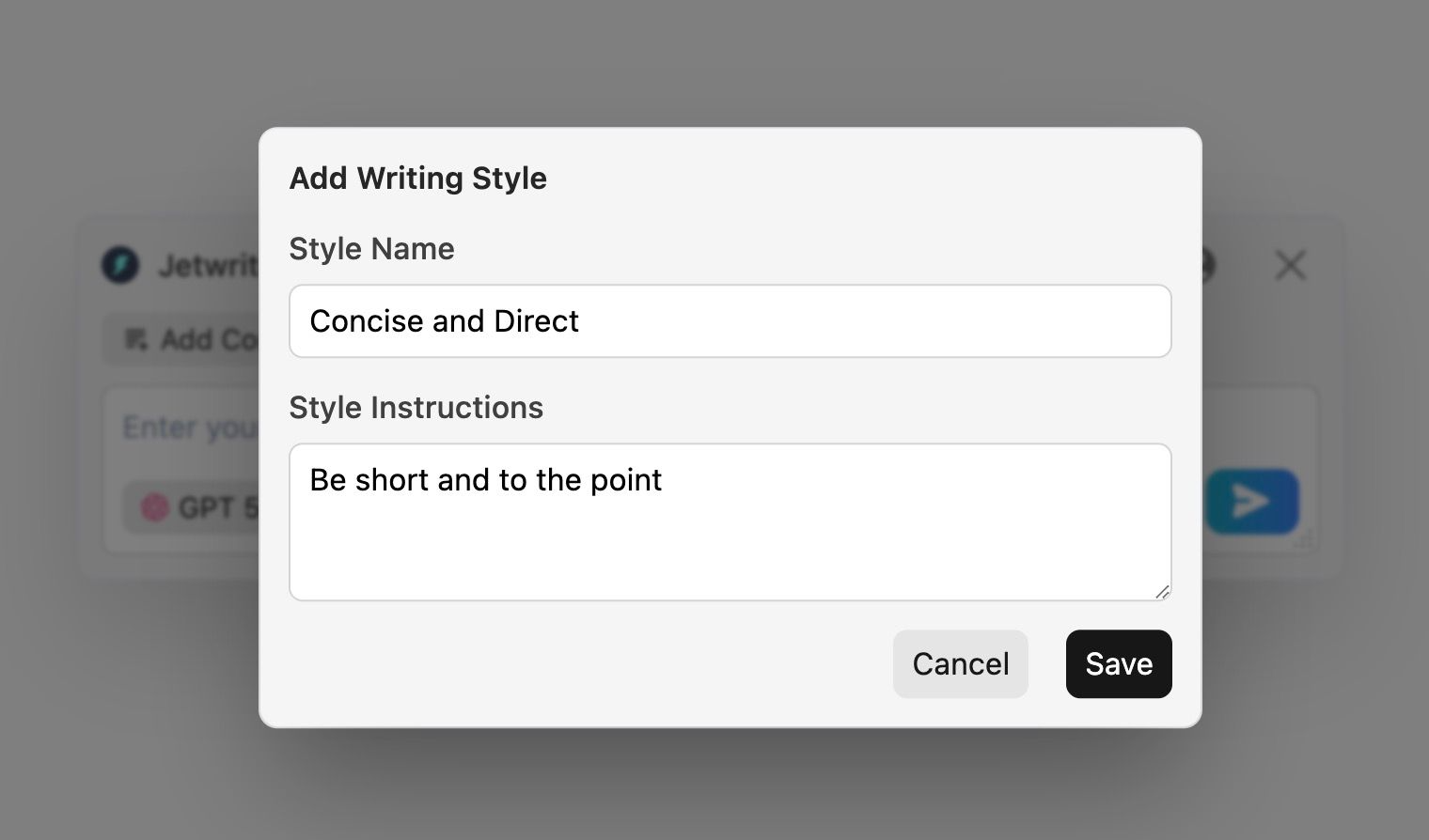
Create Custom Writing Styles: You do not talk to your teacher the same way you talk to your friends. Jetwriter AI gets that. You can create and save your own special tones. Make a "Concise and Direct" style for emails to professors. Make a "Friendly" style for club emails. Switch between them instantly with one click. You do not have to type a long instruction every time you want to change your tone.
-
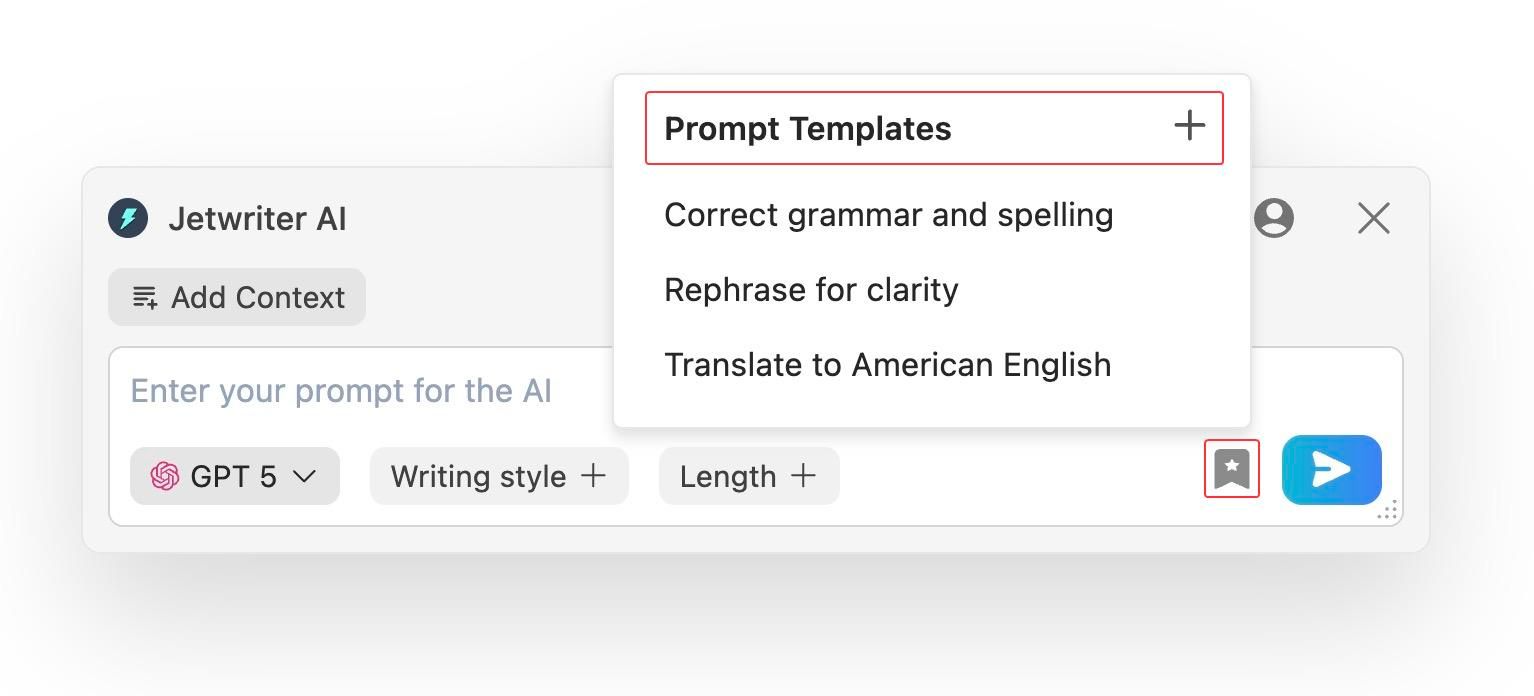
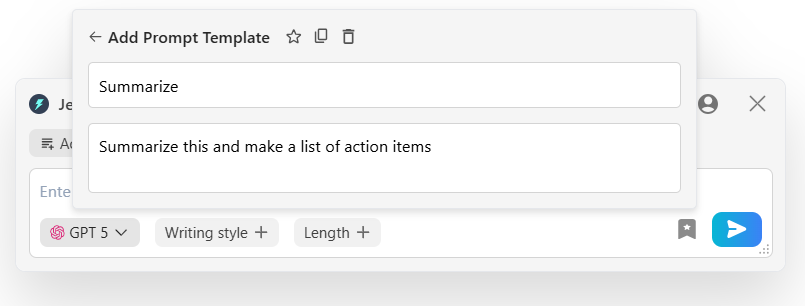
Create Prompt Templates: Do you have prompts which you type very often? Maybe you frequently have to ask the AI to "Summarize" a giant, messy email thread from your study group. Jetwriter AI lets you save these prompts as templates. Next time, with a click of a button, you can use those prompts without having to type them again and again. It’s a huge time-saver for those repetitive tasks!
-
Any Language: You can write in any language you need. This is great if you take a foreign language class or study abroad. You can type in English and it will easily change it to Spanish, French, Japanese, or anything else. It helps you talk to people anywhere in the exact language they speak.
-
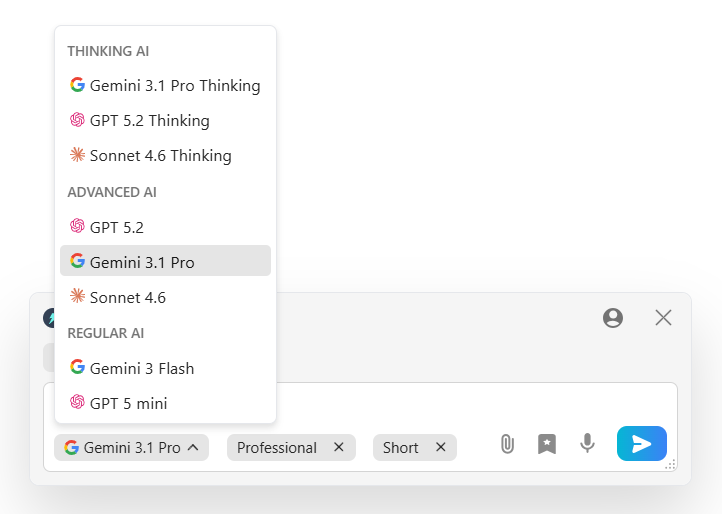
Multi-model, Lightweight and Private: You can pick the smartest AI for your task, like ChatGPT, Claude, or Gemini. The tool is super light. It is under 1MB. It will not slow down your laptop while you work. It also keeps your data very safe. Your private school info stays with you. It is never used to teach the AI. You get full control and peace of mind.
-
Full Web App: Jetwriter AI also works as a web app. You can log into the web app to do your heavy school work. You can write long essays or do research. You can also create outlines for your projects and brainstorm ideas for your next presentation. It gives you a clean page to focus and finish your biggest class tasks without any distractions.
Pricing
You can begin using Jetwriter AI completely for free. If you find yourself using it all the time, there are affordable paid plans. You can also plug in your own API key to save even more money.
Reclaim AI
Reclaim AI is a smart calendar that plans your week for you. College life is busy. You have classes, clubs, and huge projects. This tool looks at your schedule and finds time for everything. It tells you exactly when to study and when to rest. It takes the stress out of planning so you never miss another homework deadline again.
Key Features
-
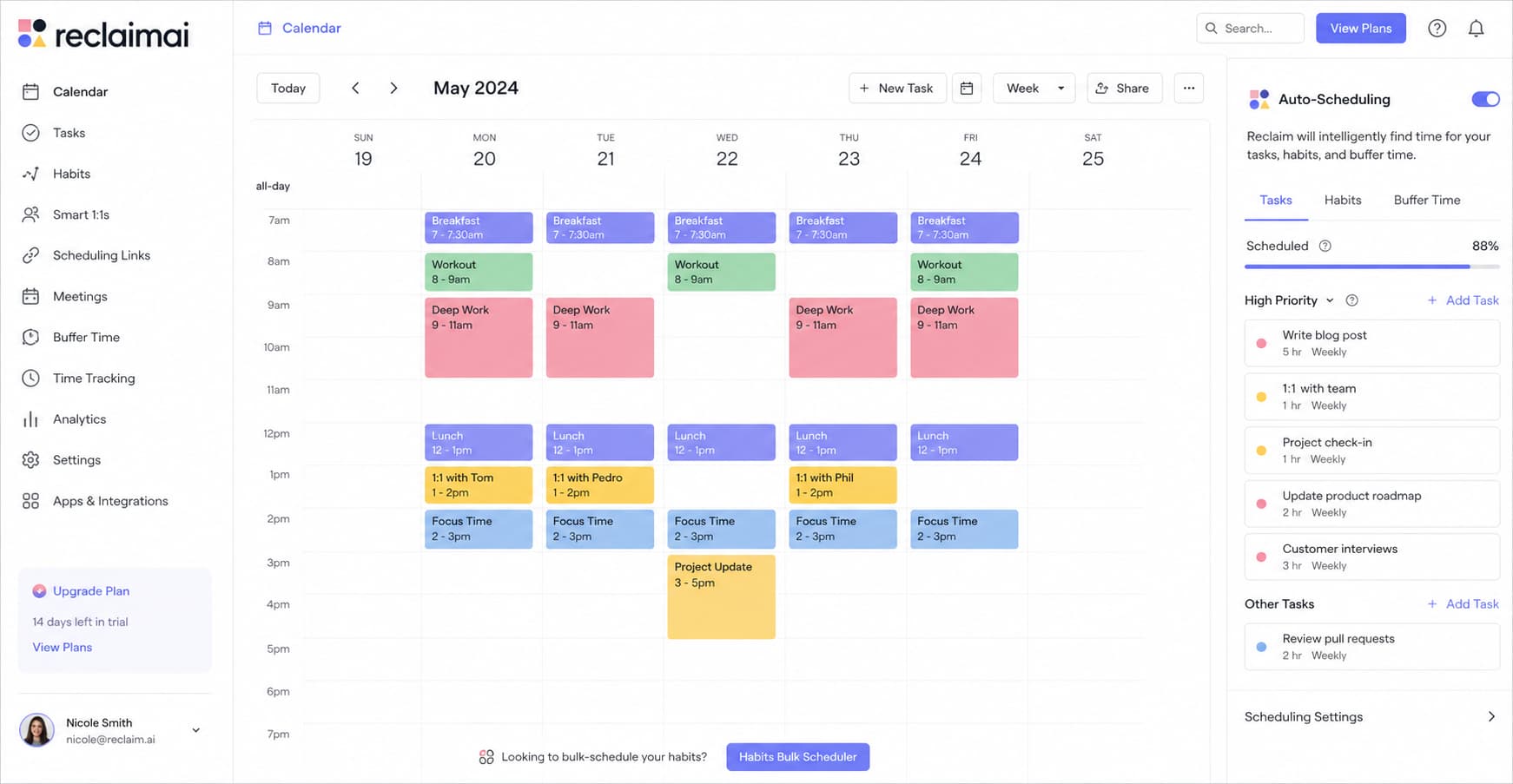
Auto-Scheduling: Planning your week is hard. Reclaim AI does it for you. You just tell it what you need to do, like "study for math" or "read chapter five." It looks at your empty calendar slots. Then, it finds the absolute best time for your homework and daily habits. If a surprise meeting comes up, it moves your study time automatically. You never have to drag and drop blocks on your calendar again.
-
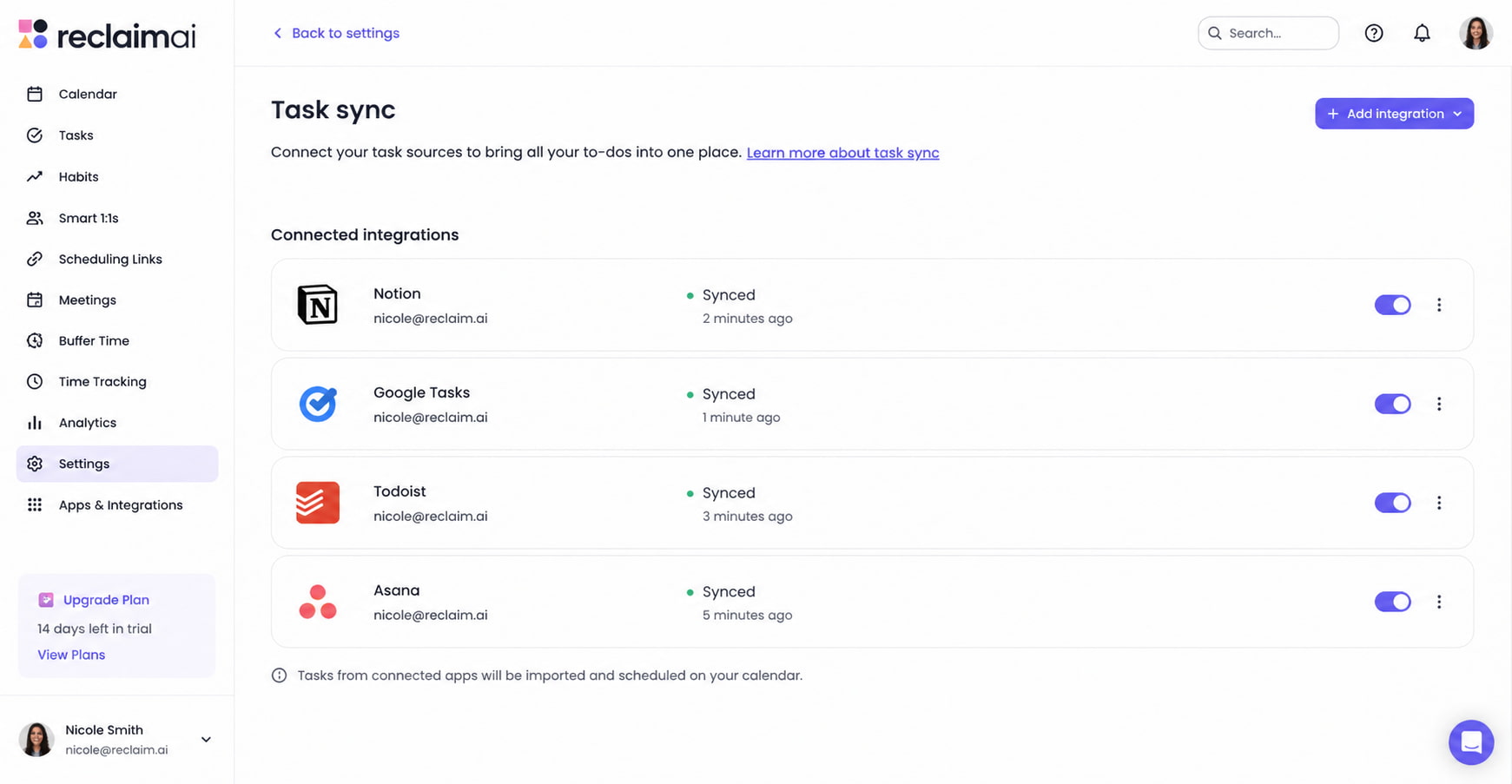
Task Sync: You probably have tasks scattered everywhere. Maybe some are in Notion, some in Google Tasks, or Todoist. Reclaim AI brings in your to-do lists from all these other apps into one place. It turns your big, scary list into real blocks of time on your schedule. You do not have to check five different apps to see what is due tomorrow. It is all right there in front of you.
-
Smart Breaks: College is exhausting. If you study for six hours straight, your brain will turn to mush. Reclaim AI knows this. It automatically adds rest time and travel time to your schedule so you do not burn out. It blocks off time for you to eat lunch, stretch, or just breathe. It makes sure you work hard but also stay healthy. You actually get a break without feeling guilty about it!
Pricing
You can use Reclaim AI for free to handle your basic scheduling. If you want to connect extra calendars or need advanced features, paid plans start at $10 per month.
Consensus
Consensus is a search engine built just for students and researchers. Finding good sources for your essays can take hours. Google gives you too many bad links and random blogs. Consensus fixes this. It helps you find real facts fast so you can write a smart paper without the headache.
Key Features
-
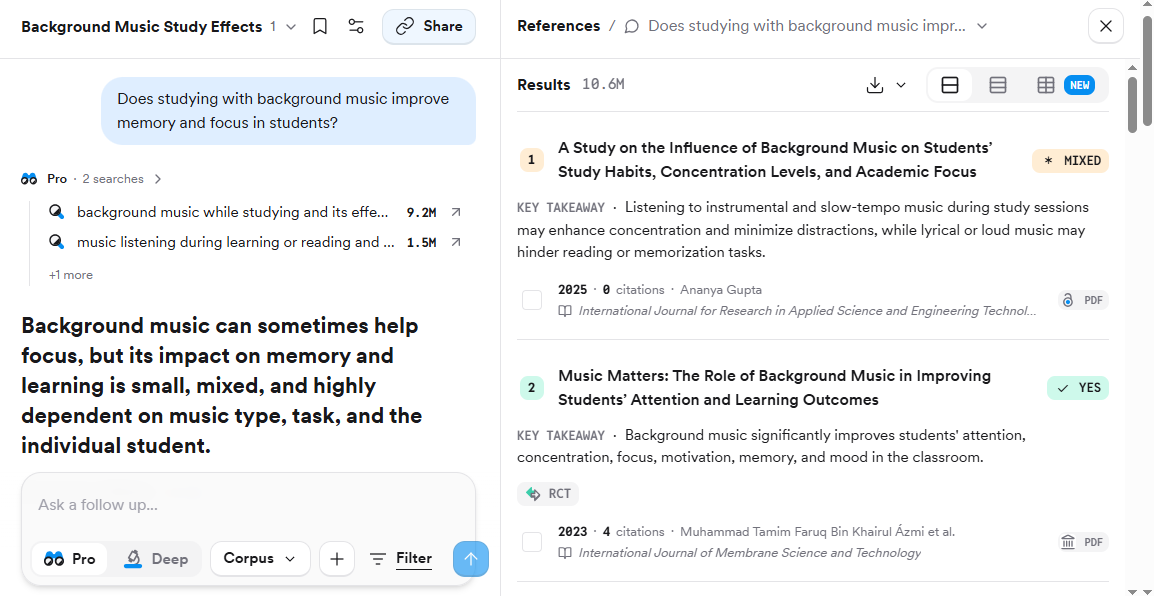
Academic Search: Google is full of random blogs and opinion pieces. You cannot use those in your school papers. Consensus is different. It only looks at real, published science papers. When you ask it a question, it searches millions of academic journals. You get trusted facts right away. You never have to worry if your teacher will reject your source.
-
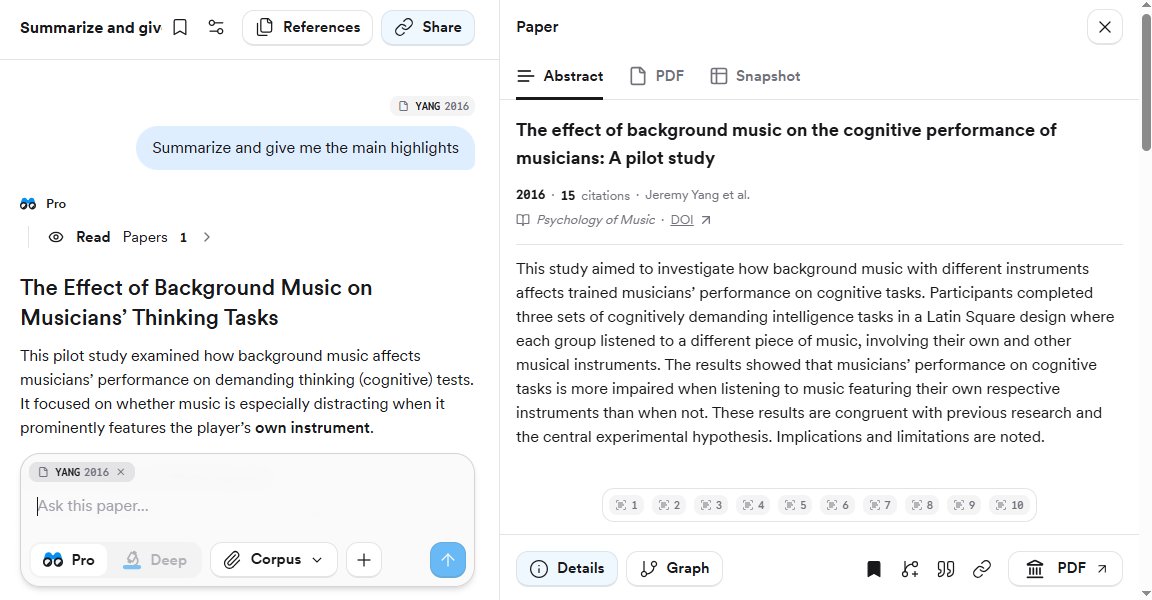
Quick Summaries: Science papers are very long. They are full of hard words that can make your head hurt. Consensus reads these hard papers for you. It pulls out the main point and gives you a short, easy answer. It shows you exactly what the paper says in plain English. This saves you hours of boring reading.
-
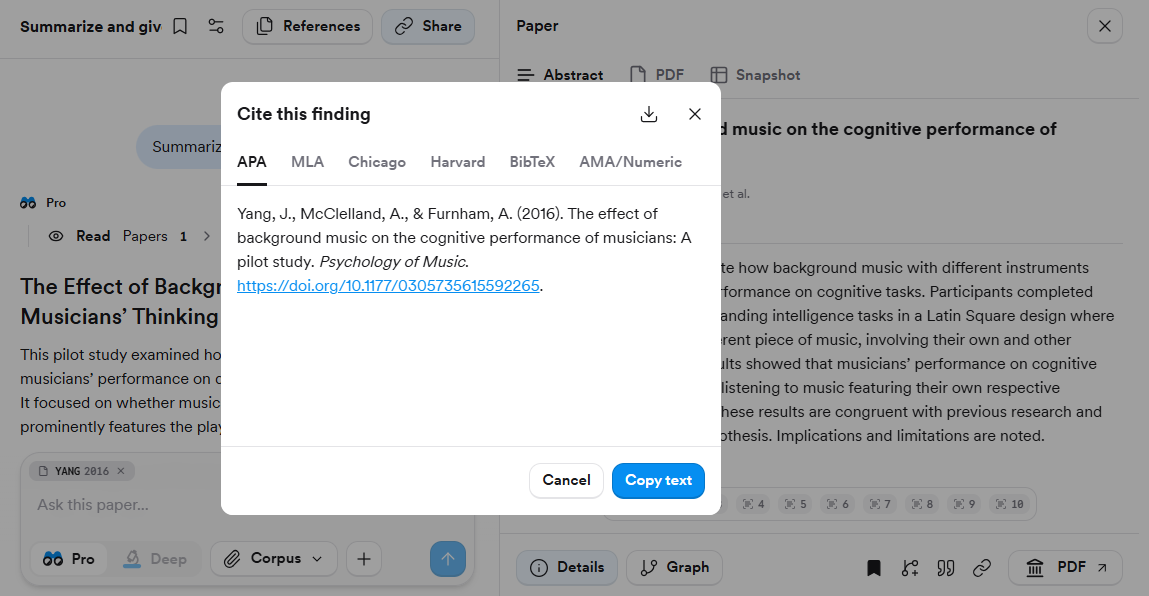
Easy Citations: Doing your bibliography is the worst part of any essay. One wrong comma and you lose points. Consensus helps you cite your sources the right way. Once you find a good paper, it builds the citation for you. You just copy it and paste it into your document. It makes finishing your paper so much easier.
Pricing
You can use Consensus for free to handle your basic searches. If you want to use advanced AI filters or need unlimited summaries, paid plans start at $10 per month.
NotebookLM
NotebookLM is a smart study app made by Google. You just upload your class notes, slide decks, and heavy reading materials. It reads everything and becomes a personal tutor for your class. It helps you understand hard topics fast so you can ace your next big test without ever pulling a stressful all-nighter. It saves you time!
Key Features
-
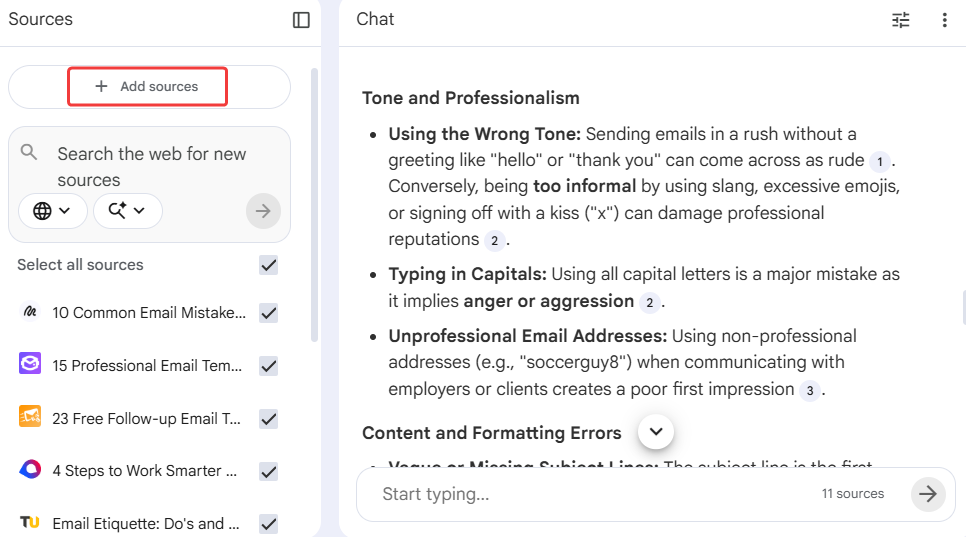
Sticks to the Facts: Normal AI can sometimes make things up. This is bad for school. NotebookLM is different. It only answers questions based on the exact notes you give it. If you upload your history notes, it will only use those notes to answer you. It sticks to the facts. It will never invent a fake date or a made-up event. This makes it a very safe way to study for your real exams.
-
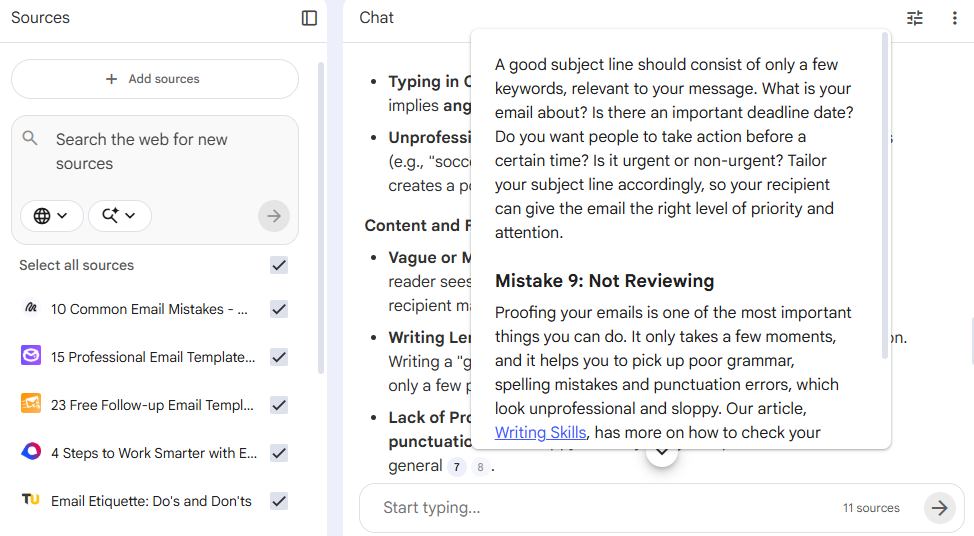
Clear Proof: When you ask a question, you need to know where the answer came from. NotebookLM does not just give you text. It gives you clear proof. Every time it answers, it gives you a small number to click. This takes you to the exact line in your notes where it found the fact. You can check its work instantly. You never have to guess if the answer is right or where it is hiding.
-
Audio Podcasts: Reading 50 pages of notes can make you fall asleep. NotebookLM has a fun fix for this. It can turn your boring reading into a real audio podcast. Two AI voices will talk about your notes like a radio show. They make jokes and explain hard ideas simply. You can listen to your class notes while you walk to school or clean your room. Studying does not have to be boring.
Pricing
NotebookLM offers a very generous free version that gives you access to its best features for everyday research. If you are a heavy power user and need higher limits, the paid plans start at $19.99 per month.
Otter
Otter is a smart recording tool that types what your teacher says in class. Sometimes lectures are too fast, or you just space out. This tool listens and takes perfect notes for you. It lets you focus on understanding the lesson instead of rushing to copy everything down. It is like having a super-fast typing buddy in every class.
Key Features
-
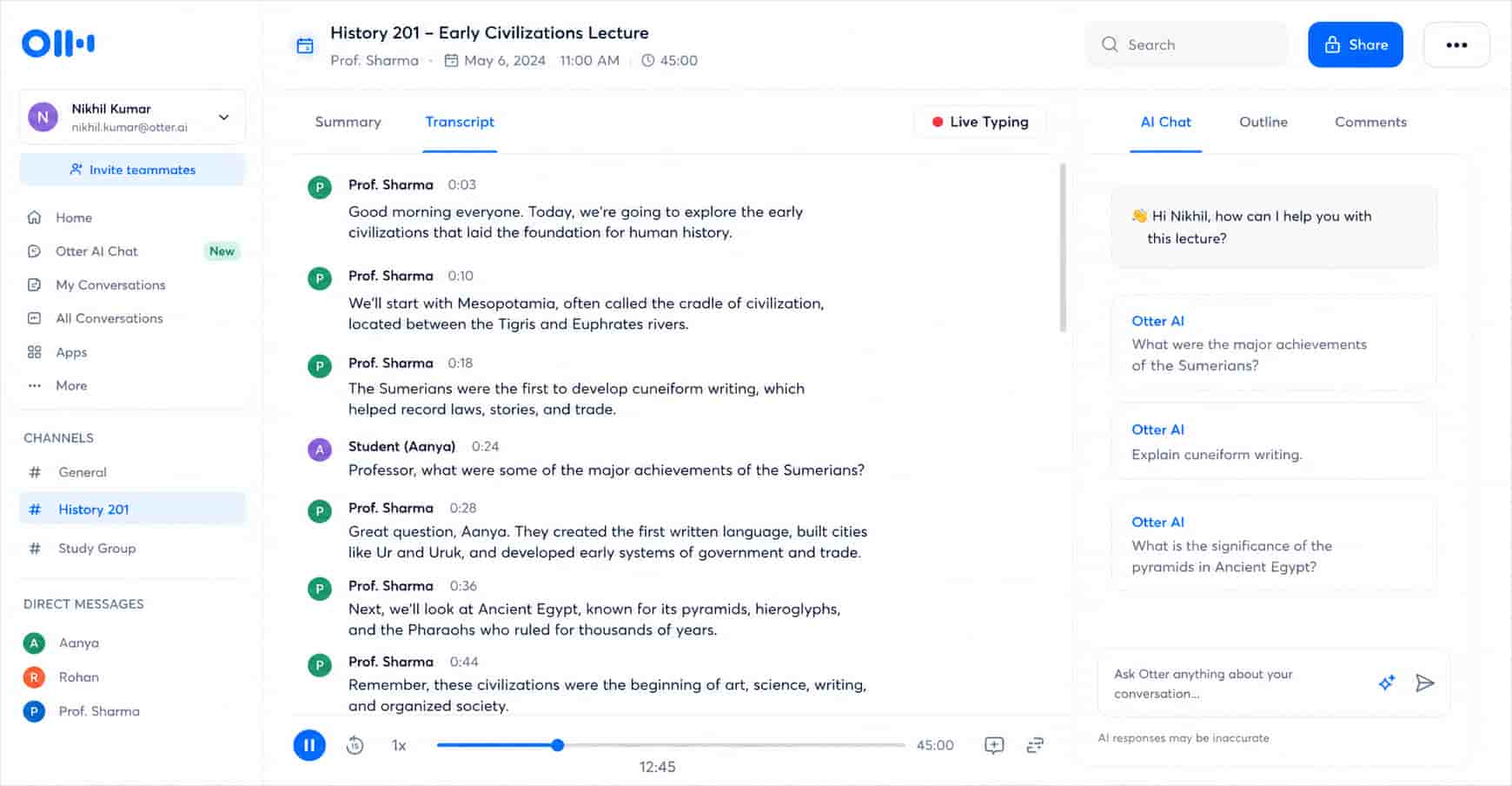
Live Typing: Teachers talk fast. It is hard to write down every word. Otter fixes this. It types out the whole lecture live while your teacher talks. You can watch the words appear on your screen. If you miss something, you just scroll up. You never have to panic about missing a slide or a fast explanation again.
-
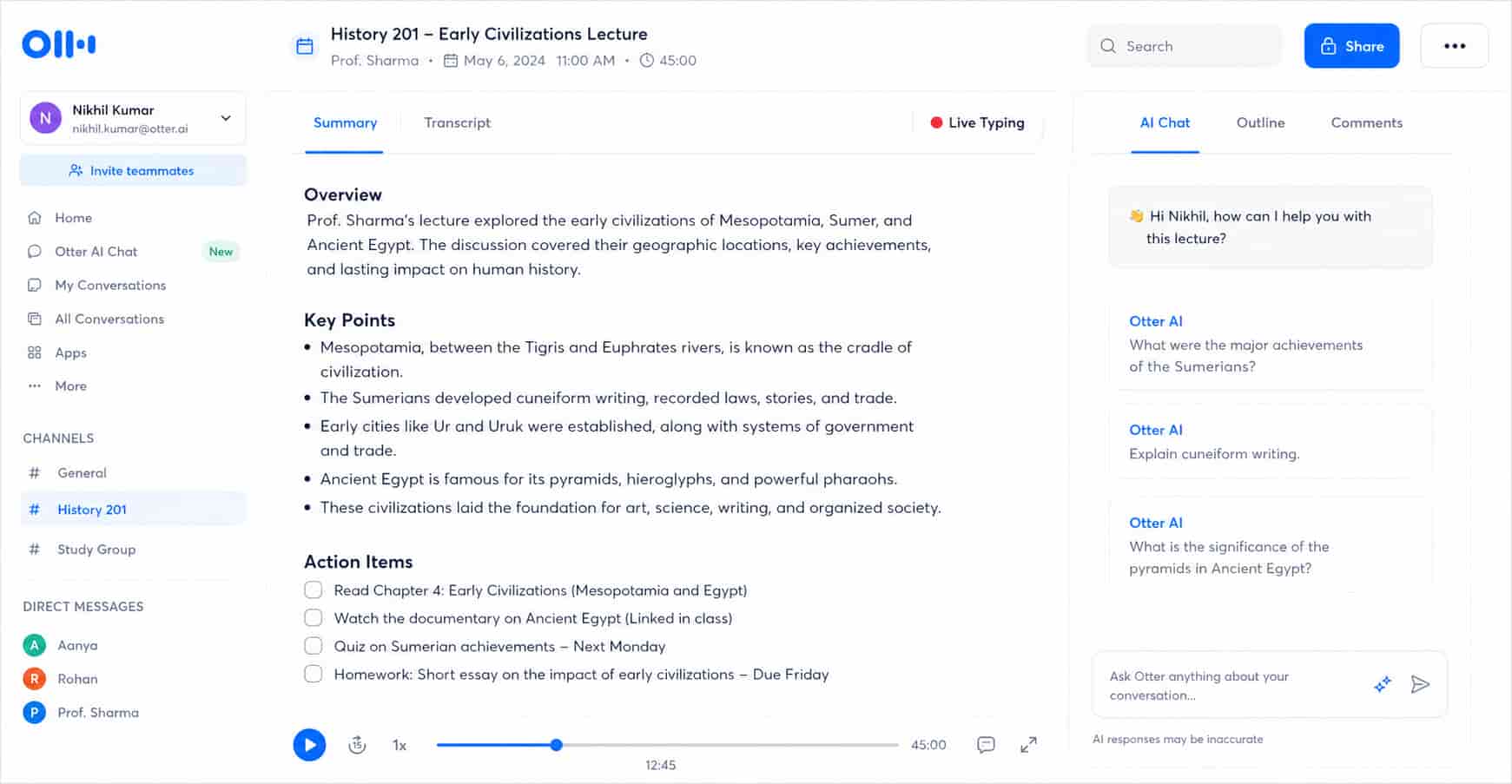
Quick Summaries: After a long class, you do not want to read a giant wall of text. Otter knows that. When the class ends, it makes a short summary for you. It pulls out the main points and action items, like "read chapter four" or "homework due Friday." It turns a long lecture into a simple, short list you can review in just five minutes.
-
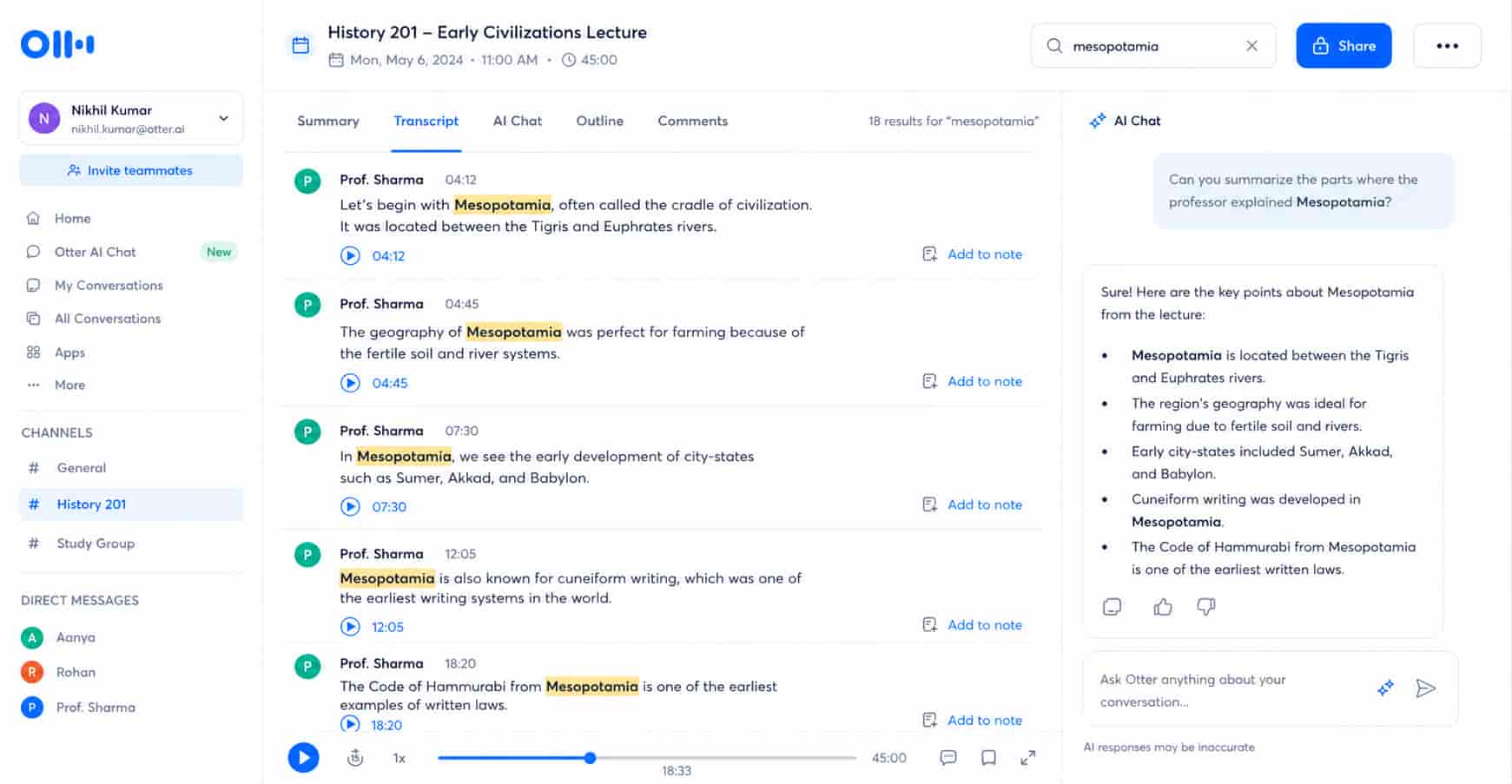
Searchable Notes: Finding one fact in old, messy notebook pages is the worst. Otter turns your class audio into searchable notes. When exam time comes, you just type a keyword like "mitosis." It finds exactly where the teacher said it and lets you read or listen to that exact moment. Studying becomes so much faster and way less stressful.
Pricing
You can use Otter for free to handle your basic class recordings. If you want to record longer lectures or need more monthly minutes, paid plans start at $8.33 per month.
Quizlet
Quizlet is a smart study app that helps you memorize facts and prepare for big exams. Staring at your notes for hours does not always work. You forget things easily. This tool turns your boring notes into fun games and quizzes. It makes studying active, so the information actually sticks in your brain before test day.
Key Features
-
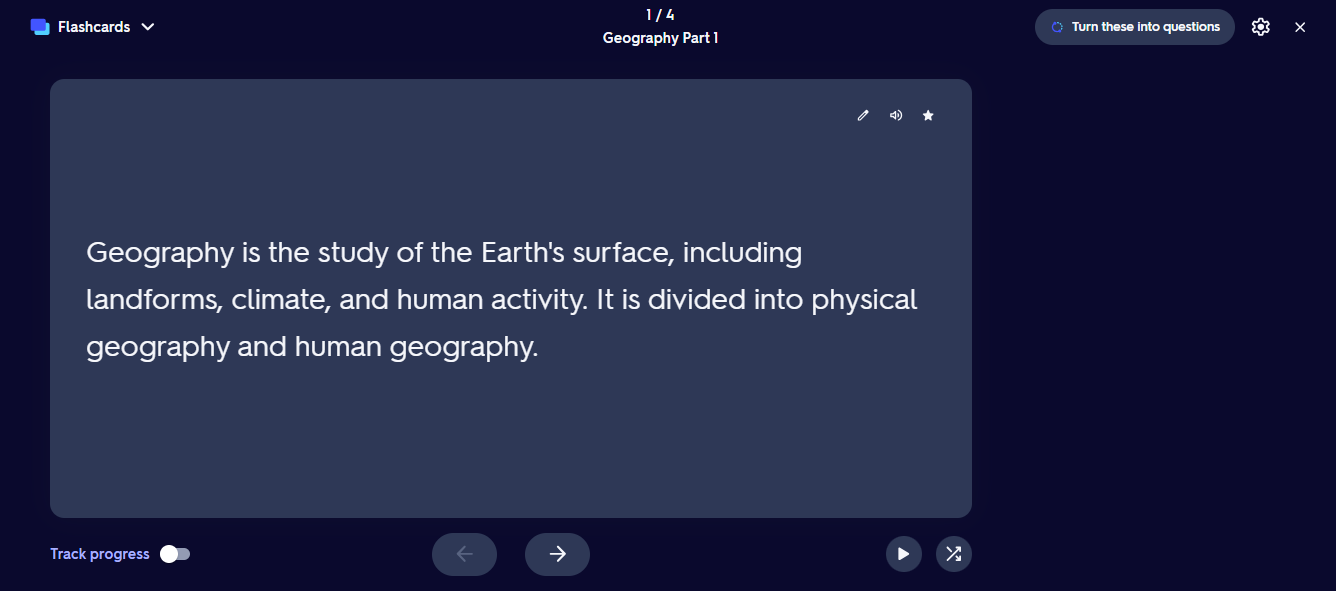
Smart Flashcards: Making flashcards by hand takes forever. Quizlet does it for you. You just upload your class notes or study guide. It reads them and builds digital flashcards instantly. You can flip through them on your phone while you wait for the bus. It saves you hours of writing out cards before you even start studying.
-
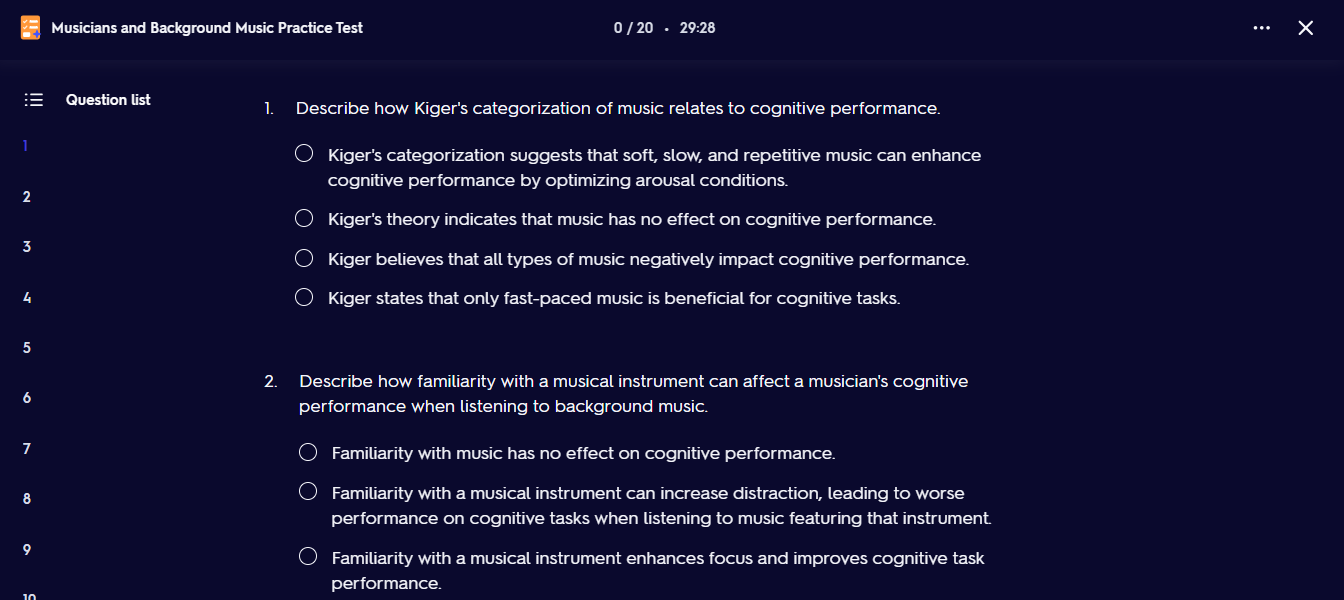
Practice Tests: You never know what the teacher will ask on the test. Quizlet helps you prepare. It builds practice tests based on your exact notes. It gives you multiple-choice, matching, and written questions. It tests you on what you actually need to know, so you walk into the real exam feeling completely ready.
-
Weak Spot Focus: Studying everything again is a waste of time. You already know some parts. Quizlet tracks your correct and incorrect answers. It finds exactly what you keep forgetting. Then, it focuses heavily on those weak spots. It helps you learn the hard parts until you get them right. You study smarter, not longer.
Pricing
You can use Quizlet for free to handle your basic flashcards and studying. If you want to study offline or need advanced AI study modes, paid plans start at $7.99 per month.
Paperpal
Paperpal is a smart editing tool that checks your essays before you turn them in. College professors hate bad grammar and messy citations. This tool fixes your spelling mistakes and builds perfect reference lists for you. It makes sure your final paper sounds professional and has all the right sources. It takes the stress out of grading day.
Key Features
-
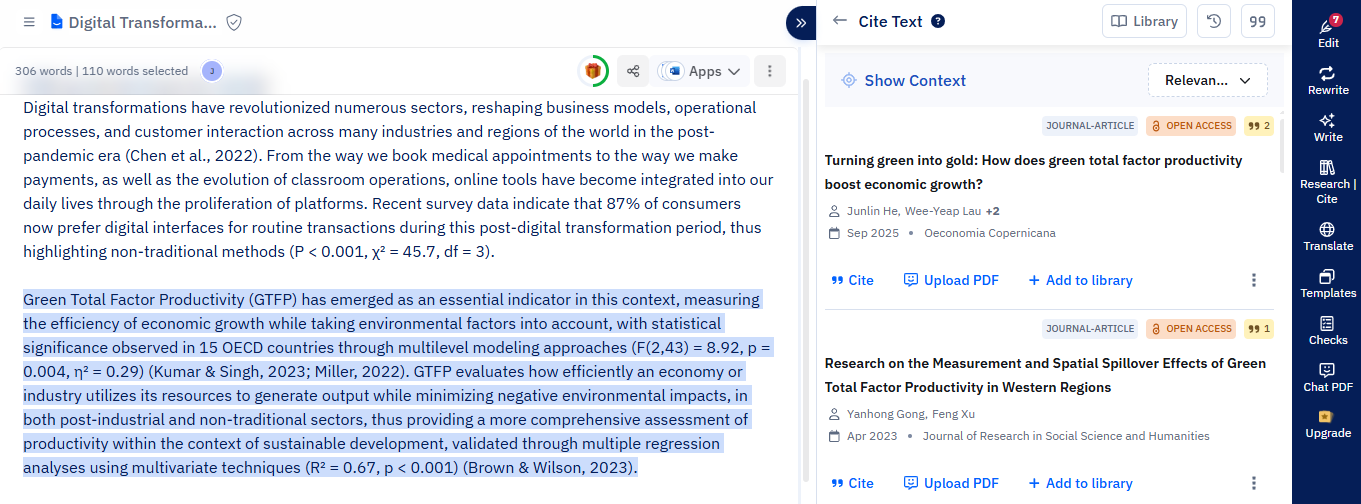
One-Click Citations: Doing your bibliography is the worst part of writing. Paperpal has a great citation feature to fix this. It finds real papers from a giant list of trusted sources. Then, it builds your citations in any style you need, like APA or MLA. You just copy and paste them into your essay. It saves you so much time and keeps you from losing easy points.
-
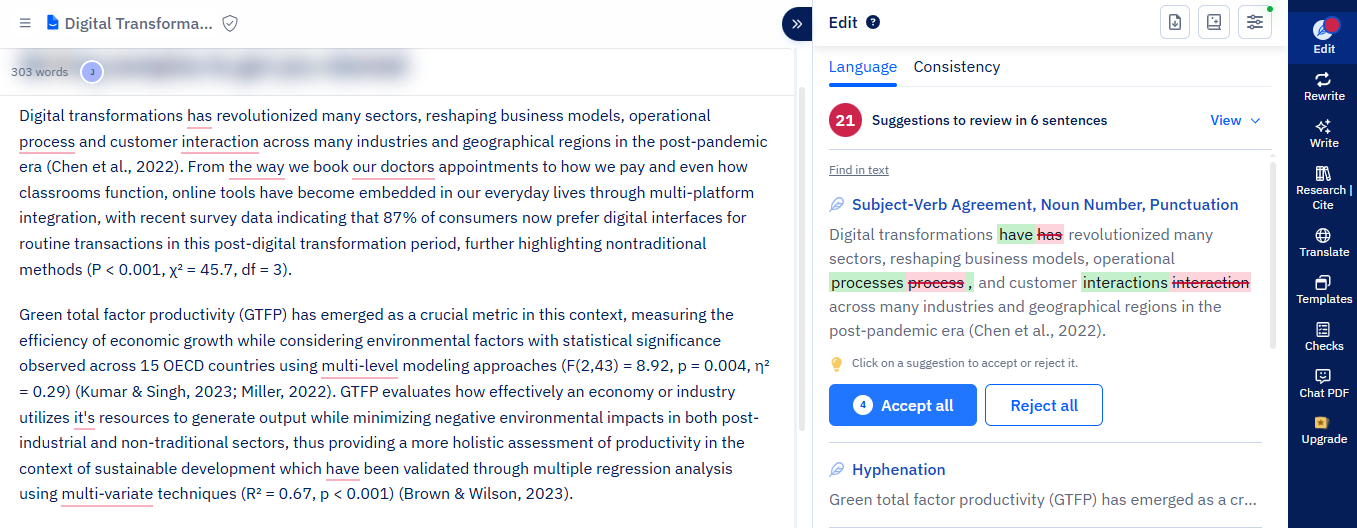
Grammar Check: Even the best students make typing mistakes when they write fast. Paperpal catches all those big mistakes in your papers. It fixes bad grammar, wrong commas, and silly typos instantly. It cleans up your messy draft and turns it into a clear, perfect essay. You never have to worry about looking careless to your professor.
-
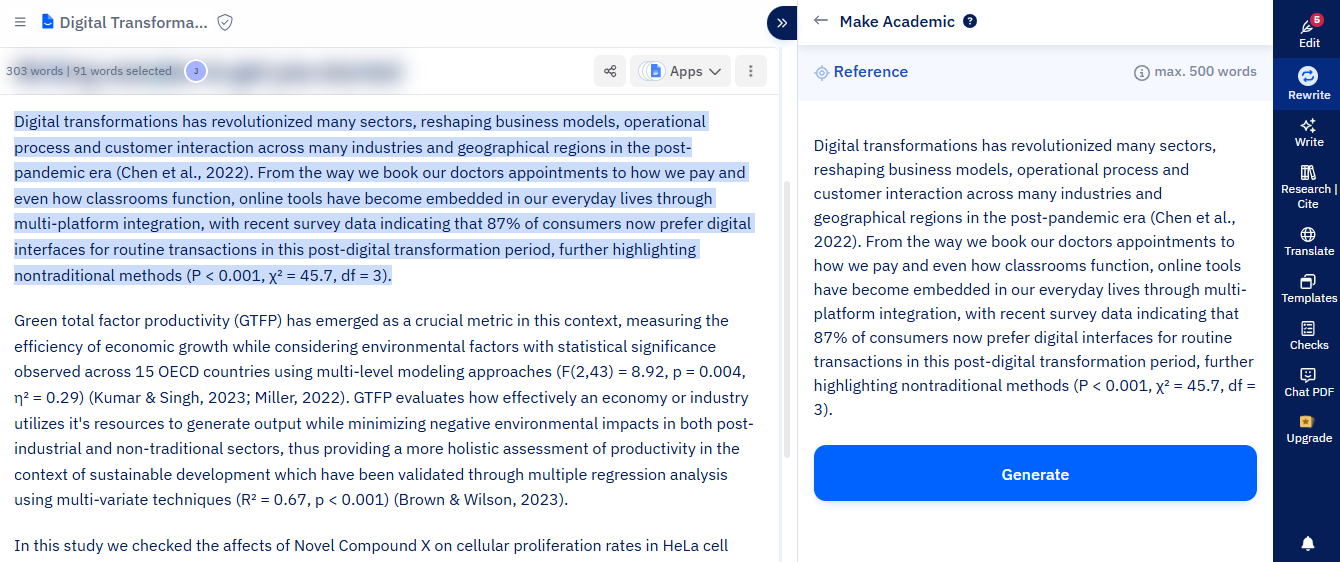
Academic Tone: Sometimes we write exactly how we talk. But school papers need to sound serious. Paperpal helps your writing sound right for school. It gives you better words to use instead of casual slang. It changes weak sentences into strong, smart arguments. It makes your work sound like it was written by a real scholar, not a tired student.
Pricing
You can use Paperpal for free to handle your basic checks. If you want to use unlimited AI features or need advanced editing, paid plans start at $25 per month.
Gamma
Gamma is a fast way to make beautiful slides for your class projects. Making a good presentation usually takes hours of moving text boxes and fixing colors. This tool changes that. You just type what your project is about, and it builds the whole slide deck for you in seconds. It makes you look like a pro designer without any of the hard work.
Key Features
-
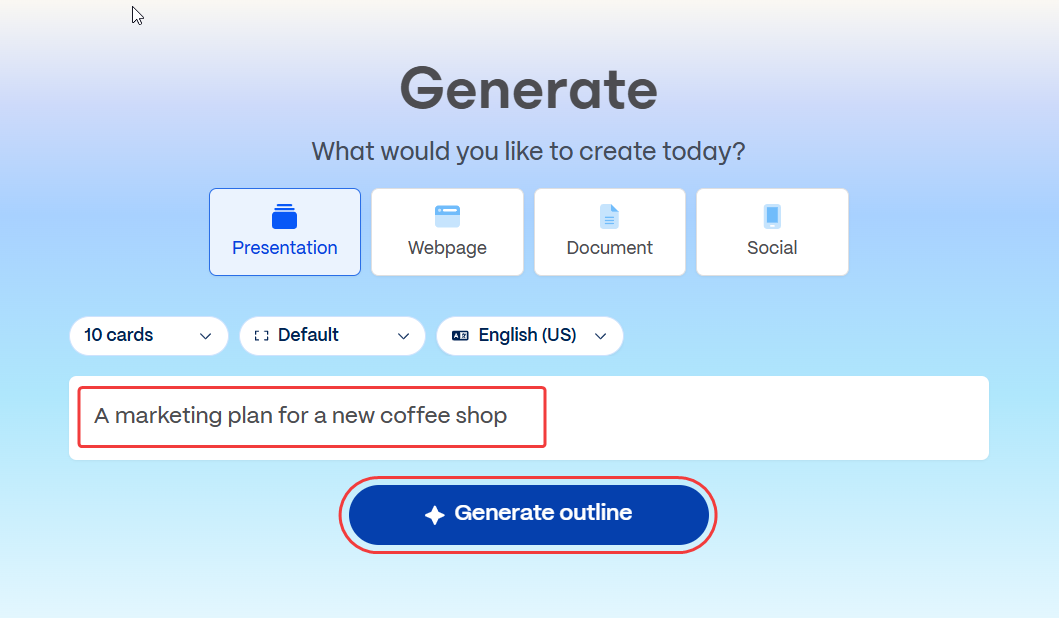
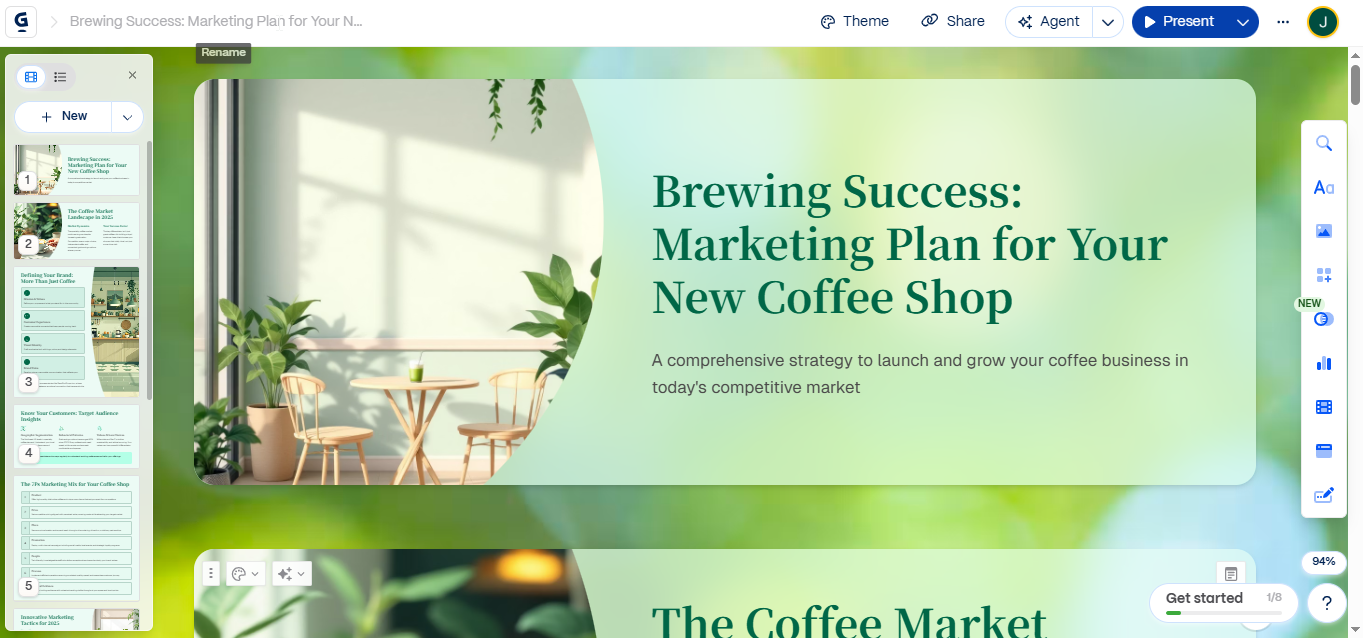
Generate a Full Presentation Instantly: Building slides from scratch takes forever. Gamma does the heavy lifting for you. You just give it a topic, like "the history of space travel," or paste in your rough notes. It reads your text and generates a full presentation instantly. It writes the words, picks the layout, and adds pictures. You get a finished rough draft in under a minute.
-
Interactive and Engaging: Nobody likes a boring wall of text. Teachers want to see fun, engaging projects. Gamma helps you make your slides interactive. You can easily drop in things like YouTube videos, live websites, or cool GIFs without writing any code. It makes your presentation look like a modern, scrolling website instead of a boring old PowerPoint.
-
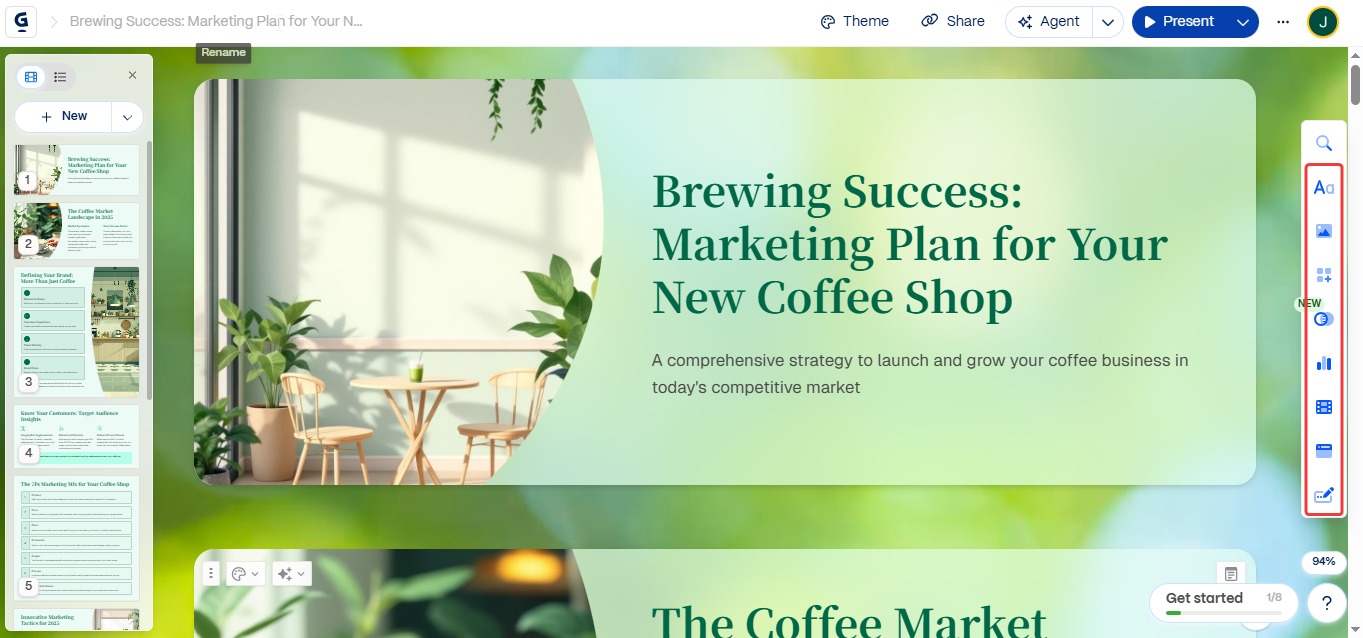
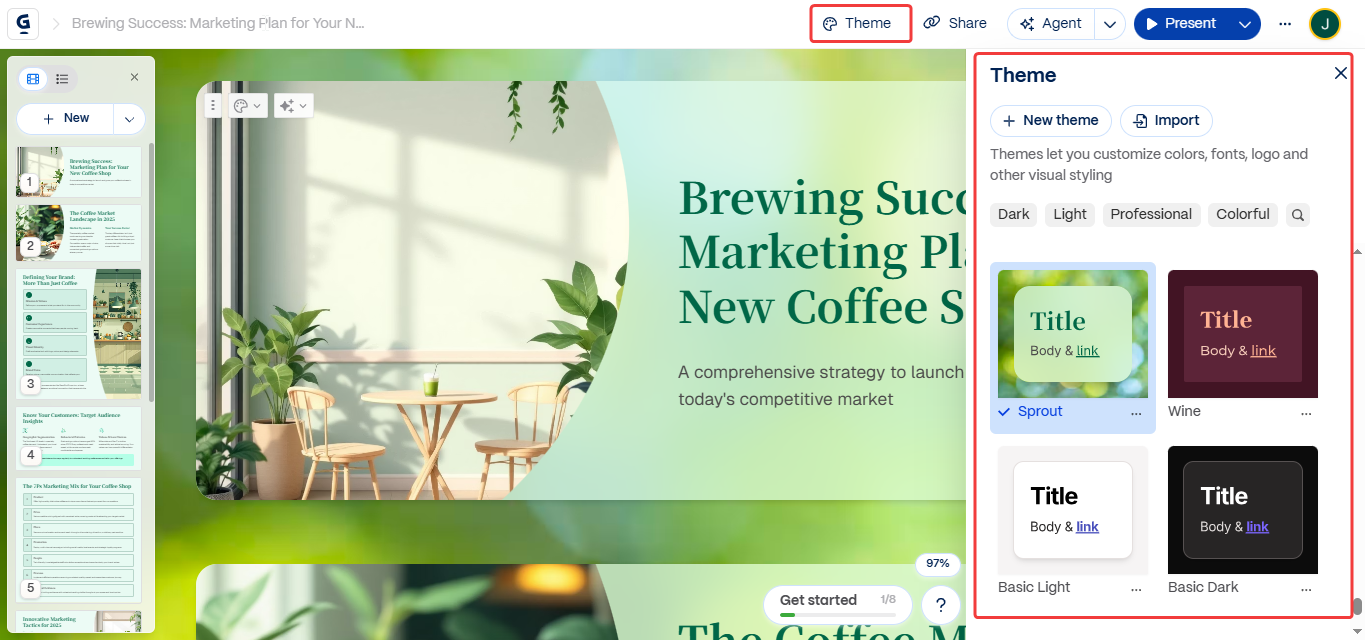
One-Click Restyling: Fixing fonts and colors on 20 different slides is annoying. If you hate how your presentation looks, Gamma makes it easy to change. It has a one-click restyling feature. You just pick a new theme from the menu, and it changes the colors, fonts, and layout of the entire deck instantly. You never have to manually adjust tiny text boxes again.
Pricing
You can use Gamma for free to handle your basic slides and projects. If you want to use unlimited AI features or need advanced image generation, paid plans start at $10 per month.
Conclusion
College is hard. But it does not have to be a nightmare. You do not need to do everything the hard way anymore.
These AI tools are here to save you time. They make your writing clear. They help you find facts fast.
Here is a quick tip: Do not try all 8 tools today. That will just stress you out.
Pick just one or two that fix your biggest problem. If you hate switching tabs while writing your emails and essays, give Jetwriter AI a try. If your schedule is a total mess, let Reclaim AI fix it.
Pick one tool right now. Try it on your next paper. You will wonder how you ever survived without it.
Frequently Asked Questions (FAQ)
Can an AI just write my whole research paper for me?
No, you should never do this. AI is a helper meant to fix your grammar and find facts, not a replacement for your brain. If an AI writes the whole paper, it will sound fake and you will not learn anything.
Is it cheating to use AI for my college essays?
It depends on how you use it. Using AI to brainstorm ideas or fix spelling is just like using a smart calculator. But if you copy and paste whole paragraphs of AI text, that is cheating and your teacher will find out.
Is my private school data and personal info safe with these apps?
It depends on the app you use. Safe tools, like Jetwriter AI, protect your privacy and never use your private data to train public models. Always check the rules of the app before you upload your personal school notes.
Will relying on AI make my own writing skills worse over time?
Not if you use it the right way. If you use it to see how it fixes your mistakes, you actually learn and get much better. Think of it as a helpful tutor, not a shortcut that makes you lazy.