A few years ago, AI writing tools were just for fun. Today, we need them to get work done.
Writers use them to create blogs. Marketers use them for ads. Students use them for assignments. These tools help us write faster and better.
But here is the hard part.
There are hundreds of AI tools out there now. New ones come out all the time. It is very hard to pick the right one.
The truth is, one tool cannot do everything. A tool that is good for writing emails might be bad for writing a story. You need the right tool for your specific job.
We want to help you choose.
We tested 8 popular AI writing tools for you. We looked at their features and prices. In this blog, we cover tools for everything - from researching school papers and writing emails to posting on social media and writing movie scripts.
Let's find the best tool for you.
Best AI Writing Tools
Jetwriter AI – Best for Personalized Browser Assistance
Do you hate switching tabs? It is the same old story: you copy text from an email, open a new tab for an AI site, paste the text, wait for an answer, copy it again, and go back to your email. It is annoying, breaks your focus, and wastes so much time.
Jetwriter AI solves this problem completely. It is a smart "copilot" that lives right inside your browser as an extension. It works exactly where you work - whether you are replying to emails in Gmail, networking on LinkedIn, or answering support tickets in Freshdesk and Zendesk. It reads the page you are on and helps you write without you ever leaving the tab. It is like having a helper sitting right next to you.

Key Features
-
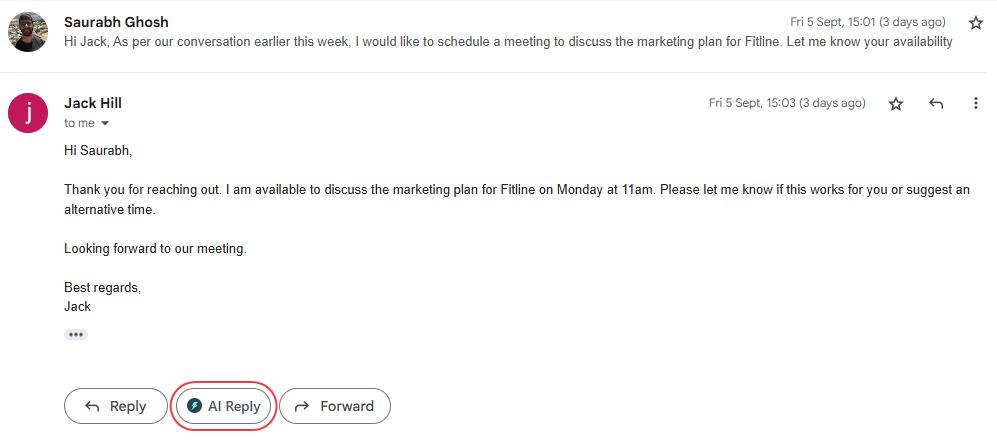
Writes Responses For You: Imagine you open a long, complicated email or a LinkedIn message. Instead of stressing out, you just click the Jetwriter AI button. It instantly reads the entire conversation history to understand the context. Then, it writes a perfect reply for you in seconds. It is also a lifesaver for support agents using Freshdesk or Zendesk, helping you answer customer tickets faster than ever. The best part? You don't need to write a perfect, long prompt. You can just give a simple instruction like "Say yes to the meeting" or "Politely decline." You can even set the tone (like "Professional") and the length (like "Short") before it starts writing.
-
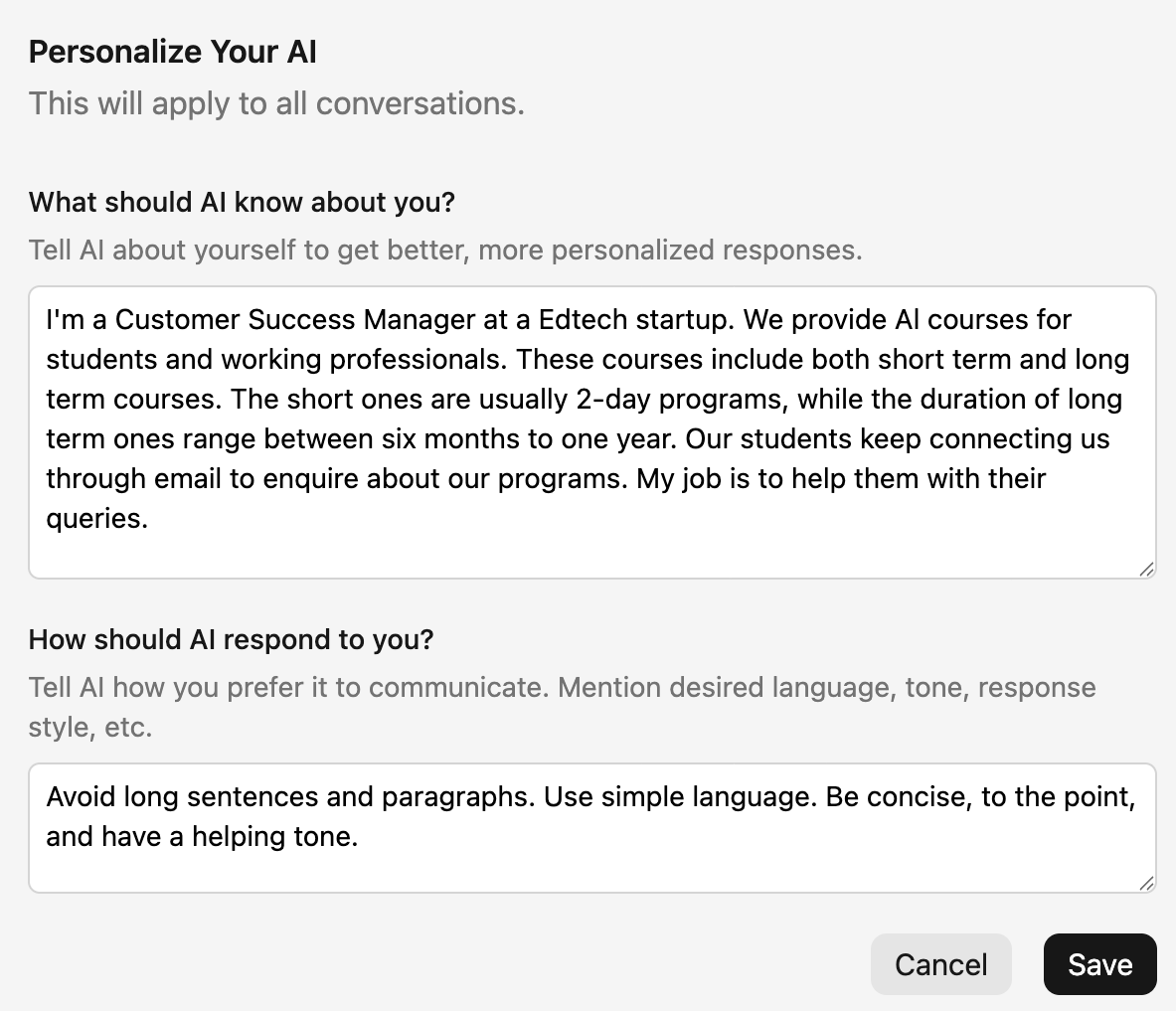
Personalize AI: Most AI tools sound like a robot. They use the same boring words for everyone. Jetwriter AI is different. You can teach it about you. You create a simple profile where you tell it your job title, your company details, and how you like to communicate. This way, every word it generates sounds like it came from you, not a machine.
-
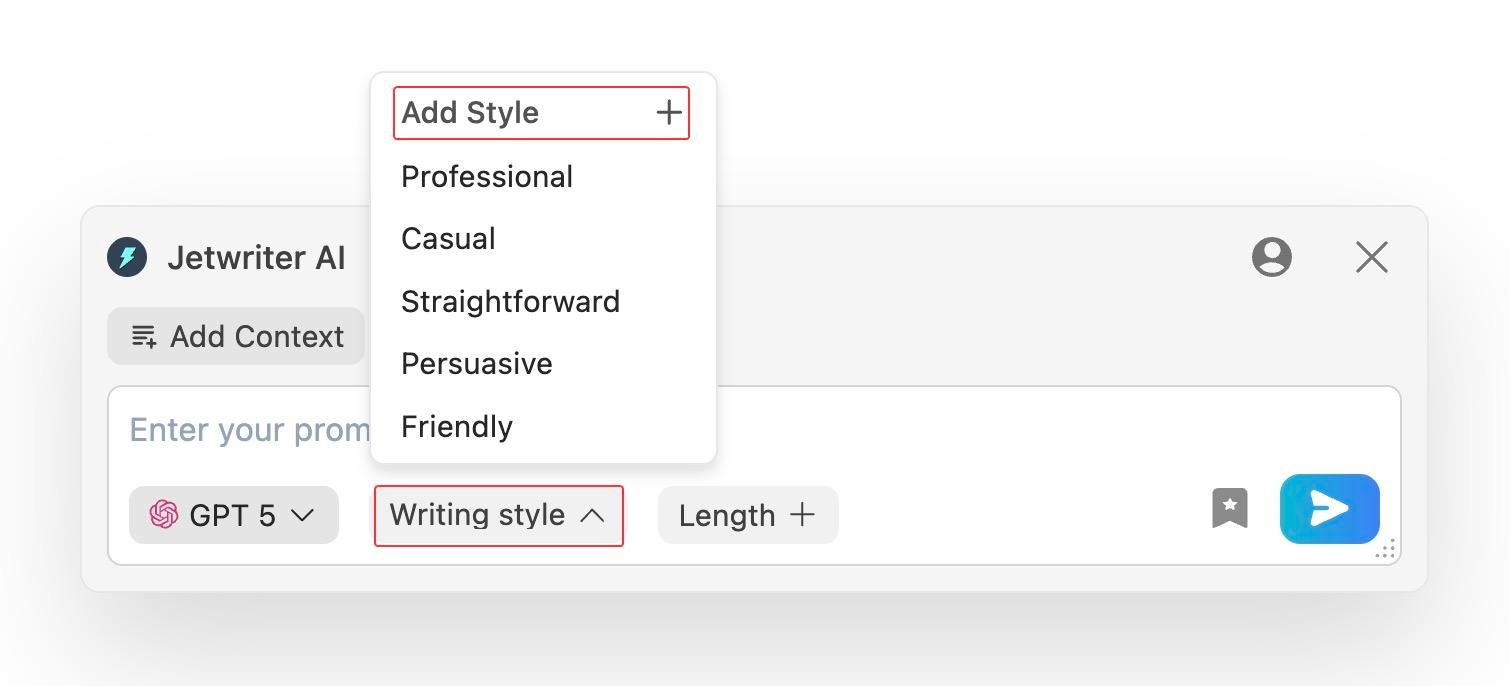
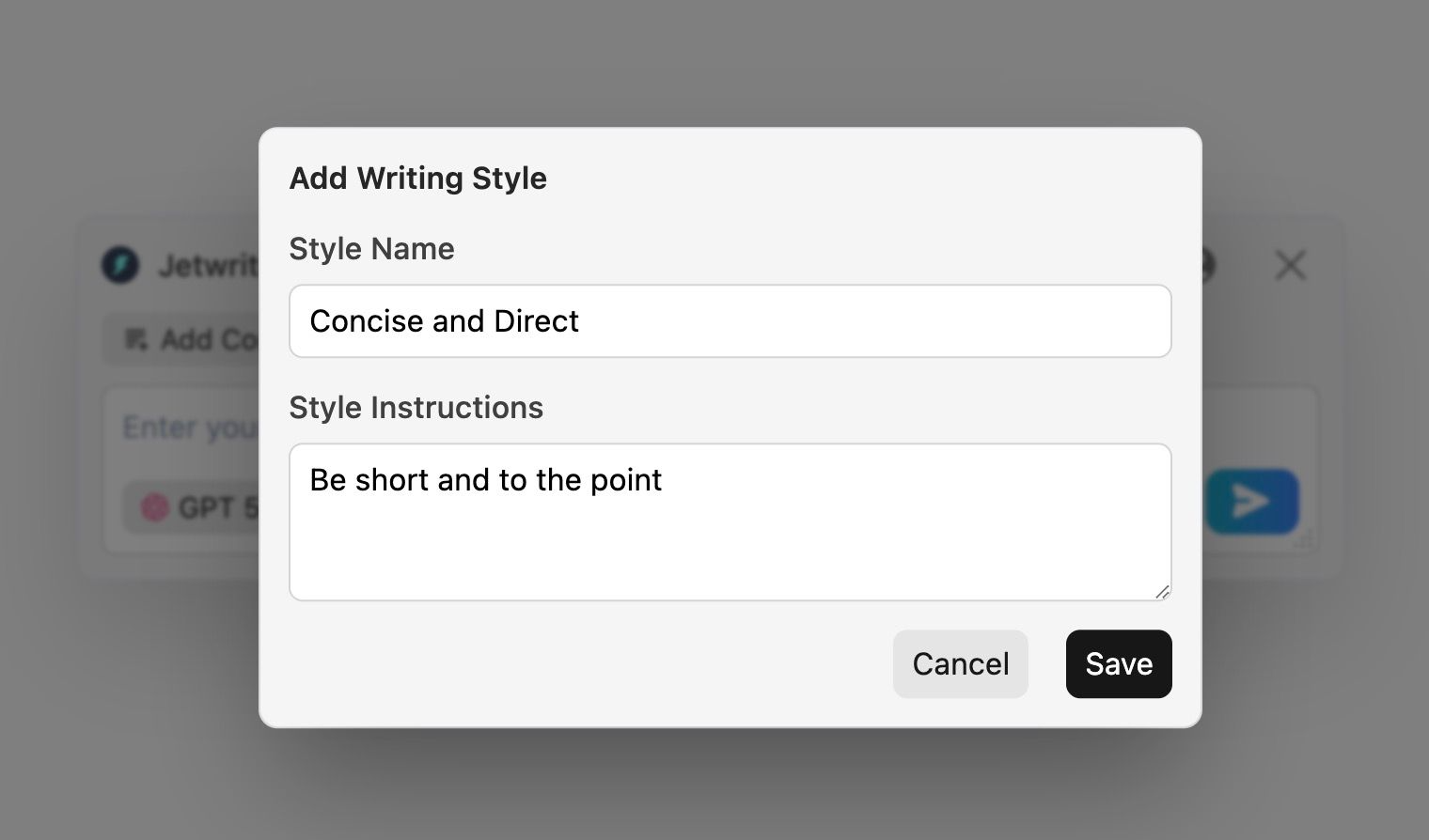
Create Custom Writing Styles: You don't talk to your boss the same way you talk to your best friend, right? Jetwriter AI understands that. You can create and save your own "Custom Writing Styles." Want a "Formal Manager" style for reports? Or a "Friendly & Witty" style for social media? You can save these styles once and use them with a single click forever.
-
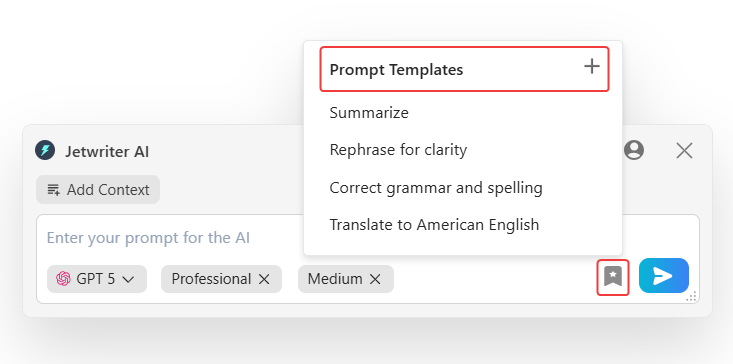
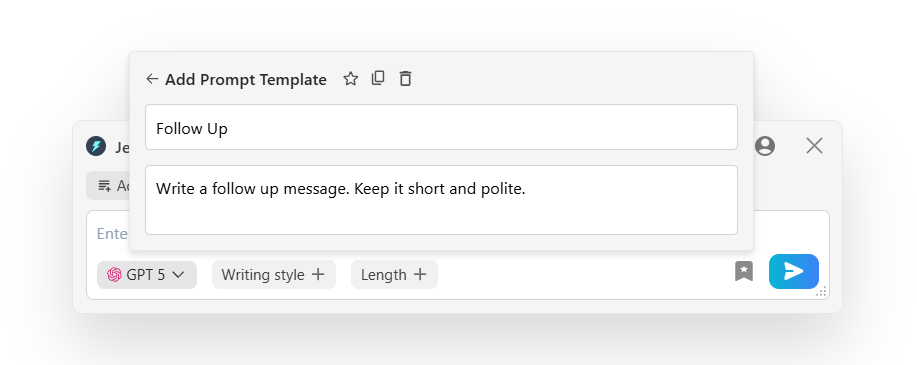
Save Prompt Templates: Do you find yourself typing the same commands over and over? Maybe you always ask AI to "Summarize this into bullet points" or "Check for grammar errors." With this feature, you can save your favorite prompts as templates. Next time, you just click a button, and the job is done. It is a huge time-saver for repetitive tasks.
-
Quick Actions: When you select any text on any website, a small, helpful menu pops up right there. You can use it to instantly fix grammar mistakes, summarize long articles so you don't have to read everything, or translate text into another language. It is like having a smart editor with you on every single website you visit.
-
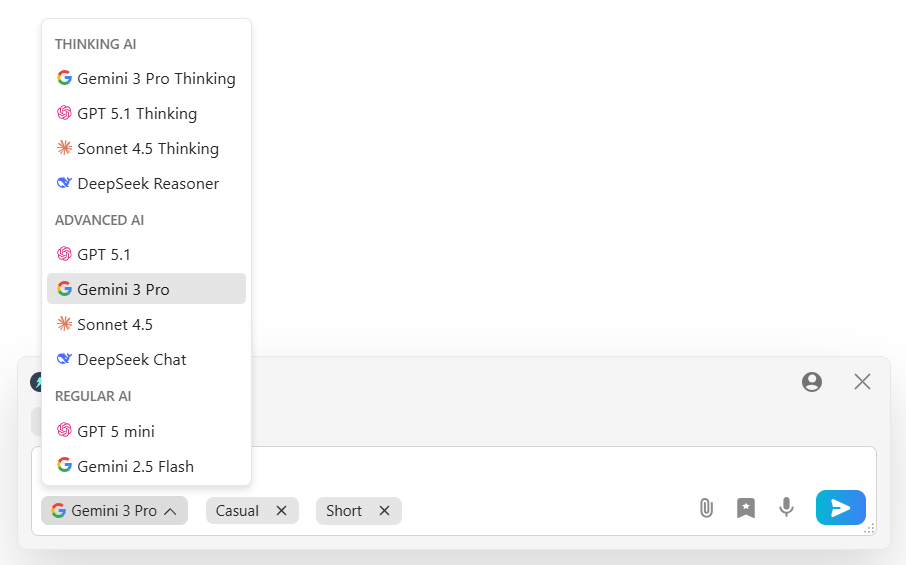
Multi-model, Lightweight & Privacy Focused: You are not stuck with just one AI. You can choose the best brain for the job, whether it is GPT-5.1, Claude, or Gemini. Even with all this power, the tool is incredibly lightweight (less than 1MB), so it never slows down your computer. Most importantly, your privacy is safe. Jetwriter AI promises that they never use your data to train their AI models.
Pricing
You can start using Jetwriter AI for free. If you use it often, there are affordable paid plans available. You can even plug in your own API key.
Writesonic – Best for SEO & Marketing Content
We all know the struggle. You want your blog to show up on the first page of Google, but writing long, perfect articles takes forever. And if you don't use the right keywords, no one sees your work.
Writesonic is built to fix this. It is a powerful tool designed specifically for marketers and bloggers who need to rank high on search engines. It doesn't just write; it helps you get found.
Key Features
-
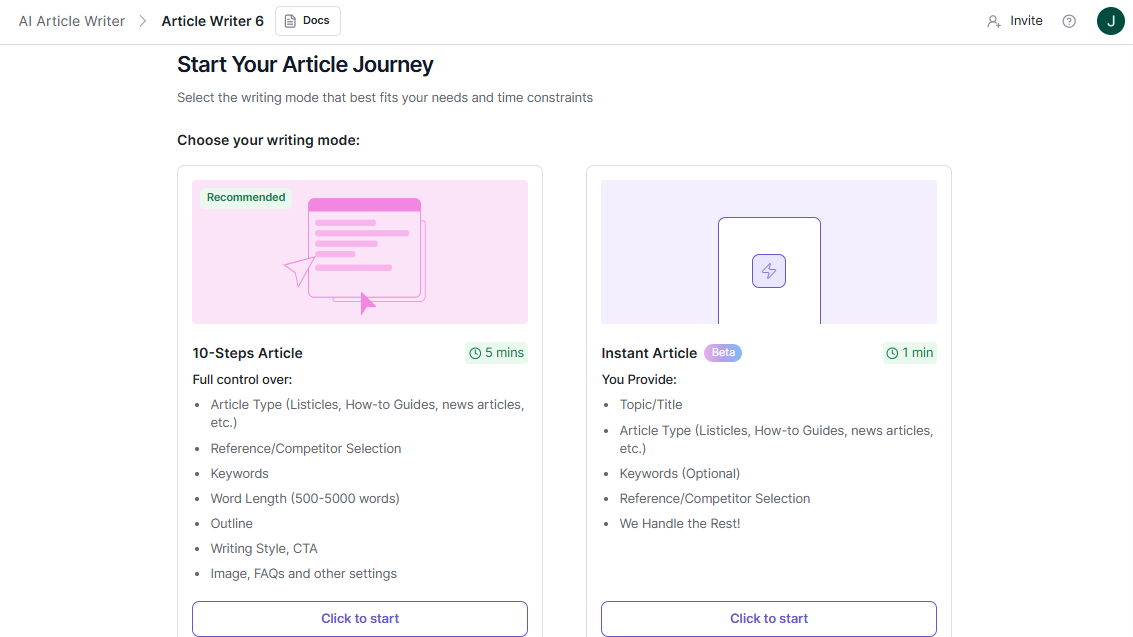
AI Article Writer: This is the main star. It doesn't just write a few sentences; it writes entire long articles for you. The best part? It looks at real-time Google data. This means it uses actual facts and trends happening right now, not old news from two years ago. It creates content that is ready to rank.
-
Chatsonic: Think of this as ChatGPT’s smarter cousin who stays up-to-date with the news. While some AI tools have old data, Chatsonic has real-time internet access. You can ask it about today's events, and it will give you an accurate answer. It can also generate images for your blogs instantly.

-
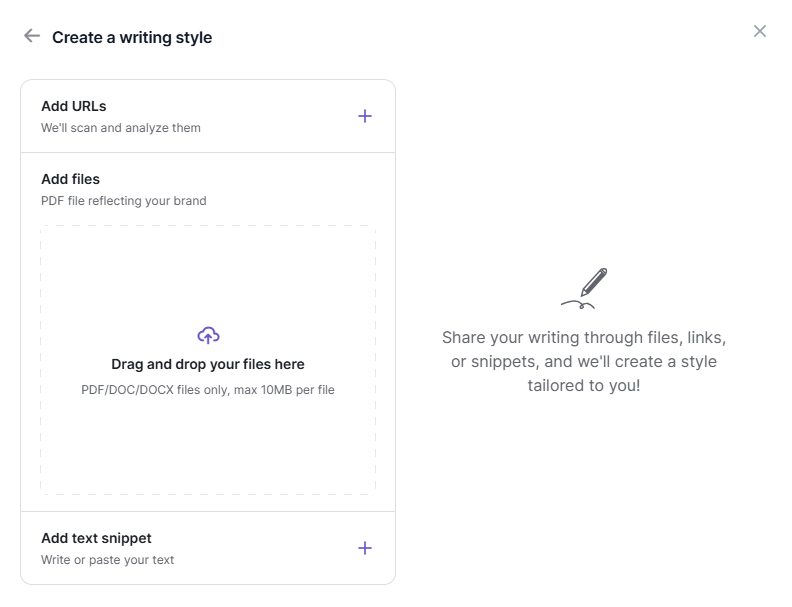
Brand Voice: You don't want your blog to sound like a generic robot. With this feature, you can upload your old articles or marketing copy. The AI reads them, learns your unique style, and writes exactly like you.
Pricing
You can try it out with a free trial. If you like it, the paid plans start at $49 per month.
ChatGPT (OpenAI) – Versatile All-Rounder
You have almost certainly heard of this one. It is the tool that started the big AI boom. But did you know it is also one of the best writing helpers you can have?
Think of ChatGPT as a tool that can do almost anything. It does not just write for you; it helps you think. If you are staring at a blank page and feel stuck, it can give you ten ideas in seconds. If you have a messy draft, it can clean it up. Whether you are writing a difficult email, a funny story, or a serious report, ChatGPT is ready to help you get started. It is great for everything from coming up with new ideas to fixing your spelling.
Key Features
-
Can See, Hear, and Speak (Multimodal): This is a very useful feature for writers. It means ChatGPT can do more than just type. You can show it a photo of your handwritten notes, and it will type them out for you. You can even use the voice mode to talk about your ideas while you walk, and it will write them down. It helps you write in whatever way is easiest for you.
-
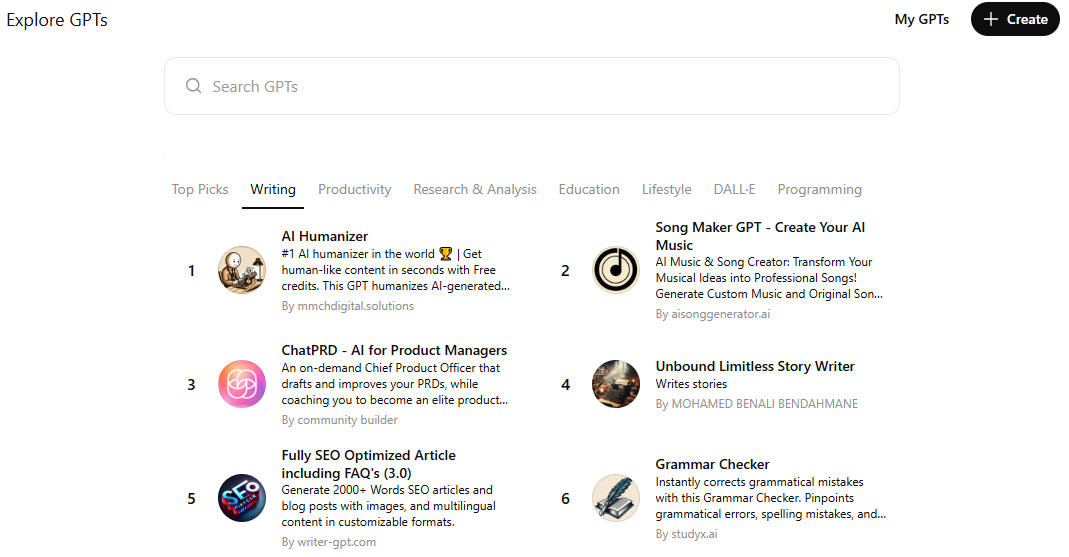
Custom GPTs: Imagine if you could build your own team of writing experts. With this feature, you can. You can create a special version of ChatGPT that only fixes grammar. You can make another one that helps you write stories. You can even use special versions made by other people to help you write code or ads. It lets you turn the general AI into a specific expert for your exact needs.
-
Smart Thinking (Advanced Reasoning): Sometimes, writing is about more than just words. It is about making sense. ChatGPT is very smart at organizing thoughts. You can give it a list of random notes and ask it to create a clear outline for a blog post. If you are writing a story, you can ask it to check if your plot makes sense. It helps you make sure your writing flows smoothly from start to finish.
Pricing
There is a free version that works very well for most daily writing tasks. If you want the smartest features and the ability to create Custom GPTs, the Plus plan costs $20 per month.
Sudowrite – Best for Fiction Authors & Novelists
Writing a whole book is very hard. It is much harder than writing an email or a blog post. You have to create characters, build a world, and keep track of a long story.
Sudowrite is made just for this. It is not for writing business emails. It is for writing stories. It acts like a writing partner that never gets tired. If you get stuck in the middle of a chapter, it can suggest what happens next. It helps you turn a small idea into a full novel.
Key Features
-
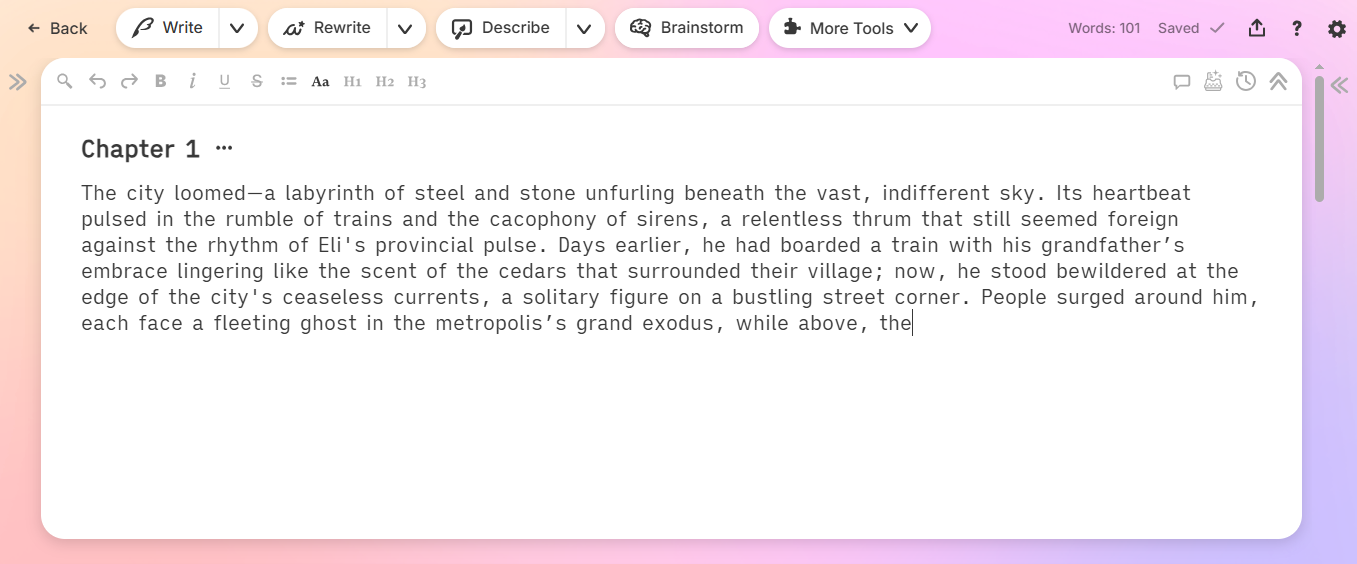
Story Engine: This is a very powerful tool. You don't have to write every single word yourself. You just tell it the main points of your chapter, and it writes the scene for you. It keeps the style consistent with the rest of your book. It is great for getting a first draft done quickly so you can edit it later.
-
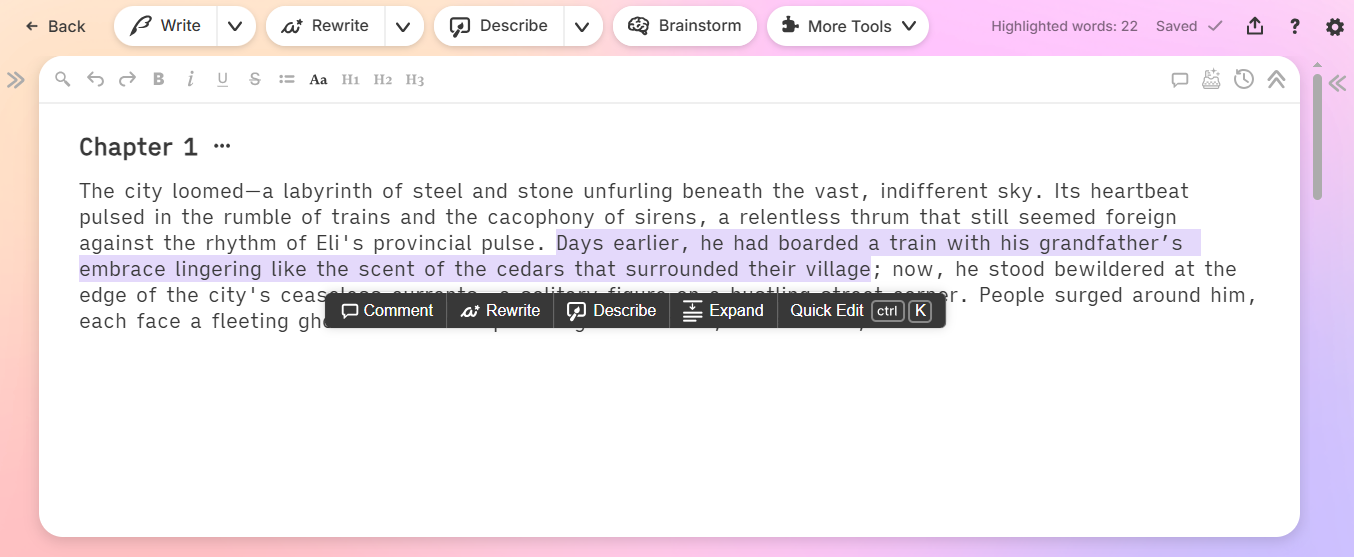
Describe: Have you ever struggled to describe a scene? You know what it looks like in your head, but you can't find the right words. With this feature, you can highlight a word like "forest" or "storm." The AI will give you descriptions based on sight, smell, taste, sound, and touch. It helps you make your writing more alive and exciting for the reader.
-
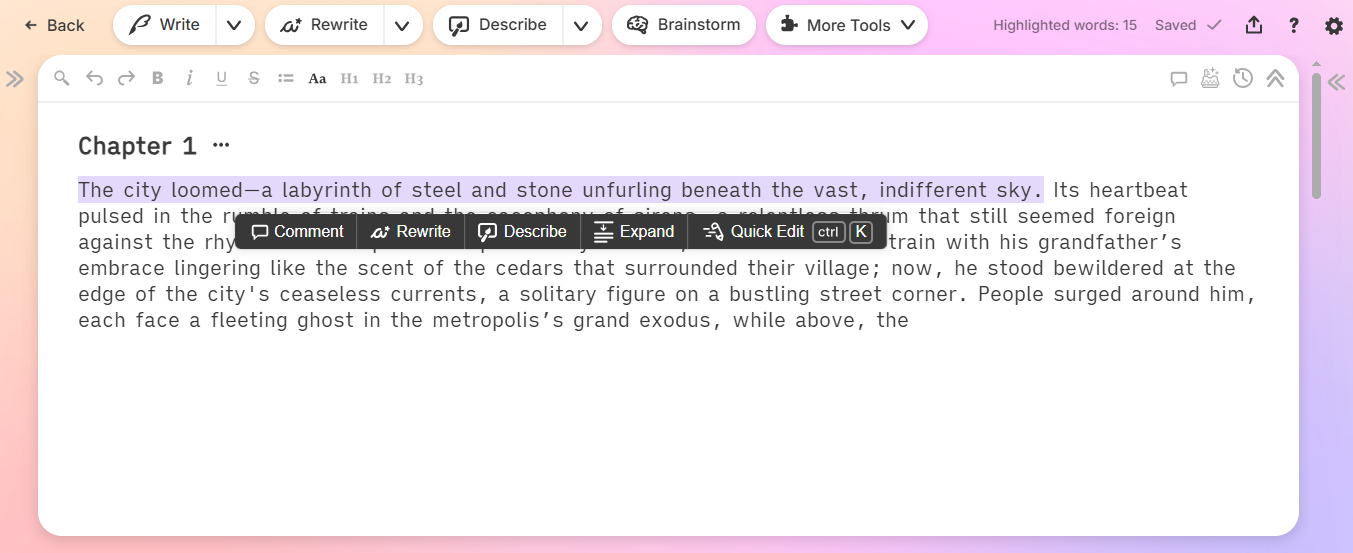
Rewrite: Sometimes, a sentence just feels boring. You can use the Rewrite button to fix it instantly. You can tell it to make the sentence shorter, more intense, or even more descriptive. It helps you polish your writing without spending hours staring at the screen.
Pricing
There is a free trial available to test it out. Paid plans start around $10 to $19 per month for students. If you write a lot, the professional plans cost between $20 and $29 per month.
Rytr – Best for Short Copy
Some AI tools are very complicated. They have a million buttons and settings. But sometimes, you just want something simple that works.
Rytr is perfect for that. It is lightweight, fast, and very easy to use. It doesn't try to write a whole book for you. Instead, it helps you with the small, daily writing tasks - like a quick email, a Facebook ad, or a caption for Instagram. It is great for beginners who don't want to spend a lot of money.
Key Features
-
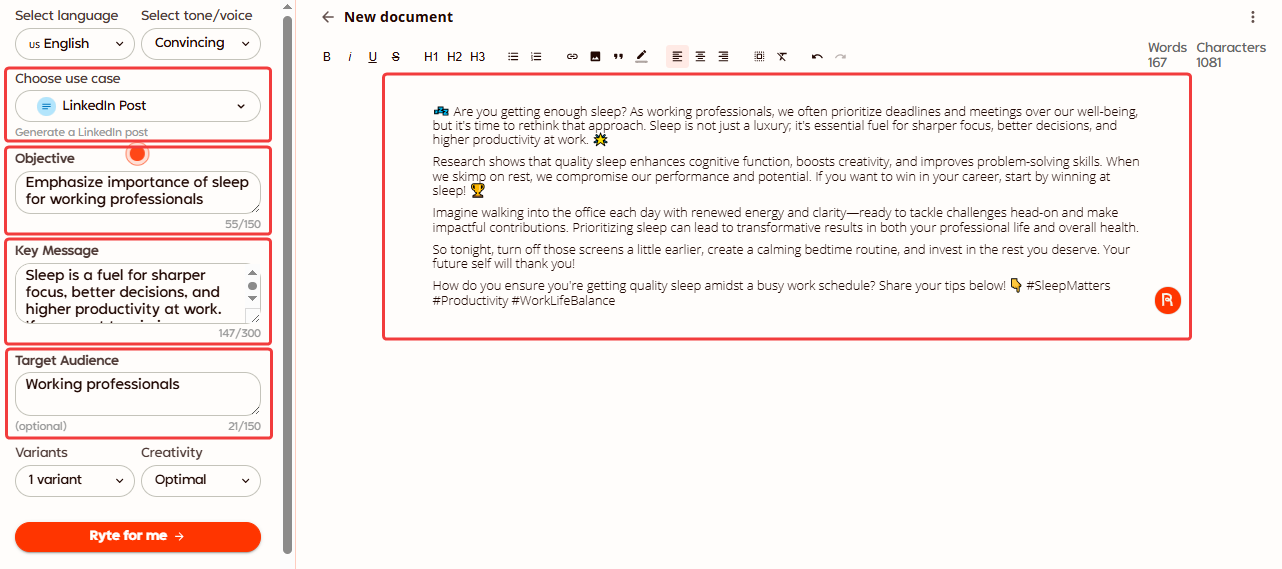
40+ Use Cases: Think of these like simple forms you fill out. Do you need a blog outline? There is a form for that. Need a product description? There is a form for that too. You just fill in the blanks, and Rytr does the rest. It has templates for everything from emails to song lyrics.
-
Checks for Cheating (Plagiarism Checker): You never want to accidentally copy someone else's work. Rytr has a special tool built right in that checks your writing against the internet. It makes sure your content is 100% original, so you don't get in trouble.
-
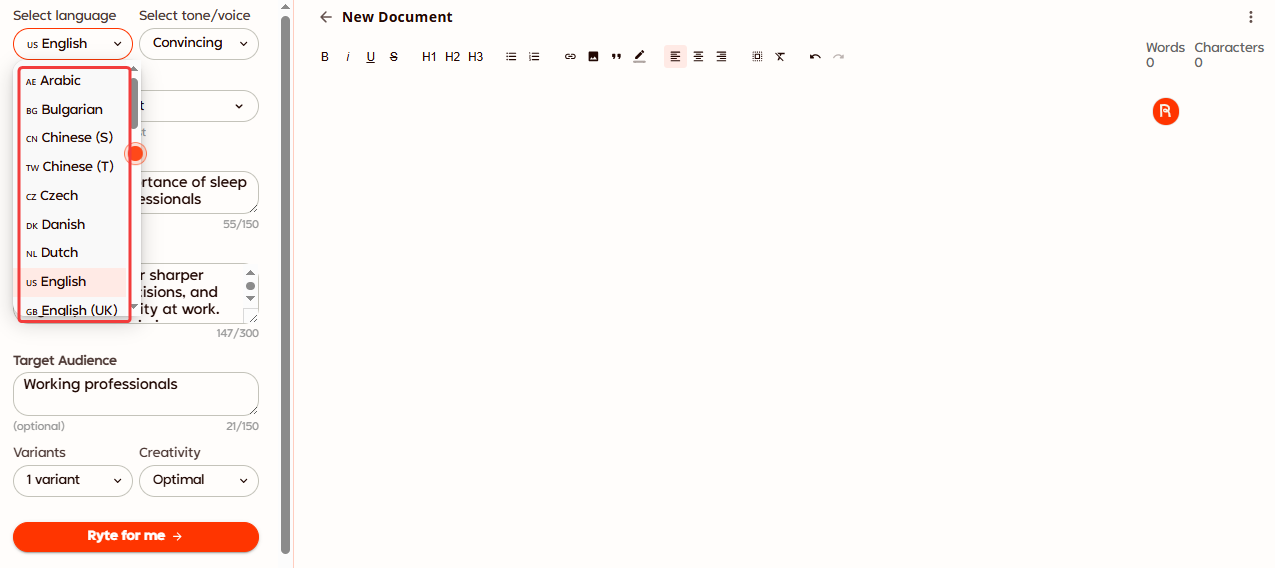
Multi-Language Support: Do you have customers who speak Spanish, French, or German? Rytr can write in over 30 different languages. It can also change the tone of voice. You can write a "Funny" email in English or a "Formal" letter in Japanese with just one click.
Pricing
Rytr has a "Free Forever" plan that lets you write up to 10,000 characters a month. If you need more, the paid plans start at $9 per month.
Jenni AI – Best for Academic & Research Writing
Writing research papers is tough. You have to read long documents, find the right facts, and get the citations exactly right. If you make a mistake, you lose marks.
Jenni AI is built to fix this. It is designed specifically for students and researchers. It is not just a random text generator; it is a serious writing assistant that respects facts. It helps you write your essays and papers faster while making sure your sources are accurate.
Key Features
-
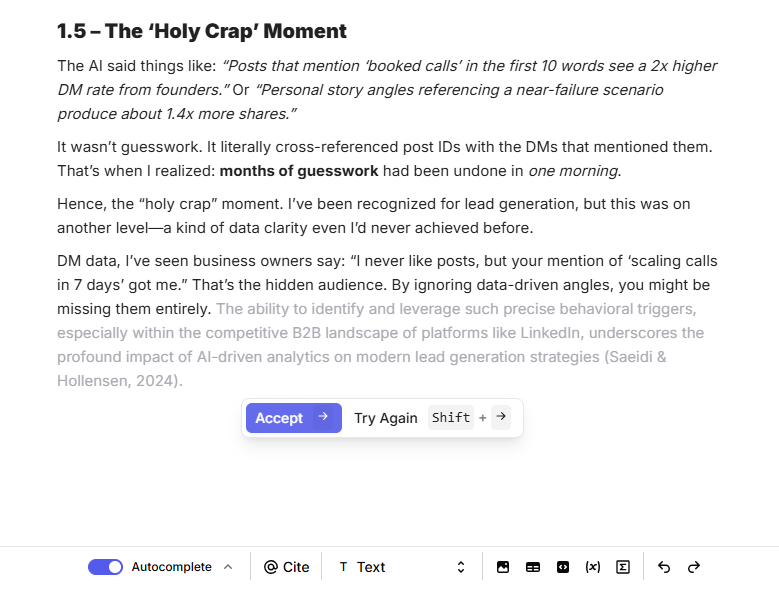
Finishes Your Sentences (AI Autocomplete): Have you ever stared at a half-finished sentence and didn't know what to write next? Jenni AI helps you keep moving. It looks at what you are writing and suggests the next line of text. It uses your specific context and research to make sure the suggestion fits perfectly. It is like having a study buddy who always knows the right answer.
-
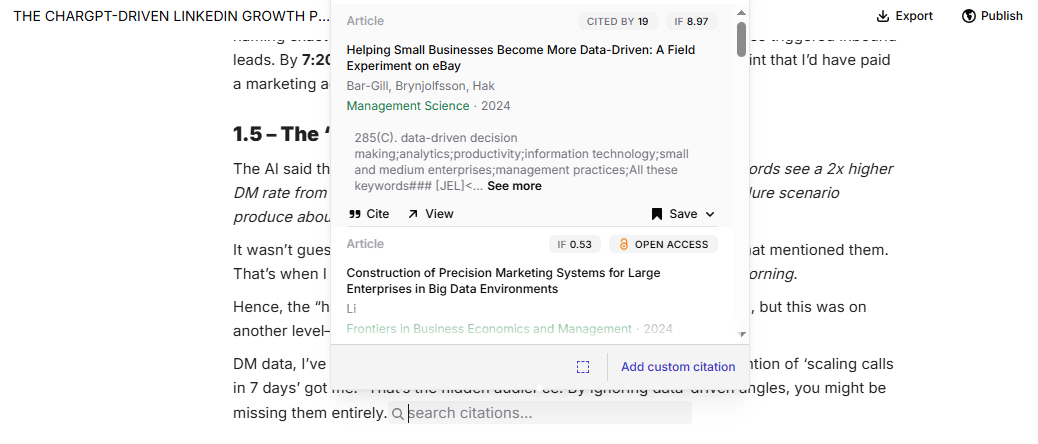
In-Text Citations: This is a lifesaver for students. Citations are boring and easy to mess up. Jenni AI does it for you automatically. It can read your uploaded PDFs or search its own library to find the source. Then, it adds the citation in the correct format (like APA or MLA) right inside your text. You don't have to worry about accidental plagiarism.
-
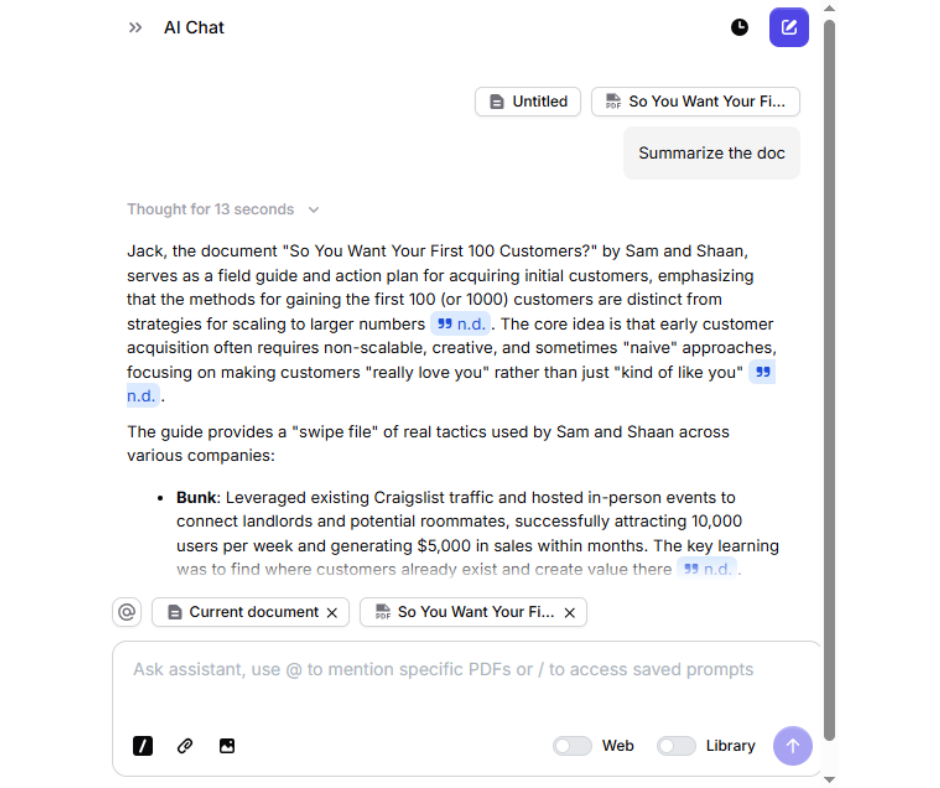
Chat with PDF: Reading a 50-page research paper takes a long time. With this feature, you can just upload the PDF and talk to it. You can ask questions like "What is the main conclusion?" or "List the key arguments." The AI finds the answers for you instantly, helping you extract the key insights without reading every single word.
Pricing
There is a free plan available to get you started. If you need more power, the paid plans start at $30 per month.
Saga – Best for Screenwriting & Visual Storytelling
Have you ever wanted to write a movie or a TV show? It can be scary because scripts have to look a very specific way. You can't just write it like a normal story; there are strict rules for how the page must look.
Saga makes this easy. It is a special tool designed just for storytellers and filmmakers. It handles all the boring technical rules for you so you can focus on your story. It even helps you turn your words into pictures, so you can see your movie ideas come to life.
Key Features
-
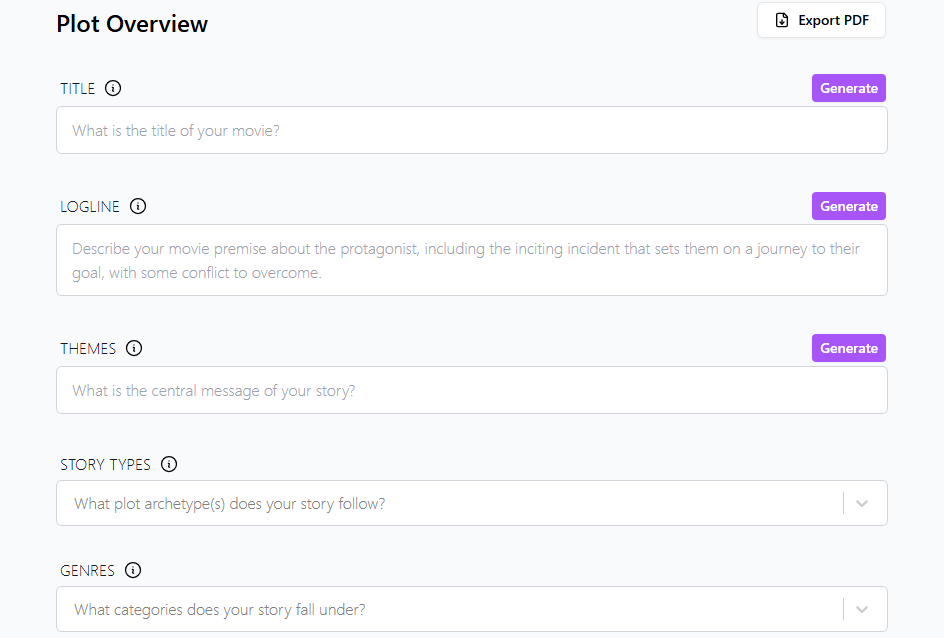
AI Scriptwriting: You don't need to learn the complex rules of movie scripts. You just type your story naturally, and Saga automatically fixes the layout. It puts the character names, dialogue, and action in exactly the right spots on the page. It makes your script look professional instantly, even if you are a total beginner.
-
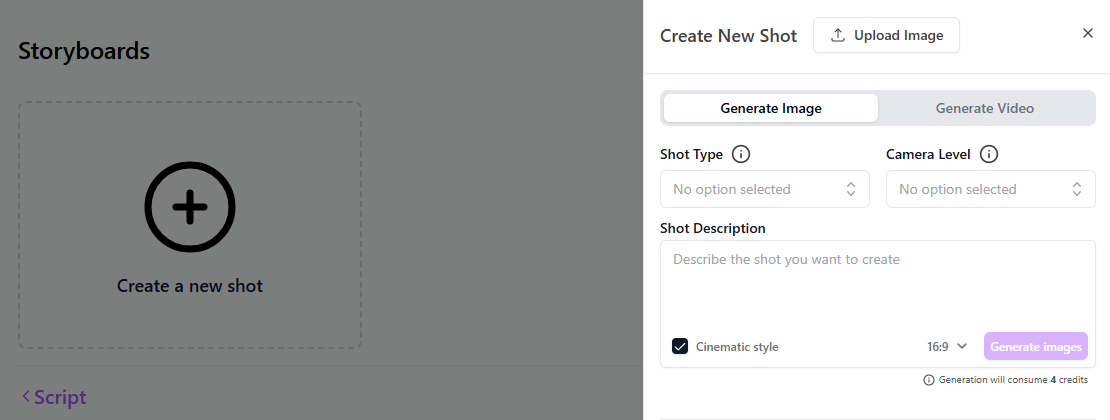
Visual Storyboard Generator: Writing is one thing, but seeing it is another. As you write your script, you can ask the AI to draw the scene for you. It creates images of your characters and locations. This helps you visualize your movie and show your friends exactly what you are imagining.
-
Series Matrix: If you are writing a TV show with many episodes, it is easy to get confused. This feature is like a big map for your story. It helps you track your characters and plot points across the whole season. It makes sure your story makes sense from the first episode to the last.
Pricing
There is a free basic plan to start your project. The Premium plan costs $19.99 per month.
ParagraphAI – Best for Mobile & Everyday Communication
Typing on your phone can be annoying. Your thumbs are too big, autocorrect makes mistakes, and it is hard to sound professional when you are rushing. But we do most of our talking on our phones now - on WhatsApp, Slack, and email.
ParagraphAI is built for this. It is not just an app; it is a keyboard that lives on your phone. It helps you write better messages in every single app you use. It fixes your grammar and improves your tone while you type.
Key Features
-
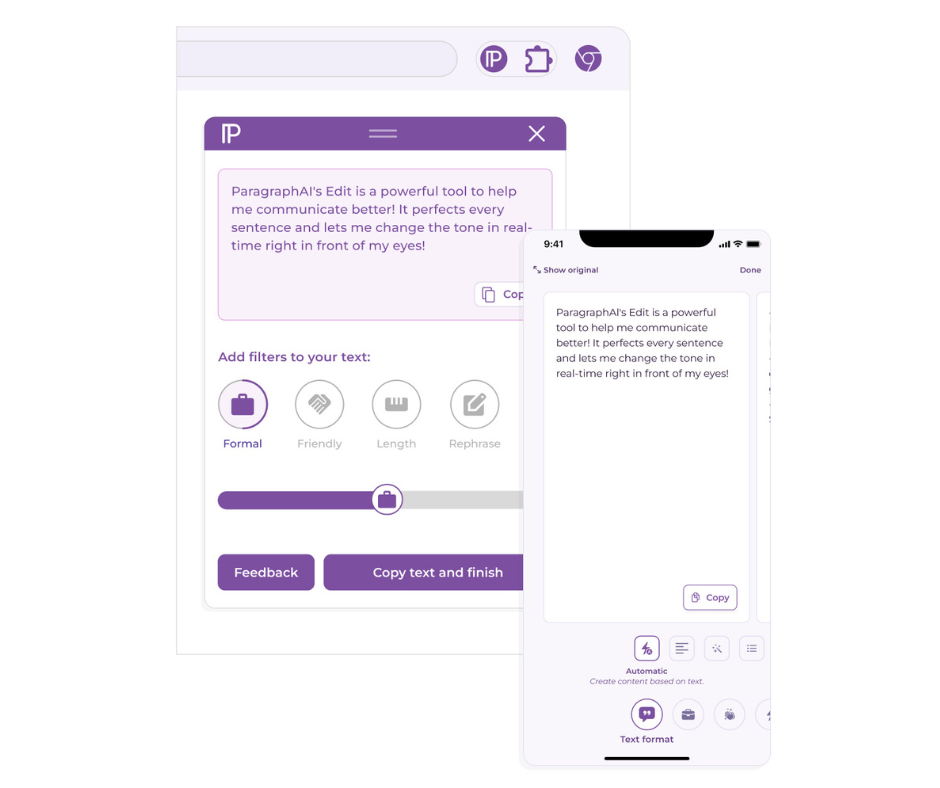
Works Everywhere (Keyboard Integration): You don't need to open a separate app to get help. This tool replaces your normal phone keyboard. This means it works inside WhatsApp, Gmail, Slack, or any other app you have. You just type, and it helps you fix mistakes right there.
-
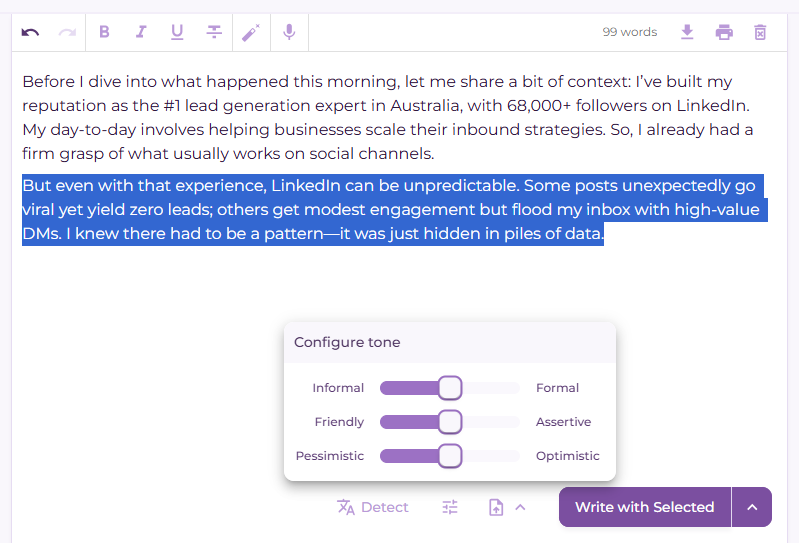
Tone Sliders: This is a very fun feature. Instead of typing a prompt, you use simple sliders. Want to sound more professional? Just slide the bar up. Want to be friendlier? Slide it over. You can adjust your message from "Informal to Formal" or "Pessimistic to Optimistic" in seconds.
-
Instant Reply: If you are in a hurry, this is great. You can copy a message you received (like an email or a text) and paste it into the keyboard. The AI reads it and instantly writes a reply for you. It saves you from typing out long answers on a small screen.
Pricing
There is a free plan to help you write better. The paid plans start at around $24.99 per month.
How to Choose the Right AI Writing Tool
With so many options, how do you pick the one that is right for you? It really comes down to three simple questions.
- What is your Purpose?
Think about what you write the most.
- For Business & Emails: If you spend your day in Gmail or LinkedIn, you need a helper like Jetwriter AI or ParagraphAI.
- For Marketing & SEO: If you want to rank high on Google, you need a powerhouse like Writesonic.
- For Stories & Novels: If you are writing a book, Sudowrite or Saga are your best friends.
- For Research: If you are a student, stick with Jenni.ai.
- What is your Budget?
- Free Forever: If you have zero budget, ChatGPT (Free Version) and Rytr are great places to start.
- Great Value: Tools like Jetwriter AI offer powerful features for a very low monthly price (starting at $9).
- Premium Power: If you need advanced features like "Story Bibles" or "SEO Analysis," be ready to pay a bit more for tools like Sudowrite or Writesonic.
- What is your Workflow?
- Browser Extensions: Do you want the AI to follow you everywhere? Tools like Jetwriter AI live in your browser. They are ready to help you on any website without you ever switching tabs.
- Dedicated Editors: Do you prefer a quiet place to focus? Tools like Sudowrite or Saga give you a separate, clean workspace where you can write without distractions.
Conclusion
We have covered a lot of ground today. From writing emails with Jetwriter AI to building worlds with Saga, there is an AI tool for everyone.
Remember, AI is not here to replace you. It is here to help you work faster and better. But you need the right partner.
If you write a lot of emails and messages, a browser tool like Jetwriter AI is likely your best choice. If you are writing a novel, Sudowrite is the way to go. If you just need a quick caption, Rytr is perfect.
The best advice? Don't just read about them. Try them.
Most of these tools offer a free trial or a free plan. Go ahead and sign up for the 2 or 3 that sound best to you. Play around with them for a few minutes. You will quickly see which one fits your style.
Happy writing!
Frequently Asked Questions (FAQ)
Is the content written by AI unique?
Yes, mostly. AI does not just copy-paste text from the internet. It predicts the next word to create new sentences. However, sometimes it can accidentally write something very similar to an existing article. It is always a good idea to run your text through a plagiarism checker just to be safe.
Can Google tell if I used AI to write my blog?
Yes, Google can often tell. But here is the secret: Google does not hate AI. Google hates bad content. If your article is helpful and answers the reader's question, Google is usually okay with it. Just make sure you read it and add your own human touch before posting.
Is using AI for school essays considered cheating?
This depends on your school rules. If you ask the AI to write the whole essay for you, that is usually considered cheating. But if you use it to brainstorm ideas, fix your grammar, or find research papers (like with Jenni.ai), it is a helpful study tool. Always ask your teacher first.
Is it safe to put private work data into AI?
You should be careful. Some free AI tools use your data to train their systems. This means your private notes could technically become part of the AI's brain. If you are working with secrets or sensitive data, check the privacy policy first. Tools like Jetwriter AI are safer because they do not use your data for training.
Can I trust the facts that AI writes?
Not always. AI is great at writing sentences, but it can be bad at facts. It sometimes makes things up confidently (this is called "hallucination"). Always double-check names, dates, and numbers before you use them.
How do I make AI text sound less like a robot?
AI tends to use the same words over and over. To make it sound human, try using tools with "Personalization" features like Jetwriter AI. Also, try to use simple prompts. Instead of saying "Write an email," say "Write a short, funny email to my friend."
Do these tools work in languages other than English?
Yes. Most of the tools on this list (like ChatGPT, Rytr, and Jetwriter AI) work in dozens of languages. They can write in Spanish, French, German, and many more.