You have probably seen the "Ask Gemini" button in your Chrome browser. You can click it to get help from the AI. But is it actually the best tool for your work?
Think about hiring a new assistant. They might be very smart. But on their first day, they do not know your company rules. If you ask them to write a simple email, it often sounds like a robot. It uses big, heavy words you never say in real life. It just does not know your real voice.
Chrome's built-in AI has this exact problem. It does not really know you.
So, how do these two tools compare?
- Ask Gemini is fine for simple reading. For example, you can use it to get a quick summary of a long news page.
- Jetwriter AI is built for your actual job. It learns your exact writing style. It works right inside your email and message boxes.
Let's look at exactly why Jetwriter AI helps you write much better.
What Are Ask Gemini and Jetwriter AI?
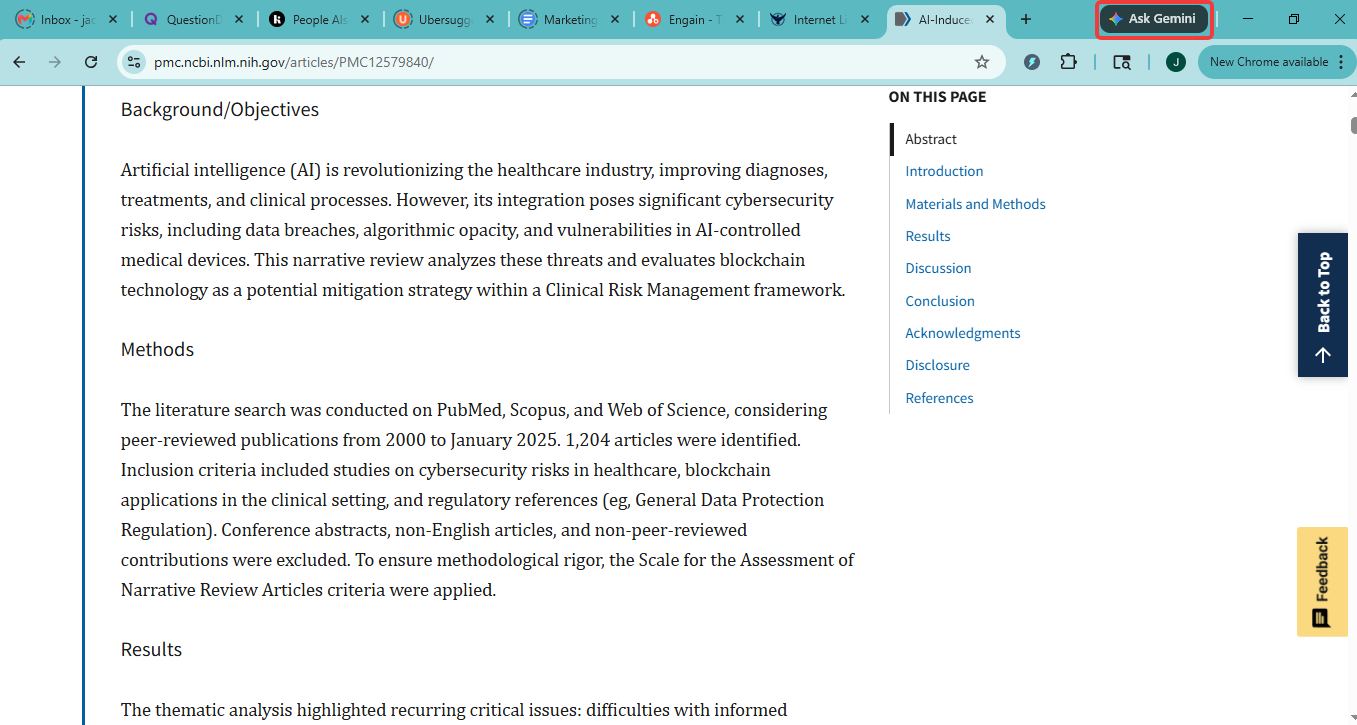
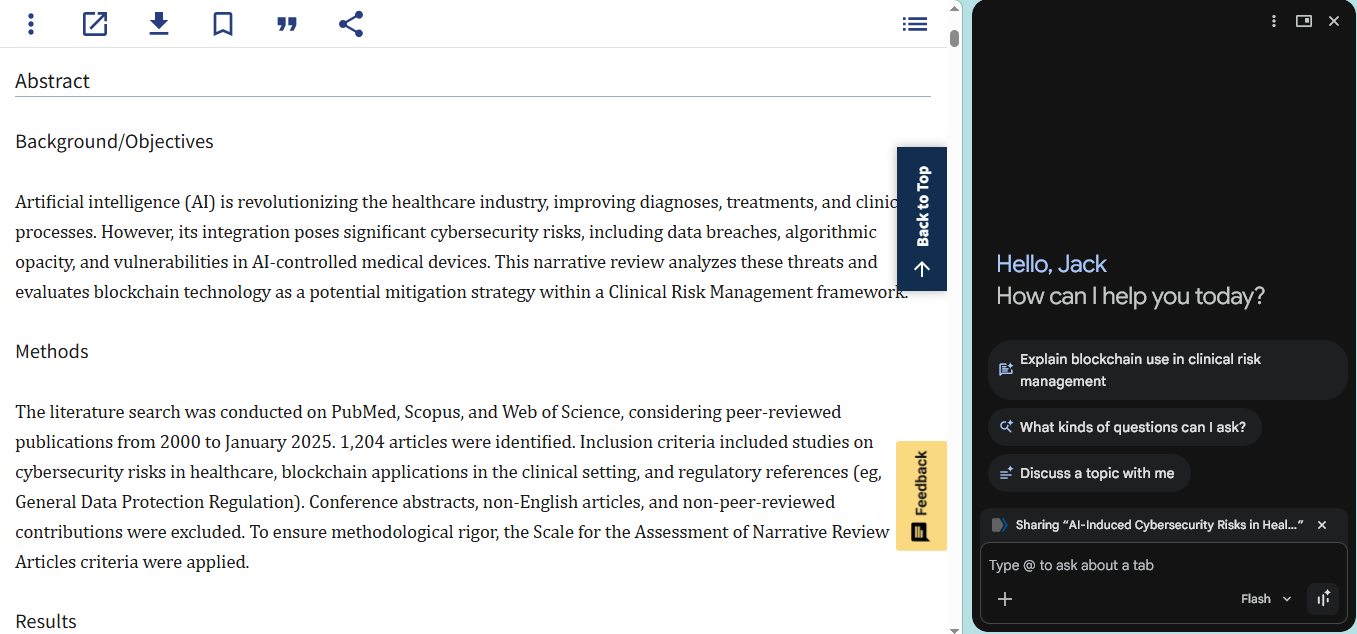
Ask Gemini is an AI assistant built right into the Google Chrome browser. It lives in a side panel next to your web page. You can open it up to ask questions, summarize articles you are reading, or get help writing a draft based on the webpage you have open.
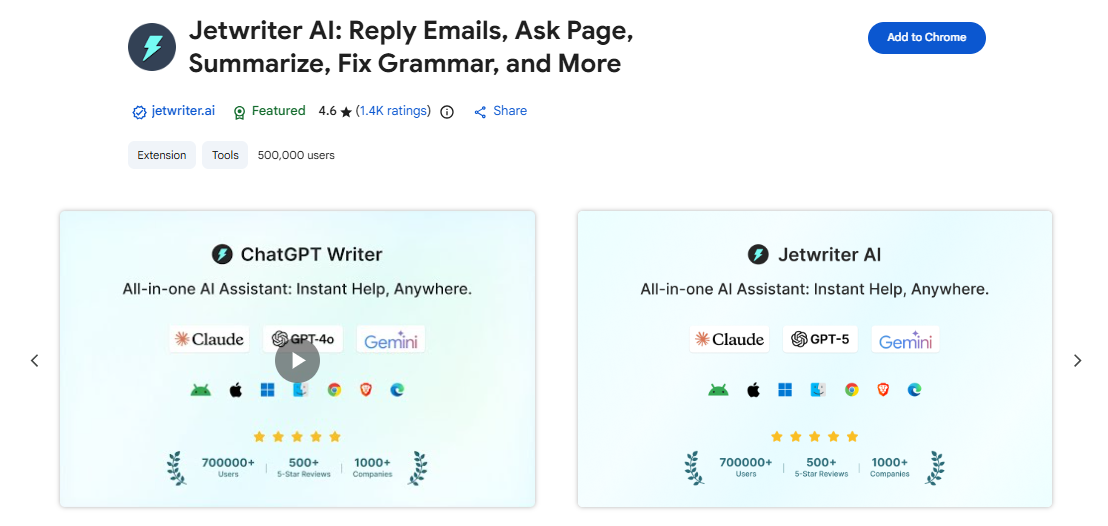
Jetwriter AI is a lightweight, secure Chrome extension built specifically for professionals who write all day. Instead of making you open a side panel, Jetwriter AI works directly inside the websites you already use - like Gmail, Outlook, LinkedIn, Slack, Zendesk, and more. It gives you a quick menu to fix spelling or change your tone, and it actually learns your personal writing style so your emails and messages always sound like you.
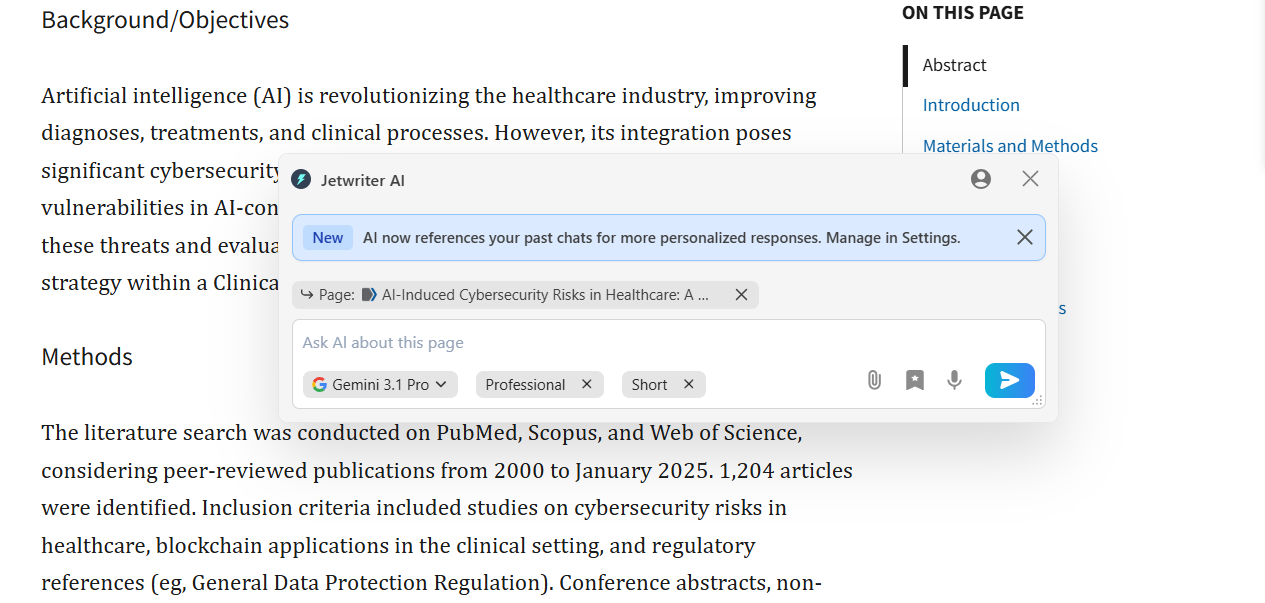
Personalization: Why Jetwriter AI Actually Sounds Like You
Have you ever asked an AI to write an email? It usually uses big, weird words. You would never say those words in real life. If you send that message to your boss, they will think a machine took over your computer!
With Chrome's Ask Gemini, you have to explain how you want to sound every single time. You have to type, "Please make this sound friendly but professional." And guess what? It still sounds strange. You then spend ten minutes just fixing the sentence. You could have just typed it yourself!
Jetwriter AI fixes this problem. It does not sound like a machine. It sounds exactly like you.
Here is how it works:
-
It learns from your Inbox: You can connect Jetwriter AI to your Gmail. It looks at the emails in your inbox to see how you write. It notices if you write short sentences or long ones. It sees if you sign off with "Thanks" or "Best". It learns your real voice automatically.
-
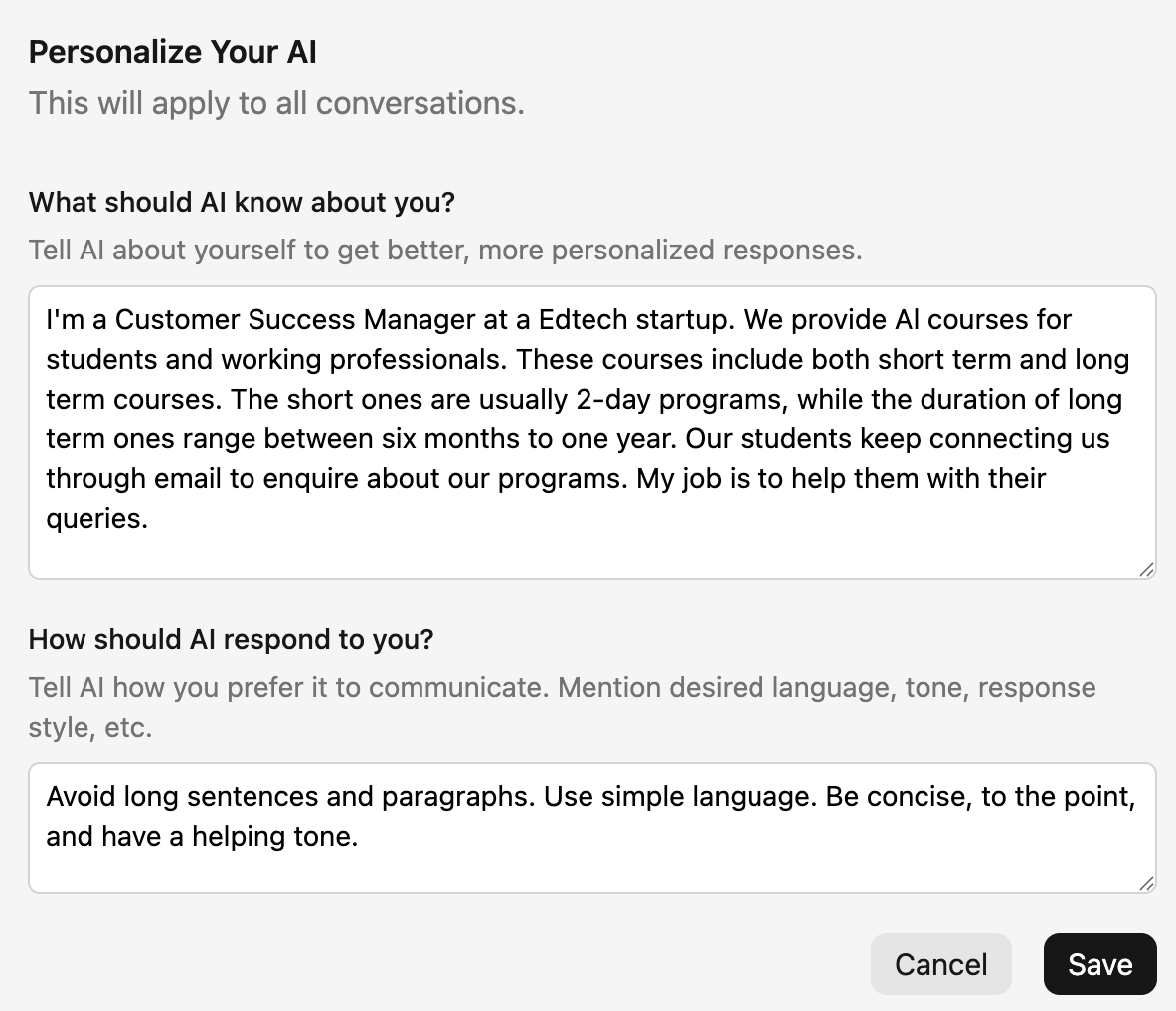
You tell it about your job: Jetwriter AI has a feature called "Personalize AI." You just tell the tool who you are and what you do. For example, you can say, "I am a customer success manager. I work at an Edtech startup. I always write very clear and polite emails." The tool remembers these details forever. You never have to explain that to the AI again.
-
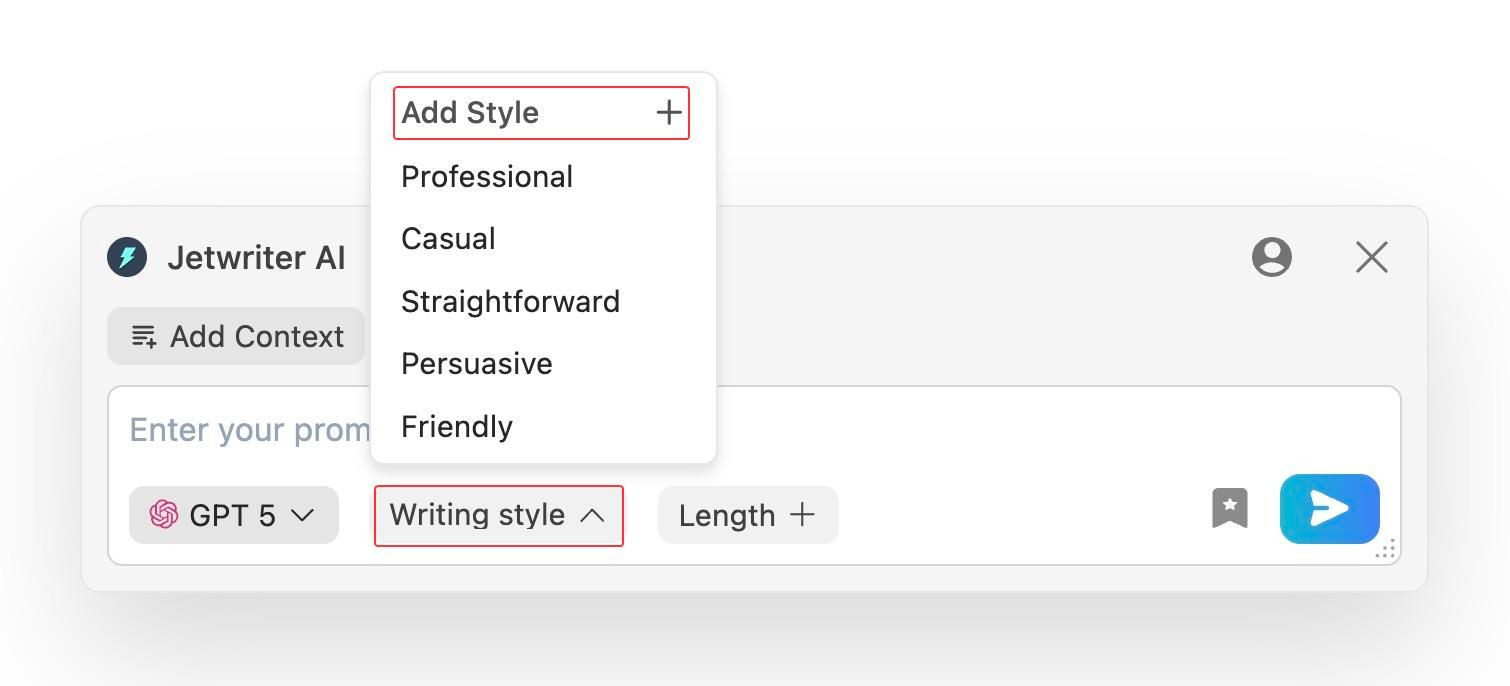
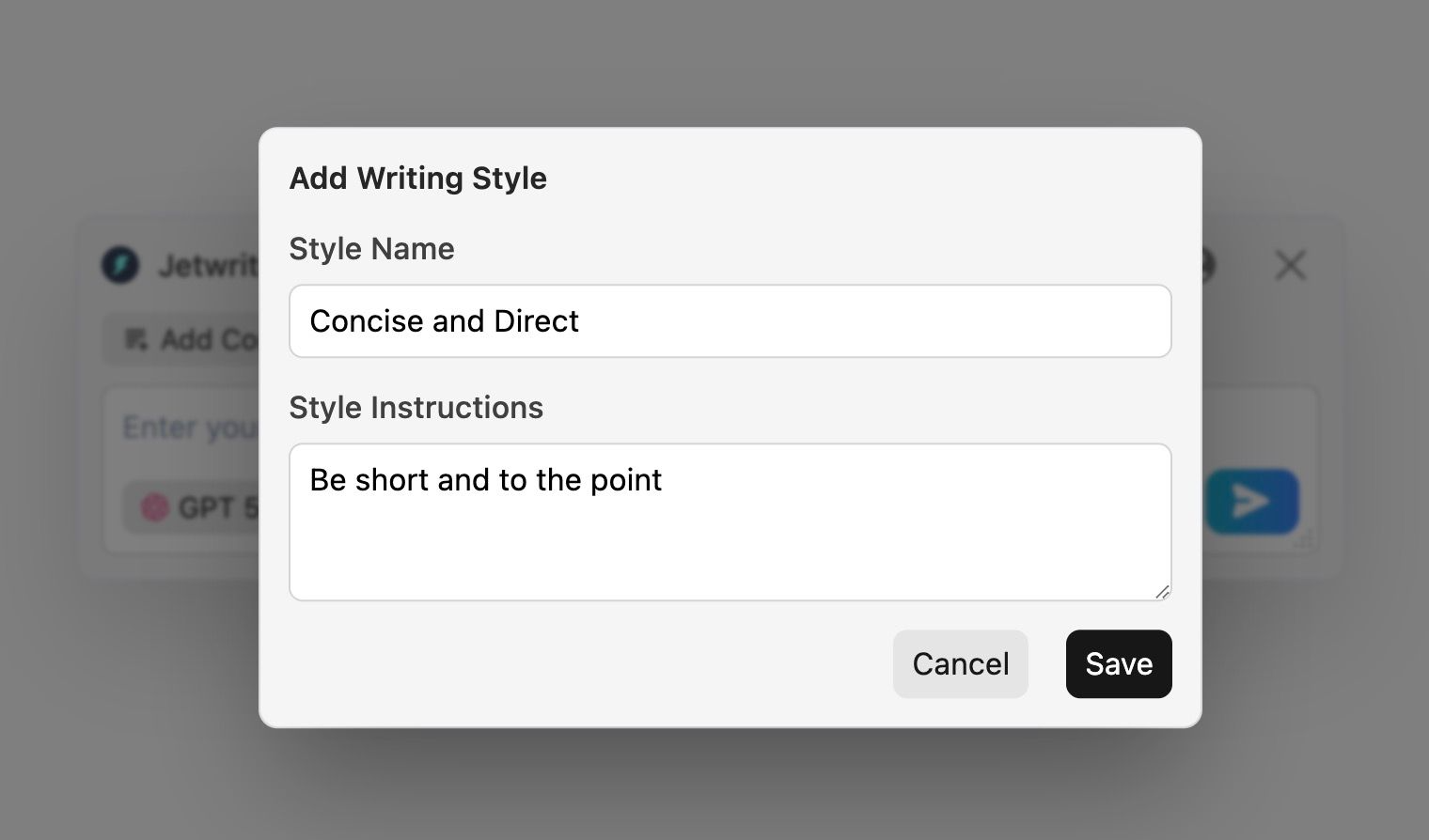
You can save different styles: You do not talk to your work friends the same way you talk to a client. With Jetwriter AI, you can save "Custom Writing Styles." You can make a "Friendly Team Update" style. You can also make a "Concise and Direct" style. When you need to write something, you just pick the style you need. You never have to explain your tone to the AI ever again.
-
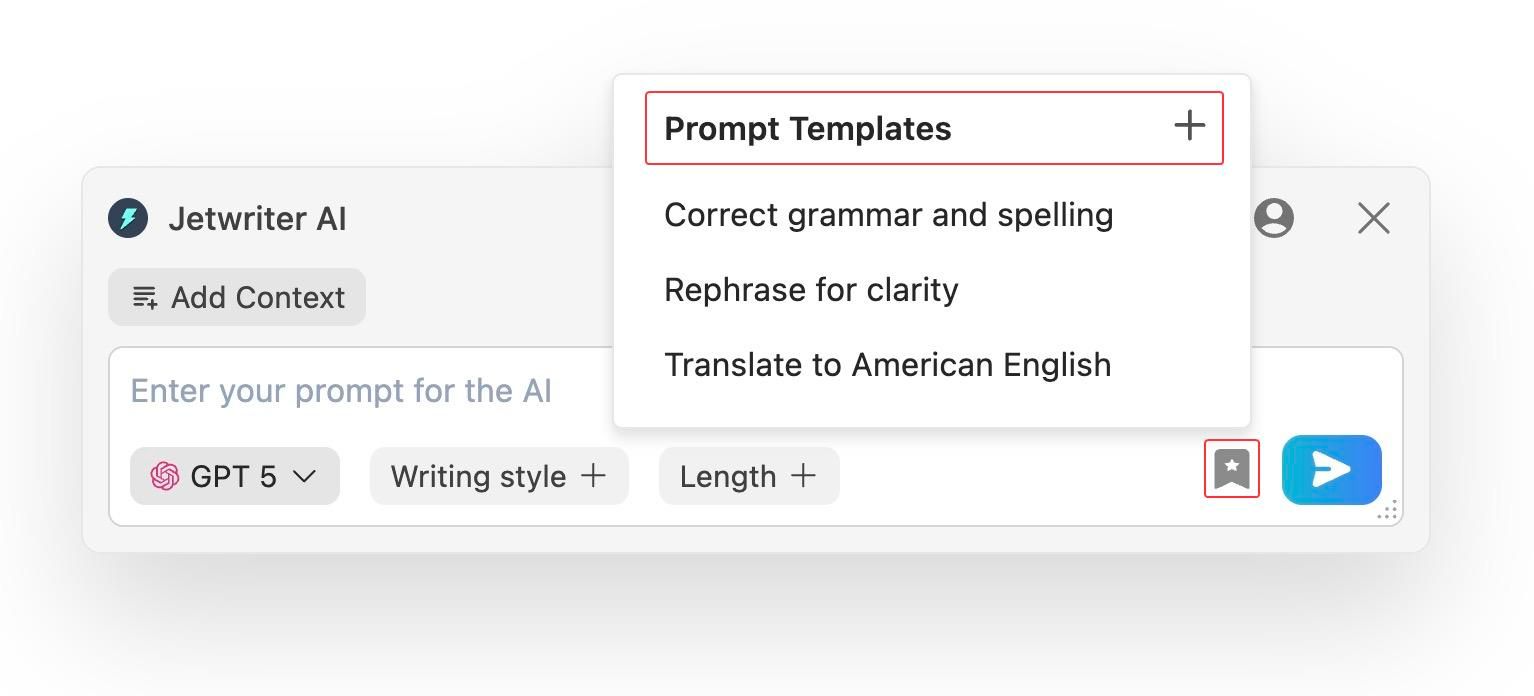
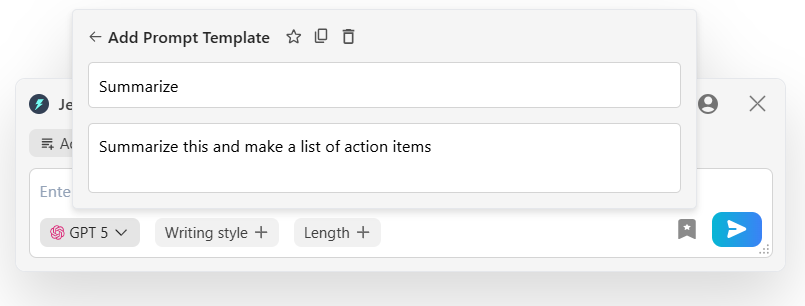
Create prompt templates: Do you type the same "Follow Up" or "Summarize" command every single day? You can stop typing it over and over. Jetwriter AI lets you save your favorite commands as a template. The next time you need it, you just click one button, and the whole prompt is written for you. It is a huge time saver for your daily tasks.
Integration & Workflow
Think about how you use Chrome's Ask Gemini. The AI is stuck in a side panel on your screen.
Let's say you want to write an email. If you use Gmail, Chrome's Ask Gemini works fine. You type a prompt to tell the AI what the email should say. Once it writes the response, you can insert it into your email box with one click. You do not have to copy and paste. You can even send the email right from the side panel.
But what if you use Outlook, Zendesk, or other websites? You have to open the side panel and type a prompt to explain what you want in your reply. You wait for the AI to generate the reply. Next, you have to copy the text and paste it in. That is a lot of clicking! Nobody wants to copy and paste all day.
Jetwriter AI is different. It is built directly into the places where you already do your writing.
It Connects With Your Favorite Apps
It connects smoothly into your daily work. Here is how it helps you on the websites you use the most:
-
Gmail: Jetwriter AI automatically analyzes the entire email thread to understand the full context. It then drafts perfect, relevant replies for you. This saves you the effort of explaining the conversation to the AI. You do not have to leave your inbox at all. It saves you so much time and makes answering emails incredibly easy every single day.
To learn more, read our detailed blog on How Jetwriter AI works inside Gmail.
-
LinkedIn: You might not always know what to say next to a work connection. Jetwriter AI removes the guesswork. By reading your previous message, it helps you write replies that are always relevant and professional. You can send great messages without ever opening a new tab. It makes networking feel like a breeze.
To learn more, read our detailed blog on How Jetwriter AI works inside LinkedIn.
-
Zendesk: If you work in customer support, every second counts. Jetwriter AI understands the customer's issue directly from the Zendesk ticket. This helps you draft high-quality responses in a fraction of the time. It is like having a super fast helper for your support team. You can close tickets and make customers happy much faster.
To learn more, read our detailed blog on How Jetwriter AI works inside Zendesk.
-
Slack: We all type fast in a rush and make mistakes. Jetwriter AI helps you write perfect replies to your team messages in no time. You can fix your sentences so your team knows exactly what you mean. You can also change your tone with one click. You can pick a "Chill & Fun" vibe for your work best friend or a "Super Pro" vibe for the boss, right inside your chat box.
To learn more, read our detailed blog on How Jetwriter AI works inside Slack.
The Quick Actions Feature
Imagine you are writing online. You just highlight a sentence you just typed. A small menu appears right next to the sentence. This is the Quick Actions feature. It gives you one-click access to fix spelling, summarize a long text, or translate words. There is absolutely no copying or pasting needed. You can even pin your favorite functions to the top of the menu so they are always ready for you. It makes your writing very fast.
To learn more, read our detailed blog on How to use Quick Actions Feature for Maximum Productivity.
Model Flexibility: Choosing Your Favorite AI
Chrome's Ask Gemini only gives you one choice. It uses Google's own AI model called Gemini. It is very smart. But let's be honest, we all like to have options!
Different tasks need different kinds of help. Some AI models are very good at writing emails. Others are much better at reasoning tasks or writing long reports.
Jetwriter AI gives you the freedom to choose. You can pick the exact AI you want to use for every single task.
-
Access the smartest models: You get to use all the top AI models in one place. You can pick GPT-5.5, Claude Sonnet 4.6, Claude Opus 4.8, or Gemini 3.1 Pro.
-
Switch them instantly: You can change your AI right in the middle of your work. You just pick the best one for the job you are doing right now.
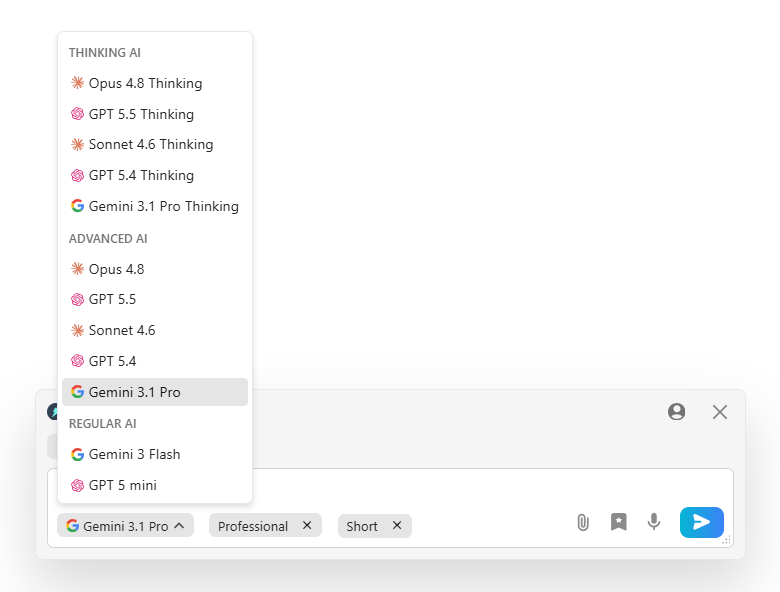
With Chrome's Ask Gemini, you are stuck with just one option. Jetwriter AI lets you use the best tools in the whole world to get your work done fast.
Data Gathering & Business Intelligence: How They Learn Real Facts
When a customer asks a hard question, you usually have to look for the answer. You might have to search your old emails. You might have to check your company website. It takes a lot of time.
Chrome's Ask Gemini is great at reading the web page you are looking at right now. But it does not know your private business rules. And if an AI does not know your rules, it cannot really help you reply to a customer!
Jetwriter AI is different. It learns actual facts about your work. Here is how it gets the facts right:
-
It learns from your Inbox: Jetwriter AI securely looks at your past emails in your Inbox. Let's say a customer asks about a special plan. The AI looks back and sees how you explained that exact plan to someone else last week. It learns from your past conversations and personalizes responses so they fit the current needs. It uses those same facts to write a perfect reply today. You never have to search for old emails again.
To learn more, read our detailed blog on How Jetwriter AI Uses Past Conversations to Deliver Smarter, More Personalized Responses.
-
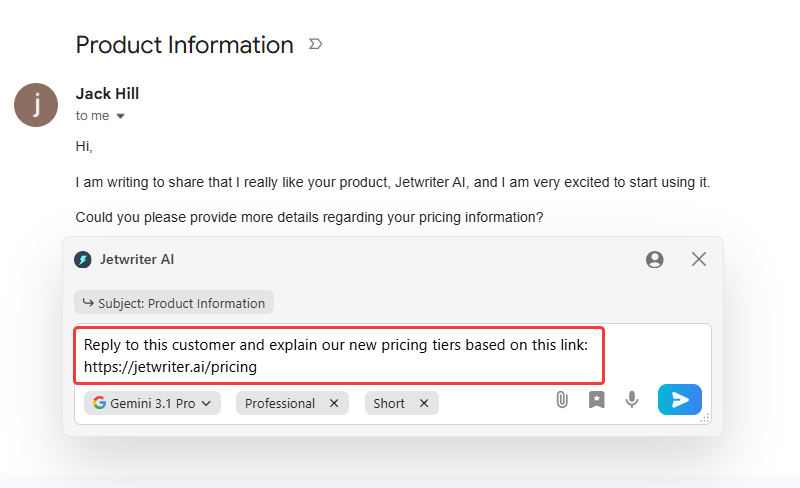
It reads your website links: Sometimes the right answer is on your company website. You can just paste a link into Jetwriter AI. It will read your site to answer the customer perfectly. If a buyer asks about your return rules, the AI finds the exact rule from your link. No more copying and pasting for you!
-
It searches the live web: Do you need facts that are not in your email? Jetwriter AI can search the live internet for you. It can look up today's news. It can even check today's money exchange rates to put the right price in your message.
Your time is too valuable to spend searching for facts. Jetwriter AI finds the right answers so you can finish your work fast.
Performance & Privacy
You might be wondering, "Is it safe to let an AI read my emails?" That is a very good question to ask! Privacy is a very serious matter.
You may not have heard about this, but some AI tools can make your computer run very slow. They take up too much space. Jetwriter AI is built to make sure that does not happen.
Here is how Jetwriter AI keeps things fast and safe for you:
- Super Fast Browser: Jetwriter AI is a tiny extension. It is less than 1MB in size. This means it will never slow down your browser. You can write all day, and your computer will stay very fast.
- Your Secrets Stay Secret: Your data belongs only to you. Jetwriter AI uses strong, industry-standard encryption to keep your information safe while it travels over the internet.
- No AI Training: This is the most important rule. Your private emails or chats are never used to train any AI models. Your data is also never sold to anyone else. Your business secrets are always safe.
Jetwriter AI is built to be your helpful assistant, not a spy. You have full control over your data. You can always write with total peace of mind.
Conclusion
Writing does not have to be a boring chore. And your AI does not have to sound like a robot. The whole point of using AI is to make your life easier and help you sound like yourself!
Google's "Ask Gemini" button is fine if you just want to summarize a long article or a report. But for your real daily writing work, it is just too basic. You need a tool that actually knows your business, fits inside your favorite apps, and speaks in your exact voice.
Jetwriter AI gives you all of that right where you type, saving you from copying and pasting no matter what website or app you use. It saves you from editing silly robot sentences, so you can finish your work and go enjoy your day.
After all, you are the boss of your own words. Why let a machine speak for you? Try Jetwriter AI for free today and see how easy writing can be!
Frequently Asked Questions (FAQ)
Is Jetwriter AI free to use?
Jetwriter AI has a free version to try. If you want to use it a lot, there are paid plans too. You can also use your own API key to generate responses.
Can Jetwriter AI help me write long-form content like blog posts or reports?
Yes, it is great for writing very long form content. Jetwriter AI has a separate web application built just for tasks like writing blogs and reports.
Can Jetwriter AI write my emails in other languages?
Yes, it can write in any language. You can easily translate your message or write a brand new email in Spanish, French, and more.
Does the Jetwriter AI extension work on all websites?
Yes, the Jetwriter AI extension works on all websites. You can use it to fix grammar, summarize notes, or rewrite sentences without ever leaving the page you are on.