Let's look at your daily work. You deal with numbers. You read reports. You make big decisions every day. You might be an analyst, an accountant, or a finance manager. Or maybe you run your own business.
Your job is important. But it is also hard. Think about the problems you face. You have to copy data manually. You build forecasts. But humans make mistakes. One wrong number can ruin a whole forecast. You also spend hours managing your inbox and dealing with strict compliance rules.
AI tools can fix these problems. They eliminate manual data entry. They move numbers for you instantly. They reduce human error in forecasting. You get math you can trust. They also save you hours on compliance and in clearing your emails. You get your time back. You make fewer mistakes.
Let's look at 8 AI tools built for finance. They will help you work faster and better.
Top AI Tools for Finance Professionals
Jetwriter AI
Jetwriter AI helps you write emails, draft reports, and summarize long financial papers. It works directly inside the websites you already use. This means you can handle client emails in Gmail or send quick updates on WhatsApp without switching tabs. It is also a tool for tasks like preparing documents or simplifying complex data.
Top Features
-
Write Emails Faster: Jetwriter AI works right inside Gmail, Microsoft Outlook, and Zoho Mail. It helps you draft fresh emails and quick replies. It reads your whole email thread to pick up the exact context. This means you get spot-on replies every time. It also looks at your past emails to learn how you talk. This means it writes accurate replies in your tone.
-
Instant Document Summarization: Financial papers are very long and hard to read. You might spend hours going through the entire document. Jetwriter AI has a Quick Actions feature to help you. You just need to select the part of the document you need to understand. Then, the AI will give you a simplified version with clear facts and numbers. It turns a huge document into a clear list of facts. This makes your research much faster.
-
Seamless Chat Integrations: You use Slack to talk to your team. You use WhatsApp to chat with clients. Jetwriter AI works right inside these apps. You do not have to switch tabs. You can draft a quick update or reply to a question instantly. It helps you look professional even when you are in a hurry. You can handle client requests or team questions without leaving your chat screen.
-
Chat with Page: You may not have the energy to read a 20-page article. You may have a massive financial report that is too long. With this feature, you can "chat" with the webpage. You just ask Jetwriter AI to give you a summary. You can ask it to list the key points. You can even ask it to find one specific fact. It reads the whole page for you. Then it gives you the answer. This helps you find any part of a long webpage without reading it all.
-
Chat with Documents: You often have PDFs or other files to check. Jetwriter AI lets you attach these files right in the chat. Then you can just ask it questions about them. You do not have to scroll through hundreds of pages. You can ask, "What was the total profit last year?" or "Find the tax details" or simply “Summarize.” It finds the answer in your file for you. It is a safe and fast way to handle your documents. It makes your daily audit work much easier to do.
-
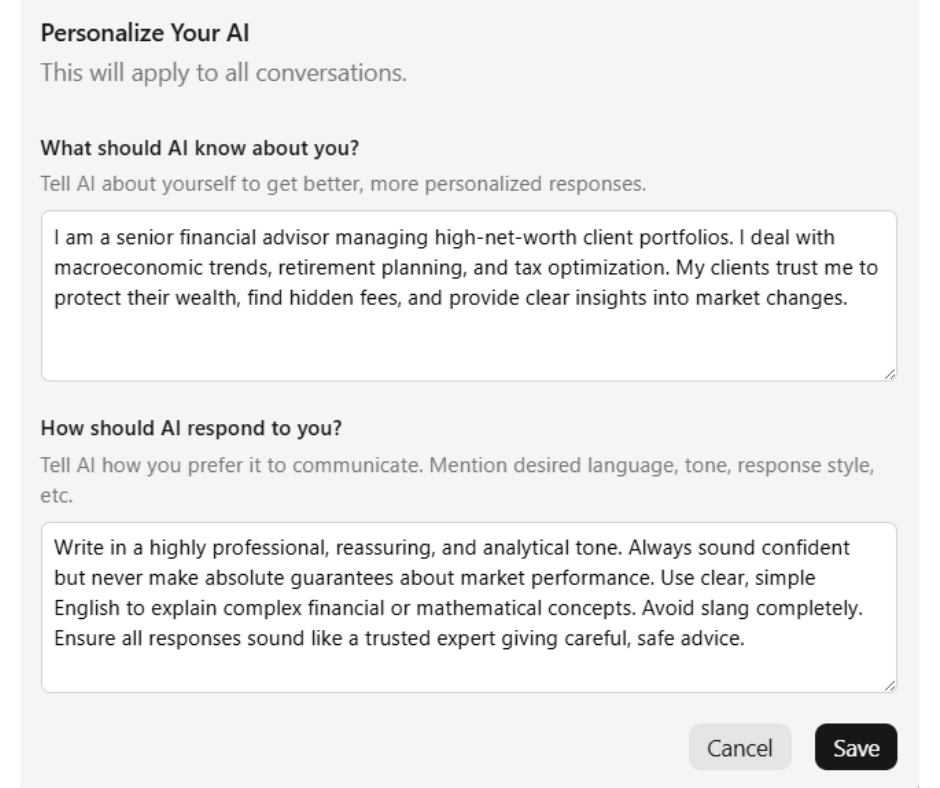
Personalize AI: While writing emails or generating replies on Slack, you want to sound like yourself. You can teach Jetwriter AI exactly who you are. Tell it your job title and what you do. Tell it about your company. Jetwriter AI then remembers this every time you write replies. This helps the AI sound like a real person, not a robot. This keeps your writing personal. Your clients will feel like you wrote the message yourself every single time.
-
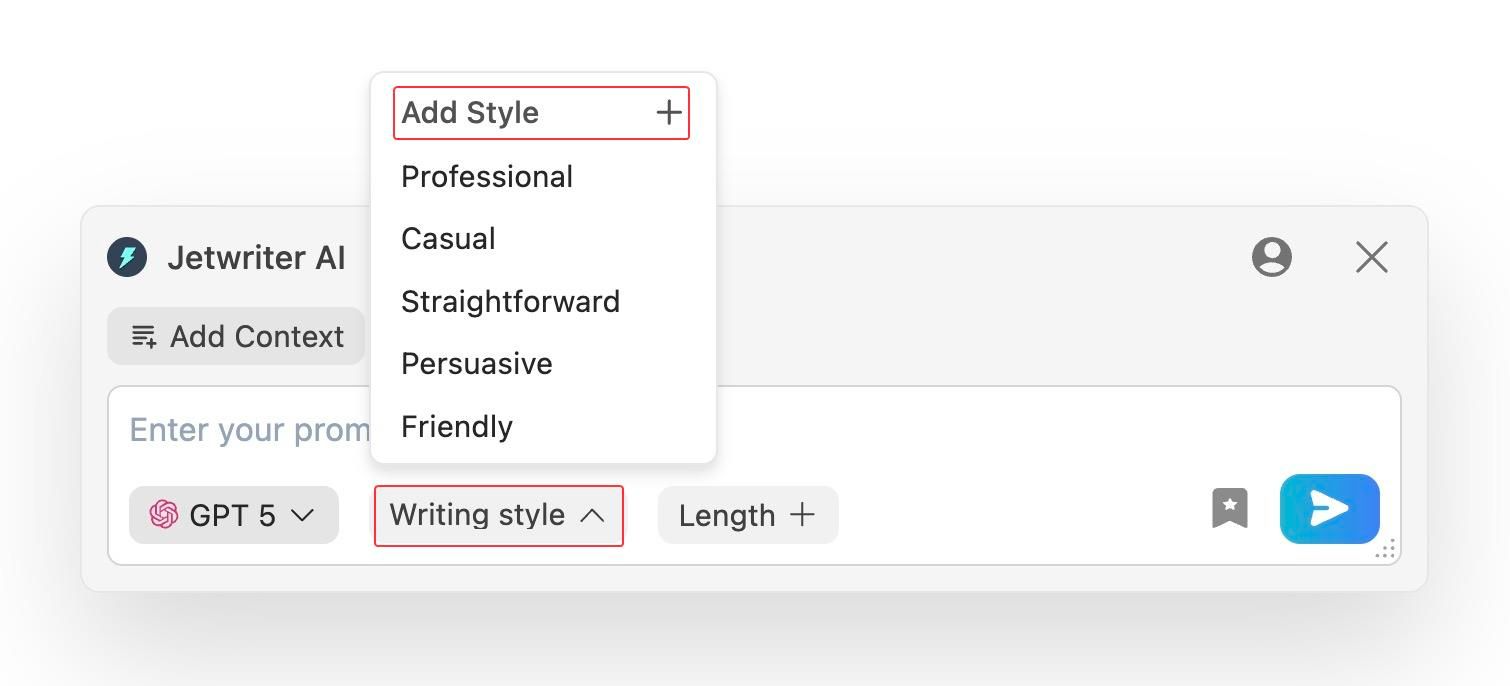
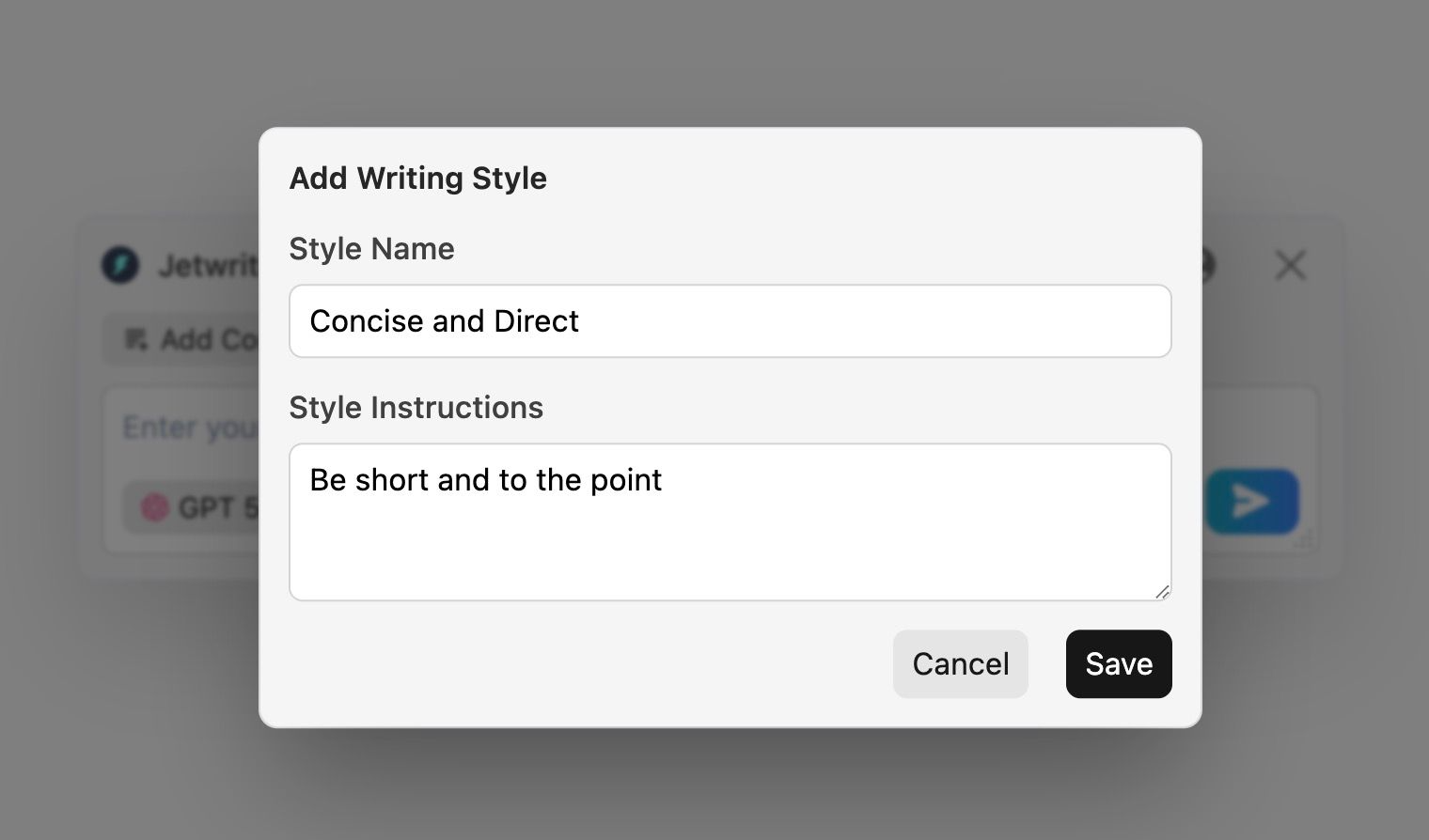
Create Custom Writing Styles: While writing emails or generating replies on WhatsApp, Jetwriter AI lets you use custom styles. You do not talk to your boss like a friend. You need different tones for different situations. You can make a style "Concise and Direct" for your boss, and another "Friendly and Polite" for your teammates. You can switch between them with one click. This helps you send the message in the right tone every single time.
-
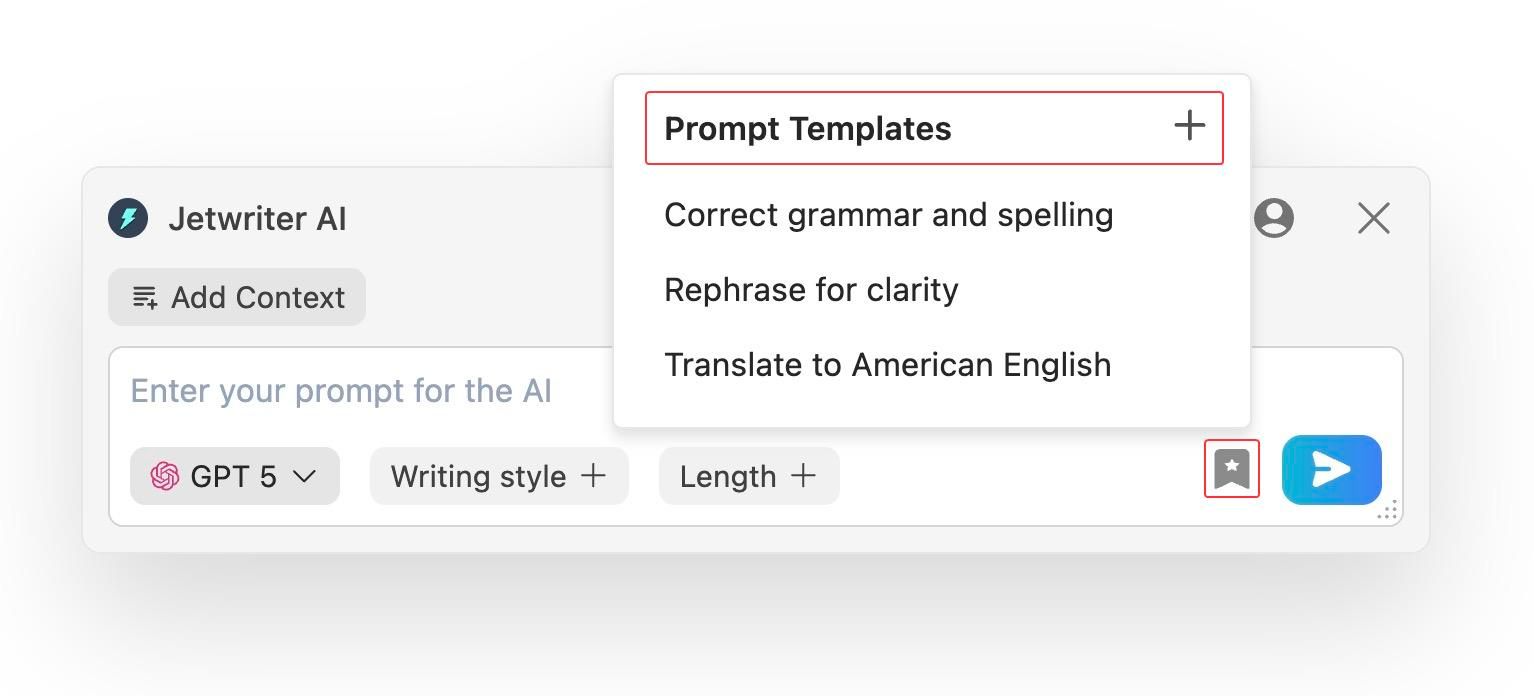
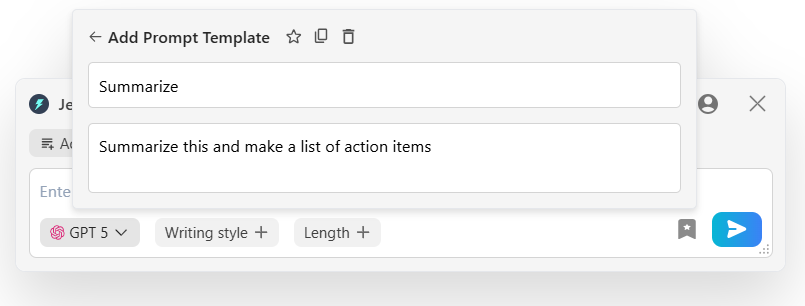
Create Prompt Templates: Do you type the same prompts every day? Maybe while writing emails or generating replies on Slack or WhatsApp, you use certain prompts such as “Follow Up” or "Summarize" very frequently. Jetwriter AI lets you save these prompts as templates. Next time, just click one button and the whole prompt is written for you. It saves you hours of typing every single day.
-
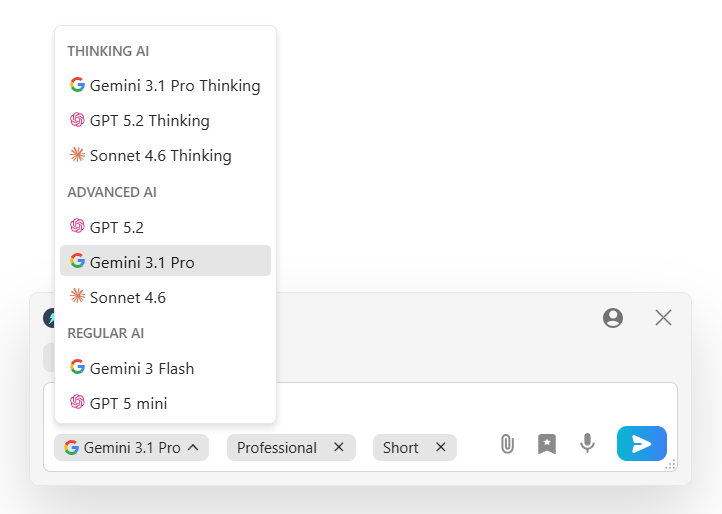
Multi-model, Lightweight and Private: Jetwriter AI lets you choose from different AI models. You can use ChatGPT, Claude, or Gemini. The tool is super light. It is under 1MB. It will not slow down your computer. It also keeps your data safe. Your private info stays with you. It is never used to teach the AI. This is very important for finance work. You can trust that your numbers and client details are private. It is a safe, fast, and smart tool for any professional.
-
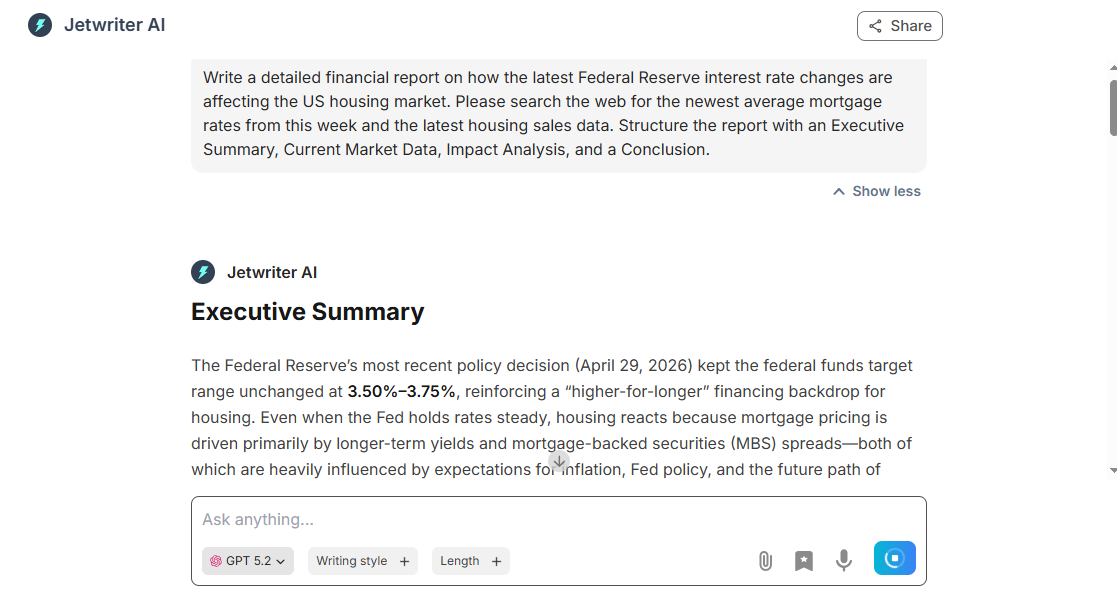
Full Web App: Sometimes you need to write a long report. Jetwriter AI also has a full web app for this. It helps you build and structure your financial reports faster. It reduces manual writing work. Jetwriter AI also searches the web. It finds up-to-date facts for your research. You get the latest news and data instantly. It is a great way to make sure your reports are always correct and modern.
Pricing
You can start using Jetwriter AI for free. If you use it often, there are affordable paid plans available. You can even plug in your own API key.
Julius AI
Julius AI is a smart data helper for your business. It works with your databases and spreadsheets. You can ask it questions about your numbers in plain English. It is a great tool for analysts and managers. It handles complex data so you do not have to. It saves you hours of manual math. You get quick answers to make smart business choices. It is a fast way to see what your data is telling you.
Top Features
-
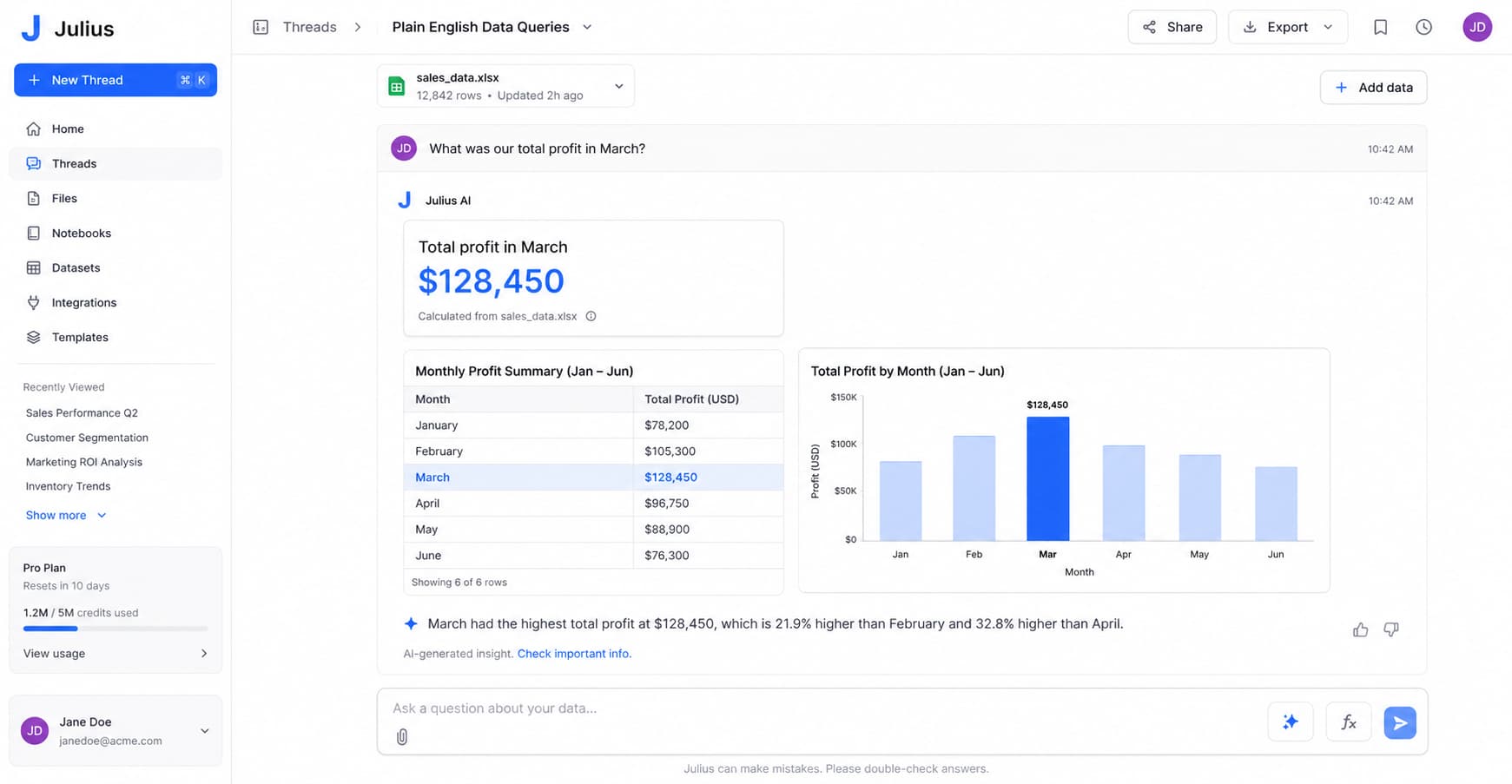
Plain English Data Queries: You have a lot of data in messy spreadsheets. Looking for specific answers takes hours. Julius AI connects right to your files and databases. You do not need to know complex coding like SQL. You just type a question like, "What was our total profit in March?" The AI reads your data and gives you the exact answer. It is like talking to a real data expert who knows all your files.
-
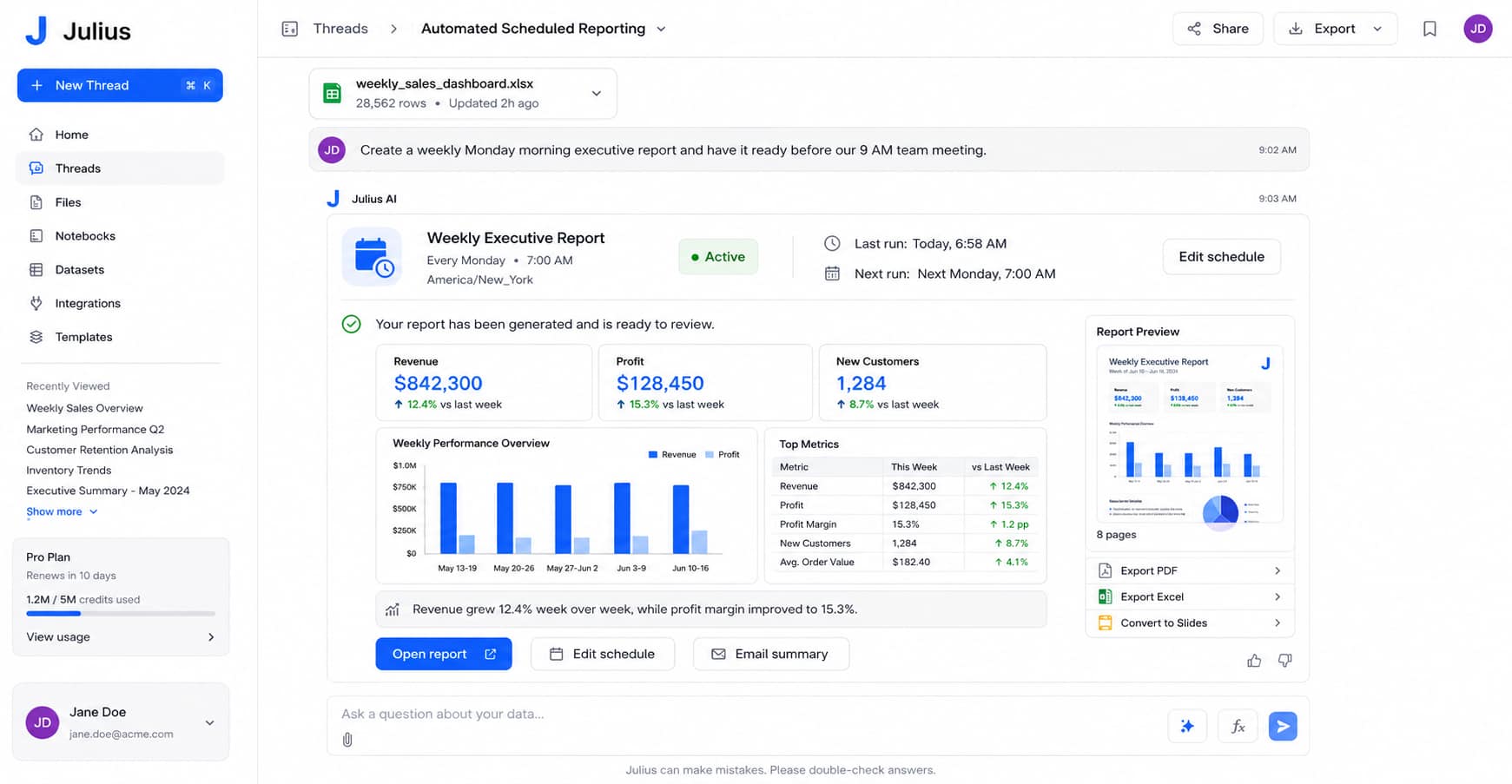
Automated Scheduled Reporting: You have a big meeting every Monday morning. You need fresh numbers ready to show. Julius AI can build your reports while you sleep. It sets a schedule to run the math overnight. By the time you wake up, a clean report is waiting for you. You never have to rush to build a slide deck from scratch again. You can actually drink your morning coffee in peace while the AI handles the heavy work.
-
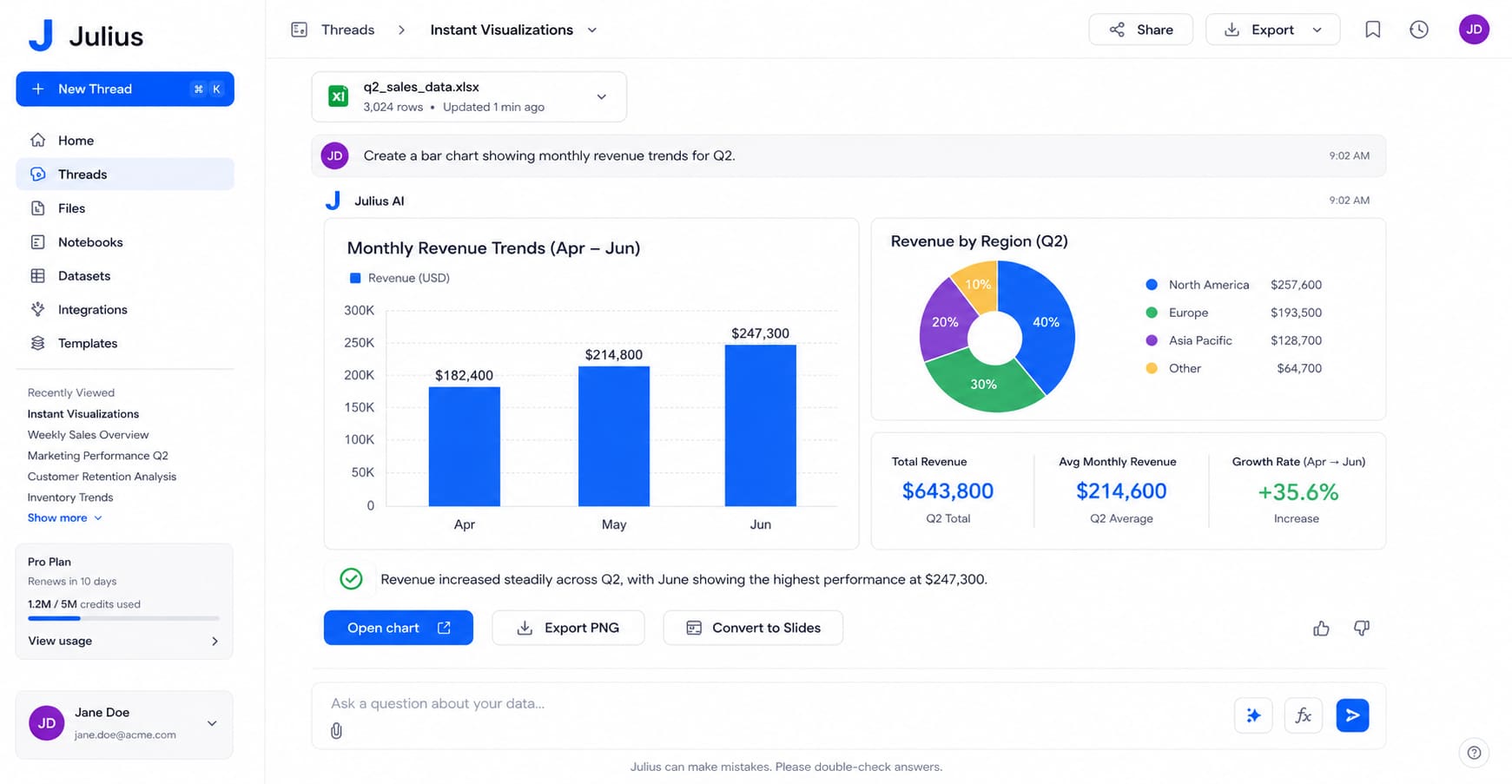
Instant Visualizations: Big walls of numbers are very hard to read. Your boss just wants simple charts to see the trends. Julius AI takes your raw data and turns it into clean graphs. You ask a question, and it instantly builds a bar chart for you. You do not have to spend hours fighting with Excel formatting. It builds graphs that are ready to show off in your next meeting. It makes your reports look great with very little effort.
Pricing
You can use Julius AI for free if you only need to run a few reports. If you need to do more work, paid plans start at $16 per month.
Nanonets
Nanonets is a smart reader for your business papers. It looks at your messy invoices and tax forms to pull out the right data. It does the boring data entry work for you. This tool is great for teams that handle a lot of bills every day. It saves you time and stops silly typing mistakes. You get your work done faster.
Top Features
-
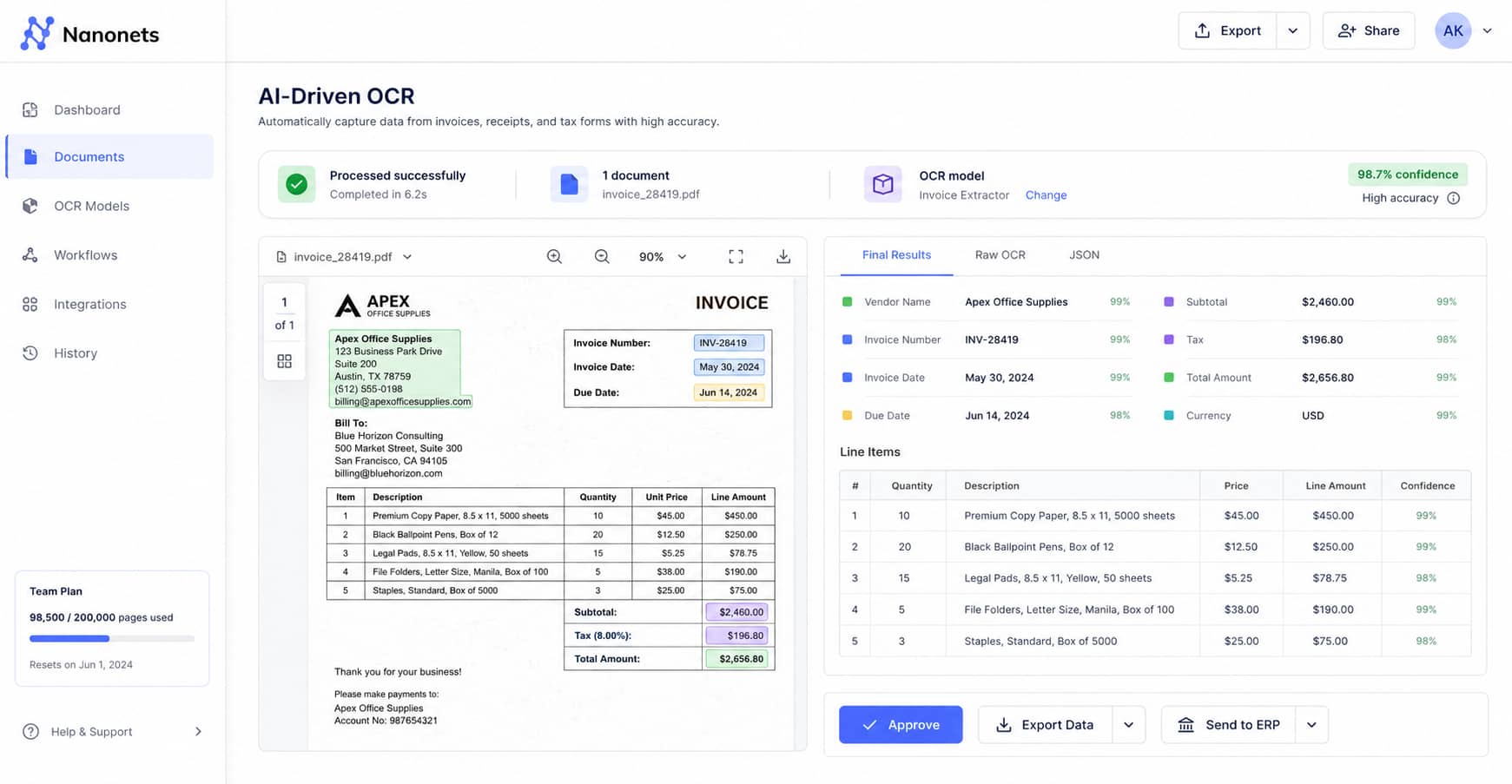
AI-Driven OCR: You get a lot of invoices, receipts, and tax forms every day. Typing all that data by hand is very boring. It also takes a lot of time. Nanonets acts like a smart scanner. It reads your messy papers and pulls out the right numbers with very high accuracy. You do not have to type anything. It finds the facts you need instantly so you can focus on bigger tasks.
-
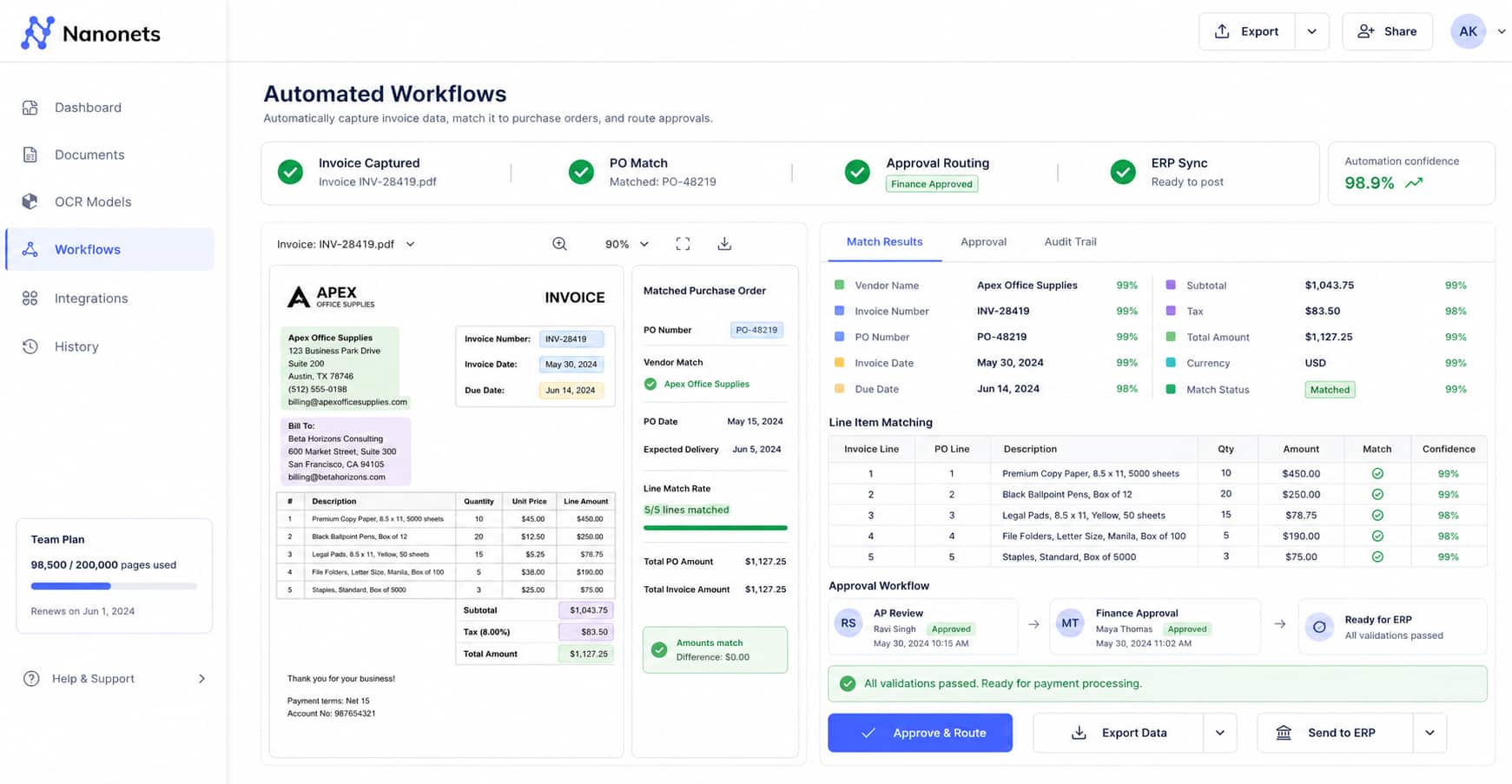
Automated Workflows: Paying bills is a long process. You have to check every single line on an invoice. You have to match it to a purchase order. Nanonets automates your accounts payable work for you. It captures every line item and matches the document to the right transaction. It does all this heavy lifting in the background. Your bills get paid faster with zero stress.
-
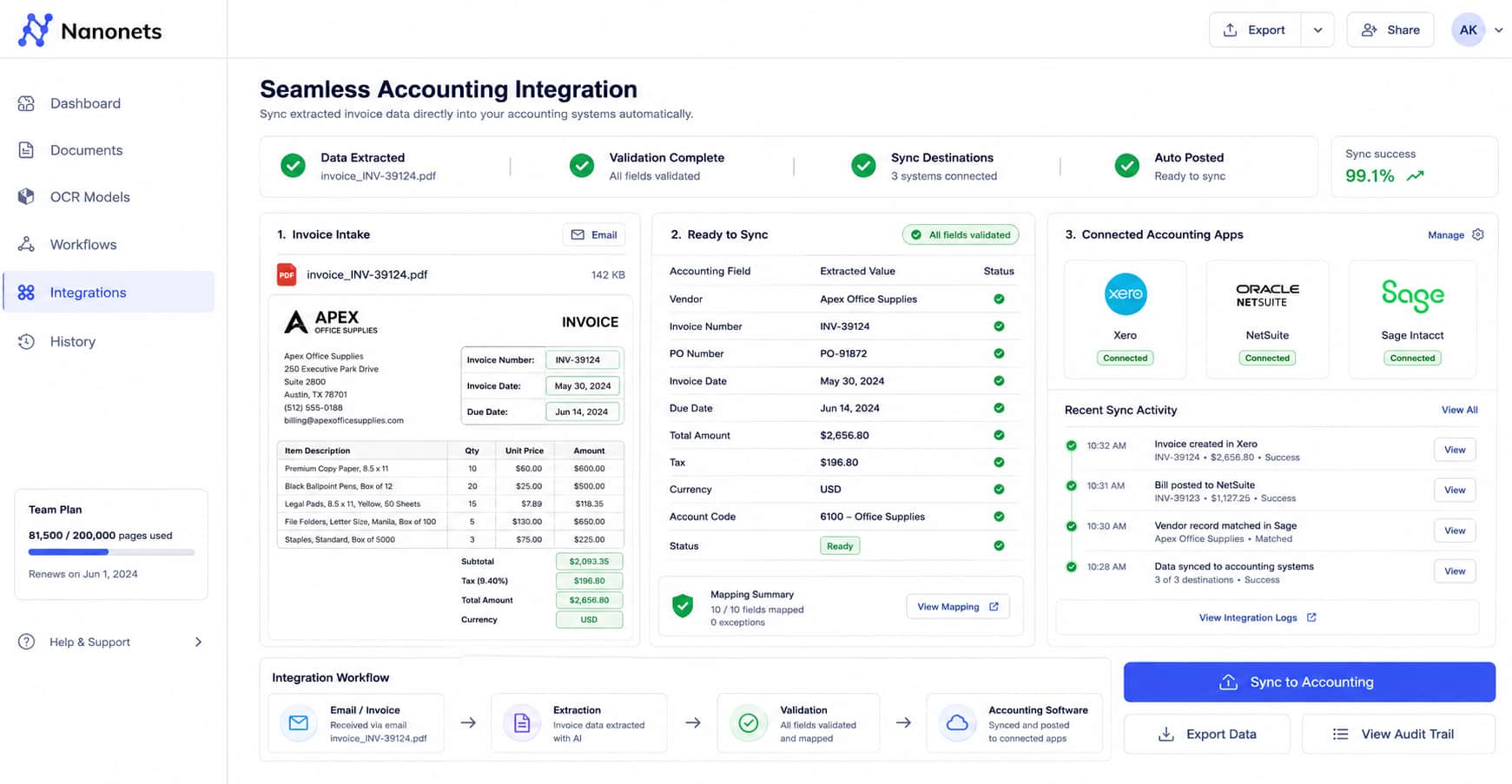
Seamless Accounting Integration: Moving data from an email into your accounting software is a big chore. You do not want to copy and paste numbers all day. Nanonets syncs your extracted data directly into major tools like Xero, NetSuite, and Sage. It pushes the numbers right where they need to go. Your books stay updated automatically without any extra manual work from you. It is very easy.
Pricing
You can start using Nanonets for free with trial credits to test it out. If you process many files, you just pay for the work you do with custom plans.
Browse AI
Browse AI is a smart bot that reads websites for you. It pulls data from any webpage and puts it into a clean spreadsheet. You do not need to know how to code. It is great for tracking market trends or checking competitor prices. It saves you from copying and pasting data all day long. You get the facts you need to make fast business choices.
Top Features
-
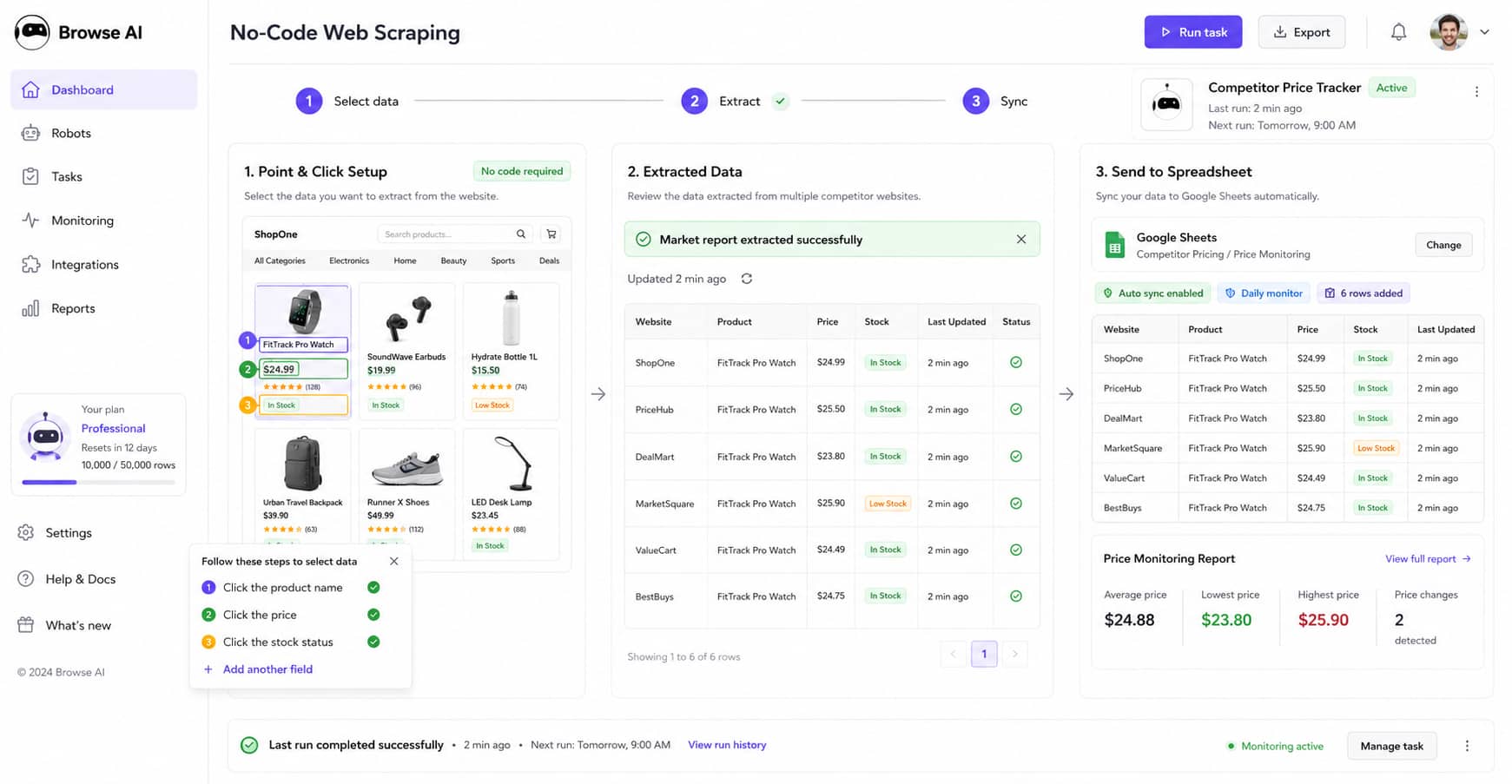
No-Code Web Scraping: You need to check competitor prices on many different websites. Copying this data by hand takes hours. Browse AI does this for you automatically. You just point and click on the data you want. The AI extracts market reports and pricing straight into your spreadsheet. You do not need to write any code. It is very simple to set up and saves you a lot of manual work.
-
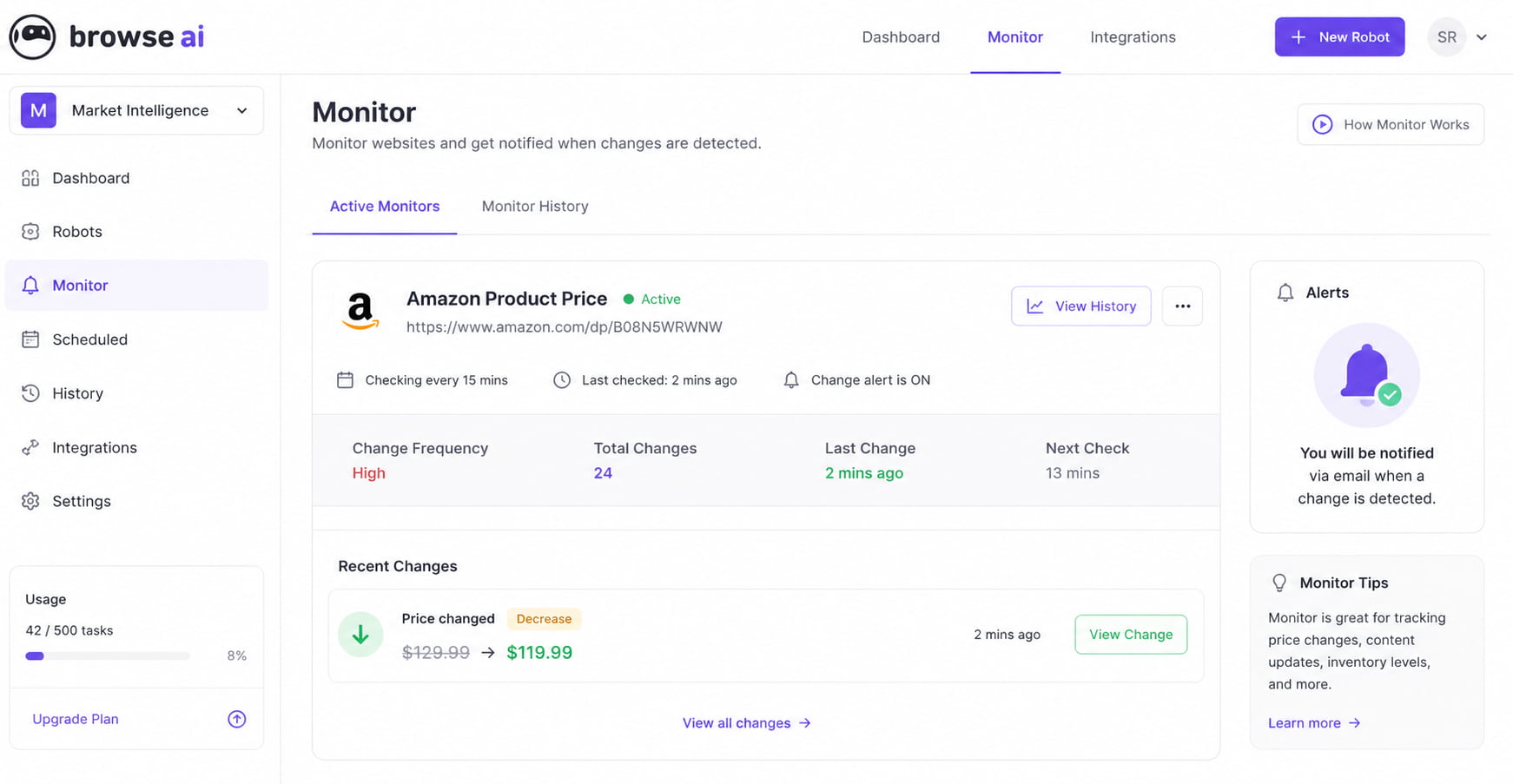
Real-Time Website Monitoring: You need to know when a stock price changes or a competitor updates their website. Checking the page every hour is boring and slow. Browse AI sets up automated robots for you. These robots monitor specific pages all day and night. They send you an alert the exact moment a change is detected. You are always the first to know the latest news.
-
Pagination & Layout Handling: Websites change how they look all the time. This usually breaks normal data tools. Browse AI is smarter than that. It automatically navigates through numbered pages to find all your data. If a website changes its layout, the AI adapts on its own. You do not need to retrain the bot or fix anything. It keeps running smoothly so your data is always ready.
Pricing
You can use Browse AI for free for limited web scraping and monitoring. For more, paid plans start at $19 per month.
Docyt
Docyt is a smart AI bookkeeper for your business. It handles your bills, receipts, and daily expenses automatically. You do not have to wait for the end of the month to see your numbers. It helps you track your payroll and stops you from overspending. It makes your accounting work very fast and keeps your books perfectly clean.
Top Features
-
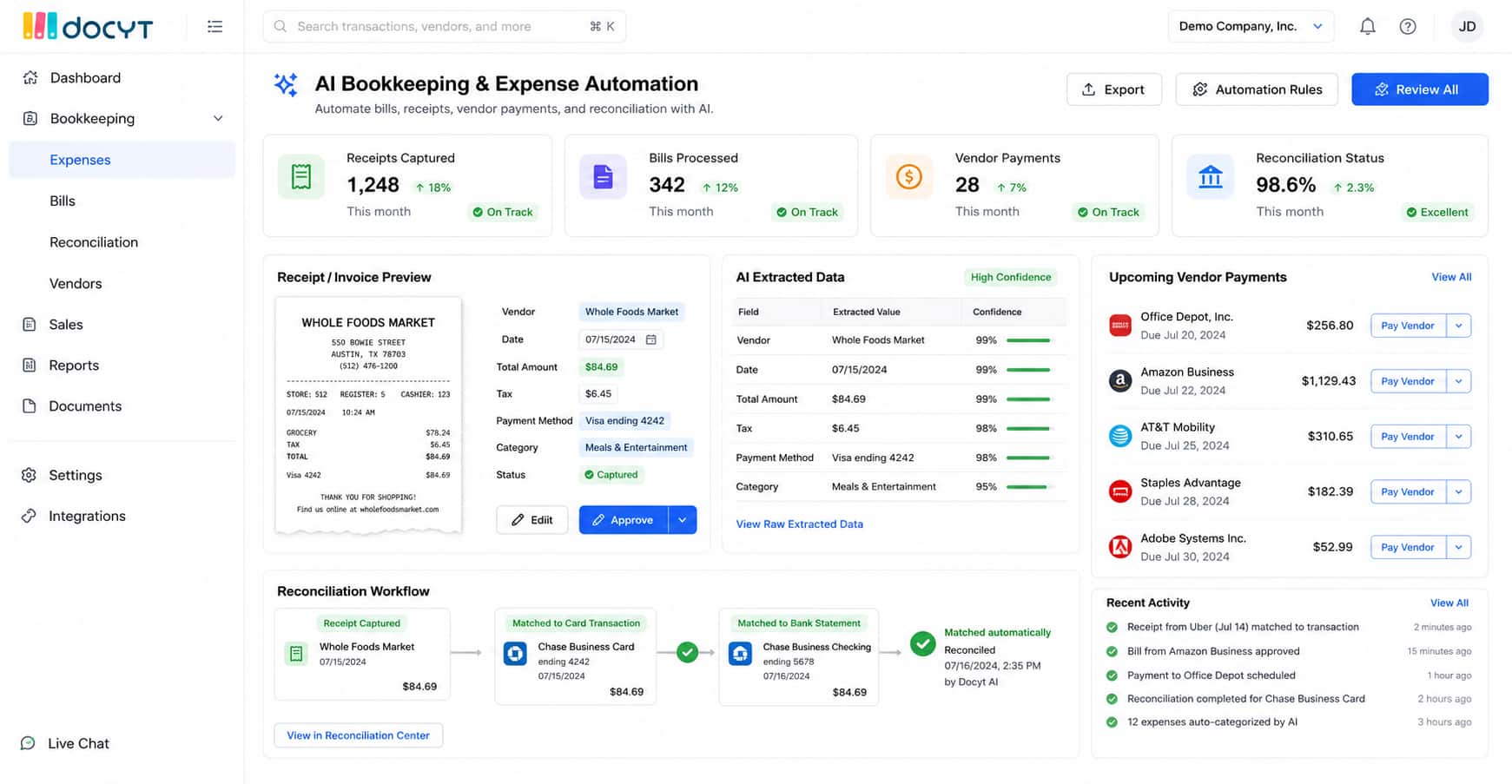
AI Bookkeeping & Expense Automation: You get a lot of bills and receipts every week. Sorting them takes hours. Docyt automates your bookkeeping work. It captures data from your receipts instantly. It handles your bill pay and vendor payments for you. It also does your credit card reconciliation. You do not have to match receipts to bank statements by hand anymore. It does the boring math for you.
-
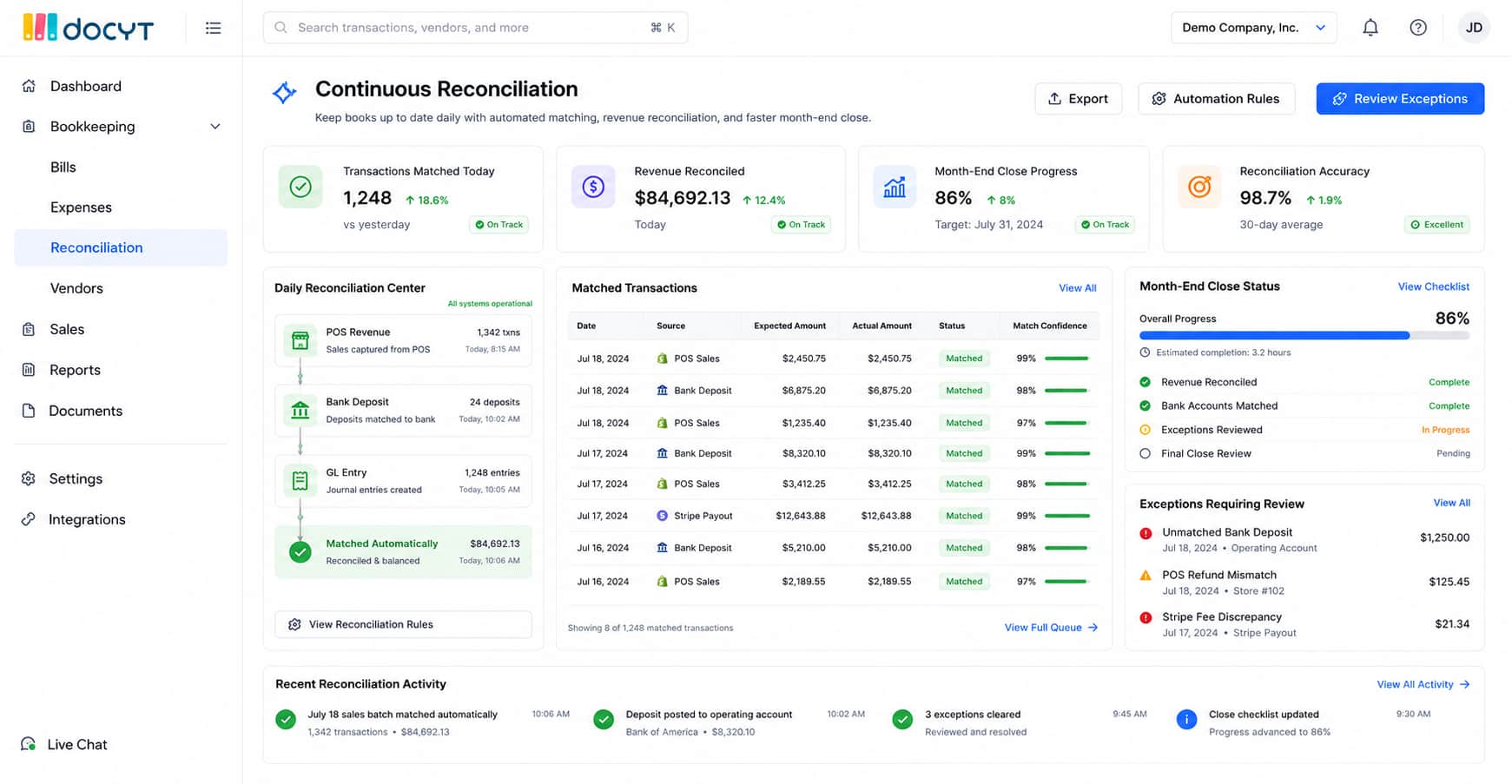
Continuous Reconciliation: The end of the month is very stressful for accountants. Closing the books takes days of hard work. Docyt changes this. It handles your revenue accounting every single day. It gives you continuous reconciliation. This means your books are always up to date. It automates the month-end close process for you. You can finish your month-end work in just a few hours.
-
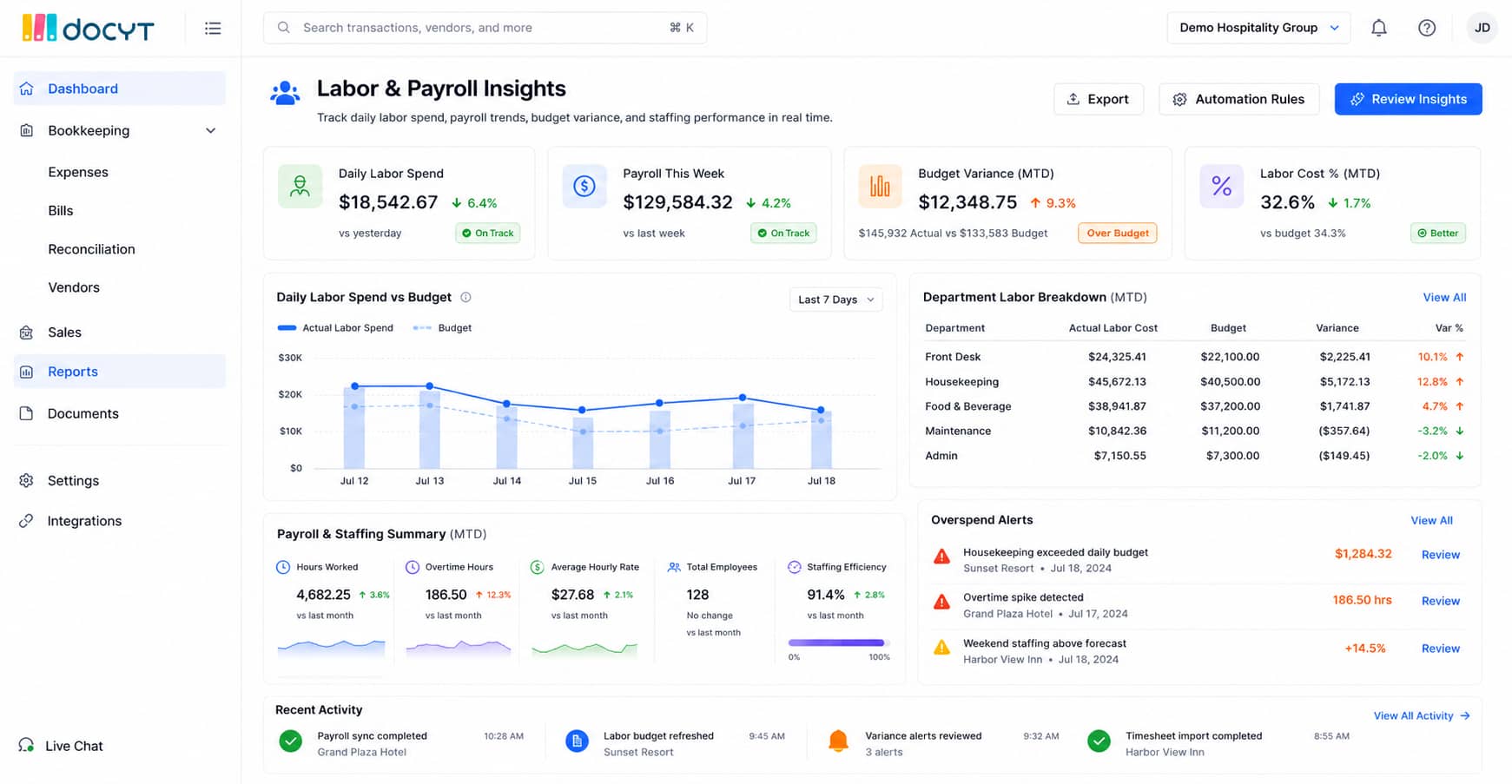
Labor & Payroll Insights: You need to know how much money you spend on your team. Waiting for a payroll report takes too long. Docyt tracks your daily labor spend. It compares your actual costs against your budgets. This helps you spot overspending right away. You can fix the problem fast and improve your margins in real time. You always know exactly where your money is going.
Pricing
You can request a custom demo to see how Docyt works for your specific accounting needs. Paid plans are priced based on the size of your business and how many expenses you process.
Fiscal AI
Fiscal AI is a smart tool to check company numbers. It gives you clean, real-time data on global stocks and funds. You get the facts instantly. It helps you track the exact details you care about. You can always check where the data came from to be safe. It is perfect for analysts who need fast and true facts.
Top Features
-
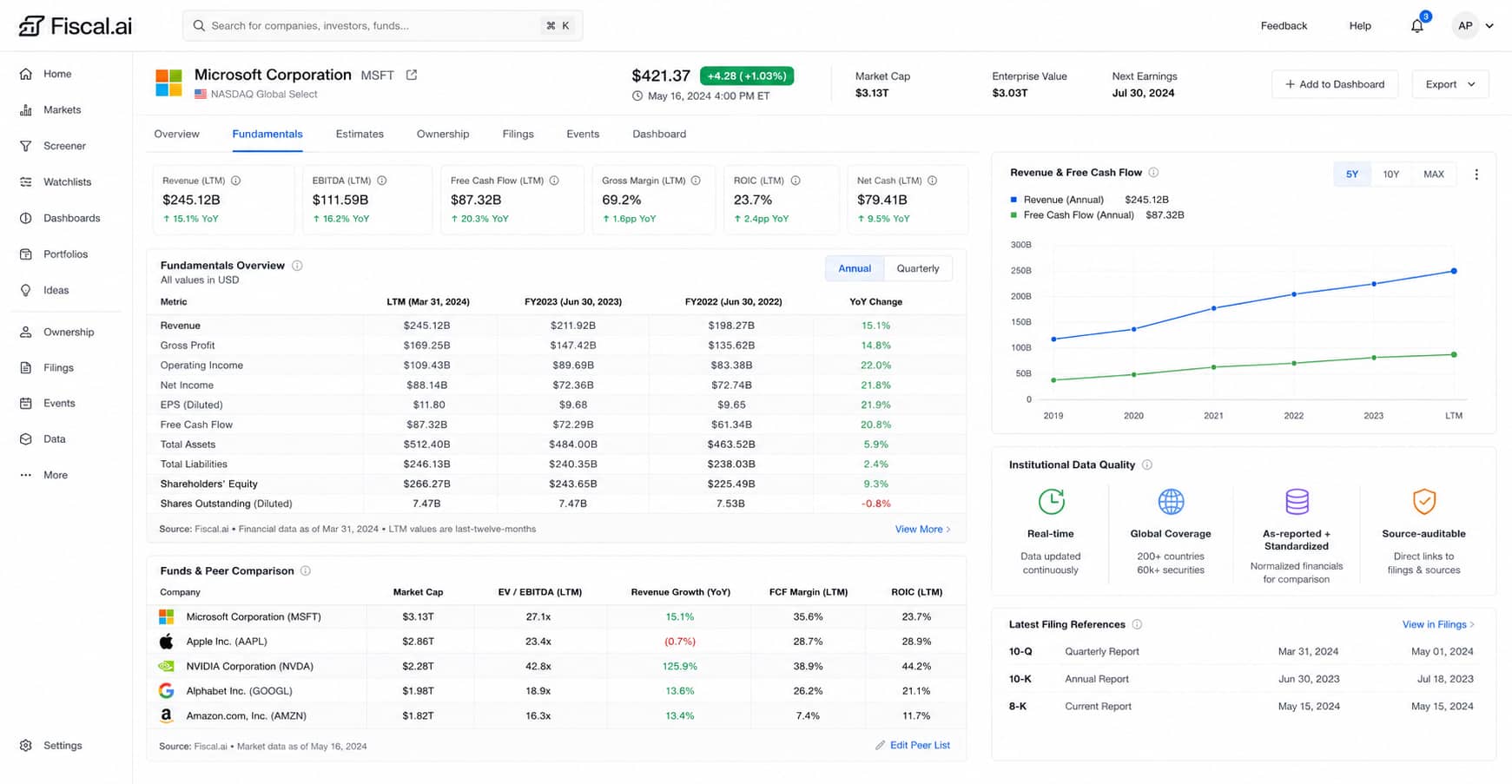
Institutional-Grade Fundamentals: You need the best data to make smart choices. Bad numbers lead to bad choices. Fiscal AI delivers clean, real-time global financial data. It gives you deep analysis on stocks and funds instantly. There is no delay. You get the exact same powerful numbers that big banks use. This helps you build models and forecasts you can actually trust.
-
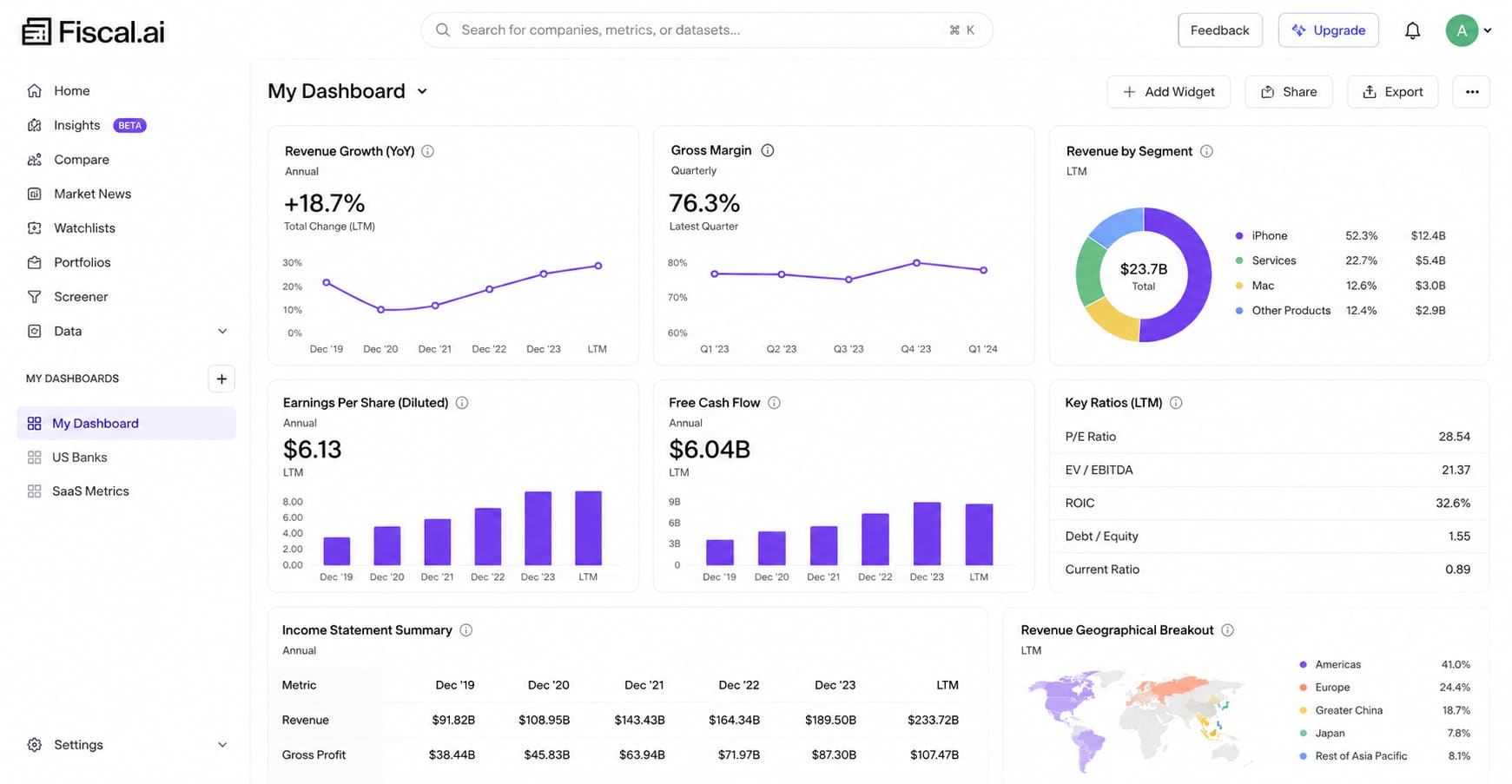
Customizable KPI Dashboards: You do not just want to look at plain profits. You want to see the specific details of a business. Fiscal AI builds personalized watchlists for you. It tracks specific business segments and small details. It goes way beyond normal financial numbers. You can see the exact facts that matter most to you. This helps you spot trends before anyone else does.
-
Click-Thru Auditability: AI can sometimes make mistakes. You need to know if a number is real before you use it. Fiscal AI lets you trace any data point with one click. It links the AI summary directly back to the original source document. If you see a weird number, you can check the real file instantly. You never have to guess if the math is right. This keeps your work perfectly safe.
Pricing
You can use Fiscal AI for free to access basic financial data and one dashboard. If you need more years of data and deeper research tools, paid plans starts at $29.25 per month.
Formula Bot
Formula Bot is a smart helper for your spreadsheets. It writes Excel and Google Sheets formulas for you. You just tell it what you want in plain English. It saves you from searching the web for complex math codes. It is great for anyone who uses spreadsheets every day. It makes your work much faster and stops annoying formula errors.
Top Features
-
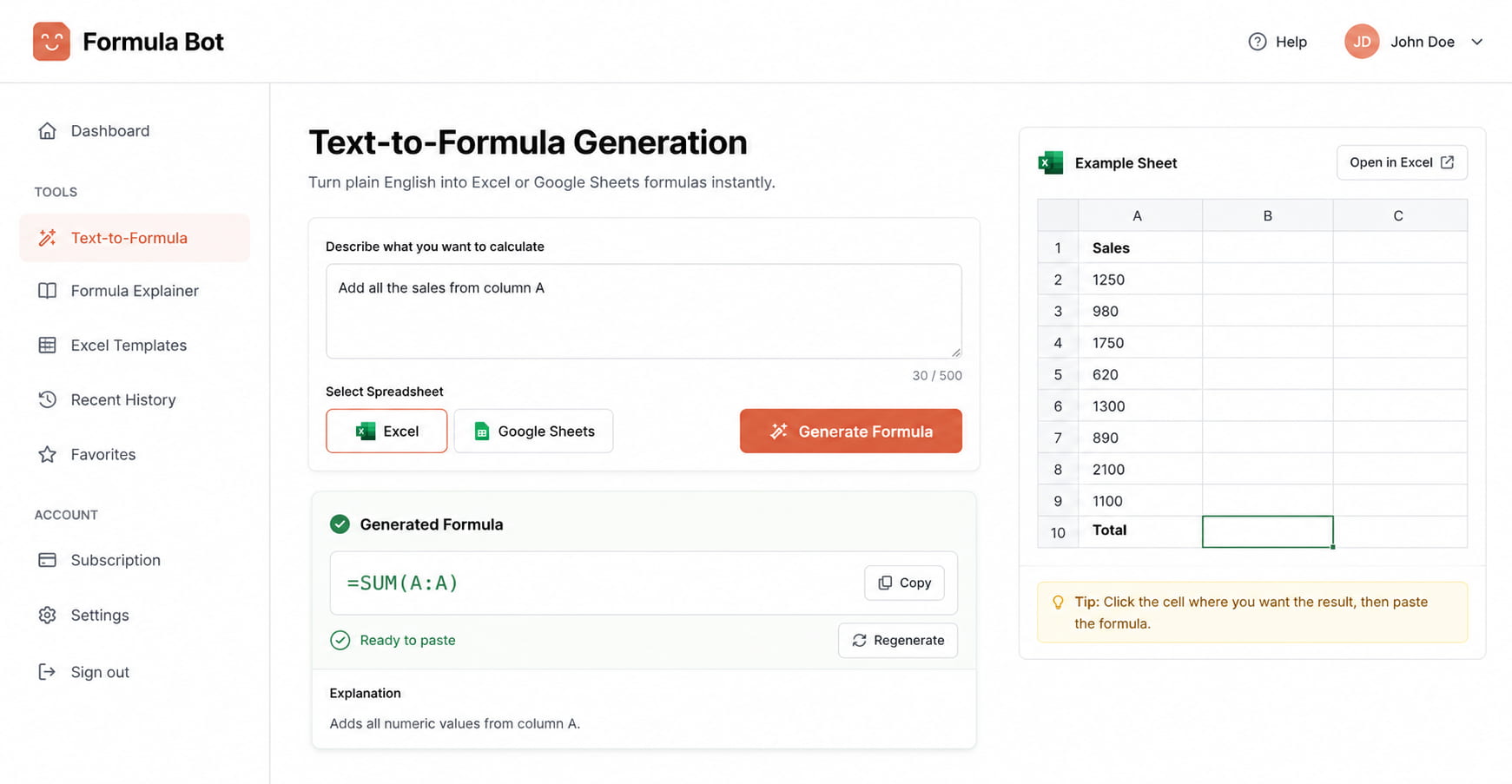
Text-to-Formula Generation: You spend hours trying to write the perfect Excel formula. Sometimes you just get an error message. Formula Bot fixes this. It converts your plain text instructions into complex formulas. You just type, "add all the sales from column A." It gives you the exact formula for Excel or Google Sheets instantly. You do not have to memorize any math codes.
-
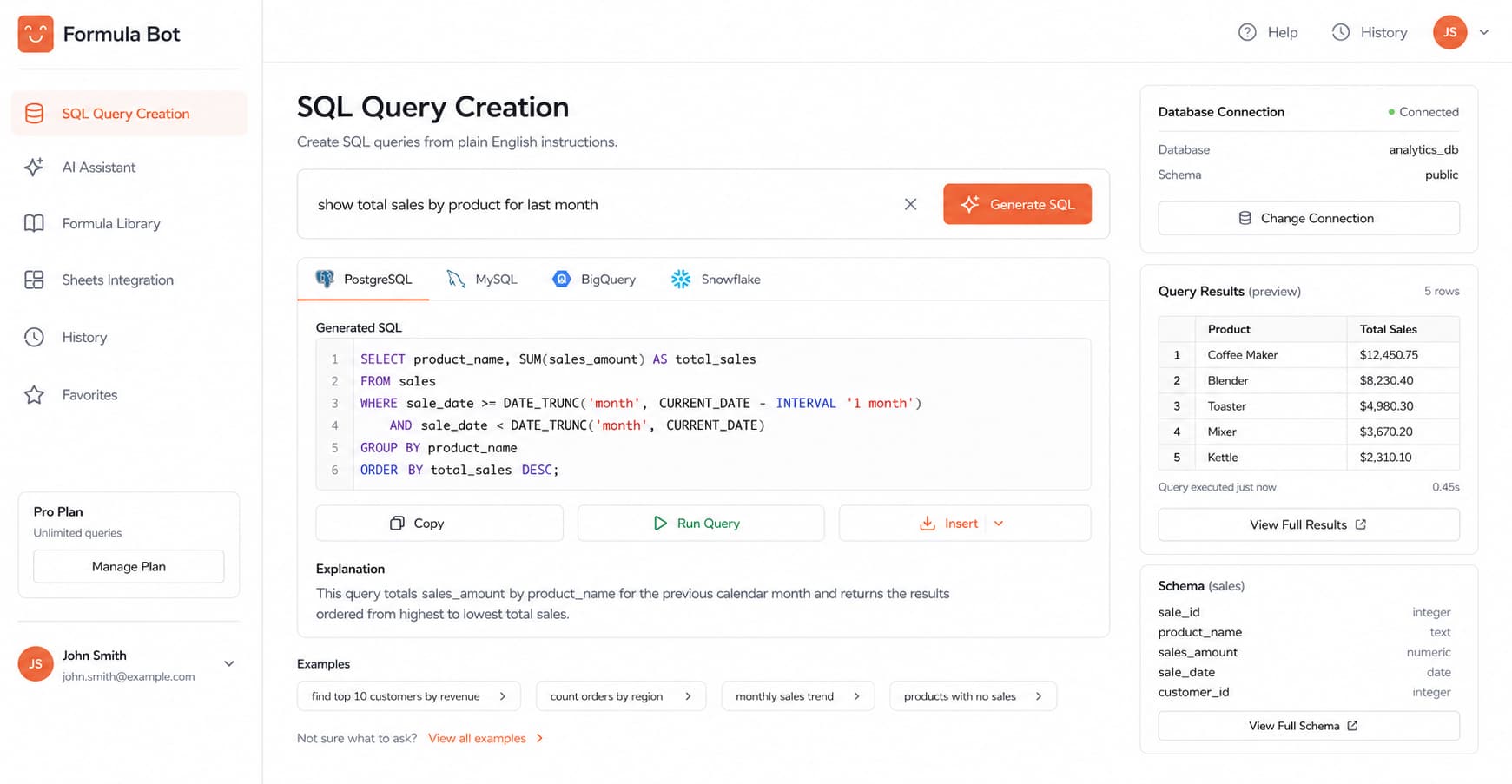
SQL Query Creation: You might need to pull data from a big company database. This usually requires coding knowledge like SQL. Formula Bot does this for you. It generates the SQL code based on what you ask. You do not need to know how to write code. You just ask for the data you want. It writes the query so you can get your numbers fast.
-
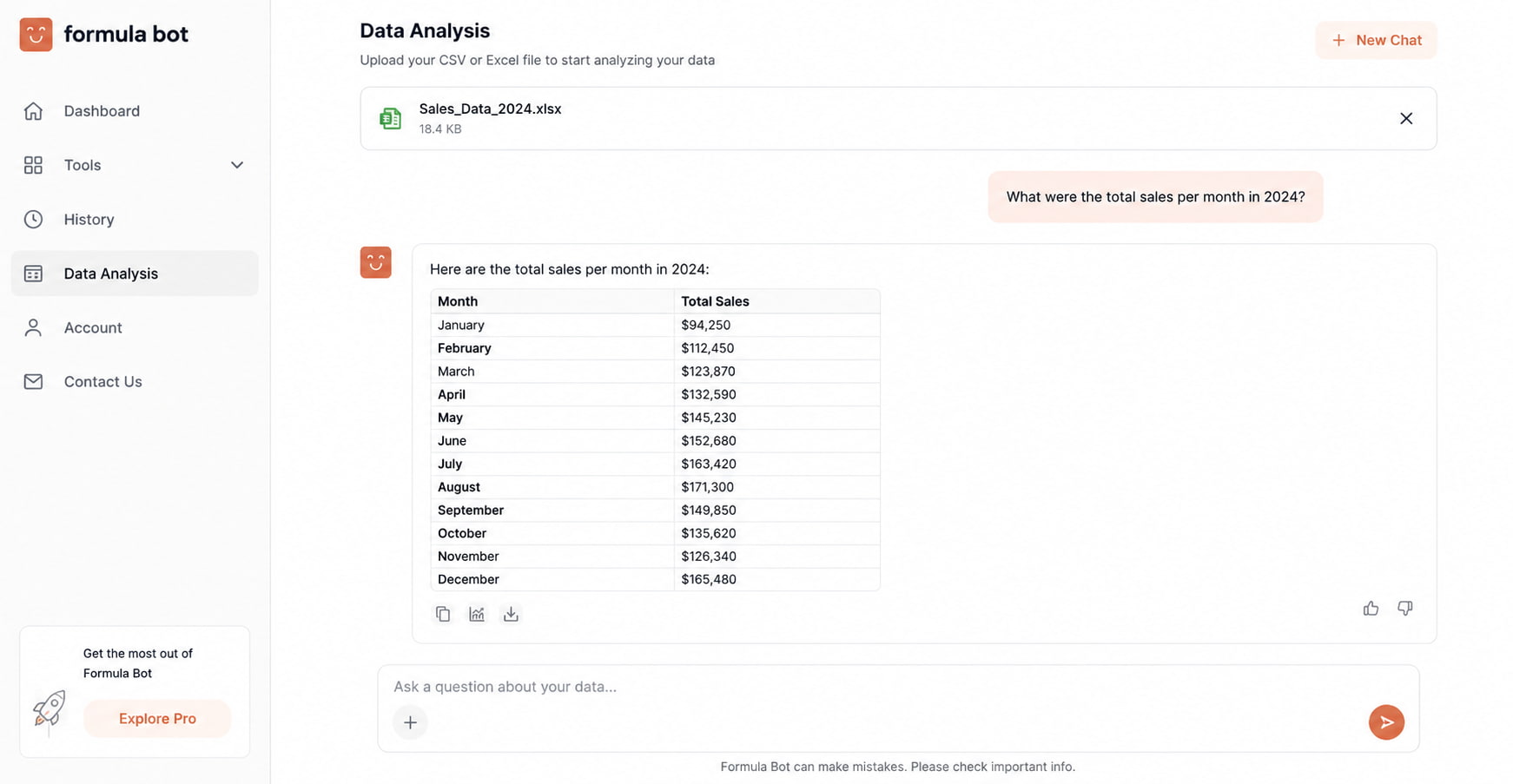
In-Browser Data Analytics: Sometimes you just want to talk to your data. Formula Bot allows you to upload spreadsheets directly to its website. Then, you can chat with your data to generate insights. You ask it questions about your files. It reads the rows and gives you the answers. It builds a quick summary for you without any extra work.
Pricing
You can use Formula Bot for free to write a few formulas and basic queries. For more, paid plans start at $12.58 per month.
Portfolio Pilot
Portfolio Pilot is a smart guide for your investments. It looks at your money and the global market. It tells you how safe your portfolio really is. It helps you find hidden fees and spots ways to make more money. It takes the guesswork out of investing. You can build your wealth safely and smartly.
Top Features
-
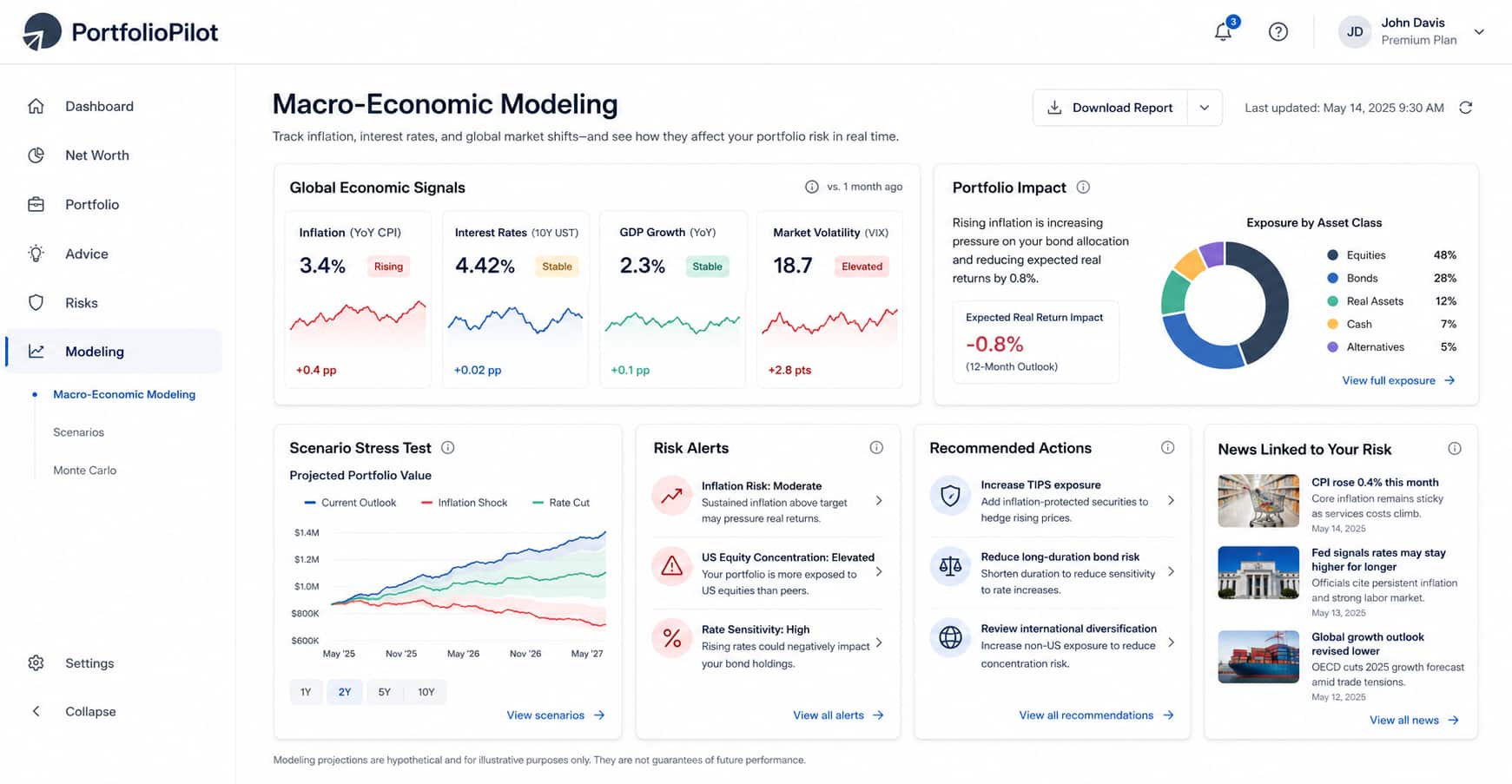
Macro-Economic Modeling: The global economy changes every day. This can hurt your investments. Portfolio Pilot tracks these big changes for you. It links global news directly to your specific risk. If inflation goes up, it tells you exactly how your money is affected. You are never caught by surprise. You always know if your money is safe.
-
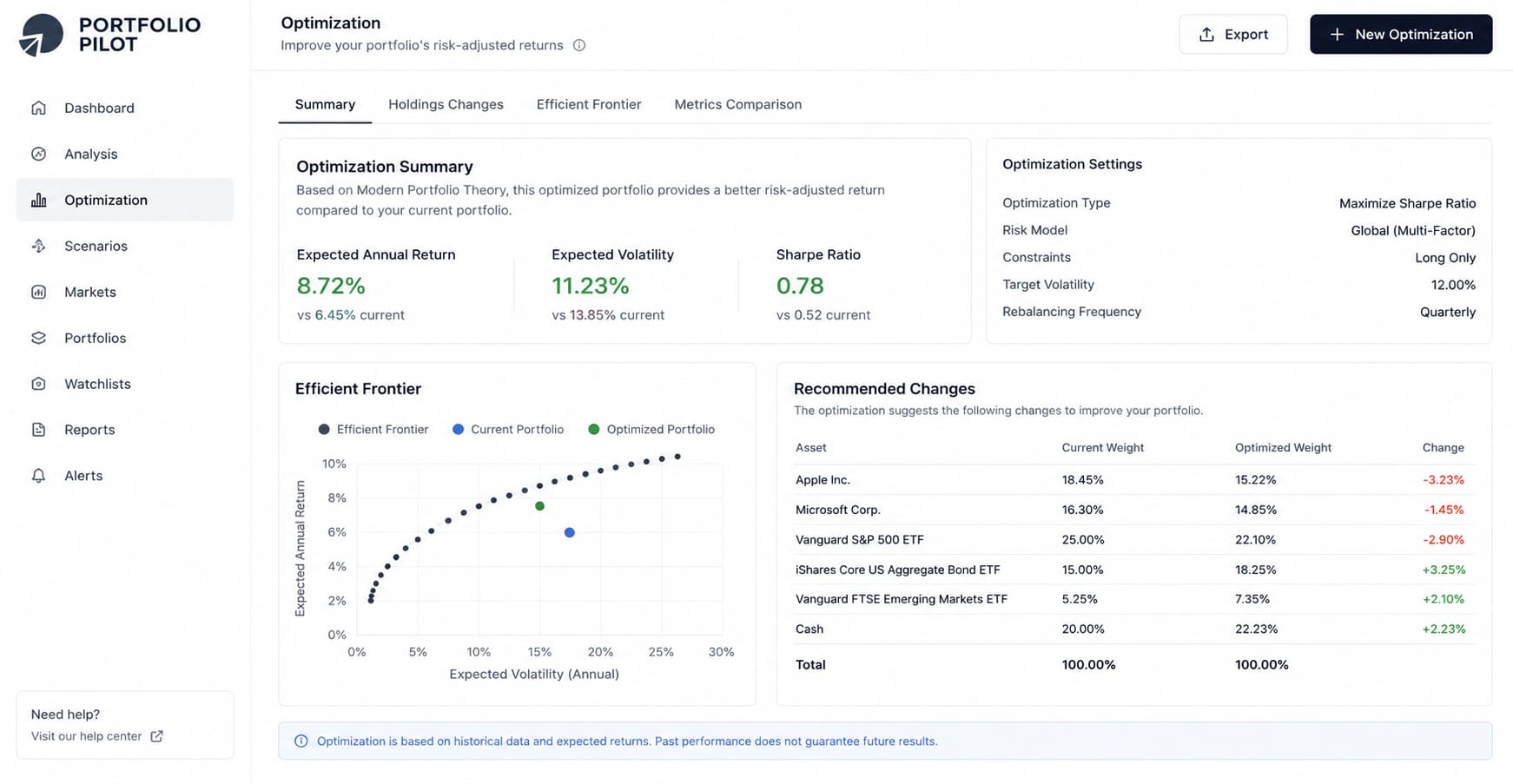
Expected Performance Optimization: You want your money to grow. But guessing which stock to buy is risky. This tool uses a smart engine to suggest ways to improve your returns. It tells you exactly how to safely spread out your investments. It gives you clear advice on what to buy or sell. It makes it very easy to reach your money goals.
-
Automated Fee Optimization & Simulation: Hidden fees eat your profits. You might pay a lot for management without knowing it. Portfolio Pilot uncovers these hidden fees for you. It also runs simulations to test your plans. You can see what happens to your money if the market crashes. It keeps your strategies safe and your costs very low.
Pricing
You can use Portfolio Pilot for free to link and check your basic investments. If you need deeper market testing and tools, paid plans start at $20 per month.
Conclusion
Let's be honest. Finance work is hard.
You stare at spreadsheets until your eyes hurt. You copy numbers all day. You worry about making one tiny math mistake. You spend your weekends reading long, boring documents.
You do not have to work this way anymore. The AI tools on this list fix these exact problems.
If you are tired of typing the same emails, Jetwriter AI writes your replies instantly right inside Gmail or Slack. When you hate doing manual math, Julius AI and Formula Bot write the formulas for you. Nanonets and Browse AI pull the exact numbers from huge files so you do not have to search. And if you are worried about bad investments, Portfolio Pilot and Fiscal AI check the market to keep your money safe.
These tools take away the robot work. They stop silly human errors. They give you your time back. You can finally focus on making smart choices instead of just fixing typos.
Stop doing the hard work manually. Pick a tool and let the AI do the heavy lifting for you.
Frequently Asked Questions (FAQ)
Will AI tools replace accountants and finance professionals?
No, AI will not replace you. These tools are built to handle boring, repetitive tasks like data analysis and formula writing. They free up your time so you can focus on making smart financial decisions and advising your clients.
How secure are AI tools when handling sensitive corporate financial data?
Top enterprise AI tools are very secure and never use your private data to train their models. They use bank-level encryption to keep your numbers and client details perfectly safe. You should always check a tool's privacy policy before uploading sensitive documents.
Do I need to know how to code to use AI in finance?
Not at all. Modern tools like Julius AI and Formula Bot let you ask questions about your data in plain English. If you know how to type an email or chat online, you have all the skills you need.
Which AI model (ChatGPT, Claude, or Gemini) is best for financial analysis?
It depends on the specific task you are doing. Claude is generally excellent for reading and analyzing massive financial documents accurately. ChatGPT is great for quick math and drafting emails, while Gemini is very strong for live web research.
How do modern AI finance tools integrate with older, legacy accounting software?
Many tools use smart browser extensions to work right on top of the software you already use. Others allow you to easily export clean Excel or CSV files that can be uploaded into any old system. This means you do not have to rebuild your entire accounting process to start using AI today.