Here is the hard truth. Starting a business is exciting, but running it is tough. You are not just the boss. You are the marketing manager, the sales lead, and the customer support agent. You are wearing way too many hats.
Then there is your time.
Look at your to-do list. It is probably a mile long. You spend half your day doing manual tasks like scheduling calls, chasing invoices, or writing emails, instead of actually growing your business. It is exhausting.
But there is a simple fix. You need the right tech stack.
Think of these as your "digital employees." They handle the boring, repetitive work for you. They automate your admin, organize your sales, and keep your finances in check. The best part? They work 24/7 without complaining.
We have picked the top 8 productivity tools for small business owners. These tools cover everything from AI writing and scheduling to CRM and accounting. Let’s dive in.
Top Productivity Tools for Small Business Owners
Jetwriter AI
Writing is hard work. You stare at a blank screen trying to write a blog post, or you spend 20 minutes agonizing over a single email reply.
Jetwriter AI fixes this.
It is a smart writing assistant that lives right inside your browser. It helps you write faster and better. It is not just about fixing grammar; it also helps you generate professional content in seconds. It works seamlessly on Gmail, LinkedIn, Freshdesk, Microsoft Outlook, and more.
Key Features
-
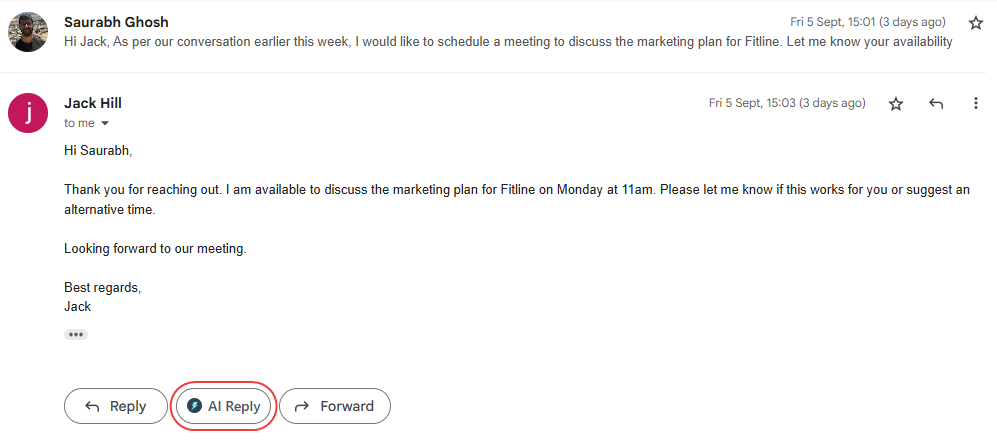
It Writes For You: Writing replies takes a lot of mental energy. You have to read the message, think of an answer, and then type it out. Jetwriter AI does this heavy lifting for you. It reads the email or message you are looking at. It understands the full history of the conversation. Then, it writes a perfect reply for you in seconds. You do not have to explain what was said. You do not have to copy and paste context. It works where you work, whether you are replying to emails in Gmail, networking on LinkedIn, or solving tickets in Freshdesk and Zendesk.
-
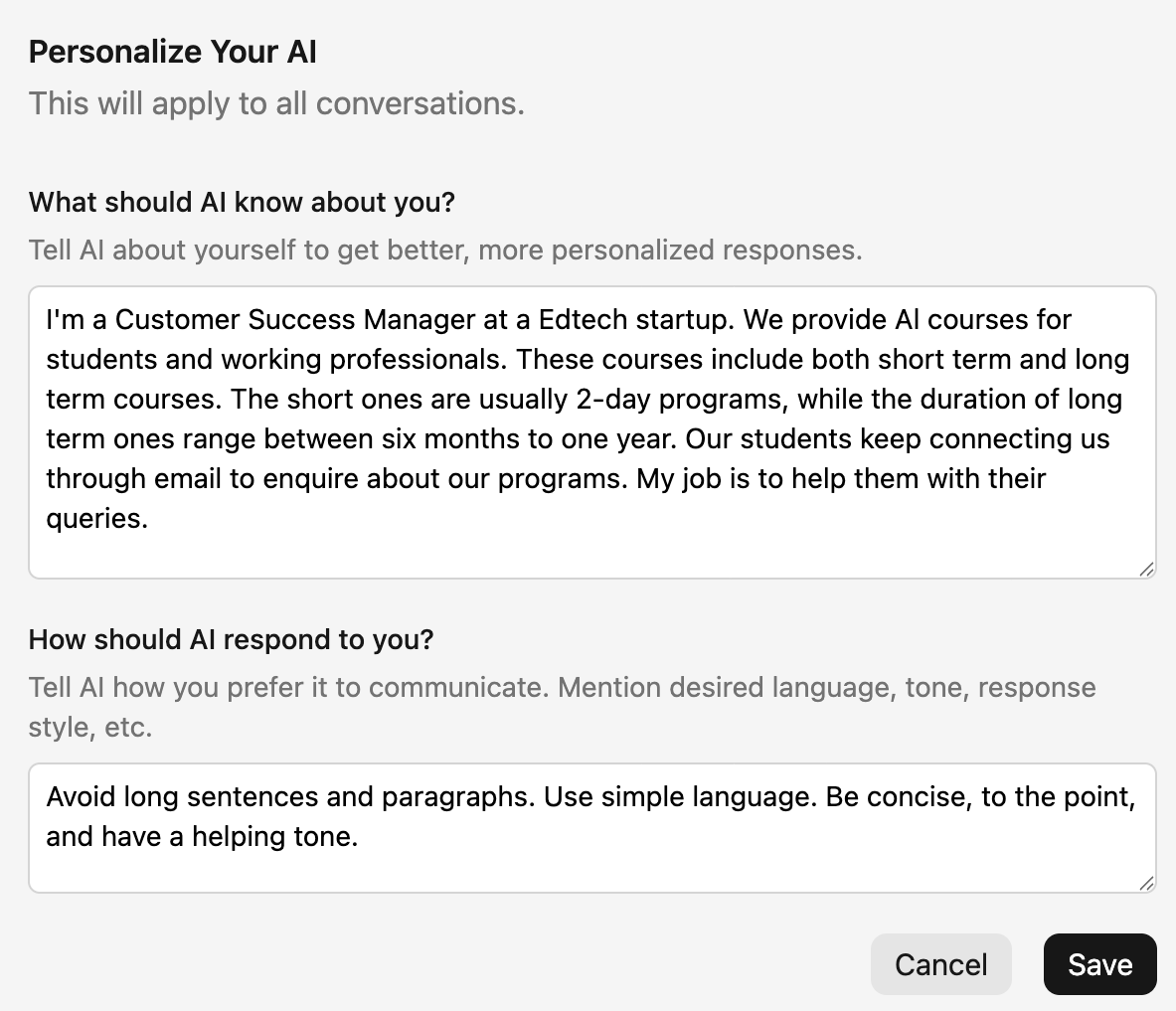
Personalize AI: Most AI sounds like a robot. Jetwriter AI is different. You can teach it who you are. You tell it your job title, your company details, and how you would like to write. It uses this to write messages that sound like they actually came from you.
-
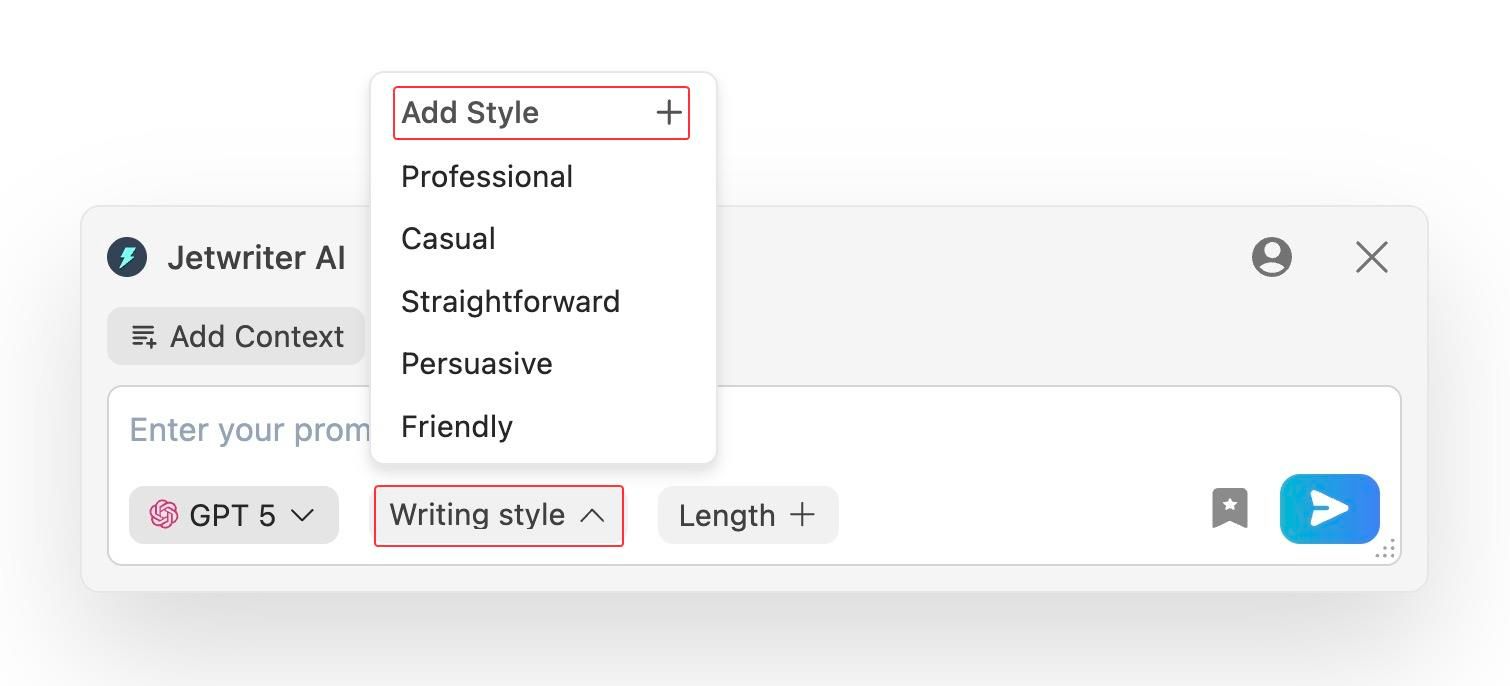
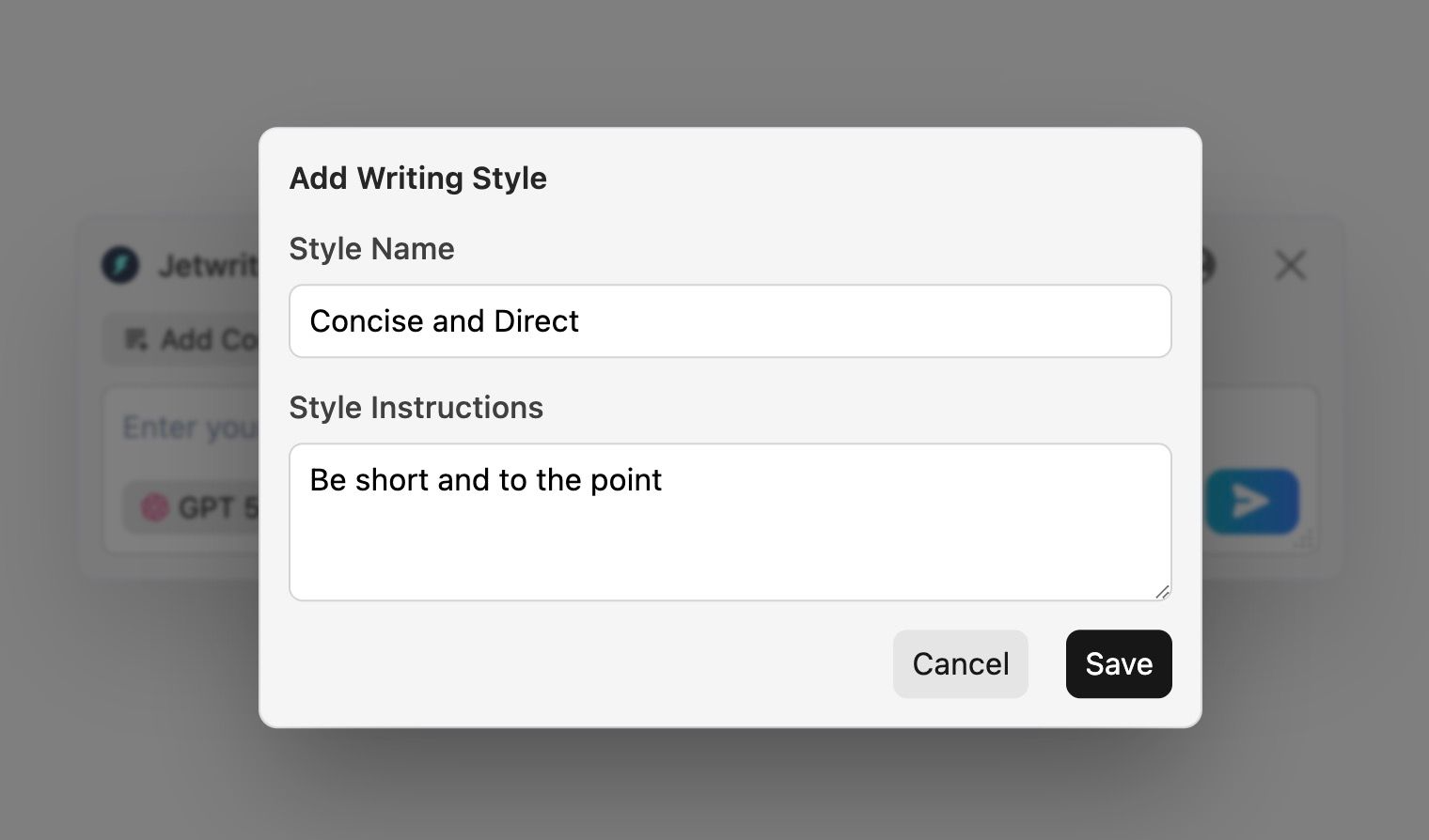
Create Custom Writing Styles: You do not talk to your boss the same way you talk to your best friend. This feature lets you create different "voices." You can have a "Concise & Direct" style for clients and a "Friendly Updates" style for your team. You can switch between them with one click.
-
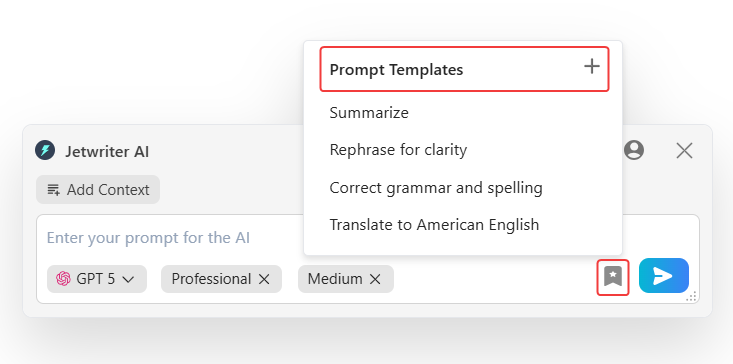
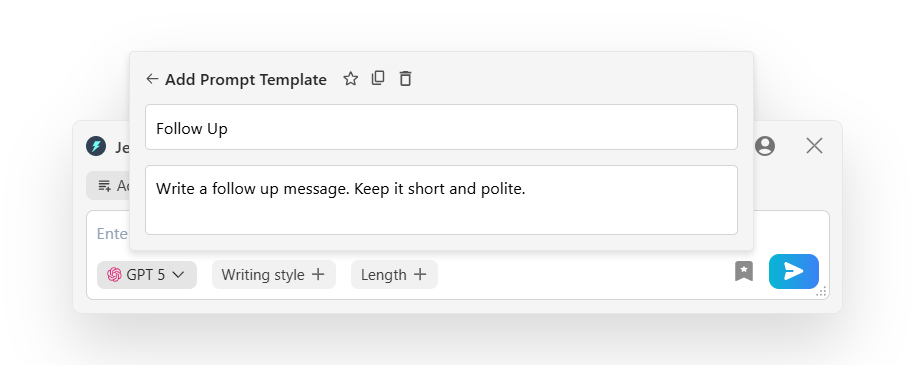
Save Prompt Templates: Do you type the same "Follow up" or "Thank you" instructions every day? Stop doing that. You can save your favorite commands as templates. Next time, just click a button, and the AI does the rest.
-
Quick Actions: Imagine having a helper that follows you to every website. That is what Quick Actions does. When you highlight any text on a web page, a magic menu pops up instantly. You do not need to open a new tab. You do not need to copy and paste. You can fix a messy sentence with one click. You can translate foreign text instantly. You can even summarize a long, boring article into a few short lines. It keeps your workflow smooth and uninterrupted.
-
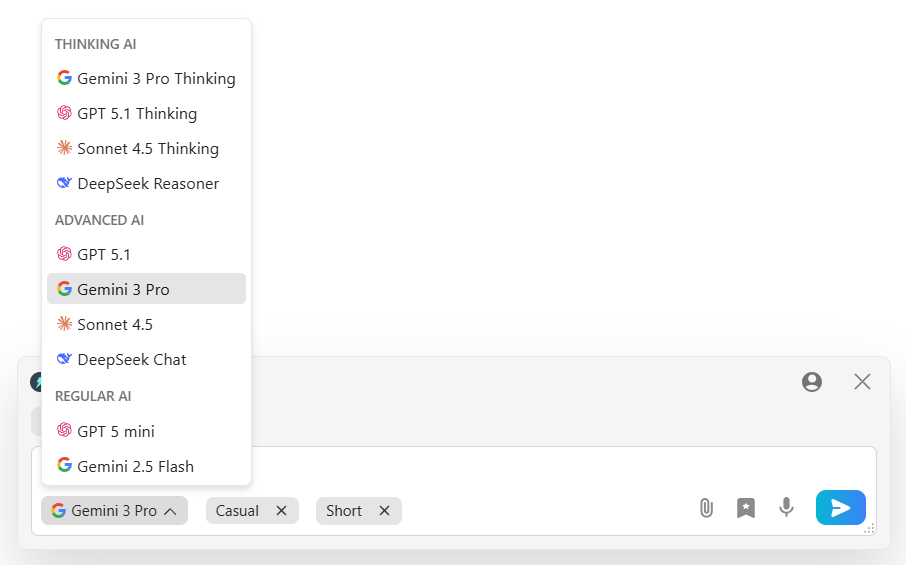
Multi-Model Access, Fast & Private: You don't have to switch between different AI tabs. Jetwriter AI gives you access to top-tier models like GPT 5.2, Claude, and Gemini directly within one interface. You get the best brain for the job, every time. It is very light (less than 1MB), so it will not slow down your computer. Best of all, it is private. It never uses your data to train its AI.
Pricing
You can start using Jetwriter AI for free. If you use it often, there are affordable paid plans available. You can even plug in your own API key.
Get the Tool
Ready to write faster? You can get the Jetwriter AI extension from the Chrome Web Store.
Notion
Your business information is probably scattered everywhere. You have some notes in Google Docs, tasks in a notebook, and SOPs in random PDF files. It is a mess.
Notion organizes your entire brain.
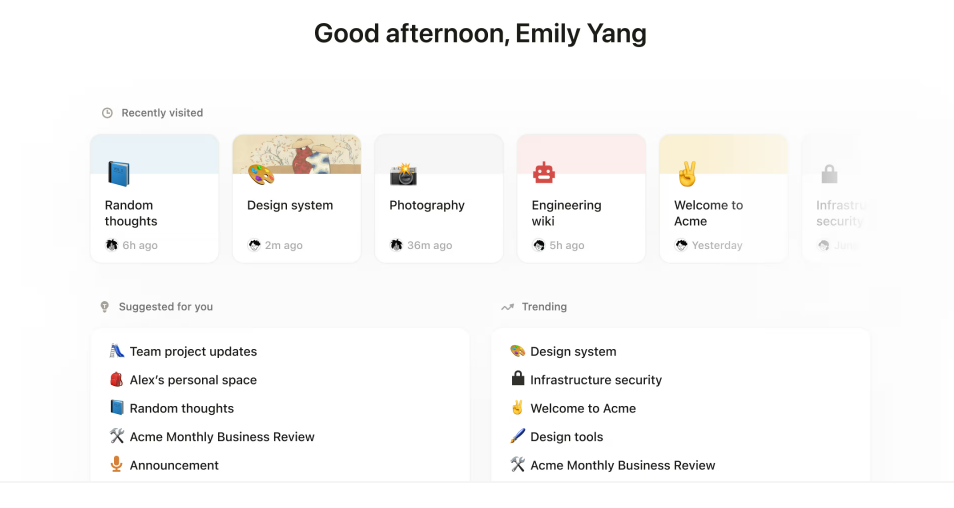
It is an all-in-one workspace that replaces multiple tools. It combines your notes, documents, and project management into one clean interface. It keeps all your work in one place, so everyone knows exactly where to look.
Key Features
-
Customizable Databases: You can build your own workflows. Whether you need a content calendar, an inventory tracker, or a client list, you can create a database that fits your exact needs. You don't need to know how to code. You just drag and drop things until it looks right.
-
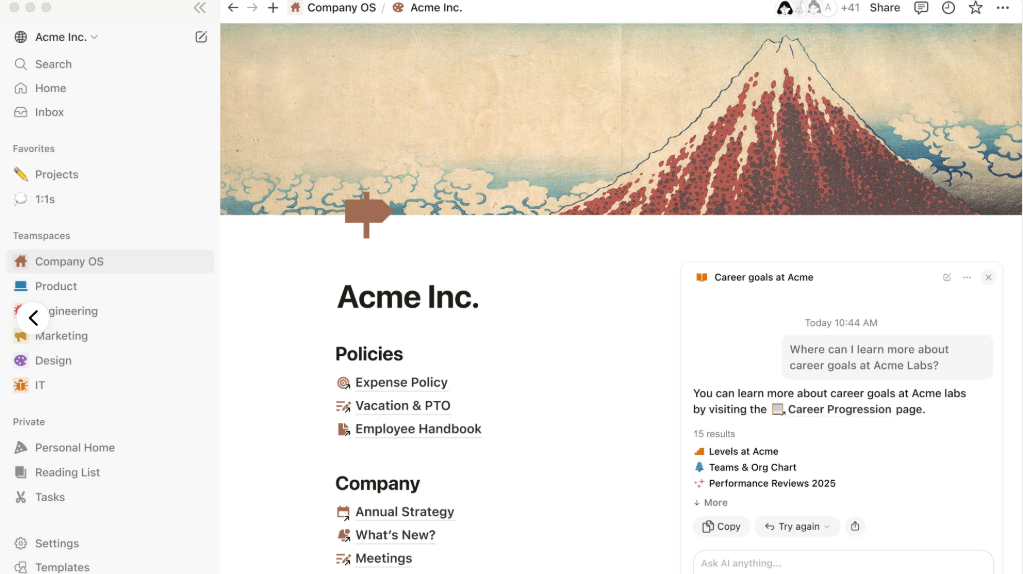
Integrated Wikis & Docs: Stop losing important documents. You can create a central home for all your company knowledge. You can store employee handbooks, guides, and Standard Operating Procedures (SOPs) here. It makes it easy for new employees to find what they need without asking you ten questions.
-
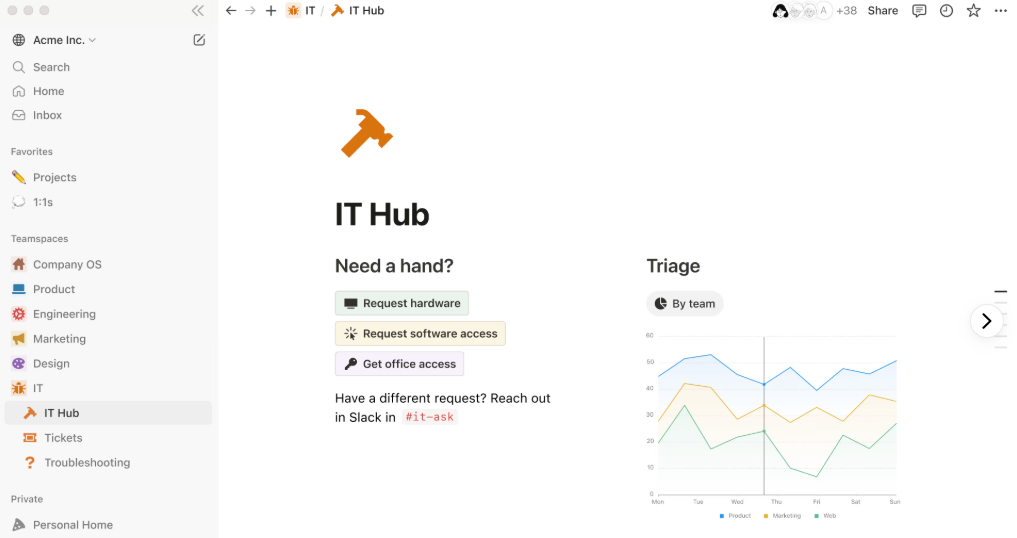
Real-Time Collaboration: Working with a team? Notion allows everyone to edit and comment on documents at the same time. You can see what your team is typing in real-time. It keeps everyone on the same page, literally.
Pricing
Notion is free for individuals. For teams, paid plans start at $10 per seat/month.
Get the Tool
Ready to get your documents organized? You can sign up at Notion.com.
Otter.ai
Trying to take notes during a meeting is distracting. You miss what the client is saying because you are too busy typing.
Otter.ai solves this problem.
It is an AI meeting assistant that records and transcribes your meetings for you. It joins your Zoom, Google Meet, or Teams calls and types out the conversation in real-time. You can focus 100% on the client, not your notebook.
Key Features
-
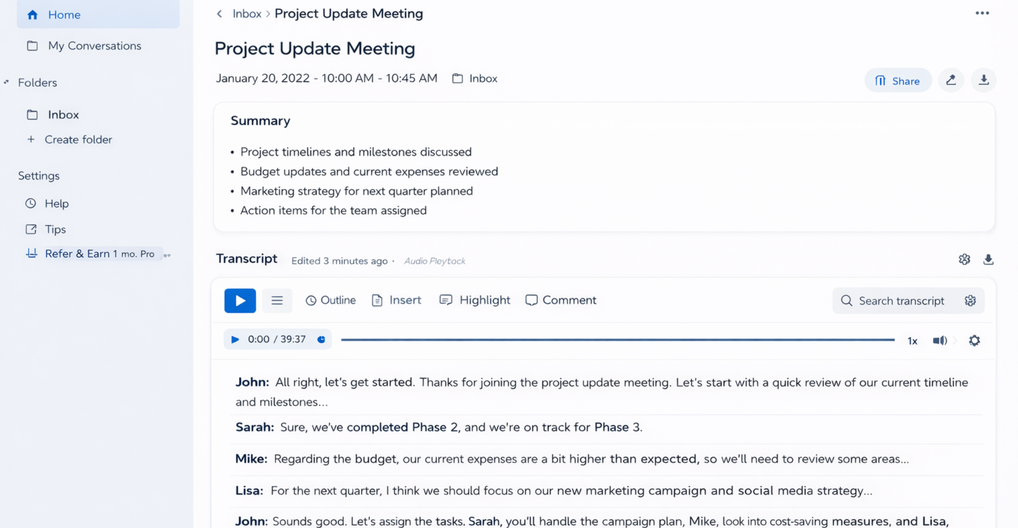
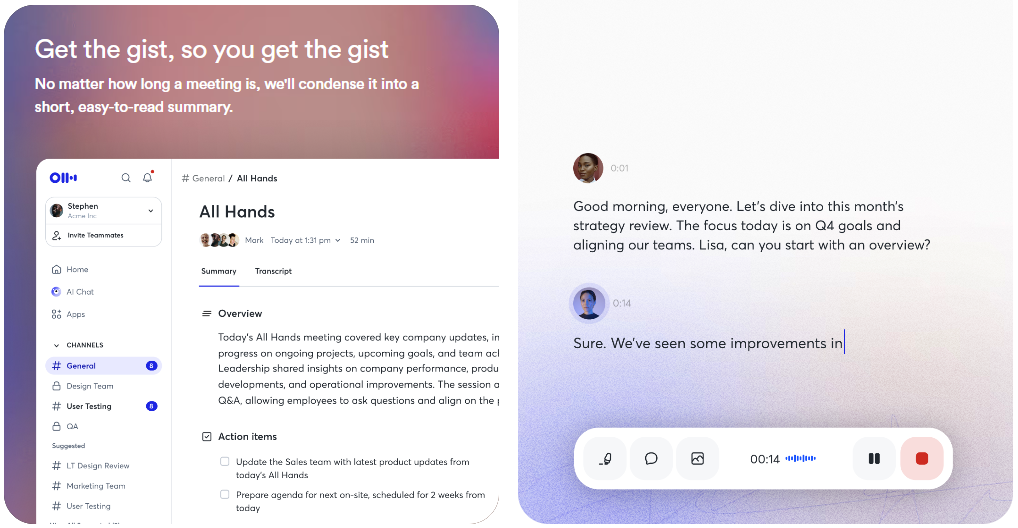
Real-Time AI Transcription: You do not need to wait for the recording. Otter writes down the conversation while it is happening. You can watch the words appear on your screen in real-time. It even knows who is talking and marks their name. If you hear something important, you can highlight it instantly with one click.
-
Automated Summaries & Action Items: Nobody likes listening to a one-hour recording. Otter knows this. As soon as the meeting ends, it sends you a short email. It lists the key points discussed. It also finds all the "Action Items" and "To-Dos" so you know exactly who needs to do what.
-
Searchable Conversation History: Did you forget what the client said about the budget last month? You do not need to scrub through hours of audio. You just type a keyword like "budget" into the search bar. Otter finds the exact moment that word was spoken and plays the audio for you.
Pricing
The basic plan is free. If you need more recording minutes, paid plans start at $8.33 per user/month.
Get the Tool
Ready to stop taking messy notes? Check out Otter.ai.
Cal.com
Scheduling meetings is a nightmare. You send an email suggesting a time. They say no. You suggest another. It takes forever.
Cal.com fixes this problem.
It is an open-source scheduling tool that takes the back-and-forth out of booking calls. You just set your hours, share a link, and let people pick a time that works for them. It syncs with your calendar so you never get double-booked.
Key Features
-
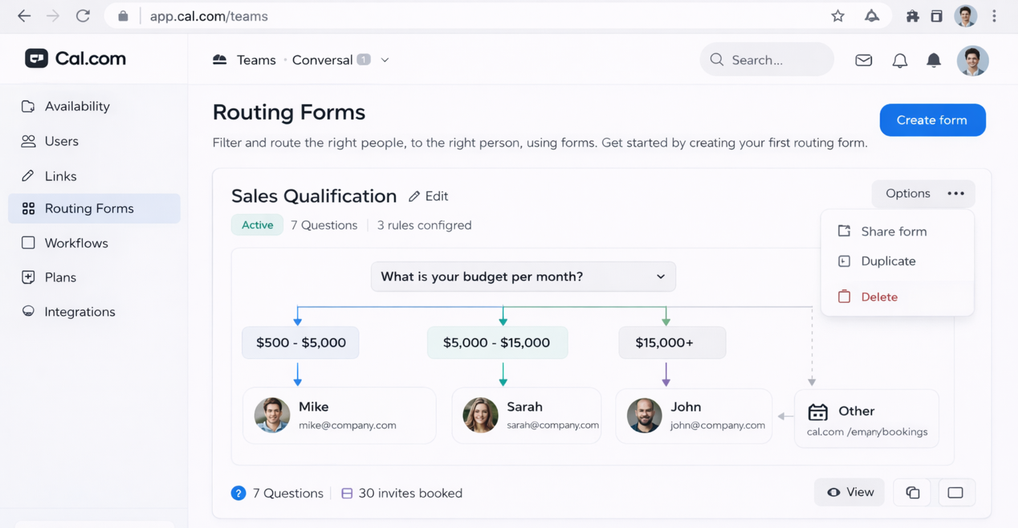
Routing Forms: You do not want to talk to everyone. Sometimes you need to filter people first. This feature lets you ask questions before they book. Based on their answers, Cal.com sends them to the right person on your team. It ensures you only talk to qualified leads.
-
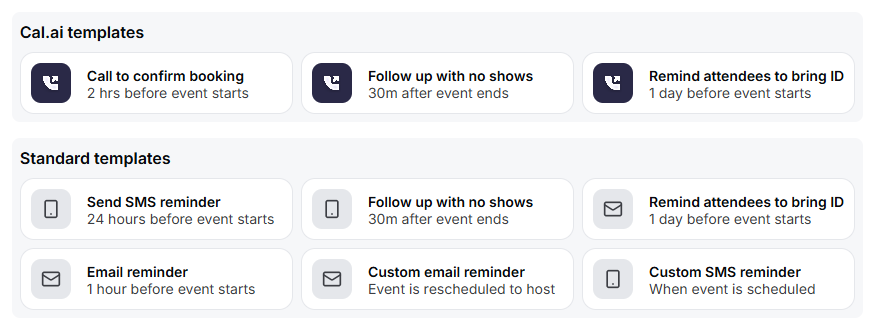
Workflow Automation: People forget meetings. Cal.com does not. It automatically sends emails or text messages to remind people before the call. It can also send thank-you notes after the call ends. This drastically reduces "no-shows" and keeps your clients happy.
-
Deep Customization: Most scheduling tools look the same. Cal.com is different because it is open-source. This means you can change how it looks to match your brand perfectly. You can even put it right inside your own website so it feels like a natural part of your business.
Pricing
It is free for individuals. For teams, paid plans start at $15 per user/month.
Get the Tool
Ready to automate your calendar? Go to Cal.com.
Motion
You have a to-do list and a calendar. But they don't talk to each other. You underestimate how long tasks take, and you end up overworking.
Motion fixes your schedule.
It is an AI-driven project management tool that plans your day for you. It takes your tasks and automatically slots them into your calendar where they fit best. If a meeting runs late, it automatically re-organizes your entire day.
Key Features
-
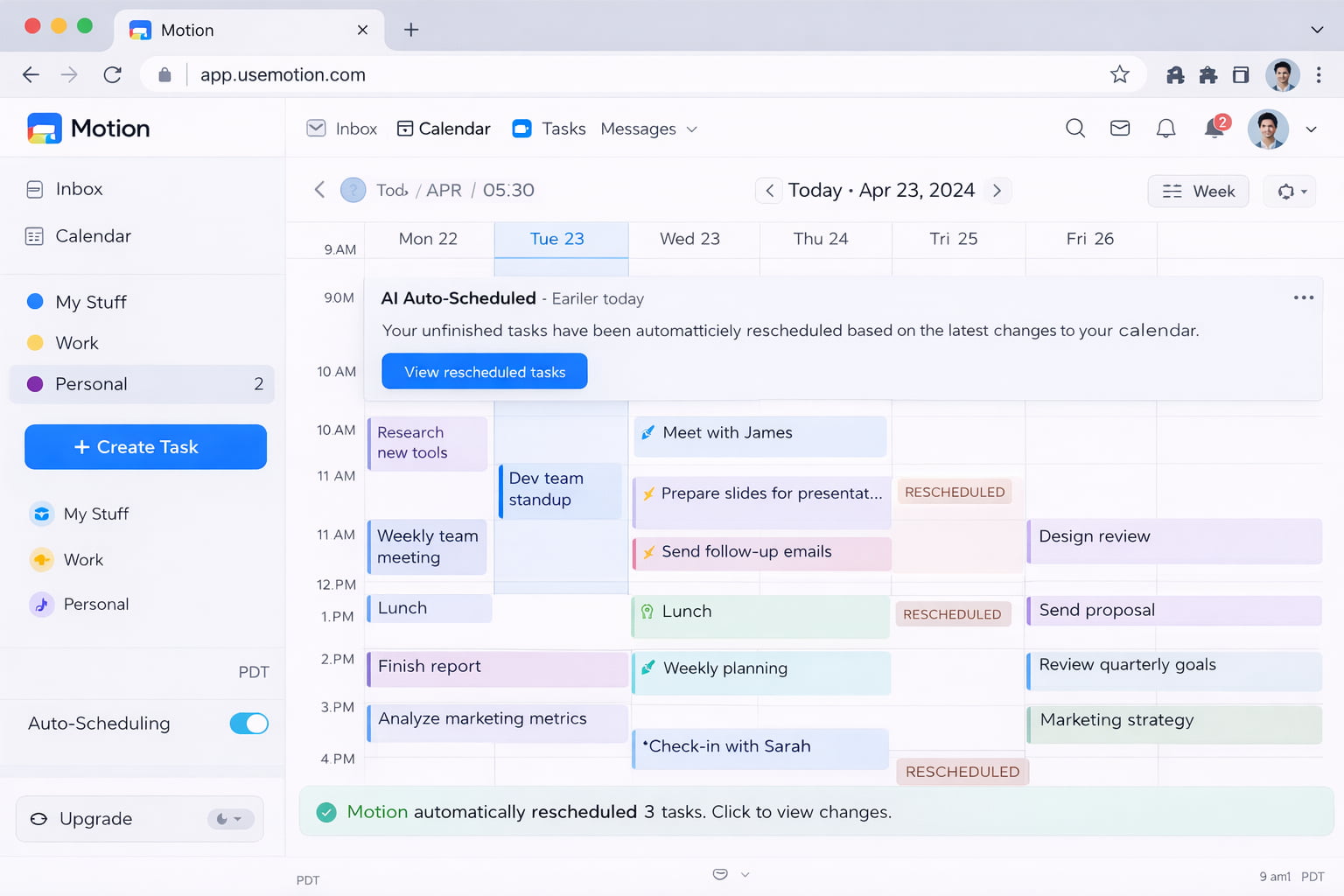
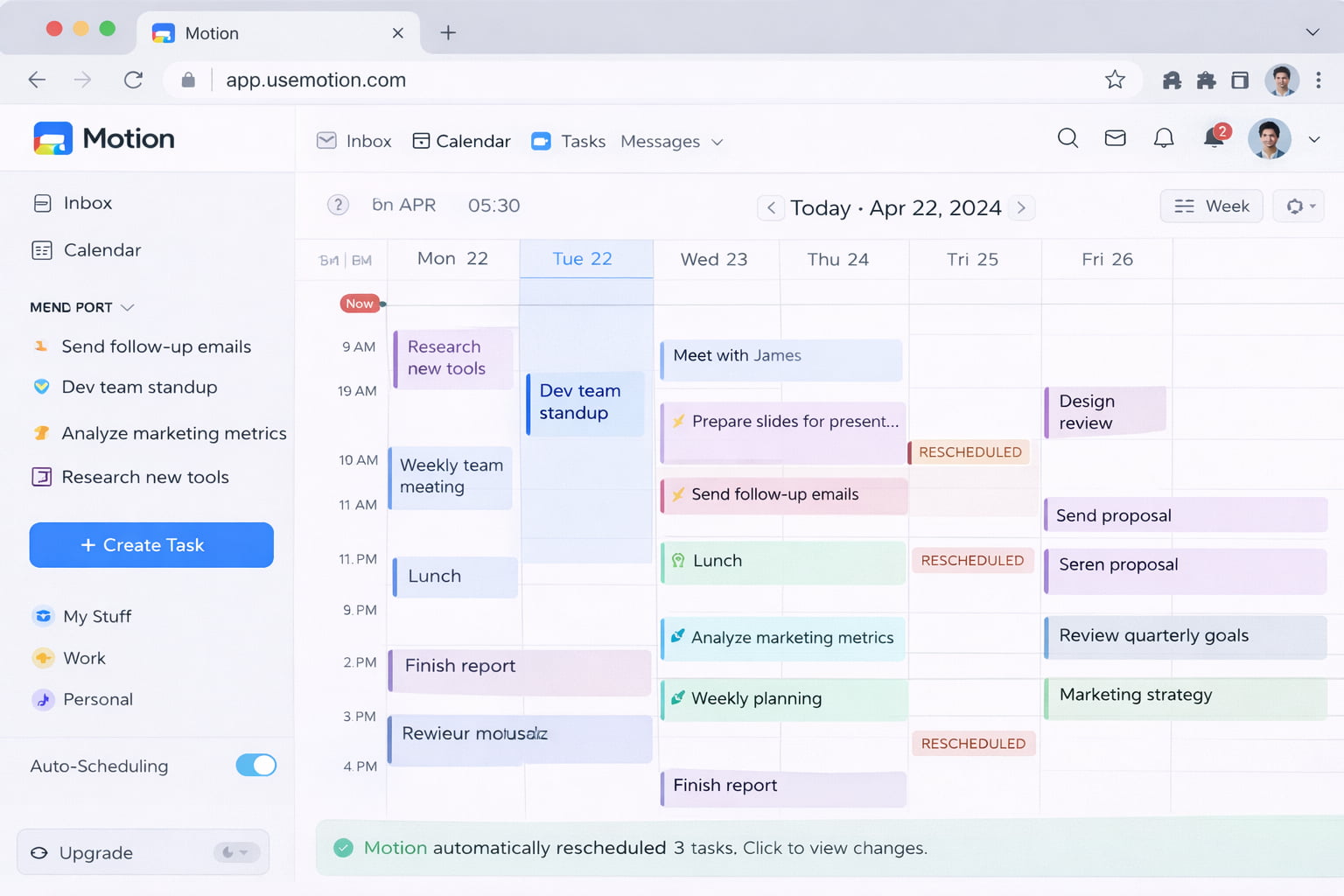
AI Auto-Scheduling: This is the magic part. If you miss a deadline or a meeting runs late, you do not need to panic. Motion automatically moves your tasks around. It finds a new slot for your unfinished work. It makes sure you still get everything done without the stress.
-
Unified Calendar & Task List: Most people have a to-do list in one app and a calendar in another. Motion combines them. You see your meetings and your work in one view. You can see exactly how much time you really have. It stops you from saying "yes" to too many things.
-
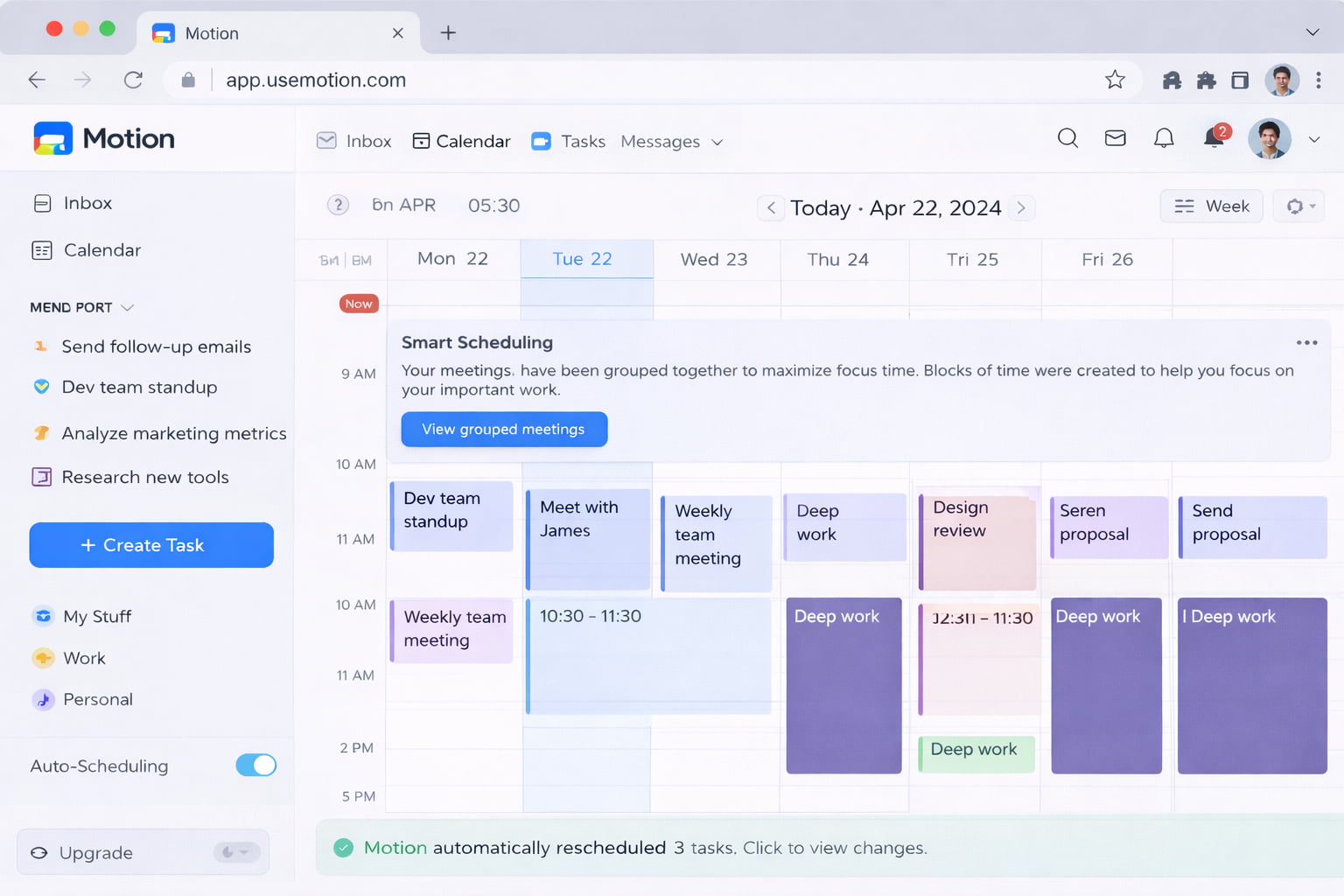
Meeting Assistant: It helps you book meetings, but it is smart about it. It tries to group your meetings together. This creates big blocks of free time for your "deep work." It makes sure you have enough time to actually focus and finish big projects.
Pricing
Its free to try. Paid plans for individuals start at $29 per month. For teams, paid plans start at $19 per seat per month.
Get the Tool
Ready to let AI plan your day? Visit Usemotion.com.
HubSpot CRM
Keeping track of leads on a spreadsheet is a recipe for disaster. You forget to follow up, you lose phone numbers, and you miss sales.
HubSpot CRM keeps you on track.
It is a powerful platform that helps you manage your customer relationships without the complexity. It gives you a clear view of your sales pipeline so you know exactly where every deal stands.
Key Features
-
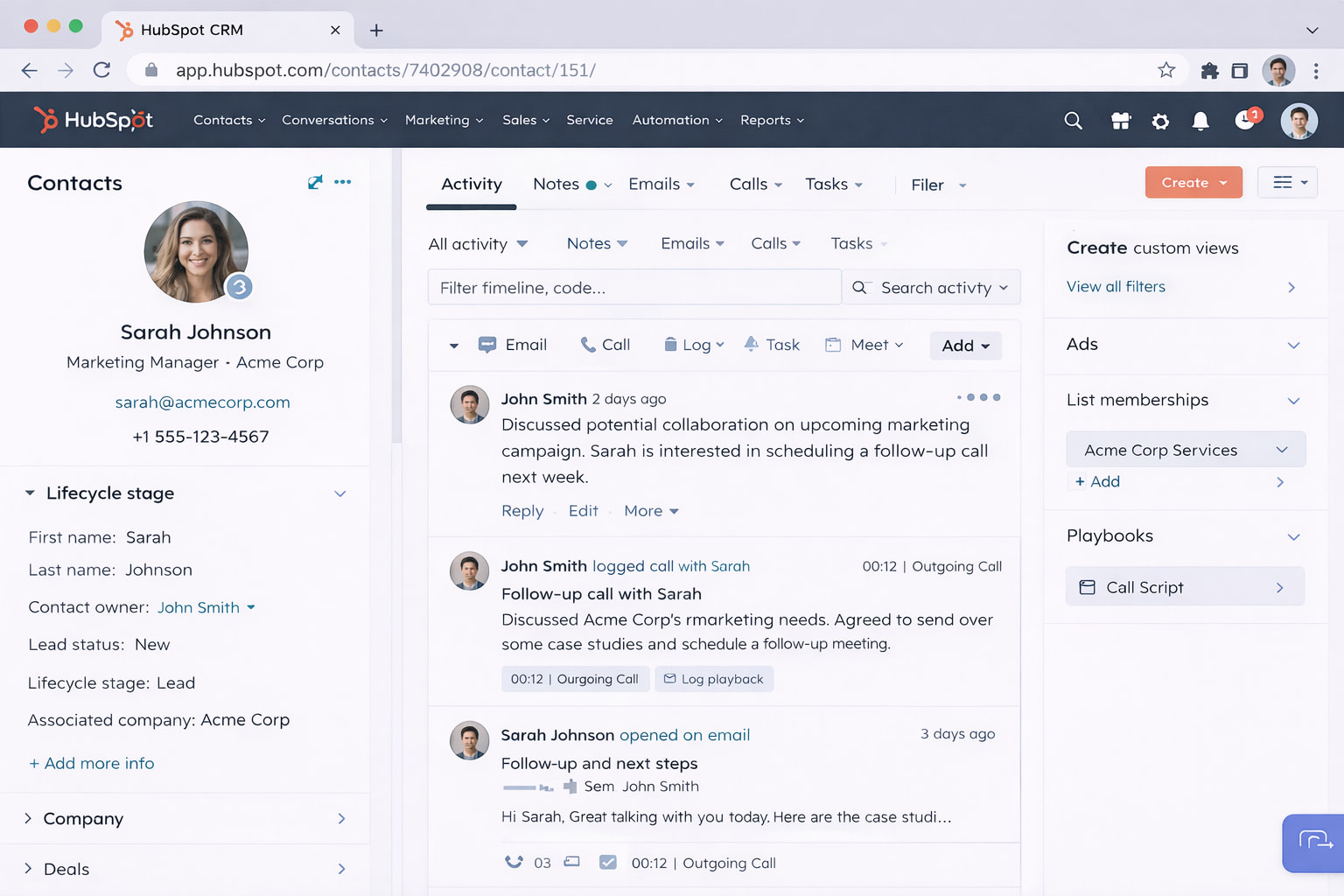
Contact & Lead Management: Stop digging through your email inbox to find a phone number. This feature stores every detail about your customers in one place. You can see their emails, past calls, and your notes all on one screen. It is like a digital rolodex that never gets lost.
-
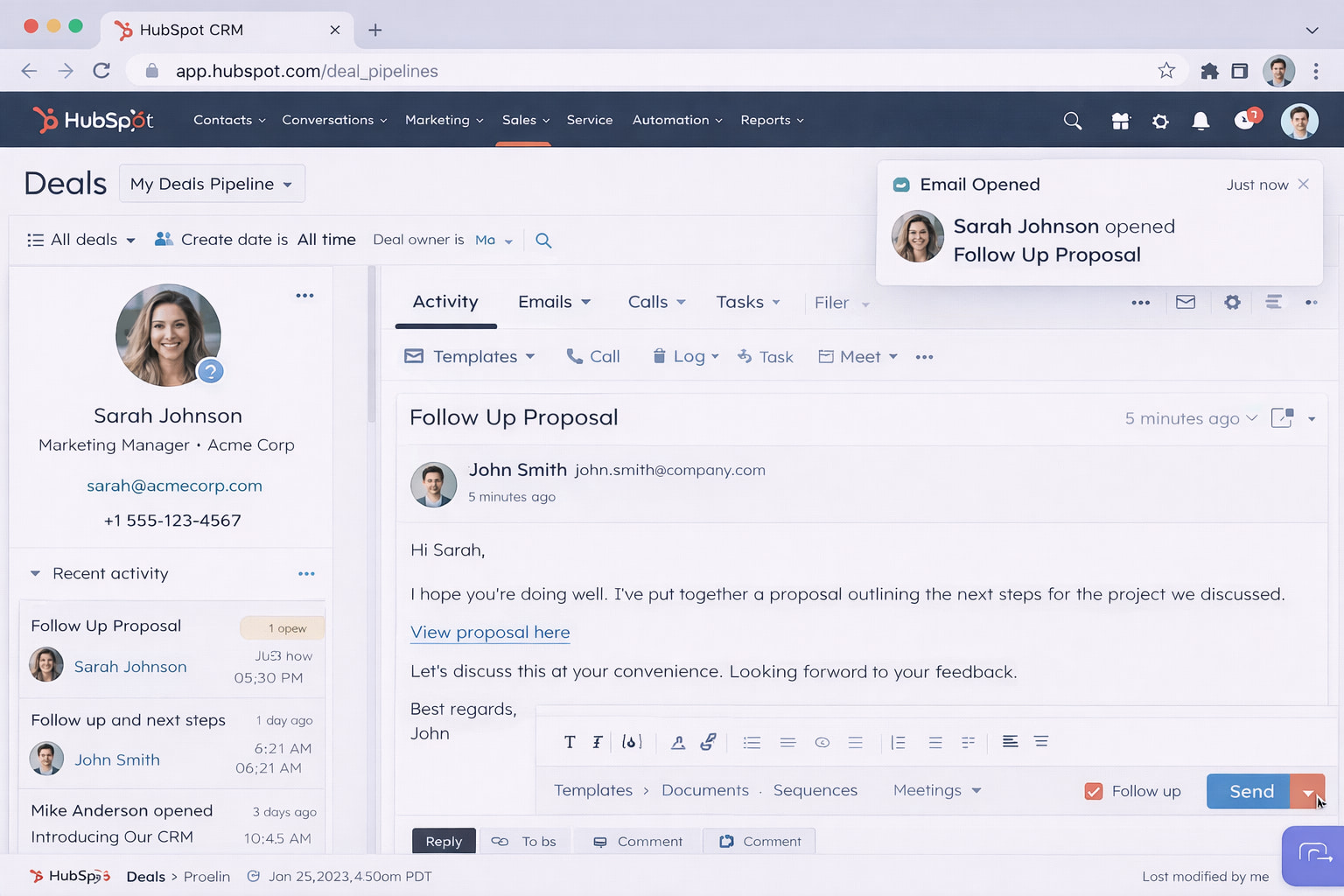
Email Integration & Tracking: Do you wonder if a client actually read your proposal? HubSpot tells you. It tracks your emails and sends you a notification the moment someone opens your message. You can call them exactly when they are thinking about you.
-
Visual Deal Pipelines: You can see your entire sales process at a glance. It creates a visual board where you can track your deals. You can drag and drop a client from "New Lead" to "Won." It helps you see exactly where your money is and who you need to call next.
Pricing
HubSpot offers very robust free tools. If you need advanced automation, paid plans start at $9/month/seat.
Get the Tool
Ready to close more deals? You can sign up at HubSpot CRM.
Bonsai
If you run a freelance business or an agency, the paperwork is the boring part. Contracts, proposals, and tracking time can take hours.
Bonsai automates the admin work.
It is a complete business management suite built specifically for professional service businesses. It handles the entire client lifecycle, from the first proposal to the final invoice.
Key Features
-
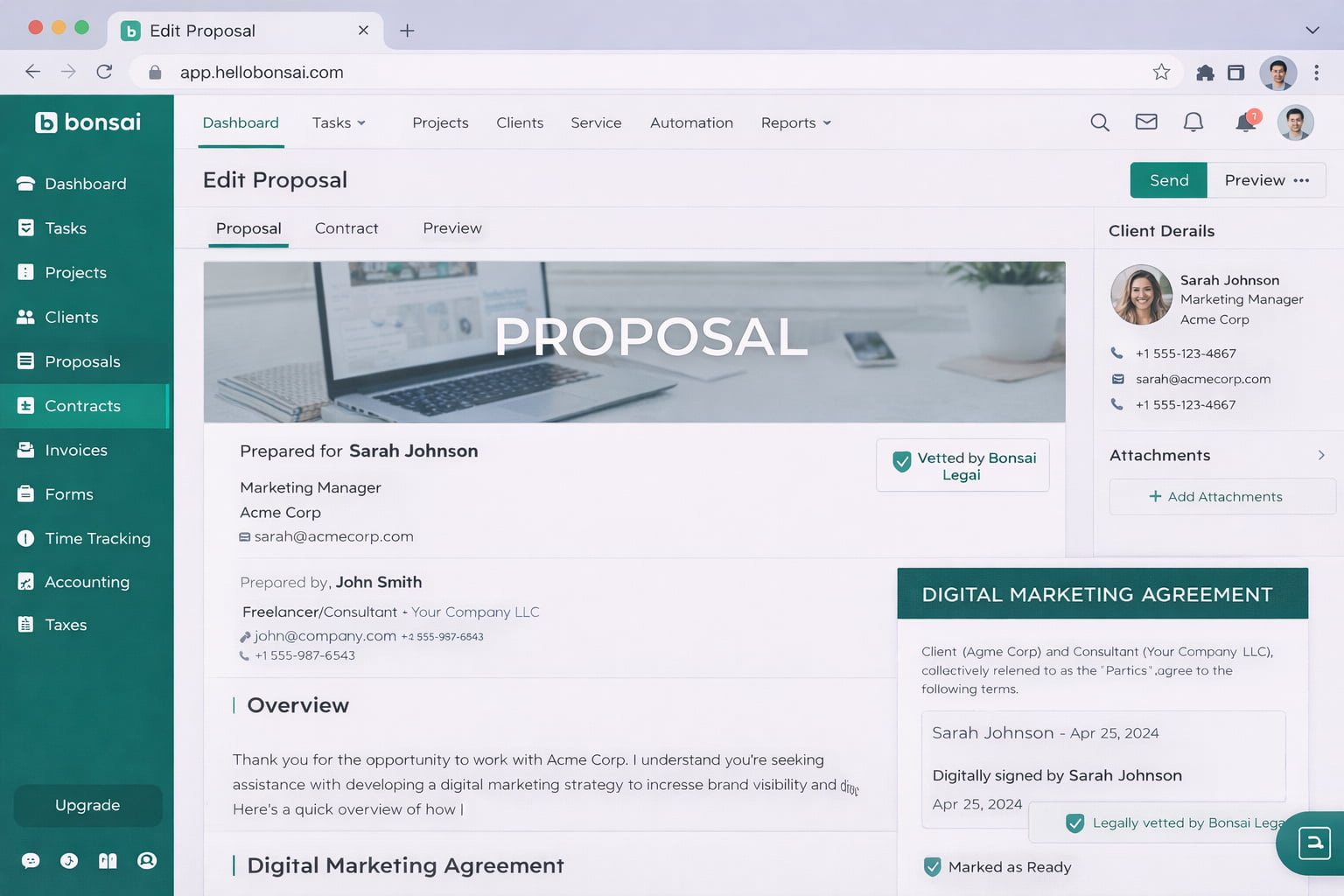
Automated Proposals & Contracts: You do not need to be a lawyer to be safe. You can create professional proposals and legal contracts in minutes. They are vetted by real lawyers. Your clients can sign them digitally online. It makes you look professional and protects your business.
-
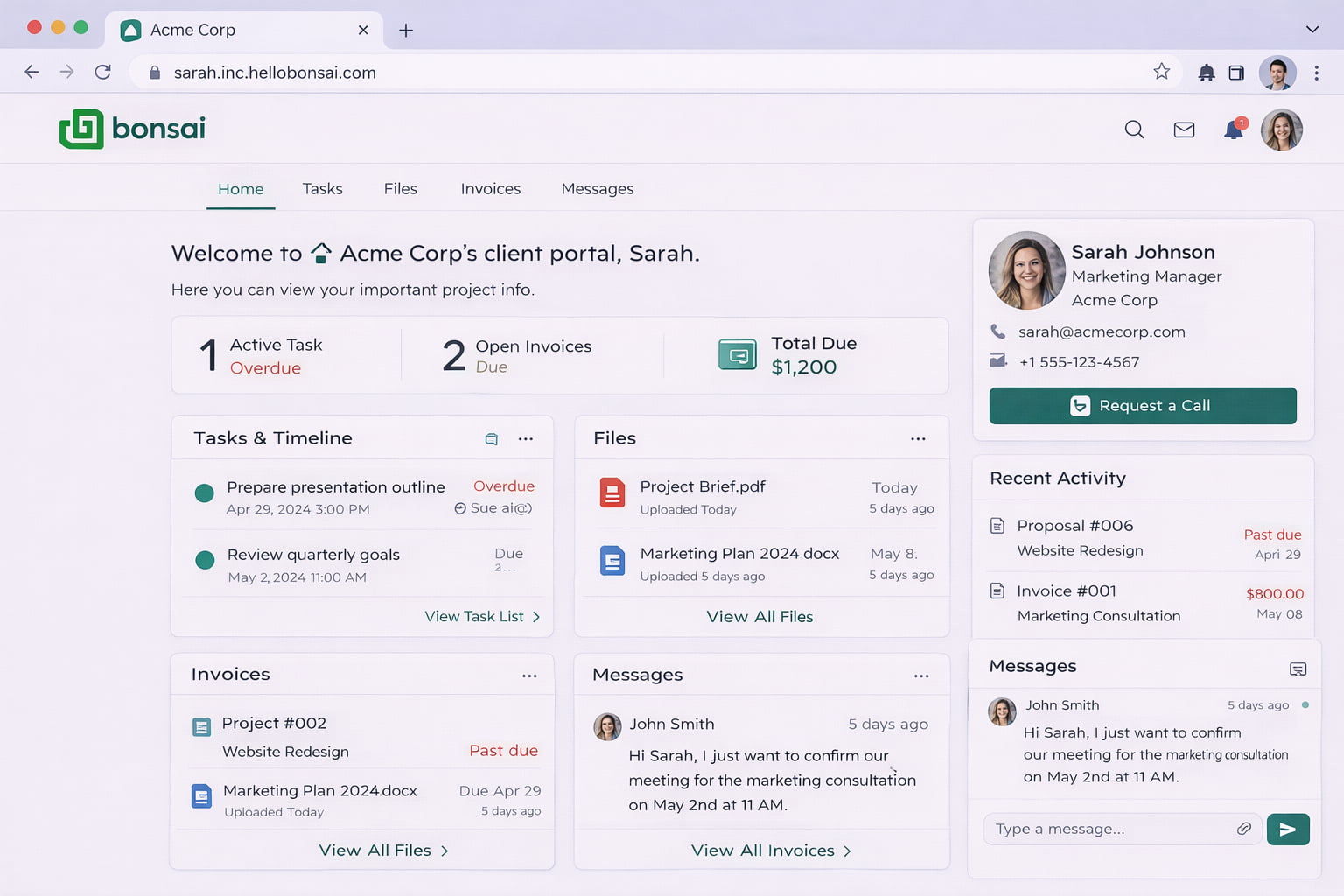
Client CRM & Portal: Stop using email threads to manage projects. This feature gives your clients their own special portal. It is a branded website where they can view files, pay invoices, and message you. It makes you look like a big agency, even if it is just you.
-
Integrated Financial Reporting: You need to know where your money is going. Bonsai tracks your income and expenses automatically. You can generate a profit and loss report with one click. It tells you exactly how much profit you made on each project.
Pricing
Its free to try. Paid plans start at $9 per month per user.
Get the Tool
Ready to look more professional? Check out Hellobonsai.com.
Wave
Accounting is scary. You want to get paid, but you hate the math.
Wave makes finance simple.
It is a financial platform designed for small business owners who are not accountants. It offers professional invoicing and true double-entry accounting, and it is incredibly easy to use.
Key Features
-
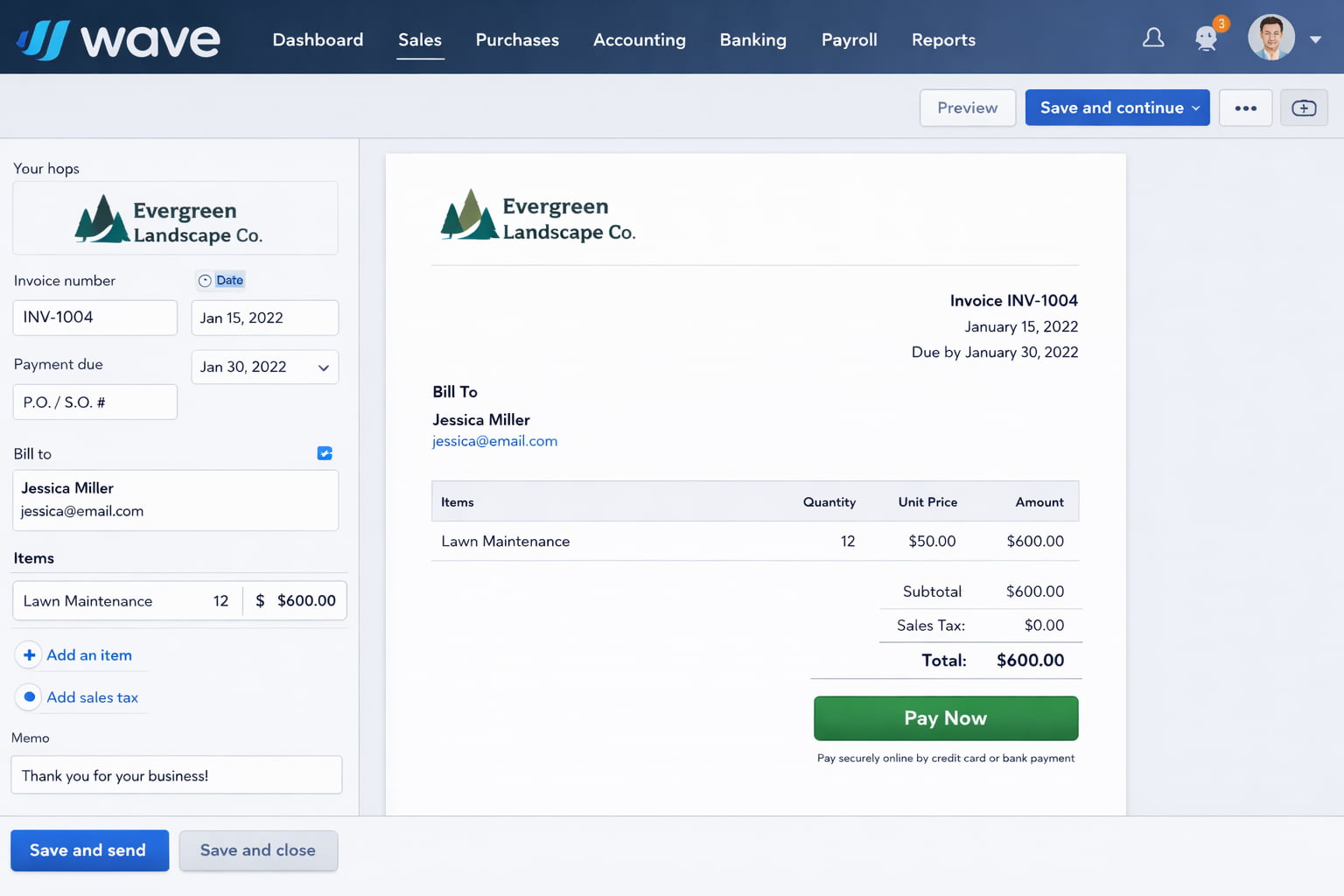
Professional Invoicing: You can create beautiful invoices in seconds. You can add your logo and brand colors. Best of all, you can add a "Pay Now" button. Your clients can pay you instantly with a credit card or bank transfer. It helps you get money in your pocket faster.
-
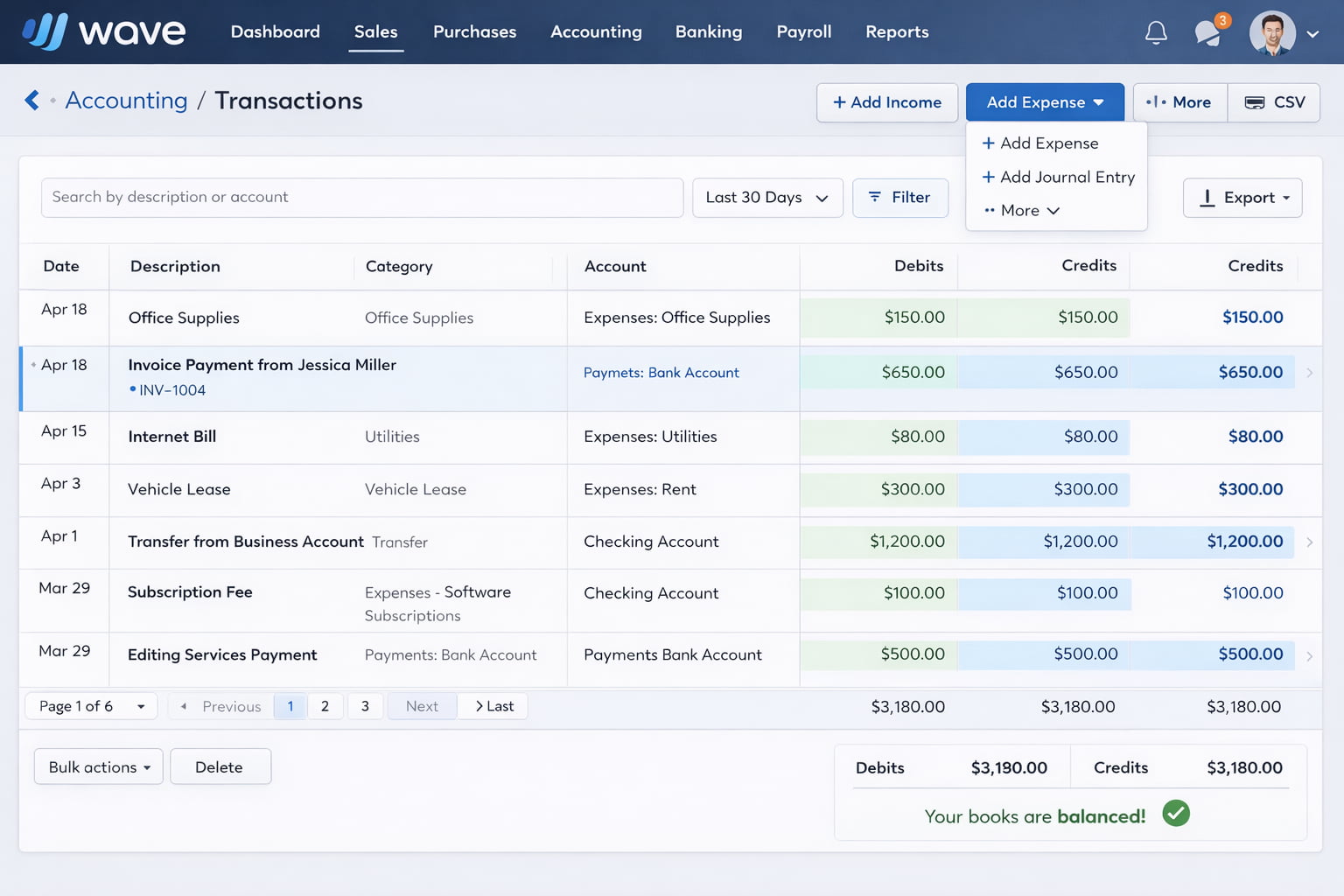
Double-Entry Accounting: It is not just a list of expenses. It is real accounting software. It tracks your money the right way. When tax season comes, you do not have to scramble. You just hand the reports to your accountant and you are done.
-
Receipt Scanning: Do you have a shoebox full of crumpled receipts? Throw it away. With Wave, you just snap a photo of your receipt with your phone. The app reads it and records the expense automatically. It keeps your records clean without the paper mess.
Pricing
It is free for Invoicing and Accounting features. The Pro Plan is priced at $190 per year if you want auto-updates and receipt capture.
Get the Tool
Ready to master your money? Go to Waveapps.com.
Conclusion
That is a lot of new tools.
But here is a secret. Do not try to fix everything today.
If you start using 8 new apps at the same time, you will just get confused. You will stop using them in a week.
Start small.
Ask yourself: What is the biggest problem your business is facing right now?
Is it writing replies? Then start with Jetwriter AI.
Is it the chaotic calendar? Then set up Cal.com.
Is it the invoices? Then look at Wave.
Solve that one problem first.
Once that is fixed, come back for the next tool. Your business will thank you.
Frequently Asked Questions (FAQ)
How many software tools do I really need to start?
You do not need many. Do not complicate things. You just need the basics. You need a way to get paid. You need a way to talk to customers. You need a way to keep your files safe. Start with 3 or 4 essential tools. Only add a new one if you really need it.
Can I run my whole business using only free apps?
Yes, absolutely. Most of the tools we listed have a free plan. You can send invoices, schedule meetings, and write emails without spending a dollar. You usually only need to pay once your team gets bigger.
Is it safe to let AI like Jetwriter AI read my emails?
This is a very important question. You should always read the privacy policy. Tools like Jetwriter AI are safe because they are "privacy-first." They do not sell your data. They do not use your private emails to train their systems. Your information stays private.
Why do I need a CRM if I already have a spreadsheet?
Spreadsheets are fine for a hobby. But they are bad for business. They get messy. You forget to update them. A CRM is smart. It reminds you to call people. It tracks your emails automatically. It makes sure you never lose a customer just because you forgot to check a row in Excel.
Does using more software actually make me more productive?
Not always. If you have 20 apps, you will spend all day just switching between them. That is a trap. Only use a tool if it fixes a real problem. If an app does not save you at least an hour a week, delete it. Less is often more.