We all know Grammarly. It is a very popular writing tool. But here is the simple truth. It is not perfect for everyone.
Many people are looking for a change. Why?
- The Price: Paying a big fee every month just to fix typos is hard on the wallet.
- The Features: You might need different tools for your specific daily work.
- The Voice: Sometimes it changes your words too much. You want to sound like yourself, not a machine.
This blog is for anyone who wants a good alternative to Grammarly.
You might be a freelancer writing articles. Or a small business owner sending emails. Maybe you are a student writing a long paper.
You need a tool to check your grammar, fix your tone, and help you write faster. But you want something with better pricing or features that actually fit your workflow.
Good news. You have options.
We are going to look at 5 strong tools you can try today instead of Grammarly. Let's dive in.
The Top 5 Alternatives to Grammarly
Jetwriter AI
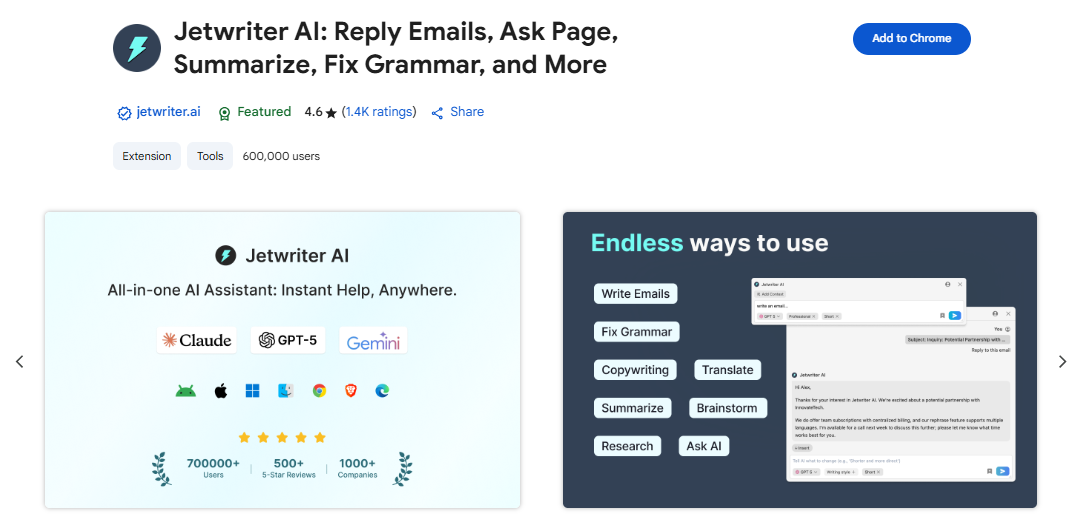
Most grammar checkers feel like heavy machines. Jetwriter AI is a very light browser extension. You will barely even know it is there until you need it. Other tools make you stop your work. They force you to open a brand new tab. Then you have to paste your text just to check your spelling. Jetwriter AI stops this annoying back-and-forth. It brings the power of AI directly to you. It works right where you are already writing.
Key Features
-
Works Everywhere You Write: Imagine you are typing a very important email to a boss in Gmail. Or maybe you are writing a smart new post for your business on LinkedIn. With old tools, you have to copy your text, open a new window, and paste it into a different website. That wastes your time. Jetwriter AI is right there on the page with you. Fixing spelling errors is super quick. You never leave your page. You stay completely focused on your actual work.
-
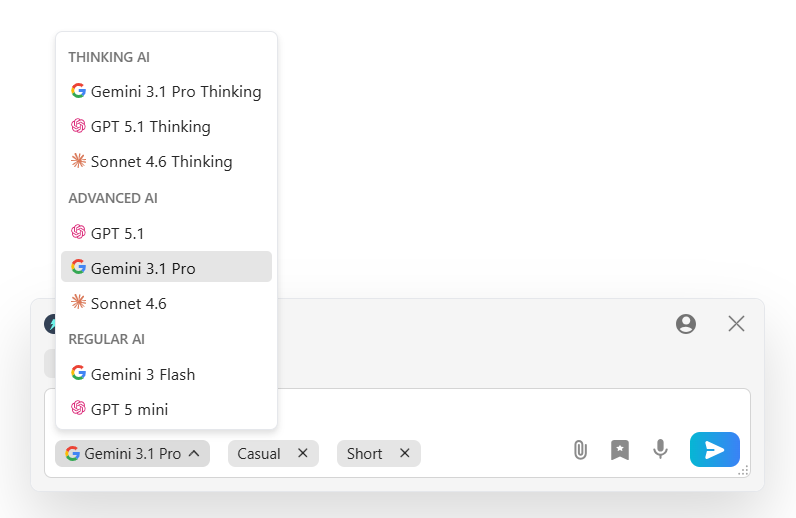
Uses the Smartest AI Brains: Most tools force you to use their one basic AI. Jetwriter AI lets you choose. You can pick the smartest models available, like ChatGPT, Claude, or Gemini. Because it uses these top-tier brains, it is extra good at understanding complex sentences and tricky grammar.
-
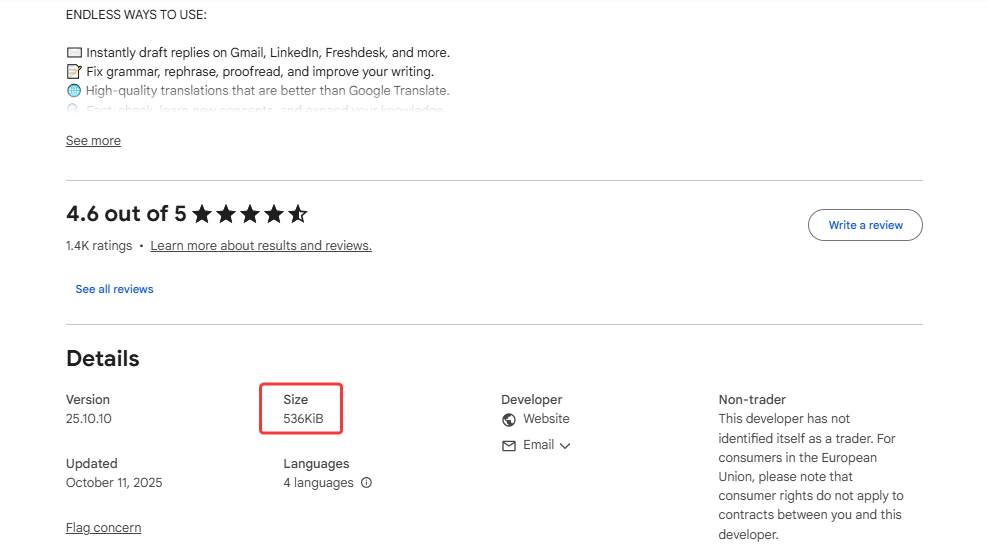
Lightweight, Fast, and Private: Big, heavy tools can make your computer run very slow. Jetwriter AI is different. It is extremely light, with size under one megabyte. This makes it lightning fast. It also takes your privacy very seriously. Your private work emails and personal documents stay only with you. All of your personal data is locked down tight. Your private words are never, ever used to train AI models. You are always safe.
-
Ease of Use: Jetwriter AI is built to be super simple from day one. You do not have to search for hidden buttons. You just highlight the words you want to fix. A handy little menu pops up right next to the highlighted text. You can run grammar check with one easy click. It feels very natural. It lets you keep your mind on your writing, not on the software.
-
Language Support: The world is a very big place. Do you have clients who speak Spanish? Do you write work emails in French? Grammarly is built to check only English. That can limit your business. Jetwriter AI is built to work smoothly with all languages. You can easily fix grammar for your international clients. It breaks down language barriers in seconds.
Best For
Jetwriter AI is made for people who write all day long. If you need a fast, strong, and flexible writing partner, this is it. It is also the perfect choice if you love having total control over exactly which AI brain checks your work.
Pricing
You can start using Jetwriter AI for free. If you use it often, there are affordable paid plans available. You can even plug in your own API key.
Get the Tool
Ready to write perfectly without the hassle? You can add Jetwriter AI extension to your Chrome or Edge browsers.
ProWritingAid
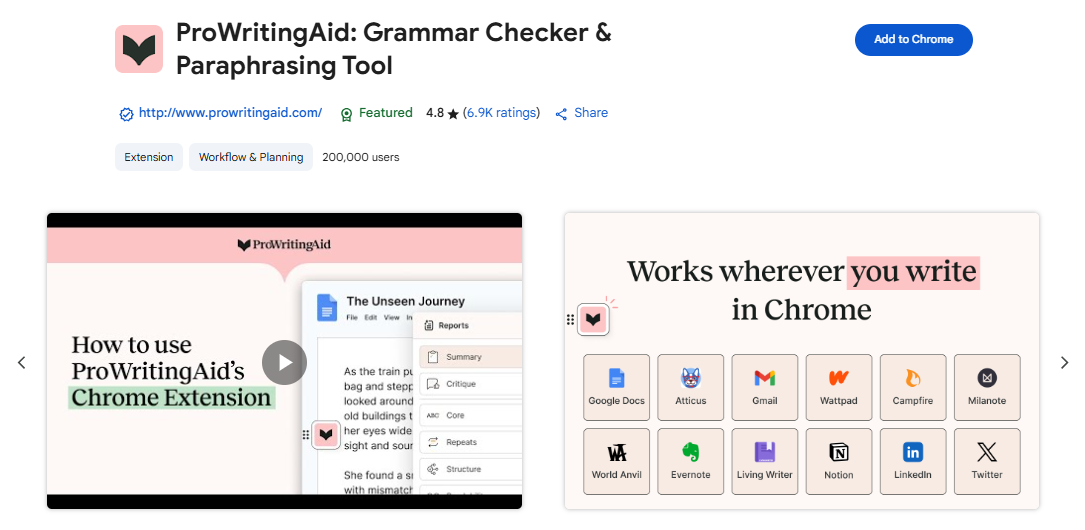
Grammarly is great for quick daily tasks. But what if you are writing a whole book? What if you are working on a very long report? A simple spell checker is not enough. You need a much deeper tool. This is where ProWritingAid steps in. It is a powerhouse editor. It acts like a strict English teacher who helps you build a better story. It does not just fix your commas. It looks at your entire writing style. It helps you actually become a better writer over time.
Key Features
-
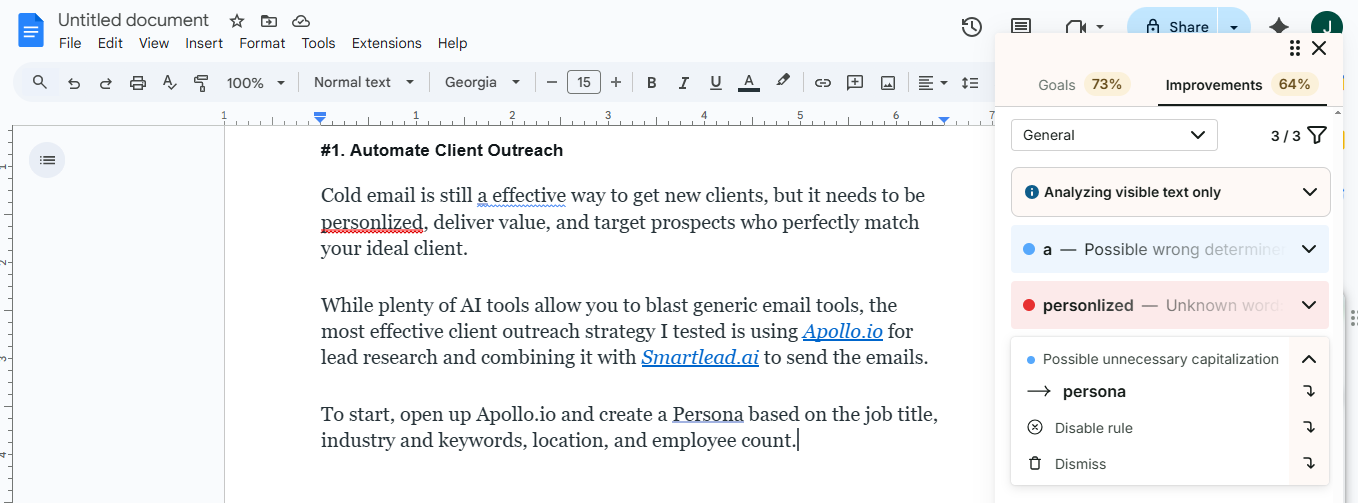
Deep Writing Reports: Most tools just look at one sentence at a time. ProWritingAid looks at the big picture. It gives you over 25 different reports on your writing. Imagine you are writing a long, exciting story. A basic tool will just fix your spelling. ProWritingAid goes much deeper. It checks the pacing of your paragraphs to make sure your story flows well. It tells you if your characters are talking too much or too little. It points out your bad writing habits, like using weak verbs. It acts like a professional human editor. This helps you fix your core mistakes. It actually teaches you how to be a much better writer over time.
-
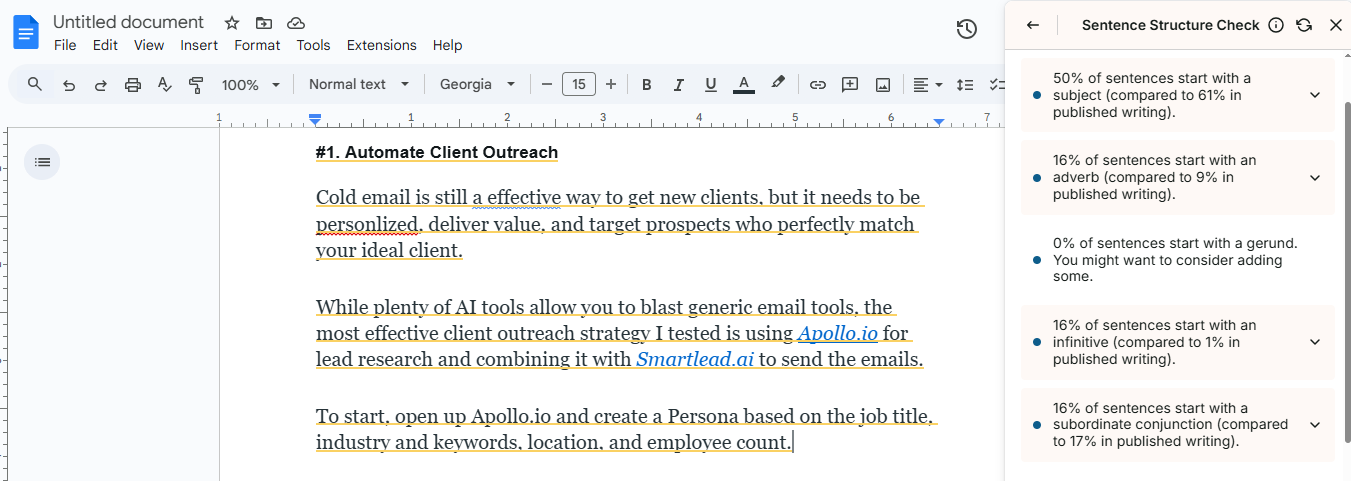
Sentence Structure Check: Do all your sentences sound exactly the same? That can make your writing very boring. ProWritingAid helps fix this problem easily. It checks how you build every single sentence. It looks closely at the length of each one. If you have five long sentences in a row, it warns you. If you start every sentence with the word "The" or "It," it points that out immediately. It suggests ways to mix short, punchy sentences with longer, smooth ones. This keeps your reader wide awake. It makes your writing fun to read. Your work will flow like a great song, instead of sounding like a robot reading a boring grocery list.
-
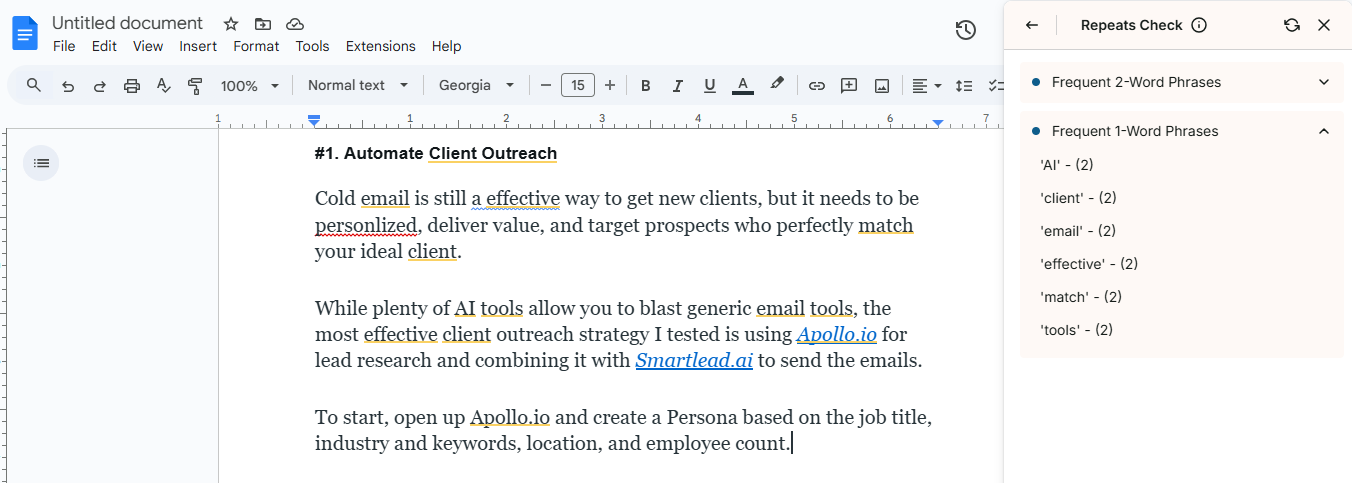
Finds Overused Words: We all have our favorite little words. Sometimes we use them way too much without even knowing it. Maybe you type the word "really" or "just" a hundred times in one chapter. Your readers will definitely notice. ProWritingAid catches this bad habit instantly. It scans your whole document for words you repeat too often. It highlights them in bright colors so you can not miss them. Then, it acts like a smart dictionary. It suggests fresh, exciting new words you can use instead. This makes your vocabulary look much richer and more professional. It stops your reader from getting annoyed or bored. Your final draft becomes much stronger and crystal clear.
Best For
ProWritingAid is made for people who write very long content. If you are a fiction author, a book writer, or a student writing huge essays, this is the perfect tool for you. It helps you build good story structure, not just fix simple spelling.
Pricing
ProWritingAid offers a free plan with basic checks to get you started. For serious writers, premium plans start at $30 per month.
Get the Tool
Ready to write your next big book? You can add the simple browser extension today to start editing.
LanguageTool
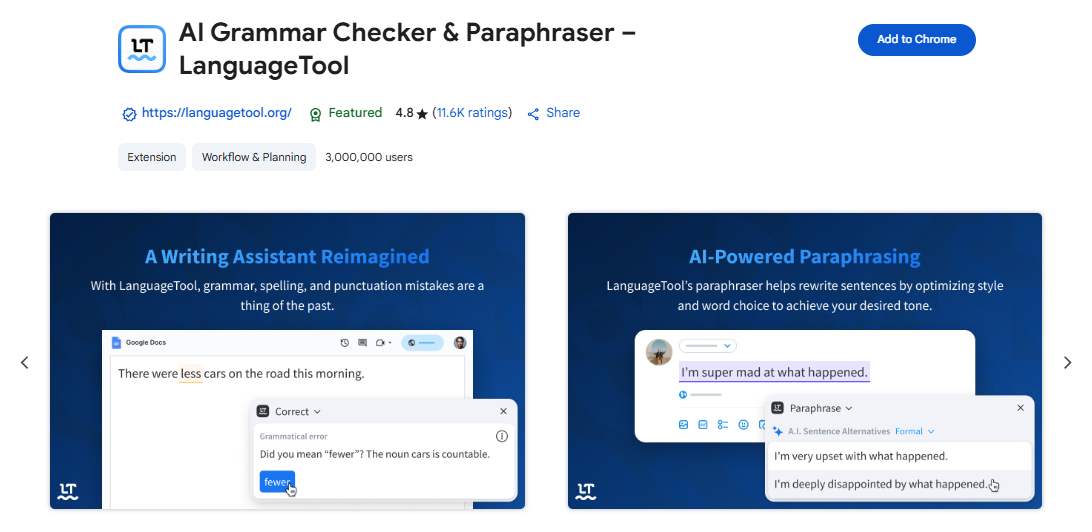
Most grammar tools assume you only write in English. But the real world is much bigger. You might have clients all over the globe. This is where LanguageTool comes in. It is a very smart and private writing assistant. It helps you write perfectly in many different languages. Other tools only know one set of rules. LanguageTool understands the special grammar of different countries. It brings the power of global communication directly to your keyboard. It works smoothly right where you are already typing.
Key Features
-
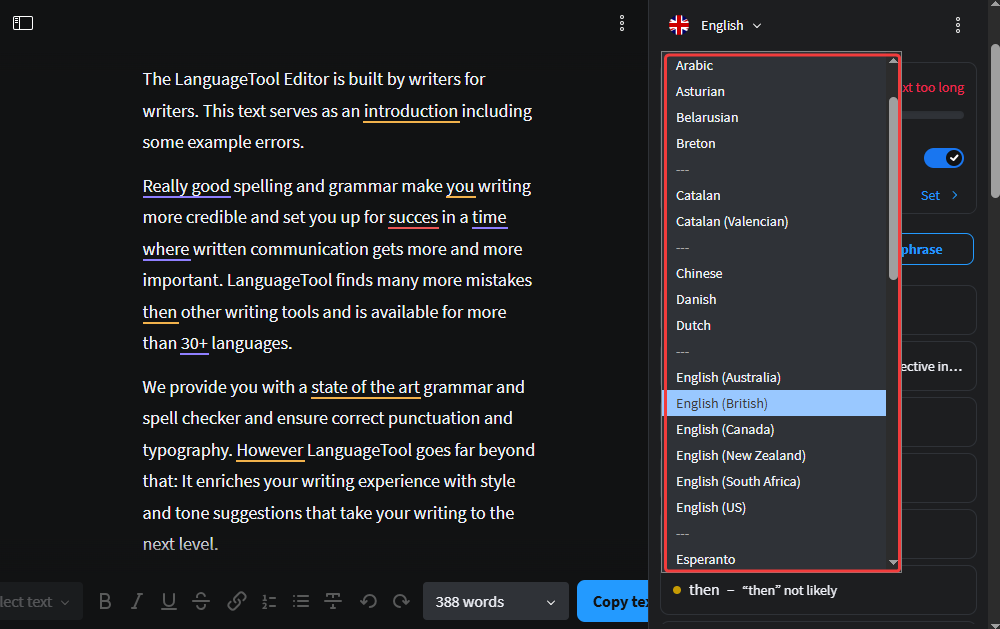
Checks Many Different Languages: Grammarly only checks English. That is a big problem if you do business in other countries. LanguageTool checks your grammar in over 30 different languages. You can write a friendly email in Spanish. You can type a formal letter in German or French. The tool automatically knows which language you are using. It checks your spelling and fixes your commas instantly. It breaks down big language barriers. You can easily talk to anyone in the world without making embarrassing mistakes.
-
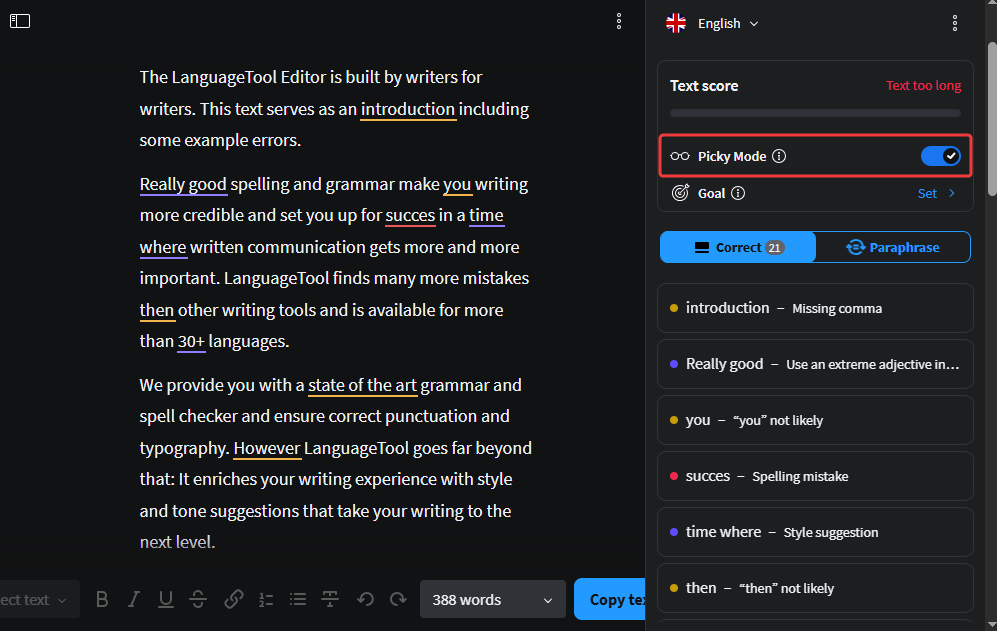
"Picky Mode" for Perfectionists: Sometimes, good is not good enough. You might be writing a very important letter to a new boss. You want it to be absolutely perfect. LanguageTool has a special feature called Picky Mode. When you turn it on, the AI acts like a strict teacher. It looks for tiny mistakes that other tools completely miss. It helps you use much better words. It makes sure your tone is very professional. It is perfect when you need to make a great impression.
-
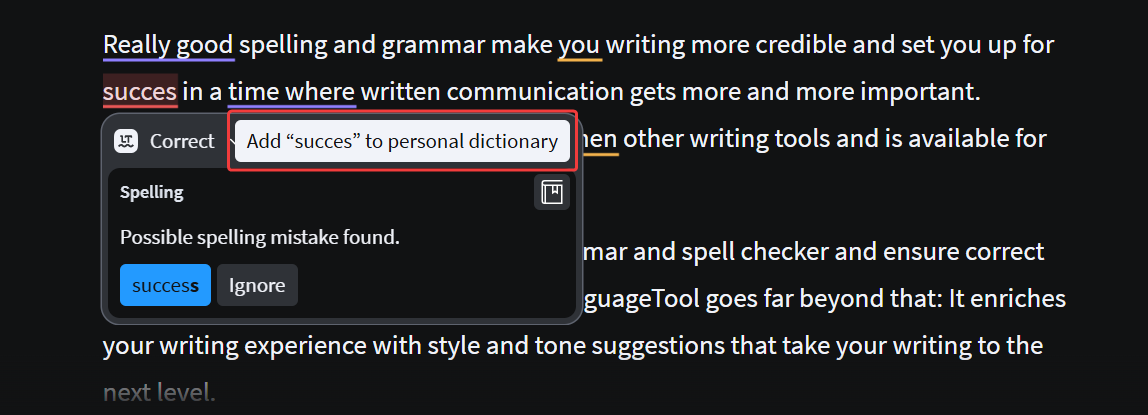
Your Own Personal Dictionary: Have you ever typed a special word, and the grammar checker marked it as wrong? That is very annoying. Maybe it is the name of your company. Or maybe it is a fun slang word you use with your customers. LanguageTool lets you build your very own Personal Dictionary. You just add your special words to the list. The tool learns them instantly. It will never underline them in red again. This removes silly distractions and lets you write much faster.
Best For
LanguageTool is perfect for people who write in multiple languages. If you are a translator, an international business owner, or a student learning a new language, this is the tool for you. It is also a great choice if you care deeply about privacy.
Pricing
LanguageTool offers a very generous free plan to get you started. If you want advanced checks, premium plans start at $24.90 per month.
Get the Tool
Ready to write flawlessly in any language? You can add the LanguageTool extension to your Chrome browser today.
Paperpal
Grammarly is built for everyday writing. It is great for emails and blogs. But what if you are a scientist? What if you are a university student writing a big research paper? Everyday tools do not understand science. They will mark your complex words as spelling mistakes. That is very frustrating. This is where Paperpal comes in. It is a smart writing tool built only for academics. It understands the hard work of research. It helps you write serious papers that get top grades and get published.
Key Features
-
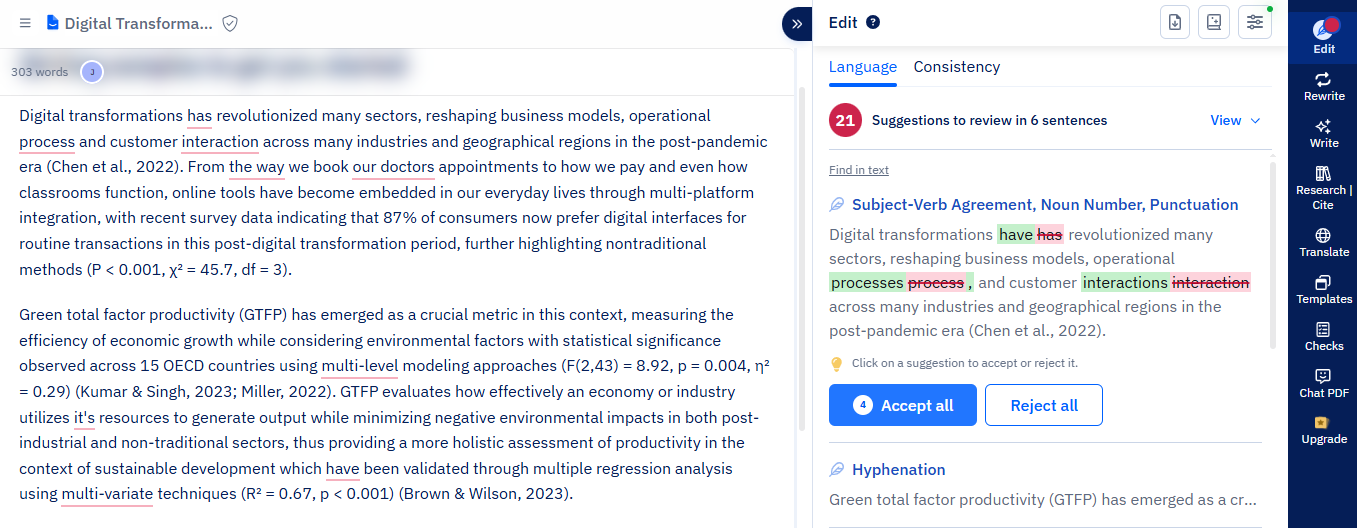
Subject-Specific Vocabulary: Regular tools get very confused by science. If you type a complex medical word, Grammarly might tell you it is wrong. Paperpal is much smarter. It has read millions of published research papers. It actually understands your complex science and tech words. It will not underline your correct words in red. Instead, it helps you use the exact right terms for your specific subject. This saves you from fighting with your spell checker all day long.
-
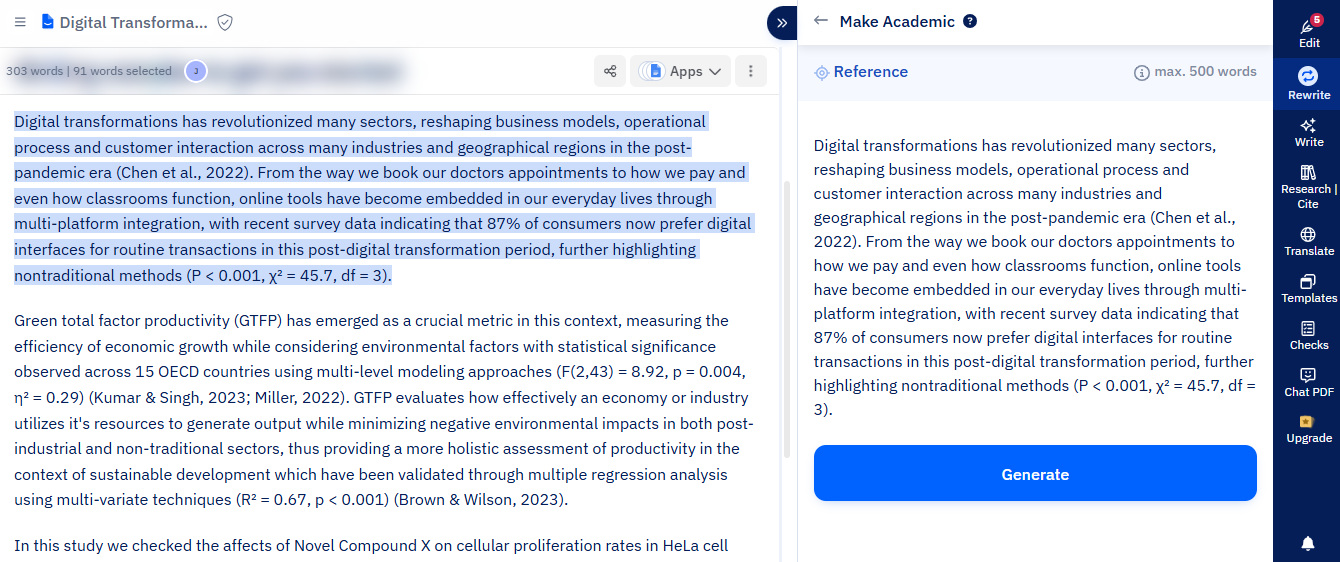
Academic Tone Check: Writing for a university is different than writing for a blog. You cannot use slang. You cannot sound too casual. You must sound professional and serious. Paperpal has a special tone checker just for this. If your sentence sounds too friendly, it will fix it immediately. It rewrites your casual notes into smart, formal, academic sentences. It makes you sound like a true expert in your exact field.
-
Journal Readiness Checks: Getting a research paper published is very hard. Journals have extremely strict rules. If your formatting is wrong, they will reject your paper instantly. Paperpal helps you avoid this terrible nightmare. It acts like a strict final judge. It checks your whole document against real academic rules. It makes sure your language and technical details are completely perfect before you submit. It gives you peace of mind when you finally hit the send button.
Best For
Paperpal is made strictly for the academic world. If you are a university student, a busy researcher, or a science professor, this is exactly what you need. It is the best tool for writing long essays, thesis papers, and journal articles.
Pricing
Paperpal offers a free plan so you can easily test it out. If you write a lot of long papers, their premium plan starts at $25 per month.
Get the Tool
Ready to get your research paper finished and published? You can add the Paperpal extension to your browser.
Ginger
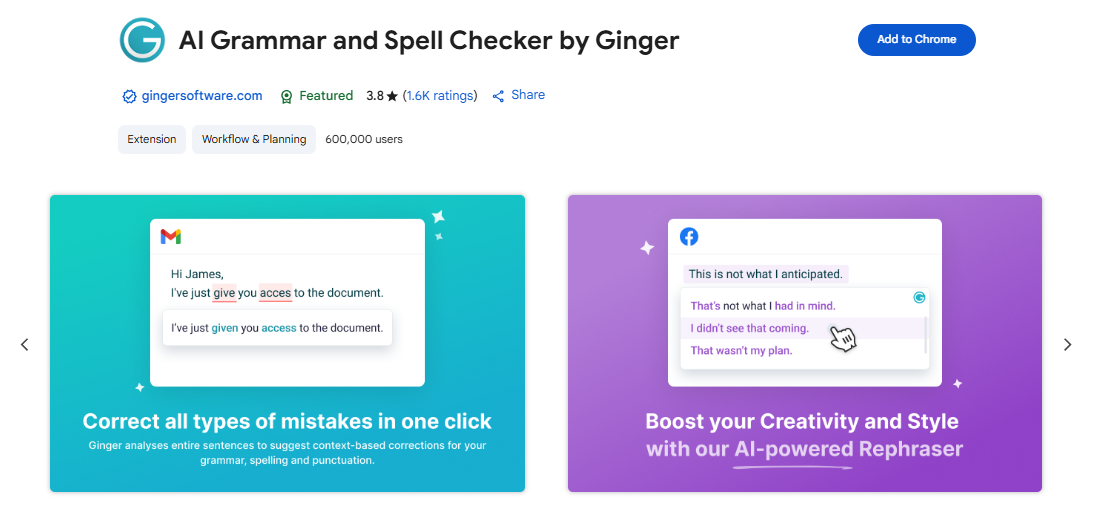
Let's say you want to do more than just fix a simple typo. What if you actually want to learn how to write better English? A simple red line on your screen is not enough. You need a friendly writing coach. This is where Ginger shines. It is a very smart tool. But it does not just correct your spelling and walk away. It acts like a patient teacher. It helps you improve your actual language skills every single time you type.
Key Features
-
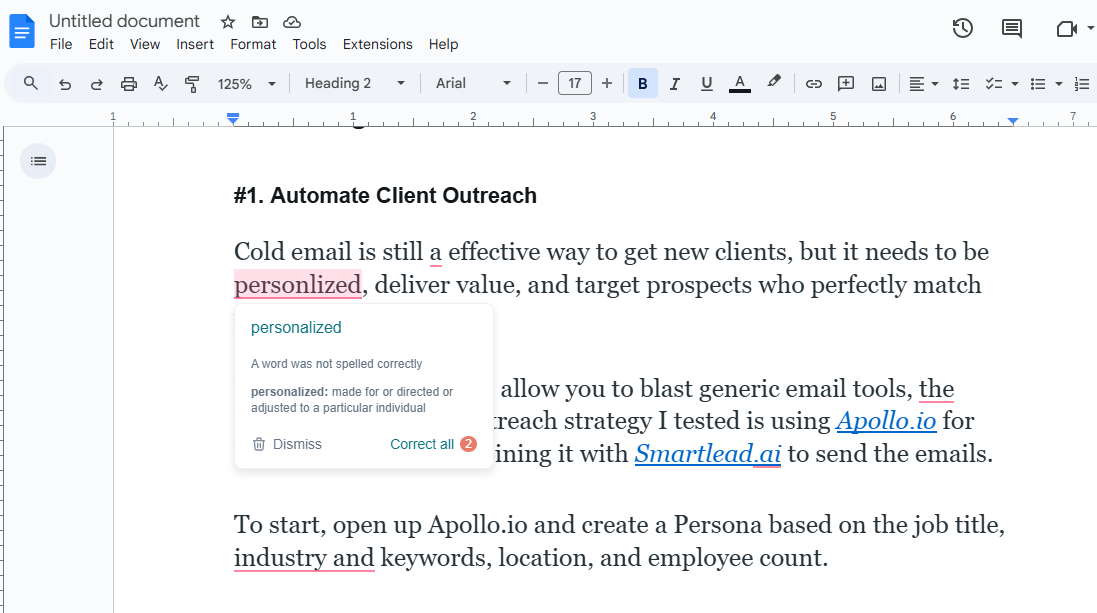
A Smart Grammar and Spell Checker: Most basic tools only look at one word at a time. If you write "their" instead of "there," they might completely miss it. Ginger is much smarter than that. It looks at your whole sentence to understand the real meaning. It catches those very tricky mistakes that other tools ignore. It fixes your spelling, your grammar, and even your punctuation instantly. It makes sure you always look professional, even if you are typing way too fast on a busy Monday morning.
-
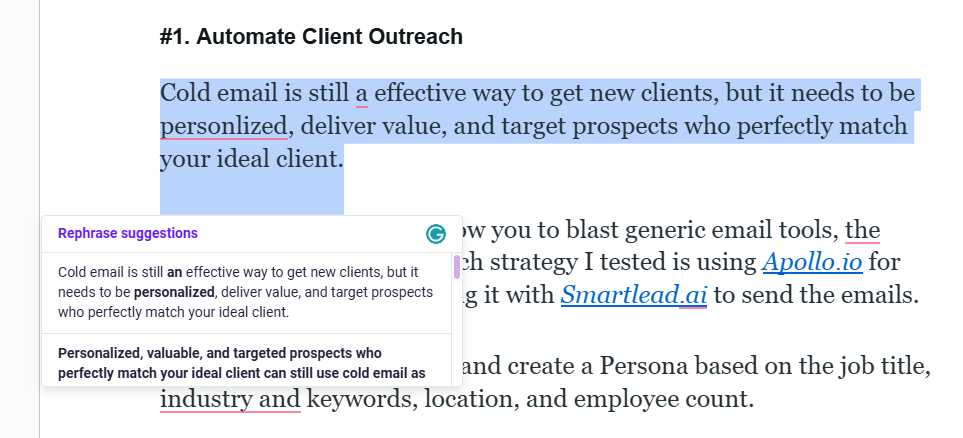
Sentence Rephraser for Better Flow: Sometimes you know exactly what you want to say in your head. But when you type it out, it sounds clunky and weird. We all do this! Ginger has a magic button to fix this exact problem. You just highlight your messy sentence. Ginger gives you completely new ways to write it. It makes your writing flow smoothly. It changes your confusing, choppy notes into clear, beautiful sentences that people actually want to read.
-
Personalized Practice Sessions: Do you keep making the exact same grammar mistake over and over? It is okay, we are human. But Ginger actually helps you stop doing it. It acts like your own personal gym trainer for writing. It watches the mistakes you make the most every day. Then, it builds special practice lessons just for you. You can take these quick little quizzes to learn the rules. Instead of just fixing your errors for you, it actually teaches you how to be a much better writer over time.
Best For
Ginger is perfect for people who want to actively improve their English skills. If you are a student, a non-native English speaker, or someone who wants to learn from their mistakes, this is the best tool for you.
Pricing
Ginger has a free plan that lets you check your basic grammar. If you want more features, premium plans start at around $14 per month.
Get the Tool
Ready to start learning and writing better today? You can easily add the Ginger extension to your browser.
Conclusion: Which Tool is Right for You?
Grammarly is a good tool. But you have better choices now. You do not have to settle for just one option.
You just need to pick the right partner for your daily work. Every writer is different. Here is a quick guide to help you decide:
- Choose Jetwriter AI if you write all day in your browser. It gives you control over your AI. It is very fast and makes your writing sound exactly like you.
- Choose ProWritingAid if you are writing a huge book or long reports.
- Choose LanguageTool if you need to talk to clients in different languages.
- Choose Paperpal if you are a university student writing strict science papers.
- Choose Ginger if you want a friendly coach to teach you better English.
Your time and money are very important. Pick one tool from this list that fits your daily work.
Go ahead and try a free version today. You will be amazed at how much easier your work becomes. Happy writing!
Frequently Asked Questions (FAQ)
Are there good free alternatives to Grammarly?
Yes. Almost all the tools on our list offer a free version to get you started.
Which grammar tool is the safest for my private data?
If privacy is your main goal, look for tools that do not store your text. Jetwriter AI is incredibly secure because it locks down your personal data and never uses your private work to train its AI models. LanguageTool is also a great choice for privacy-conscious writers.
What is the best grammar checker for college students?
For university work, Paperpal is the absolute best choice. Everyday tools do not understand complex science words or strict school formatting. Paperpal is built strictly for academic rules, making sure your research papers look professional.
Do any of these tools check grammar in Spanish or French?
Yes! Grammarly is mostly built for English, but the world is much bigger. LanguageTool checks grammar in over 30 different languages. Jetwriter AI is also built to handle multiple languages smoothly, breaking down global language barriers instantly.