You are a teacher. You love to teach. But let's look at your real day.
You plan lessons. You create study materials. You check student work. You search for ideas online. You write endless emails. You spend hours doing these tasks.
It takes time away from your students. You need a way to make this daily work easier.
This is where AI tools come in.
These tools do the hard work for you. They help you prepare content fast. They organize your information. They help you communicate clearly. Best of all, they stop you from doing the same repetitive work over and over.
If you want to save time, this blog is for you. Here we will look at 8 AI tools used by teachers today. Let's get started.
The Top AI Tools for Teachers
Jetwriter AI
Overview
Jetwriter AI is a smart writing partner that lives right in your browser. It helps you get through your daily teaching tasks without switching tabs. You can use it while checking your email, reading long articles, or writing your daily notes. It is fast and easy to use. This tool helps you write better, edit text, and reply to messages in just a few clicks.
Key Features
-
Write Emails Faster
Teachers get so many emails. Parents have questions. The principal needs updates. Jetwriter helps you write emails much faster. It reads your Gmail Inbox to learn how you talk. You do not have to type the same answers again and again. Just click a button, tell it what you want to say, and it writes a clear, polite reply for you in seconds.
-
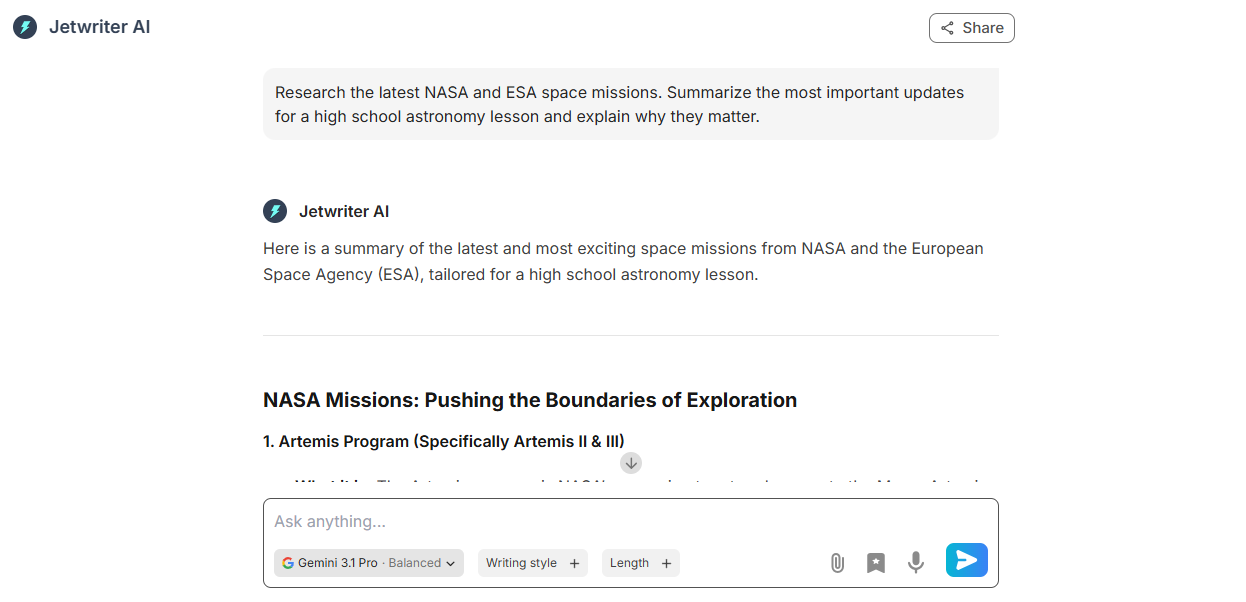
Full Web App
Jetwriter AI also works as a full web app. It is not just an extension. You can use it to search the web. It helps you research and find up-to-date facts for your lessons. You do not have to guess if the information is old or wrong. It looks at live web results to give you the most current data. This makes planning your history or science classes a lot easier and faster.
-
Chat with Page
Sometimes you just don't have the time or energy to read a 20-page article or a long webpage. With this feature, you can simply "chat" with the webpage. Just ask Jetwriter to give you a quick summary, list the key points, or find a specific fact. It reads the whole page instantly and gives you the exact answer you need. It is like having a fast reading assistant right by your side.
-
Chat with Documents
Jetwriter AI lets you attach your files right in the chat. Then, you can just ask it questions about your file. You can upload a big PDF, a study guide, or a long state standard document. Jetwriter reads it for you. You can ask it to find rules, explain topics, or pull out main ideas. This is a great way to quickly understand large school files without reading every single word.
-
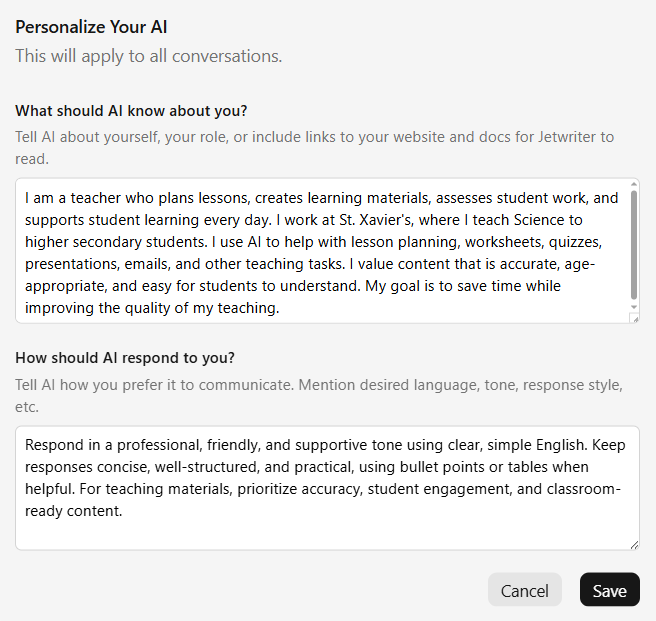
Personalize AI
You can teach Jetwriter exactly who you are. Tell the AI you are a middle school math teacher. You can also tell it exactly how you like to write, like using a polite or upbeat tone. The AI remembers this information. When it helps you write, it knows your job and your voice. You do not get boring text. You get help that feels like it was made just for you and your students.
-
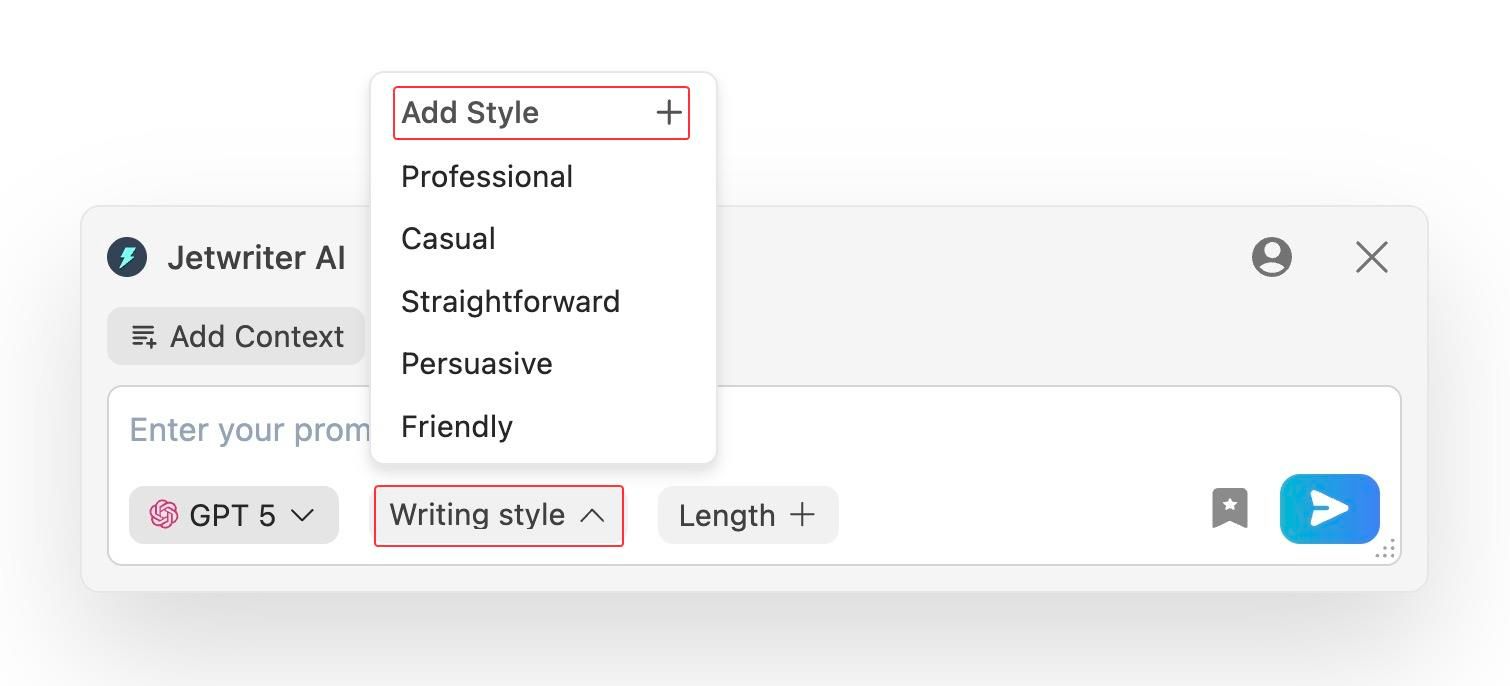
Create Custom Writing Styles
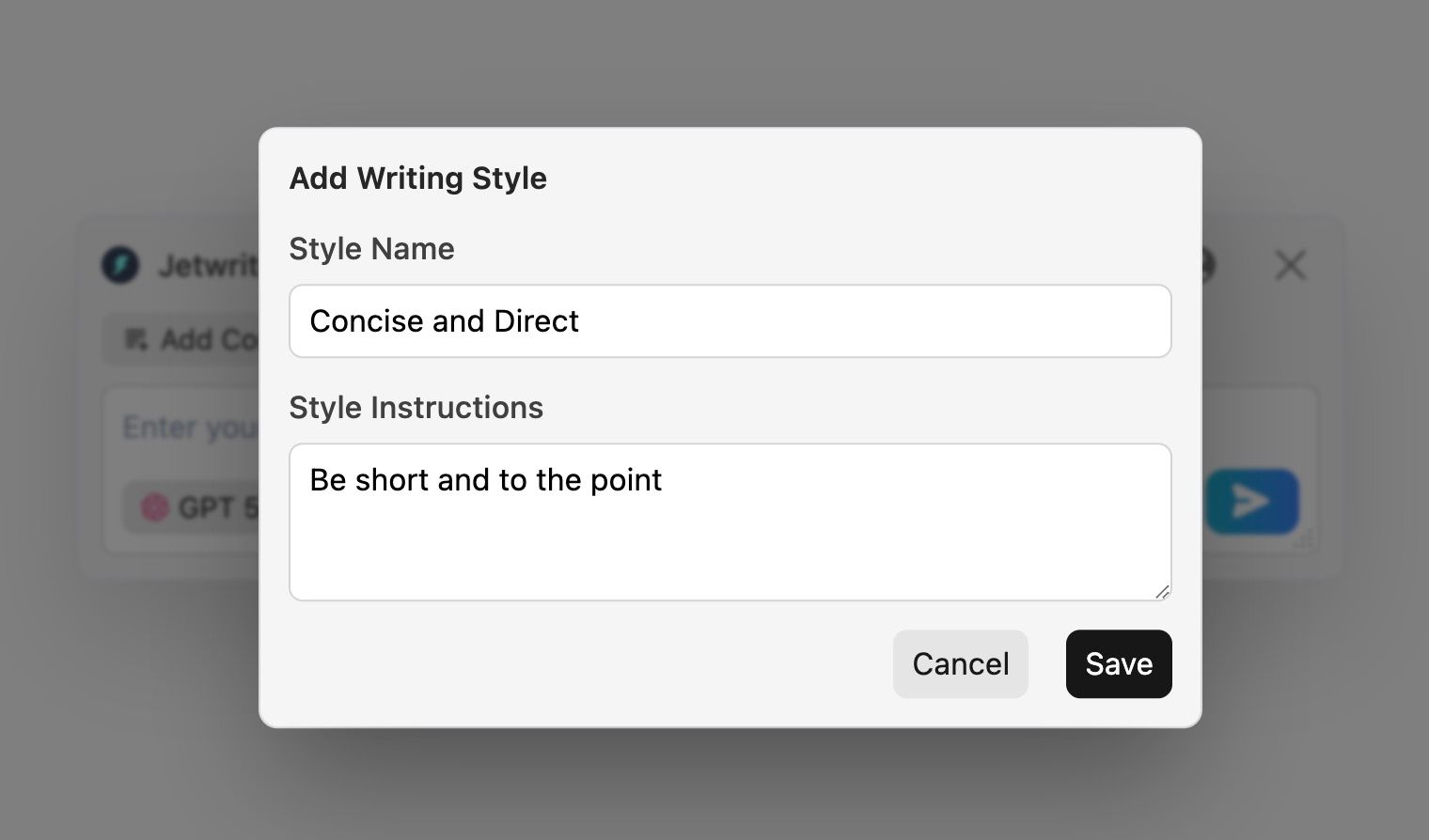
You do not talk to a parent the same way you talk to a fellow teacher. Jetwriter understands this. You can easily create your own writing tones. You can save a friendly tone for parents. You can save a concise and direct tone for the school staff. When you write, you just click the style you want. It changes your text to match that exact tone. It keeps you sounding like a real human.
-
Create Prompt Templates
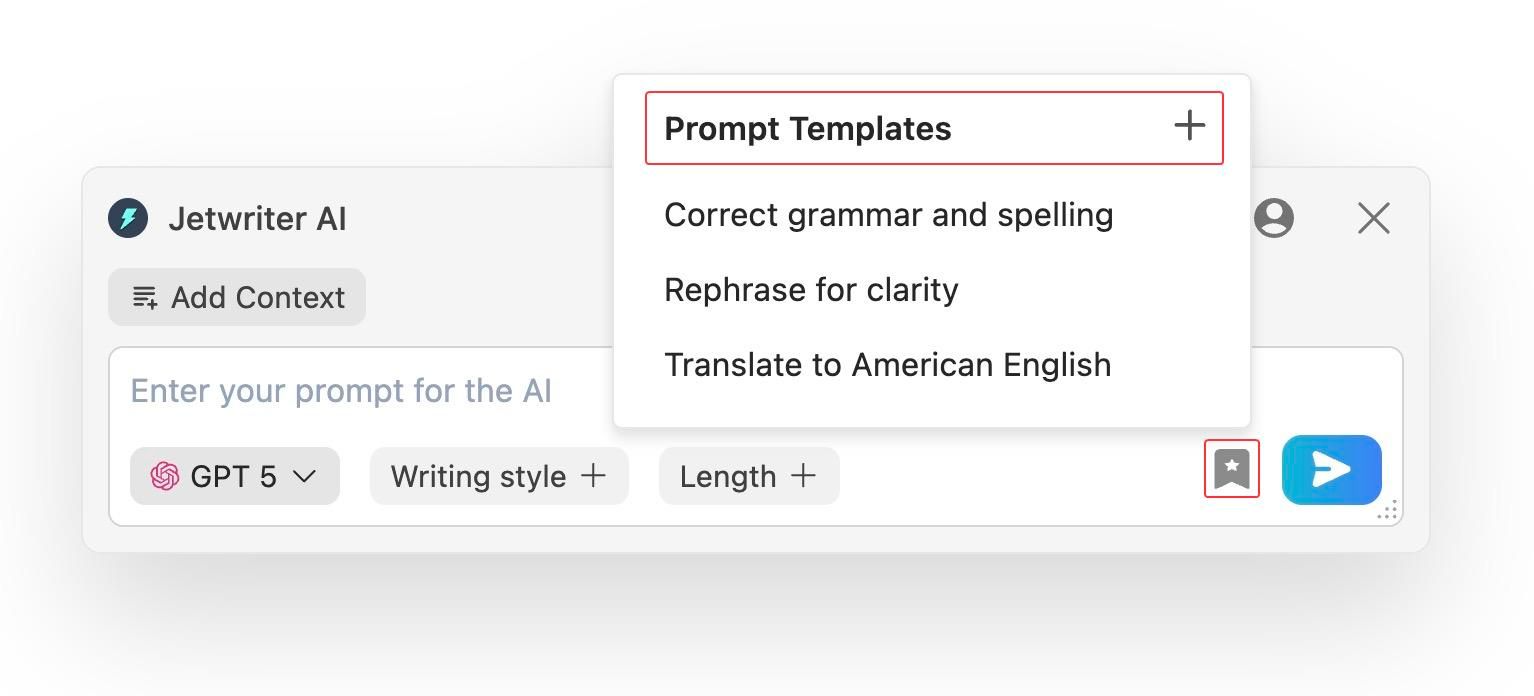
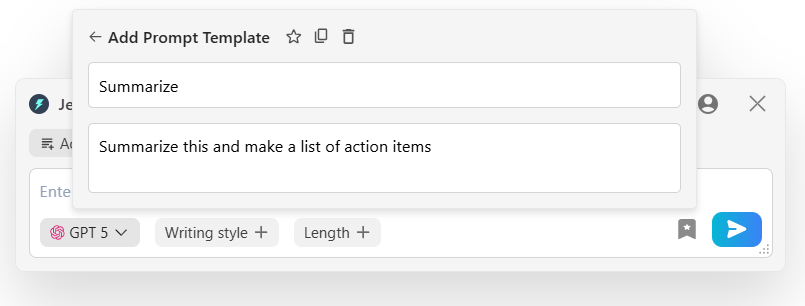
Do you type the same instructions every week? Maybe you ask the AI to make a quiz or summarize notes almost every day. Jetwriter lets you save these commands as templates. Next time you need to use them, you just click the template button. The whole prompt is written for you right away. It saves you hours of repetitive typing. It stops you from doing the same work over and over.
-
Multi-Model, Lightweight and Private
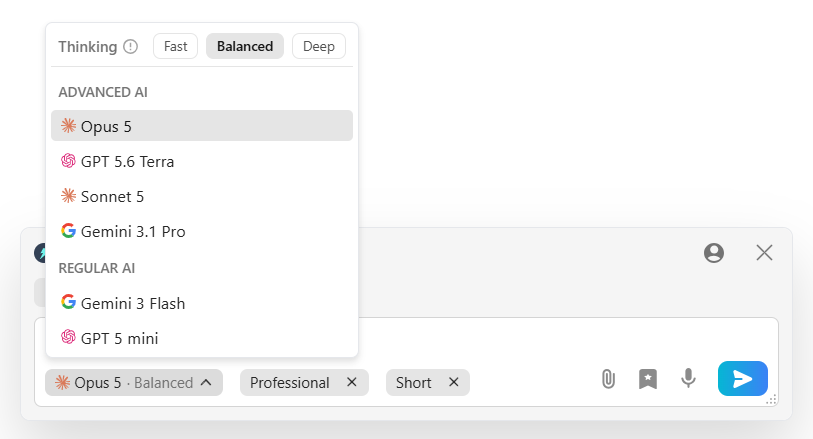
Jetwriter lets you pick the best AI brain, like ChatGPT, Gemini, or Claude, for your task. The browser tool is under 1MB, so it runs smoothly without slowing down your computer. Best of all, it keeps your data safe. Your school data is encrypted in-transit. Plus, it has a strict no-training policy. The AI will never use your private emails or student data to train models.
Pricing
Jetwriter AI has a free version to help you get started. If you want to use the advanced features, there are affordable paid plans available. If you are a heavy user, you can also bring your own API key to save money.
MagicSchool AI
Overview
MagicSchool AI is an all-in-one platform built specifically for K-12 educators. It brings together dozens of specialized tools to help you manage your daily classroom tasks. You can use it to build lesson plans, create classroom activities, and simplify administrative duties. It is designed to help you save hours every week so you can avoid burnout.
Key Features
-
AI Lesson Plan Generator
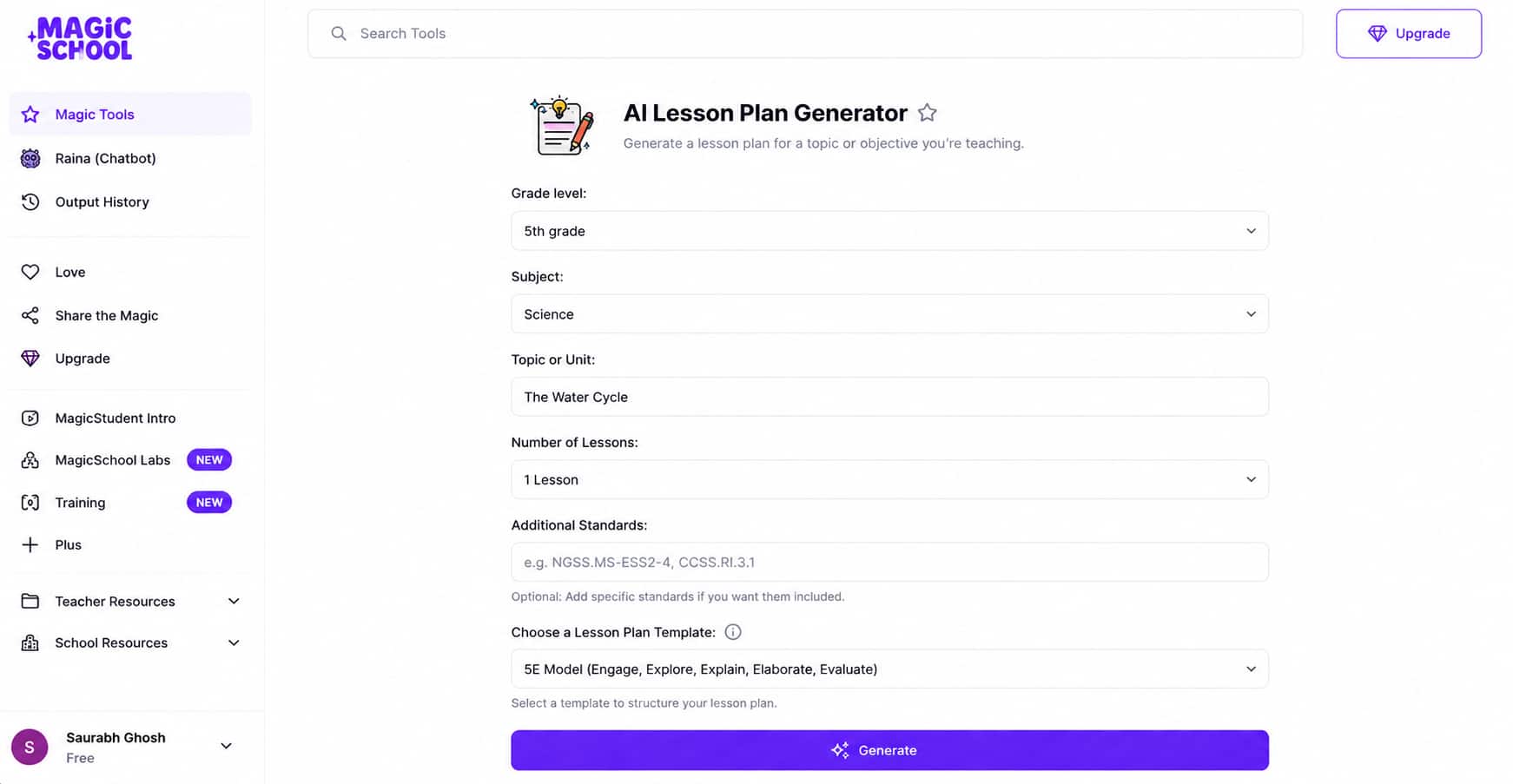
Creating detailed lesson plans from scratch takes up so much time. MagicSchool AI builds full, standards-aligned lesson plans in just a few clicks. You simply input your subject, grade level, and topic. The AI generates complete objectives, step-by-step activities, and discussion questions. It gives you a great starting point so you never have to stare at a blank page again.
-
Assessment & Quiz Creator
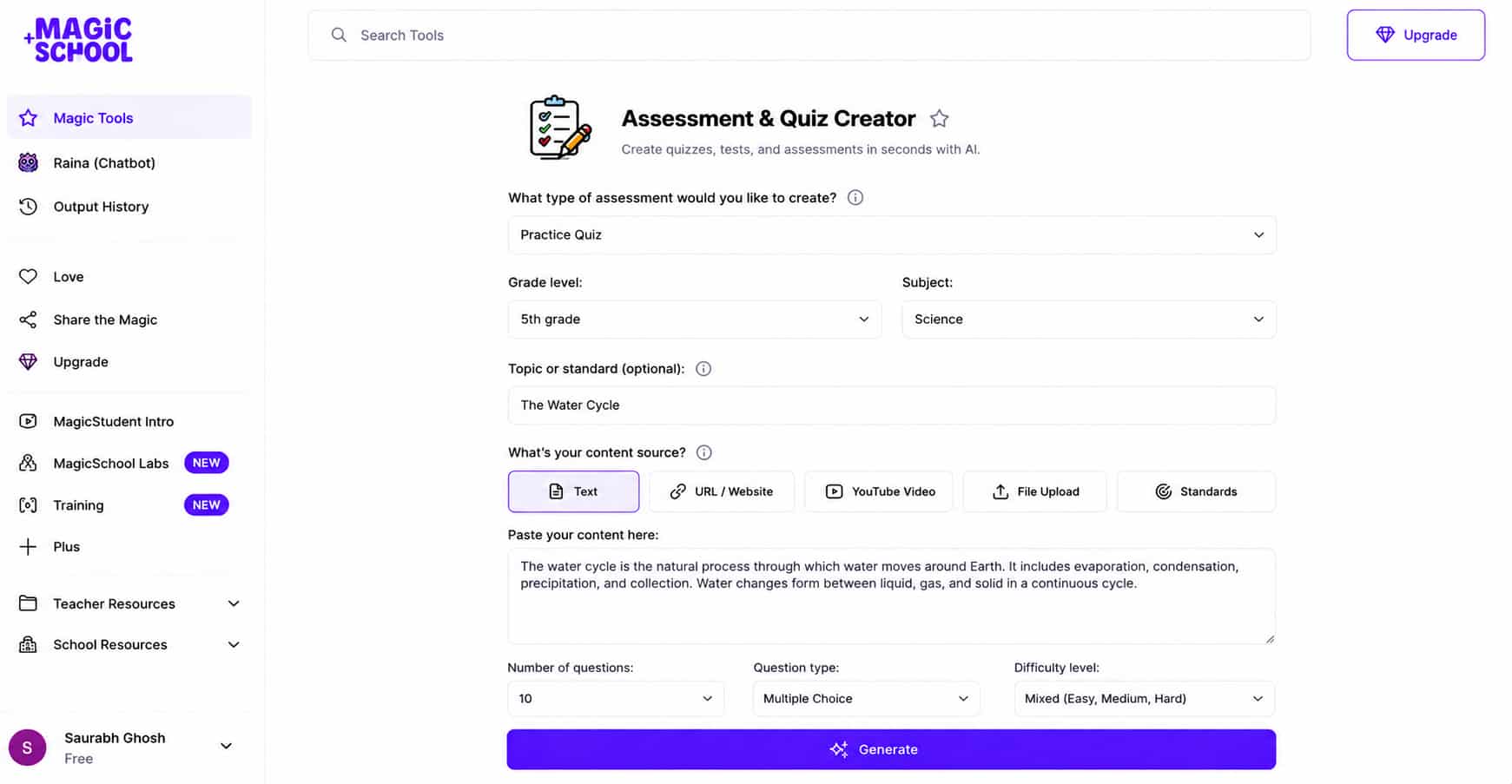
Checking for student understanding shouldn't require working late into the night. MagicSchool lets you generate practice quizzes, exit tickets, and multiple-choice tests in seconds. You can base questions on a text snippet, video transcript, or specific curriculum goal. It also builds clear answer keys and rubrics, making grading much faster and more consistent.
-
Text Leveler & Differentiation Tool
Every classroom has students reading at different levels. Adapting the same article for different readers can take hours. With MagicSchool, you can paste any reading passage and instantly adjust its reading difficulty. You can rewrite complex texts for lower grade levels, simplify vocabulary, or translate passages for language learners. It ensures all your students can access the same material.
Pricing
MagicSchool AI offers a "free forever" plan that includes access to its core educator tools. If you want unlimited generations, output history, and advanced features, you can upgrade to the Plus plan for $8.33 per month (billed annually).
Curipod
Overview
Do you hate making slideshows? It takes forever to find pictures and type notes. Curipod fixes this. It turns boring lessons into fun, interactive slide decks. You just type in what you want to teach. It builds the presentation for you. Then, your students join on their own devices. It is a great way to keep your class awake and get them involved.
Key Features
-
Instant Slide Generation
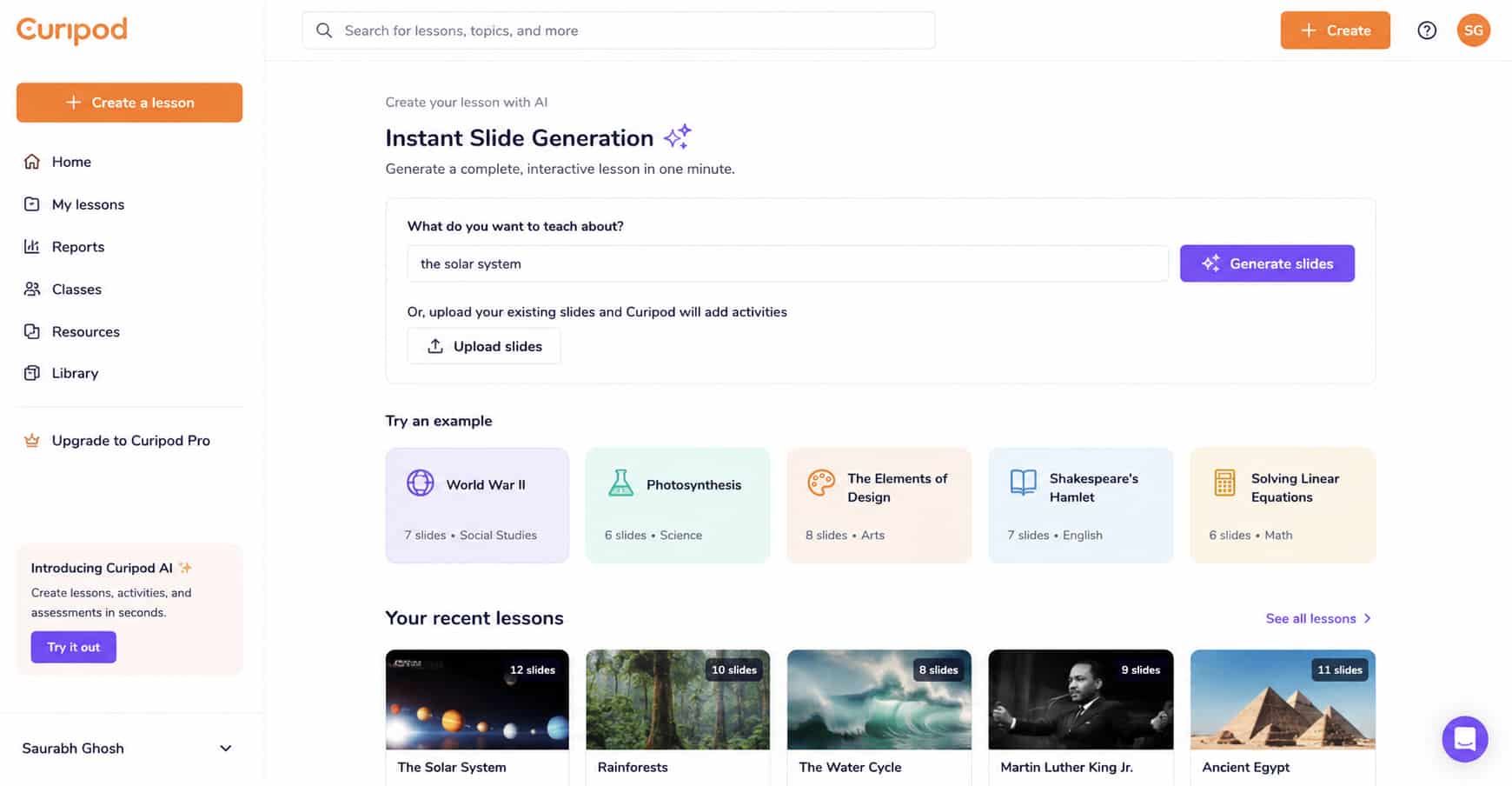
You do not have to start from a blank screen. Just type a topic, like "the solar system." In one minute, Curipod builds a ready-to-teach slide deck for you. Do you already have a boring slideshow? You can upload it. Curipod will automatically add fun activities right into your old slides. It saves you hours of planning.
-
Built-in Formative Assessments
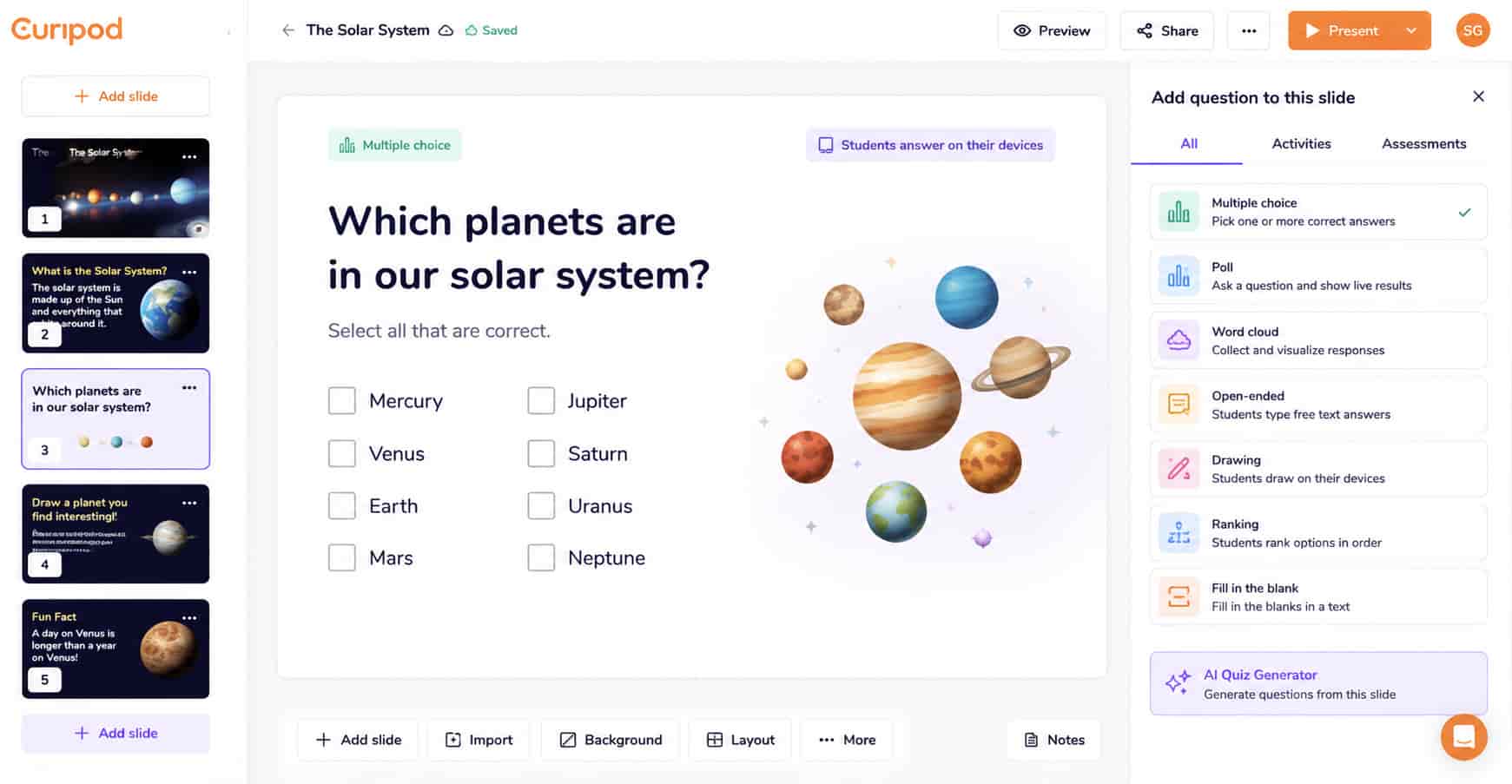
Sitting and listening is boring. Curipod adds activities right into your slides so students stay busy. You can drop in live polls, word clouds, and drawing tasks. Students answer on their own devices. You can instantly see who understands the math problem and who is drawing a funny cat instead. It makes learning active.
-
Personalized Student Feedback
It is hard to check every single student's work at once. Curipod acts like your teacher's aide. When students type an answer, the AI gives them instant, helpful feedback. It tells them what they did right and how to fix mistakes. This keeps students learning even when you are busy helping someone else.
Pricing
Curipod has a generous free version for teachers that covers all the basics. If you want more power, like unlimited translations and premium templates, the premium plan costs $24 a month (billed monthly).
QuestionWell
Overview
QuestionWell is the perfect tool for making quick quizzes and test practice. You just give it something to read, and it does the rest. It is a huge time-saver. You do not have to sit and think of questions one by one. It reads your text and makes the questions for you. Then, you can move those questions right into the tools you already use in your classroom.
Key Features
-
Bulk Question Generation
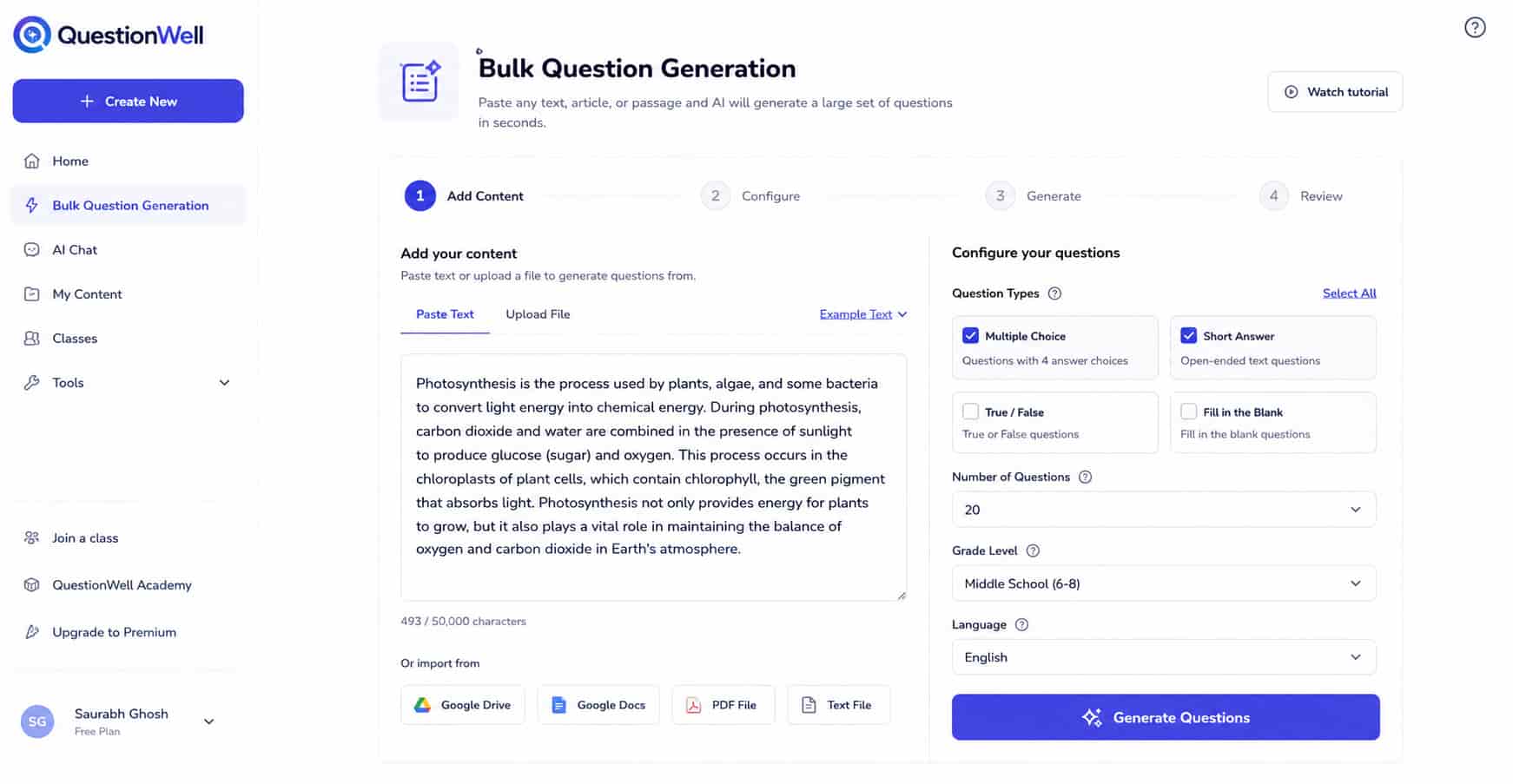
Writing test questions takes a lot of brain power. QuestionWell makes it easy. You just copy a reading passage and paste it into the tool. It can be a science article or a story. The AI reads it and instantly generates lots of multiple-choice and short-answer questions. You get a huge list of great questions to pick from in just a few seconds.
-
Learning Objective Alignment
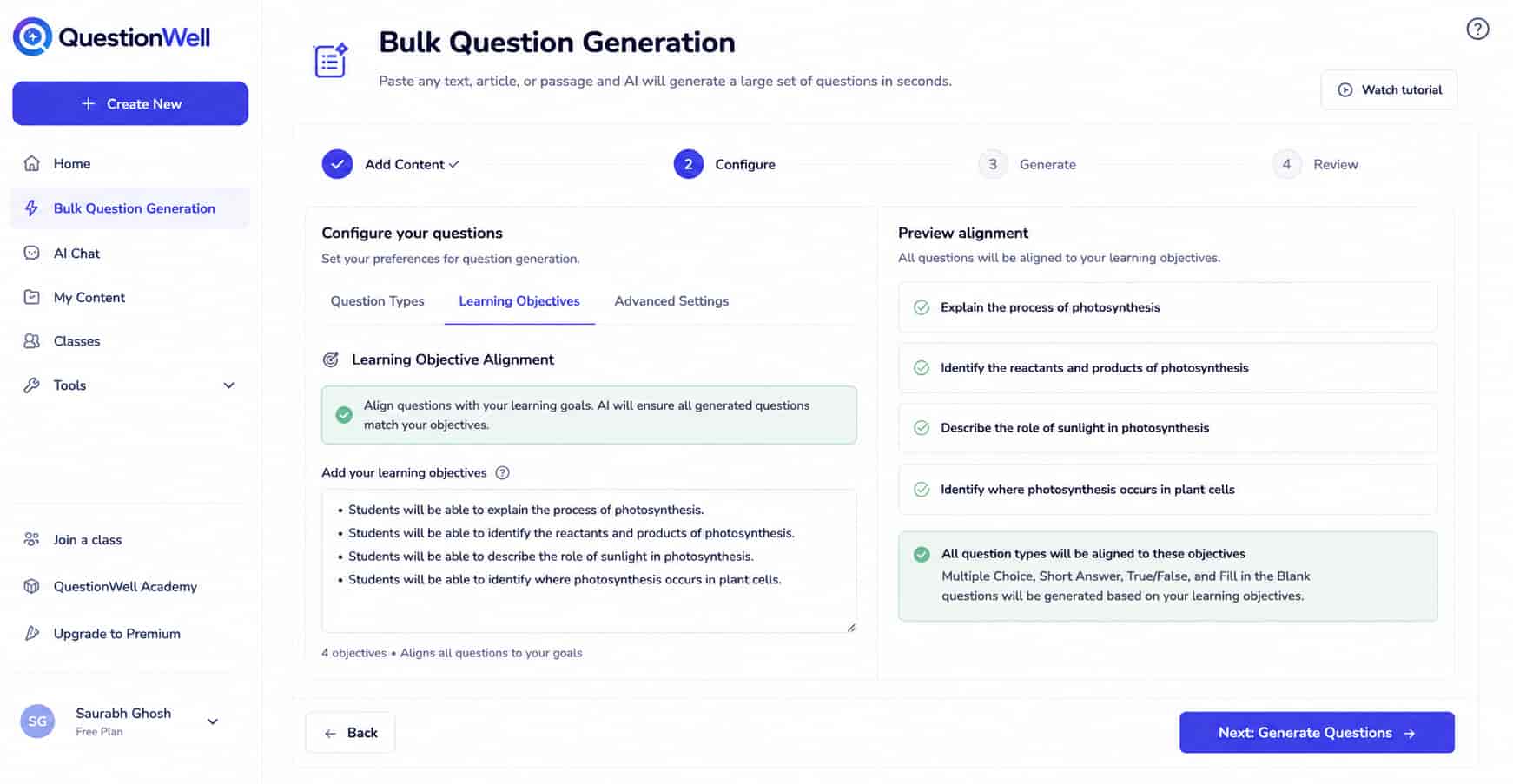
You want to make sure your quizzes actually test what you are teaching. QuestionWell helps you stay on track. You can tell the AI exactly what your learning goals are for the day. It will make sure all the generated questions match those exact goals. You do not have to worry if the quiz is testing the wrong facts. It keeps your lessons perfectly aligned.
-
Seamless EdTech Export
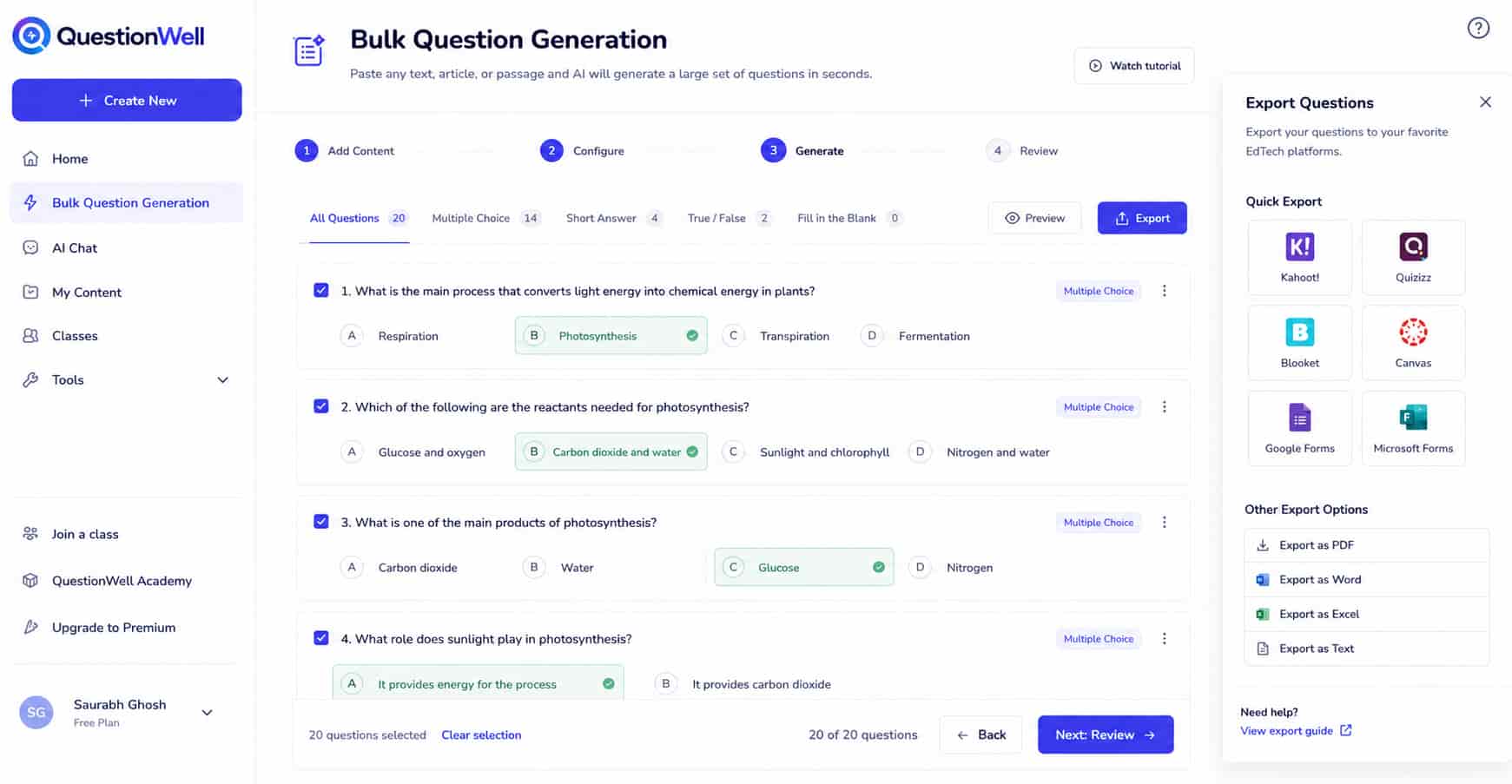
Having a list of questions is great, but typing them into a quiz app is boring. QuestionWell fixes this. With one click, you can export your new questions directly into the games you already play. You can send them straight to Kahoot, Quizizz, Blooket, or Canvas. You never have to copy and paste questions one by one ever again. It is incredibly easy.
Pricing
QuestionWell has a great free plan that lets you generate questions and export them easily. If you want to unlock more question types, align with specific state standards, and save your work, paid plans start at $5.83 per month (billed annually).
ElevenLabs
Overview
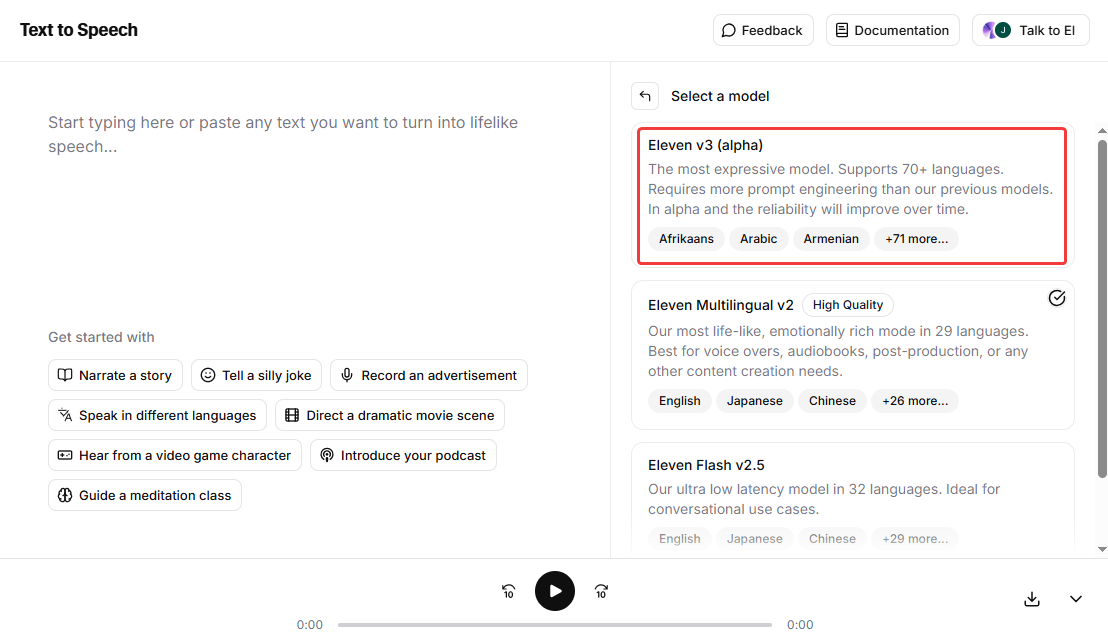
ElevenLabs is an amazing tool for teachers who want to use audio in class. It changes written text into speech. But this is not a boring robot voice. It sounds just like a real human. This is great for students who struggle with reading or those learning a new language. You can make listening stations or audio tests fast. It makes learning easier for everyone.
Key Features
-
Incredibly Realistic Voices
Most computer voices sound clunky and boring. Students stop listening fast. ElevenLabs fixes this problem entirely. It turns your written text and class assignments into natural audio lessons. The voices take breaths and show real emotion. They sound just like actors reading a good book. This keeps your students awake and focused when they listen.
-
Create Your Own AI Voice (Voice Cloning)
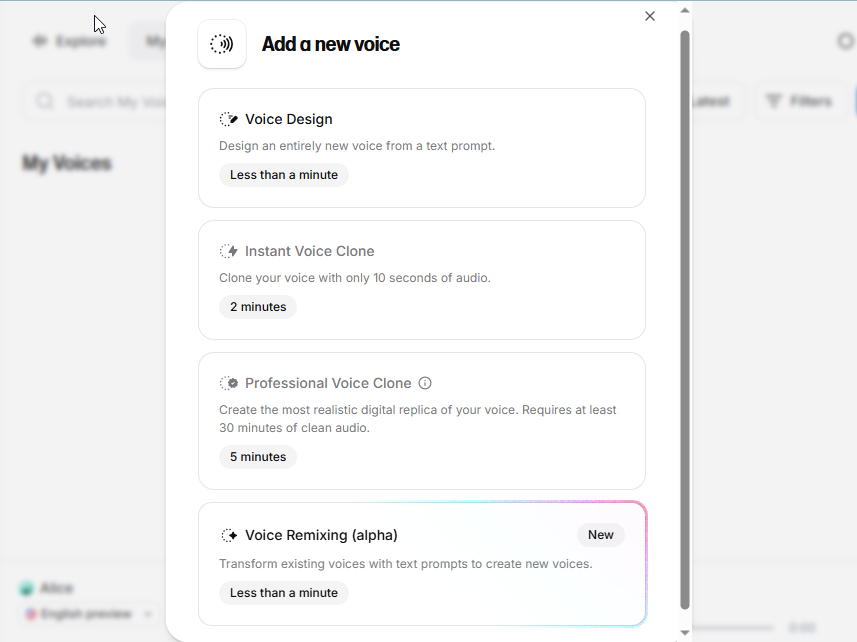
You cannot be in two places at once. But with this tool, your voice can be. You can easily clone your own voice. You just record yourself reading a few lines. After that, the AI can read any text using your exact voice. Your students can listen to you read the test instructions at a computer, while you help a small reading group across the room.
-
Speaks Many Languages
Language barriers are hard in a busy classroom. You might have students or parents who do not speak English well. ElevenLabs makes this easy. You can translate your text and have the AI speak it in many different languages. You can make a Spanish audio guide for a new student in just one click. It makes sure every child feels welcome and learns.
Pricing
ElevenLabs has a free plan that gives you a set amount of audio characters each month. It is a great way to try it out. If you want to make longer audio lessons and unlock your own voice cloning, paid plans start at $5 a month.
Fathom
Overview
Fathom acts like your personal note-taker for online meetings. As a teacher, you have many virtual parent conferences and staff meetings on Zoom. It is hard to listen and take notes at the same time. Fathom records your calls and takes the notes for you. This lets you focus on the parents or your principal. It makes your virtual meetings much less stressful.
Key Features
-
Auto-Transcription
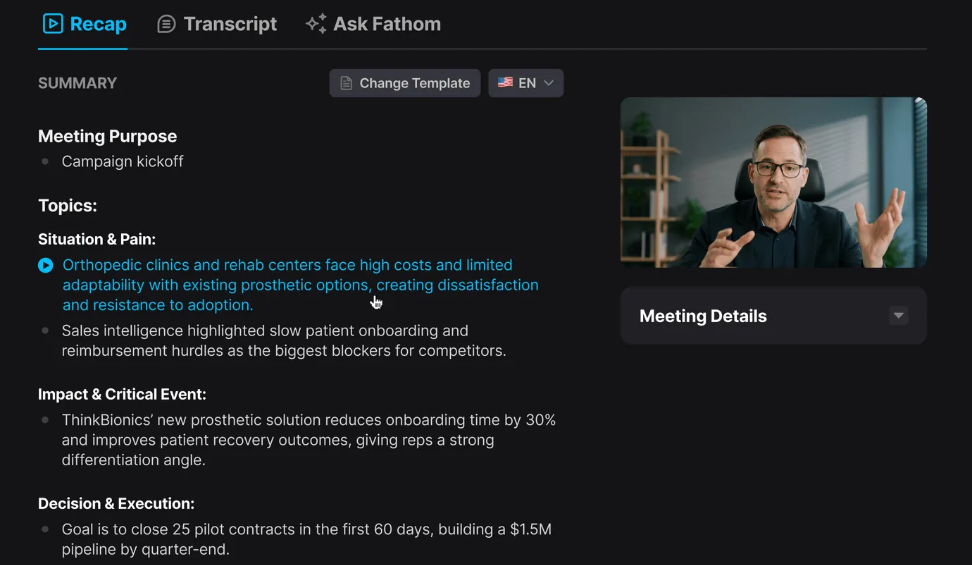
Taking notes during an IEP meeting or a parent conference is stressful. You want to look at the parent, but you have to write things down. Fathom fixes this. It automatically records and transcribes your Zoom or Google Meet calls. It types out everything everyone says. Now you can just listen and talk. You never have to worry about missing an important detail.
-
Instant Summaries
Staff meetings can be very long. Sometimes you forget what you actually agreed to do. Fathom helps you remember. As soon as your meeting is over, the AI gives you a short summary of the call. It turns a long hour of talking into a neat list of action items. You know exactly what tasks you need to do next. It saves you from reading through pages of messy notes.
-
Ask Fathom
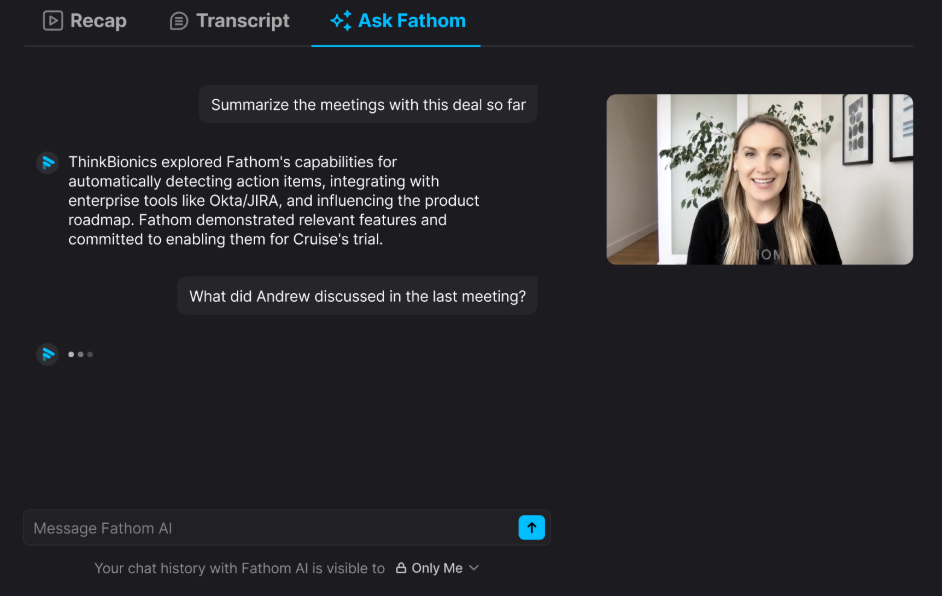
Finding old information is hard. What if you forget what a parent said about a student's reading plan last month? You do not have to watch the whole video again. You can just ask Fathom a question. You can type, "What was Johnny's reading goal?" The AI searches the text and gives you the exact answer instantly. It is a fast search tool for all your old calls.
Pricing
Fathom gives you a really great free plan. You can use it to record and transcribe as many calls as you want for free. If you need extra features, like saving things in team folders or doing advanced searches, their paid plans start at $16 a month per user.
Reclaim AI
Overview
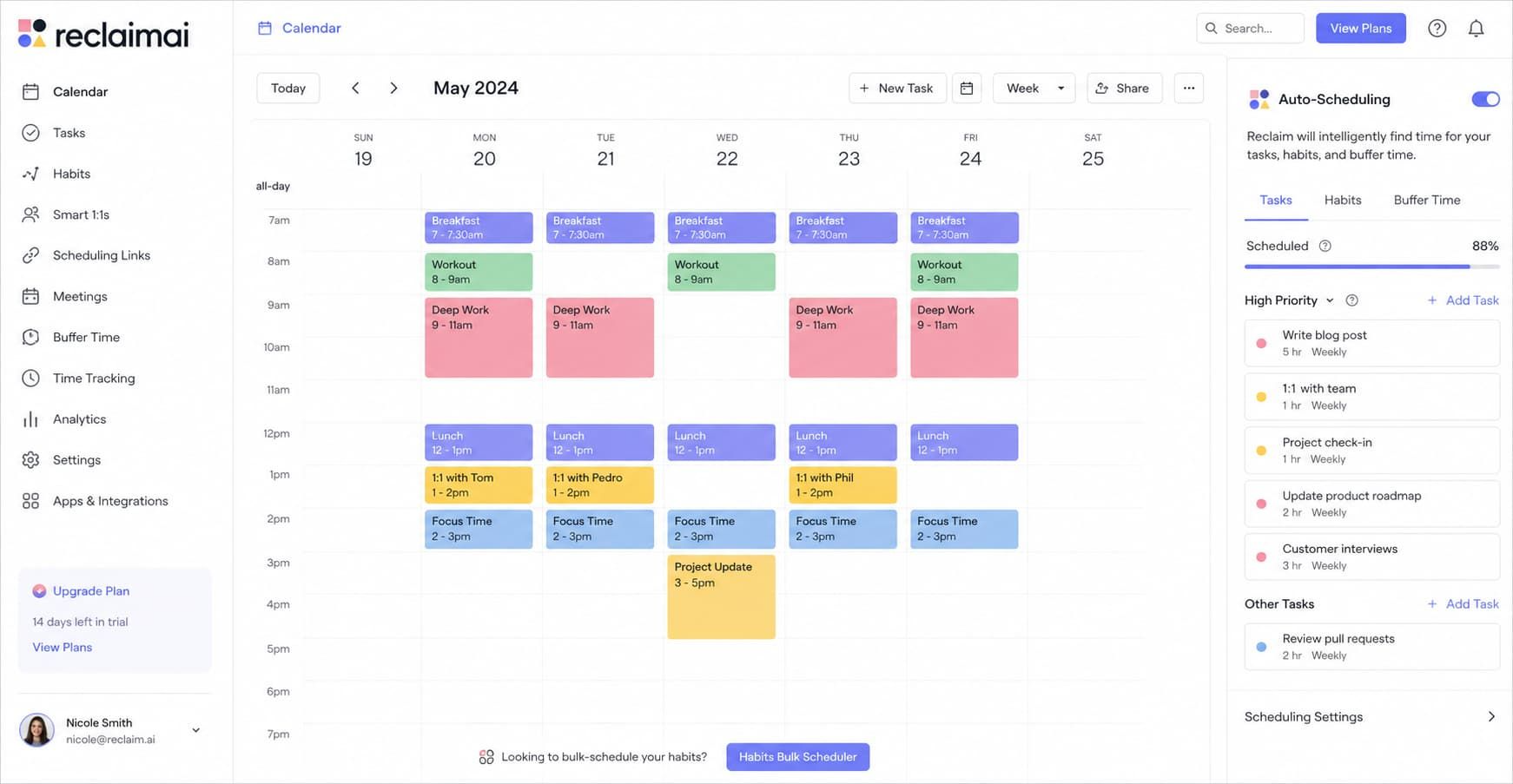
Reclaim AI is a smart calendar assistant for your busy teacher schedule. Your week is packed with classes, grading, and meetings. It is hard to find time for everything. Reclaim fixes this by organizing your calendar for you. It finds the perfect time for your tasks and protects your planning periods. It helps you leave school on time every day.
Key Features
-
Auto-Scheduling
Finding time to grade papers is a daily struggle. You often end up doing it at home. Reclaim AI stops this. You just tell the app, "I need two hours to grade math tests this week." It looks at your busy schedule and automatically finds the perfect time blocks. If a surprise parent meeting pops up, it instantly moves your grading time to a new spot.
-
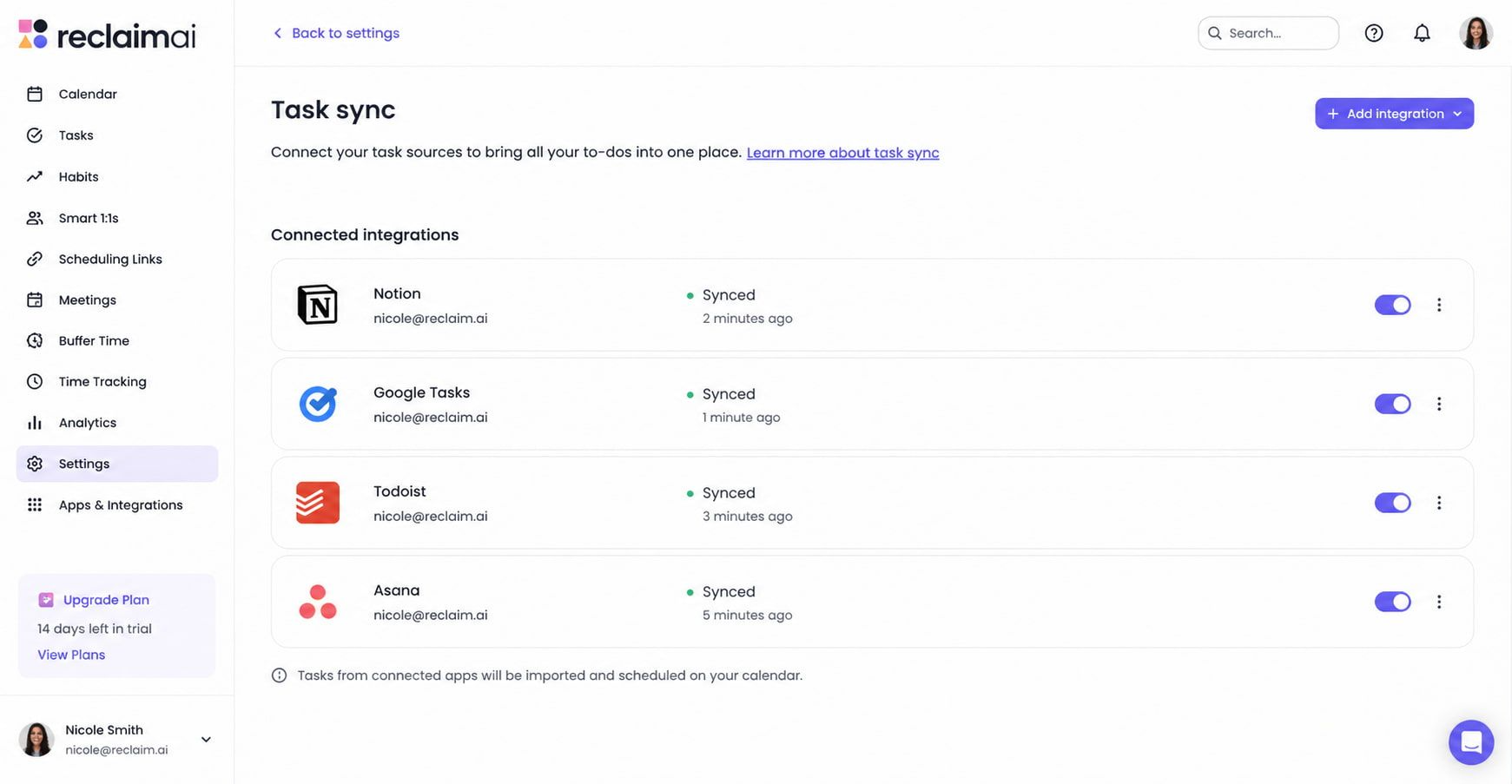
Task Sync
Teachers have notes and to-do lists everywhere. You might use Google Tasks, Todoist, or sticky notes on your desk. Reclaim pulls all your digital tasks from other apps right into your main calendar. If you add "print science worksheets" to your to-do list, Reclaim automatically blocks out 15 minutes for it on your daily schedule. Nothing is forgotten.
-
Smart Breaks
Teaching is exhausting. You often work back-to-back classes without a break. Sometimes you even forget to eat lunch. Reclaim protects your health with Smart Breaks. It automatically schedules buffer time between your meetings and classes. It also blocks off time for you to eat or take a walk. It makes sure you do not burn out before the school bell rings.
Pricing
Reclaim AI has a great free plan for basic scheduling, which is perfect for most teachers. If you want to connect multiple calendars or sync more task apps, their paid plans start at $10 a month.
Notebook LLM
Overview
Notebook LLM is a very smart research tool made by Google. It is different from regular AI because it only reads what you give it. You can upload your own class notes, big state standard guides, or textbook chapters. It acts like a super-smart teaching aide who has memorized all your class materials. It helps you build lessons fast without searching the whole internet.
Key Features
-
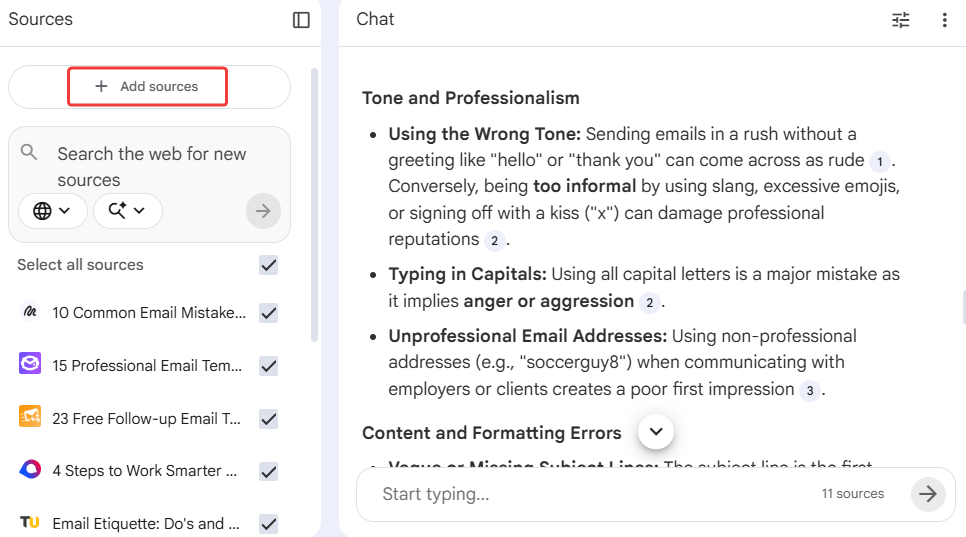
Sticks to the Facts
Regular AI chatbots can sometimes make things up. This is a big problem if you are teaching history or science. Notebook LLM is completely different. It only sticks to the facts you give it. If you upload a chapter about bugs, it will only answer questions using that exact chapter. It will never invent fake facts. This keeps your lesson plans safe and very accurate.
-
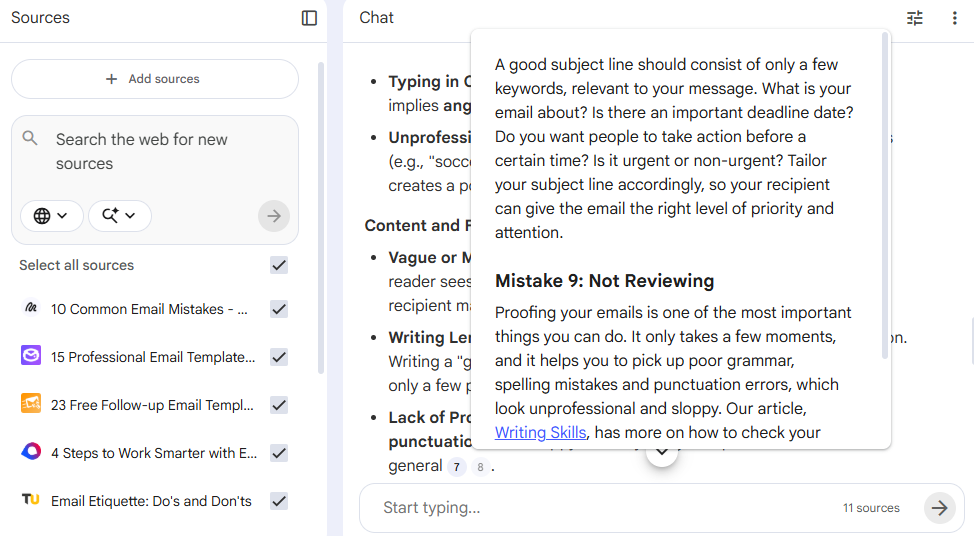
Clear Proof
When an AI gives you an answer, you usually have to guess where the facts came from. Not with this tool. Whenever Notebook LLM answers your question, it gives you clear proof. It puts little numbers next to its sentences. You can click these numbers to see the exact page and line in your uploaded document. You never have to guess if the information is right or wrong.
-
Audio Podcasts
Reading long, boring school policies or textbooks can put anyone to sleep. This tool has a fun trick. It can turn your uploaded files into fun audio podcasts. With one click, it makes two AI hosts talk about your notes like a fun radio show. You can listen to your curriculum on the drive to school. You can even share the audio with your students for a fun review game.
Pricing
Right now, Notebook LLM is completely free to use. You just need a Google account to log in and start uploading your documents.
Conclusion
Teaching is hard work. But it does not have to mean endless paperwork.
These AI tools will not replace you. They are just here to help. They take care of the boring desk work. They write your emails, build your quizzes, and plan your lessons. They save you hours every single week.
This means you can close your laptop early. You can stop taking work home. You can spend more time doing what you actually love: teaching.
Pick one tool from this list today. Give it a try. It is time to get your free time back.
Frequently Asked Questions (FAQ)
Is it okay for teachers to use AI for lesson plans?
Yes. Think of AI as a fast assistant. It gives you a great first draft. You still use your teacher brain to check it and make it perfect for your students. It just saves you from starting with a blank page.
Can AI grade my students' written essays for me?
Not perfectly yet. AI is great for making quizzes and rubrics. But for grading deep essays, you still need a human eye. AI can help you spot grammar mistakes quickly, but you still give the final grade.
What if the AI gives me the wrong facts?
AI can make mistakes. You must always read what the AI writes before you share it. If you want zero mistakes, use a tool like Notebook LLM. It only uses the facts from the documents you give it.
Can AI help me communicate to parents who do not speak English?
Yes! You can use tools like Jetwriter AI to instantly translate written text into various languages. You can also use ElevenLabs to make audio messages in different languages.